Start your 3-day free trial
Sign up to experience all premium features at no cost.
*Available only to new users. Each user is limited to one trial.
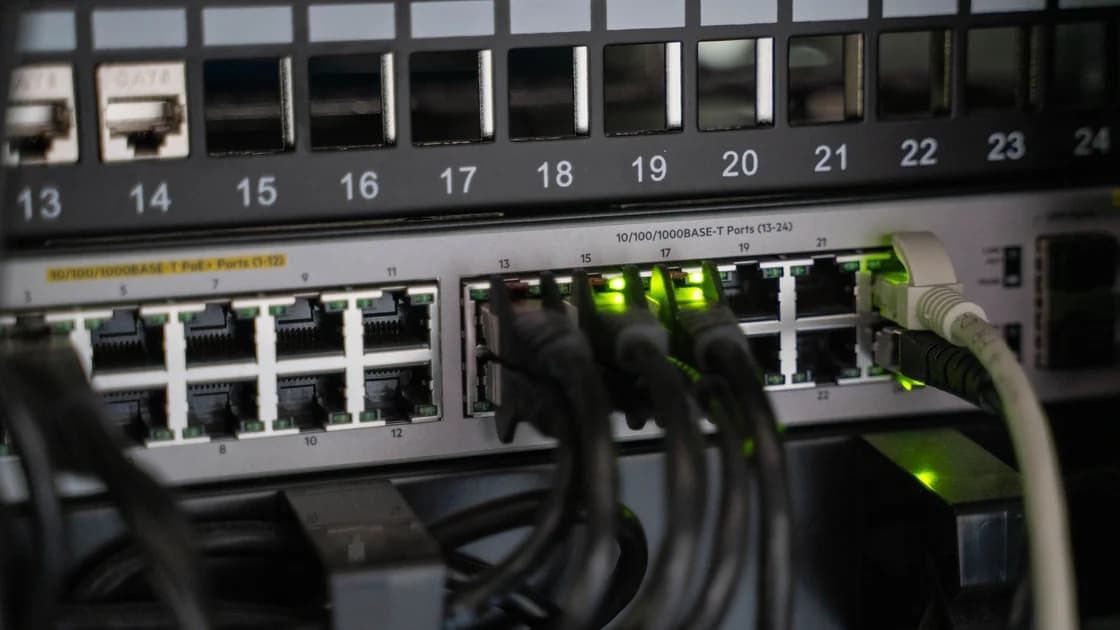

WireGuard AllowedIPs associates IP prefixes with a cryptographic peer. For outbound traffic, WireGuard uses the most specific matching prefix to select the peer that should encrypt a packet. For inbound traffic, it accepts a decrypted packet only when that packet's inner source address belongs to a prefix allowed for the sending peer.
That two-way meaning is the core of WireGuard's “cryptokey routing.” It is related to, but not identical with, the operating system's route table. The complete VPN guide describes the overall path; this article separates the exact decisions so a route, peer rule, and firewall are not mistaken for one setting.
Key Takeaways
- Outbound
AllowedIPsmaps an inner destination prefix to a peer.- Inbound
AllowedIPsauthorizes inner source prefixes for packets decrypted from that peer.- Overlapping entries use longest-prefix matching: a more specific prefix wins.
0.0.0.0/0and::/0match all IPv4 and IPv6 destinations, respectively, but do not by themselves install every system route.wg-quickcan derive routes fromAllowedIPs; WireGuard's low-level peer table and operating-system routing remain separate layers.
The wg(8) manual gives AllowedIPs two explicit roles. When sending, the list identifies which destination addresses are routed to a peer. When receiving, it identifies which source addresses are permitted from that peer.[1] The same prefix list is consulted from opposite perspectives.
Imagine peer A has AllowedIPs = 10.0.1.0/24. If the local WireGuard interface receives an inner packet destined for 10.0.1.42, that prefix may select peer A for encryption. If an authenticated packet arrives from peer A and decrypts to an inner source of 10.0.1.42, it passes the peer's source-address rule. An inner source of 10.0.2.42 does not.
The public key is the anchor. The WireGuard whitepaper calls this mapping between public keys and tunnel addresses a cryptokey routing table.[2] Successful decryption proves which configured key sent the packet; AllowedIPs then limits the inner addresses that key may represent.
This does not mean the peer owns those addresses everywhere on the network. It means this WireGuard interface associates the prefixes with that peer for these two protocol decisions.
When more than one prefix matches a destination, WireGuard chooses the most specific match. Prefix length measures specificity: /24 fixes more leading bits than /16, and /32 identifies one IPv4 address. The same principle applies to IPv6, where /128 identifies one address.
Suppose peer A has 10.0.0.0/8 and peer B has 10.0.1.0/24. A packet for 10.0.1.50 matches both, but the /24 entry is longer and peer B wins. A packet for 10.2.0.5 matches only the /8 entry and goes to peer A. This deterministic rule makes deliberate overlap possible without relying on entry order.
Figure key: 1 is an inner destination presented to WireGuard; 2 is the AllowedIPs lookup; 3 is the more specific 10.0.1.0/24 match; 4 is the fallback 0.0.0.0/0 match. The diagram shows peer selection inside WireGuard, not the operating system's earlier route lookup.
| Destination | Available prefixes | Selected match |
|---|---|---|
10.0.1.50 | 10.0.0.0/8, 10.0.1.0/24 | 10.0.1.0/24 |
10.2.0.5 | 10.0.0.0/8, 0.0.0.0/0 | 10.0.0.0/8 |
198.51.100.20 | 10.0.0.0/8, 0.0.0.0/0 | 0.0.0.0/0 |
2001:db8::20 | IPv4 entries only | No IPv6 match |
Identical prefix ownership across different peers is not a useful load-balancing mechanism. WireGuard's peer configuration needs an unambiguous association; design separate prefixes or a routing layer outside WireGuard if traffic must be distributed dynamically.
A full-tunnel peer commonly uses 0.0.0.0/0 for IPv4 and ::/0 for IPv6. These are default prefixes: every address in the respective family matches unless a more specific peer association exists. They express peer selection, not a promise that DNS, local-network exceptions, policy routing, or leak protection has been configured correctly.
A split tunnel lists narrower destinations, such as a private office subnet or one host. Only traffic that both reaches the WireGuard interface and matches those prefixes is encrypted to that peer. Applications are not named in AllowedIPs; application-based exclusions require operating-system or client policy outside this field.
Dual-stack systems require deliberate treatment of both families. An IPv4 default does not match IPv6 destinations. If the intended policy is to protect both, both families need coherent WireGuard associations and system routes. If IPv6 should stay outside, that is an explicit split policy rather than an accidental side effect.
The protocol comparison can help place these routing mechanics alongside other VPN designs. The field itself remains a list of network prefixes, not a user-facing declaration like “all apps” or “browser only.”
Before WireGuard can select a peer, the operating system normally decides which interface receives the packet. A system route might direct 10.0.1.0/24 to wg0. Once the packet arrives at wg0, WireGuard's AllowedIPs lookup selects the cryptographic peer. If the system route points somewhere else, WireGuard never sees the packet even if its peer table contains a perfect match.
The wg-quick(8) helper deliberately makes these layers appear convenient: it infers routes from all peers' AllowedIPs, adds them to the system, and uses special handling when a default route is present.[3] That is helper behavior, not proof that every WireGuard configuration tool installs the same routes. wg, NetworkManager, mobile clients, and custom scripts can manage surrounding routes differently.
This separation produces four common states:
AllowedIPs both match: the packet can reach the selected peer.The Endpoint guide covers that last outer destination. Treating Endpoint as a route or adding public server IPs to AllowedIPs without understanding the inner policy often creates loops or unintended capture.
After WireGuard authenticates and decrypts a packet, it checks whether the inner source belongs to the sending peer's AllowedIPs. This prevents one configured peer from claiming an inner address assigned to another peer. A road-warrior peer limited to 10.0.0.7/32 cannot successfully inject a decrypted packet claiming to originate from 10.0.0.8 through that association.
That check is powerful but narrow. It does not evaluate TCP ports, application identities, users, time of day, connection state, domain names, or whether a service should accept the packet. A host or network firewall must enforce those policies. Nor does inbound authorization automatically enable IP forwarding between interfaces.
It is also not DNS policy. A resolver may return addresses inside or outside configured prefixes, but AllowedIPs does not choose the resolver or protect a DNS query that the operating system sends over another interface. Route and DNS behavior need their own verification.
Many readers edit AllowedIPs for one reason: to decide whether everything rides the tunnel or local destinations stay direct. If that is your only goal, AethoVPN turns the decision into a single switch rather than a prefix list. Global mode on carries every app through the encrypted tunnel, the same outcome as the full-tunnel example above; global mode off lets requests to websites in your own region bypass the relay. Flip it, then confirm the real path with an IP or route check. Start a free 3-day trial to compare both states. Rules scoped to individual apps or prefixes still need a WireGuard peer you run yourself.
Start with one inner destination and follow it layer by layer. Inspect the operating-system route that wins, confirm it points to the intended interface, then find the longest AllowedIPs match among peers. Only after peer selection should you check the Endpoint, latest handshake, counters, and return path.
For inbound problems, inspect the decrypted packet's intended source prefix and the association on the receiving interface. Avoid “fixing” the symptom by adding 0.0.0.0/0 to every peer. An overly broad entry can steal outbound destinations and widen which source addresses that peer is allowed to claim.
Use test prefixes you control and record both address families. A successful ping proves a narrow bidirectional case; it does not prove all routes, applications, DNS paths, or firewall policies are correct. If only one destination fails, compare its longest prefix with a working destination before changing keys or keepalive timers.
Delivering a request to the intended peer is only half of an exchange. The remote system needs a route back to the inner source, and its own AllowedIPs must select and authorize the expected peer. An asymmetric configuration can deliver the request but lose the reply on another interface.
Check each direction separately: the outbound packet's destination, the decrypted inbound packet's source, and the reply's destination. An overly broad prefix can hide a return-path mistake by capturing more addresses than intended, so restore the minimum required prefixes after diagnosis and retest neighboring networks.
AllowedIPs maps inner IP prefixes to WireGuard public-key peers.wg-quick may install routes from the list, but that helper behavior is a separate layer.Not exactly. It selects a peer for outbound inner destinations and permits inner source prefixes from authenticated inbound packets. User access and service policy need additional controls.
0.0.0.0/0 mean in AllowedIPs?It matches every IPv4 address. It can make a peer the IPv4 default selection, but the operating system still needs coherent routing and IPv6 requires separate treatment.
::/0 include IPv4?No. It is the IPv6 default prefix. A dual-stack full-tunnel design normally considers both 0.0.0.0/0 and ::/0.
Yes, when different prefix lengths create a deliberate longest-prefix decision. The more specific match wins for an outbound destination.
It performs a source-prefix authorization check on authenticated inbound WireGuard packets, but it is not a general firewall for ports, applications, users, or connection state.
No. AllowedIPs concerns inner prefixes and peer selection. Endpoint is the current outer IP address or hostname and UDP port used to reach the peer.
wg-quick infers operating-system routes from those prefixes as a convenience. That automation is documented behavior of the helper, while WireGuard's peer table remains conceptually separate.
Sources:
wg(8): https://git.zx2c4.com/wireguard-tools/about/src/man/wg.8wg-quick(8): https://git.zx2c4.com/wireguard-tools/about/src/man/wg-quick.8Sources checked 12 September 2026.
Related Articles:
Sign up to experience all premium features at no cost.
*Available only to new users. Each user is limited to one trial.