Start your 3-day free trial
Sign up to experience all premium features at no cost.
*Available only to new users. Each user is limited to one trial.
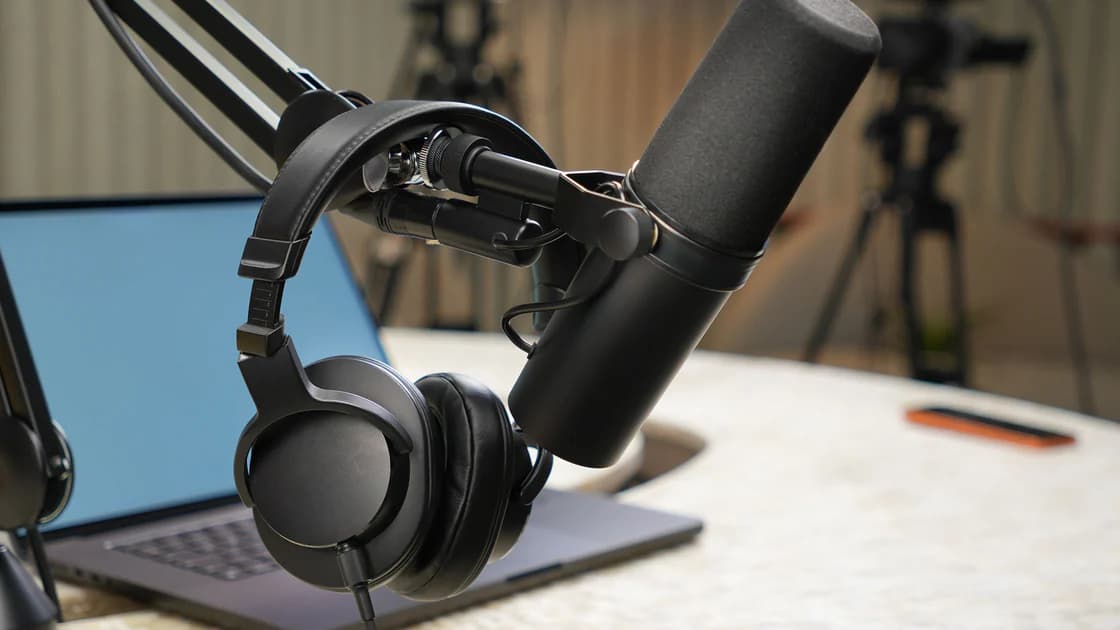

To transcribe, summarize, and subtitle audio with AI reliably, confirm that recording and processing are permitted, preserve an unchanged master, and generate a time-aligned draft that marks speakers and uncertainty. Correct that draft against the audio before summarizing it. Create subtitle cues from the corrected transcript, then review accuracy, timing, completeness, placement, and readability.
This order matters. A smooth summary built from a faulty transcript hides the original error, and well-timed subtitles can still misrepresent speech. NIST warns that generative AI can confabulate and that risk controls should include documentation and human oversight.[4] Treat every stage as a transformation with an input, output, reviewer, and acceptance rule.
Key Takeaways
- Confirm consent, authority, purpose, and retention before upload.
- Preserve a read-only master and work from controlled copies.
- Keep timestamps, speaker labels, and low-confidence markers.
- Correct the transcript before asking for a summary.
- Build subtitle cues from the corrected text, not the raw draft.
- Review the finished media from beginning to end.
For meeting-specific owners and deadlines, use the meeting action-item workflow. This guide covers general authorized audio, including interviews, lectures, demonstrations, podcasts, and recorded presentations.
Identify who recorded the audio, who is speaking, who owns it, why it will be processed, which service will receive it, and who may access the output. Consent and notice requirements vary by jurisdiction, context, employment relationship, platform, and recording method. Do not assume that being able to download a file gives you permission to transcribe or publish it.
Before processing, answer:
Use the least amount of audio needed. If a section is outside the approved purpose, remove it from the working copy while preserving the master under the applicable records policy. Redact unnecessary identifiers only in a controlled derivative; never pretend the edited copy is the original.
This article describes a quality workflow, not a legal conclusion. When recording law, consent, contractual rights, workplace monitoring, or sensitive personal data is uncertain, consult a qualified local professional before processing.
Store the received file unchanged and assign it a stable ID. Record its source, capture date, duration, format, language, known speakers, permission basis, owner, and access restrictions. Restrict write access to prevent accidental replacement.
Create a working copy for noise reduction, channel separation, volume normalization, or format conversion. Record every transformation. Processing may improve intelligibility, but aggressive filtering can remove consonants, change apparent pauses, or make overlapping speakers sound sequential.
Listen to several samples before automation: quiet speech, loud speech, names, numbers, cross-talk, music, and the noisiest section. Note vocabulary such as product names, technical terms, locations, and abbreviations. A small glossary helps the model without authorizing it to guess.
Divide long recordings at natural boundaries while retaining continuous time offsets. Give each segment a start time and overlap only when needed to avoid cutting a word. Keep segment IDs so corrections can be traced to the master.
Request a structured result with segment ID, start time, end time, speaker label, text, language, and confidence or uncertainty note. If the tool does not expose numeric confidence, require an explicit marker such as [unclear 00:12:41] instead of a plausible completion.
Use neutral speaker labels until identity is verified: Speaker 1, Speaker 2, or a role confirmed from context. Voice similarity alone is not enough to identify a person. Keep overlapping speech and non-speech information when it affects meaning.
A useful draft schema is:
| Field | Example purpose | Failure to avoid |
|---|---|---|
| Segment ID | Stable correction reference | Losing the source location |
| Start/end | Navigation and subtitle timing | Invented or drifting timecodes |
| Speaker | Turn tracking | Guessing identity from voice |
| Verbatim text | Primary transcript | Premature paraphrase |
| Uncertainty | Human review queue | Confidently filling unclear audio |
| Sound note | Meaningful non-speech audio | Omitting a warning or reaction |
Do not summarize during transcription. Keep verbal repetitions or false starts when the transcript's purpose requires a faithful record. For a readable transcript, make cleanup rules explicit and preserve a verbatim layer if later disputes are possible.
Review every low-confidence segment, then sample supposedly high-confidence sections. Names, numbers, negatives, units, dates, URLs, acronyms, speaker changes, and quoted statements deserve full review because one small error can reverse meaning.
Use headphones and slow playback without changing pitch when necessary. Compare each correction with the surrounding sentence and the master, not only the model's alternative. Mark truly unintelligible speech rather than guessing.
Keep a correction log with segment ID, old text, new text, reason, reviewer, and time. Typical reasons include misheard word, speaker boundary, punctuation affecting meaning, timecode drift, or non-speech label. If a change depends on outside knowledge rather than audible evidence, label it as an editorial annotation.
After corrections, run checks for:
Only now designate a transcript version as approved for downstream work.
Provide the approved transcript and a summary contract: audience, purpose, required sections, maximum length, allowed inferences, and citation style. Require each material point to reference segment IDs or time ranges. Tell the model to state when the transcript does not support an answer.
Use a document-summary checklist for scope and omission checks. Audio adds speaker attribution and time alignment, so verify that the summary does not merge different speakers' views or turn a question into a decision.
Separate:
Ask for a contradiction pass: find places where the summary strengthens certainty, removes a qualification, attributes a statement to the wrong speaker, or ignores a correction marker. Open the corresponding audio segments and decide manually.
If the summary will feed a report, preserve the approved transcript ID and segment references in the notes-to-report evidence map.
Subtitle files are timed cues, not paragraphs cut at regular character counts. W3C's WebVTT specification defines a text-track format with cues and timing for media.[2] Generate cues from corrected transcript segments, then adjust boundaries to the speech and visual context.
Each cue should:
Do not translate, simplify, or censor while producing same-language captions unless the approved editorial specification says so. Those are separate transformations requiring separate review. Preserve song lyrics and other copyrighted material according to the rights available; do not assume transcription grants republication rights.
For a production pipeline, validate cue syntax, increasing timestamps, overlap rules, encoding, and file naming. Keep the subtitle file linked to the exact media and transcript versions.
WCAG's guidance for prerecorded content requires captions for prerecorded audio in synchronized media, except when the media is itself an alternative for text and is clearly labeled.[1] Accessibility is not satisfied by attaching an unchecked machine transcript.
Review the entire finished media with captions enabled. Check four dimensions commonly used in caption quality programs:
| Dimension | QA question |
|---|---|
| Accuracy | Do words, speakers, and meaningful sounds match? |
| Synchrony | Do cues appear and disappear with the relevant audio? |
| Completeness | Is all necessary speech and sound represented? |
| Placement/readability | Can viewers read cues without losing essential visuals? |
FCC captioning guidance discusses accuracy, synchronicity, completeness, and placement as quality dimensions for US television captioning.[3] Use those dimensions as a useful QA lens, not as a universal statement of legal obligations for every country, platform, or media type.
Test on the actual player and target screen sizes. Look for truncated lines, unsupported characters, cues hidden by controls, collisions with burned-in labels, and rapid changes during dense speech. Ask a reviewer who did not edit the transcript to watch a representative section, and use accessibility expertise for important releases.
Bind the master audio, processed working copy, approved transcript, summary, subtitle file, review log, and publication version with stable IDs. Record language and locale separately; mixed-language recordings may need segment-level language labels.
Define a correction path. A viewer or speaker should be able to report a timestamp and problem. When a correction is accepted, determine which derived artifacts are affected. Fixing a transcript does not automatically update an exported summary or subtitle file.
For published media, document who can replace captions, whether cached players must refresh, and how the correction is communicated. Retain only what the permission and records policy allow.
If you are planning the recording rather than processing it, the video script and storyboard workflow can reduce later caption ambiguity by separating narration, speakers, and meaningful sounds before production.
Extract every name, number, date, quotation, decision, and causal statement from the summary. Map it to an approved transcript segment, play that section, and inspect enough surrounding audio to recover qualifications. Use the AI answer fact-checking method for external claims that cannot be proven by the recording itself.
Do not use the transcript as the sole evidence for sound that the model may have missed. If the audio is unclear and the claim matters, mark it unresolved or ask an authorized participant for clarification.
No. Possession does not establish consent, copyright, confidentiality, workplace authority, or lawful processing. Confirm the recording and processing basis for the relevant jurisdiction and context.
No. Correct it against the audio first. Otherwise a transcription error can become a confident summary point and later be difficult to trace.
Use a timestamped uncertainty marker such as [unclear] or [inaudible], following your editorial standard. Do not guess a plausible word merely to make the sentence smooth.
No. They require review for words, speakers, sounds, timing, completeness, placement, readability, and player behavior. Accessibility obligations also depend on the content and jurisdiction.
A transcript is a text record of audio. Captions are synchronized text cues designed to convey speech and meaningful sounds while the media plays. One cannot be substituted mechanically for the other.
Translation is a separate transformation. Start from the corrected source-language transcript, preserve cue and speaker meaning, localize naturally, and have a qualified reviewer check both language and timing.
Use neutral labels first, verify identities through authorized context, and mark changes consistently. Add speaker identification to captions when viewers cannot determine the speaker visually.
Keep only the master, approved derivatives, provenance, permission evidence, and correction records required by your policy. Delete temporary uploads and unnecessary sensitive copies according to the approved schedule.
Related articles
Disclaimer: Recording, consent, privacy, employment, copyright, and accessibility requirements vary by jurisdiction and context. This article provides general workflow guidance and is not legal advice. Confirm applicable requirements with a qualified local professional.
Sources:
Sources checked 24 August 2026.
Sign up to experience all premium features at no cost.
*Available only to new users. Each user is limited to one trial.