Start your 3-day free trial
Sign up to experience all premium features at no cost.
*Available only to new users. Each user is limited to one trial.
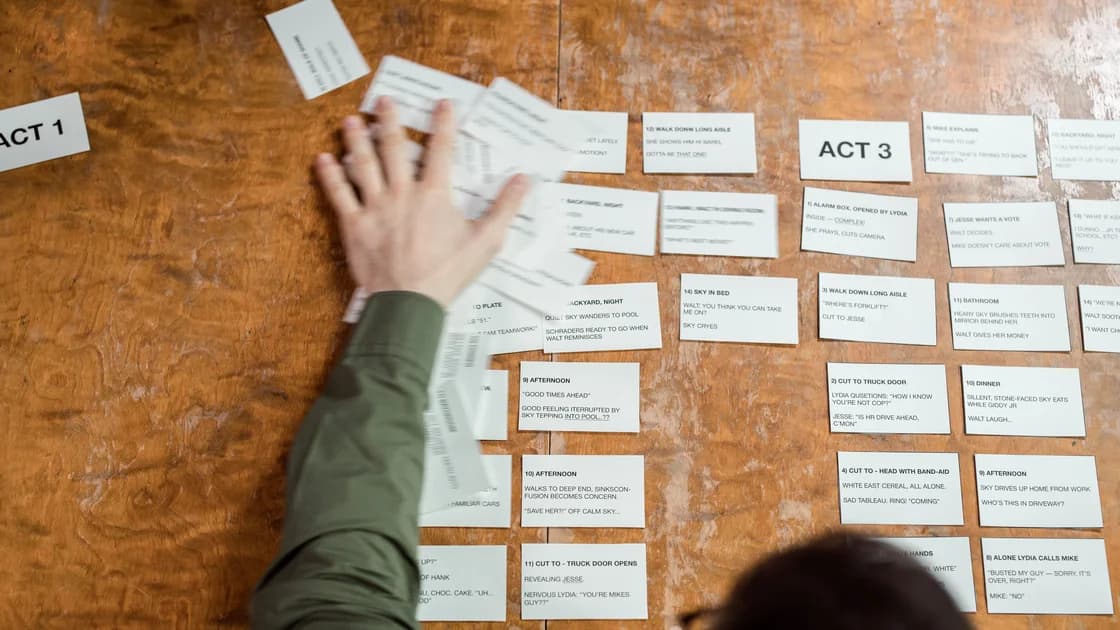

To create a video script and storyboard with AI, begin with a sourced creative brief, turn the goal into a beat sheet, draft narration and action, then map every scene into a reviewable shot matrix. AI is useful for proposing structure and alternatives, but a human must approve facts, rights, timing, continuity, accessibility, and the final production plan.
This workflow stops before video generation, filming, editing, or publication. It prepares the decisions those stages need. If you are new to controlled AI work, start with the beginner’s guide to using AI, then use this article as a pre-production template.
Key Takeaways
- Fix the audience, duration, objective, destination, and approval owner before asking for a script.
- Build a source-backed fact brief so generated narration cannot silently invent claims.
- Use a beat sheet to control pacing before polishing dialogue or camera language.
- Convert scenes into a shot matrix with timing, evidence, continuity, caption, and approval fields.
- Approve the plan shot by shot before generating footage or committing production resources.
It produces four linked artifacts: a factual brief, beat sheet, script, and shot matrix. The brief defines what may be said. The beat sheet defines the sequence. The script defines narration, dialogue, and on-screen action. The shot matrix defines what the production team must capture, generate, license, verify, and approve.
OpenAI Academy’s Sora tutorial demonstrates storyboards as a sequence of timestamped visual cards, showing why timing and shot order need explicit planning rather than one long prompt.[1] Adobe’s current video-prompt guidance recommends specifying shot type, character, action, location, and aesthetic, and notes that camera-angle and motion descriptions shape the result.[2] These are platform examples, not universal controls. Your planning artifacts should remain useful if the production tool changes.
A storyboard is not proof that a shot can be generated safely, filmed within budget, licensed, or edited into a coherent sequence. It is a decision surface. Each row should expose assumptions before they become expensive footage.
Do not let a polished storyboard hide unresolved facts or permissions. A convincing illustration of a spokesperson, customer, product screen, landmark, or event does not authorize its use. Mark unresolved inputs explicitly and block approval until the responsible owner resolves them.
Use these ten steps to move from a bounded brief to a reviewable pre-production package without treating AI output as approval.
Write one sentence for each constraint:
A useful brief might say: “Create a 75-second, 16:9 internal training video for new editors. Explain how to record image-source decisions. Viewers should be able to fill one provenance row after watching. No product claims, customer data, or real account screens.”
This is more actionable than “make an engaging AI video about provenance.” It gives the script a finish line and gives reviewers a reason to reject attractive but irrelevant ideas.
Separate creative choices from factual claims. Create a table before prompting:
| Claim ID | Allowed claim | Source | Date checked | Visual evidence | Status |
|---|---|---|---|---|---|
| F1 | A source record identifies origin and permitted use | Internal policy section | 2026-08-24 | Example record | Approved |
| F2 | A storyboard maps planned shots over time | Official tutorial | 2026-08-24 | Timeline diagram | Approved |
| F3 | Feature availability varies by platform | Current help page | 2026-08-24 | None needed | Approved |
Tell the AI to use only approved claims and to attach the claim ID to every factual sentence. If the script needs information outside the table, it should insert [SOURCE NEEDED] rather than inventing a bridge.
Do not paste confidential research, customer interviews, unreleased numbers, or personal data into an unapproved service. Minimize the prompt to the facts and creative constraints needed for the task. Review the AI privacy risk checklist before using sensitive production material.
A beat is a meaningful change in the viewer’s understanding or attention. For a 75-second explainer, five beats may be enough:
| Beat | Time | Viewer question | Purpose |
|---|---|---|---|
| Hook | 0–8 s | Why keep a source record? | Establish the cost of losing context |
| Problem | 8–23 s | What information usually disappears? | Name the gap |
| Method | 23–48 s | What fields should I capture? | Demonstrate the record |
| Check | 48–65 s | How do I review it? | Show approval criteria |
| Close | 65–75 s | What should I do next? | Give one action |
Ask the AI for two or three alternative beat orders, then choose deliberately. Do not ask it to polish narration yet. Rearranging beats after voiceover and storyboard work creates unnecessary rewrites and continuity errors.
Check the total time. A beat sheet that assigns 30 seconds of content to a 15-second slot is already broken even if its wording is elegant.
Give the model the approved brief and selected beat sheet. Request a table with time range, narration, on-screen action, on-screen text, claim IDs, and open questions.
Use instructions such as:
Draft for spoken clarity. Use only claims F1–F3. Put a claim ID after each factual sentence. Mark any unsupported detail as
[SOURCE NEEDED]. Keep on-screen text under the assigned limit. Do not invent quotations, statistics, product UI, customer stories, or legal conclusions.
Read the draft aloud with a timer. Spoken language needs shorter sentences, intentional pauses, and room for visuals. A word-count estimate is useful, but an actual read is better because names, numbers, and emphasis change pace.
Remove statements that repeat what the viewer can already see. Conversely, do not rely on a visual alone for information that must be accessible to someone who cannot see it.
A scene is a location or continuous idea. A shot is one camera or visual setup within it. Break broad instructions such as “show the workflow” into visible units.
For each shot, define:
Keep camera language purposeful. “Slow push toward the paper record as the final field is completed” communicates a visible change. A pile of lens, movement, and cinematic adjectives may conflict and makes the shot harder to review.
Use one row per shot. A matrix is easier to audit than a set of beautiful cards because it can expose missing evidence and continuity.
This deterministic matrix is a pre-production planning aid, not a product interface, generated clip, or production claim.
Recommended fields:
| Field | What to record |
|---|---|
| Shot ID | Stable identifier such as S02-B |
| Time | Start, end, and planned duration |
| Visual | Subject, action, setting, and composition |
| Audio | Narration, dialogue, ambience, and music cue |
| Camera | Framing, angle, movement, and transition |
| Continuity | Wardrobe, props, direction, light, screen state |
| Evidence | Claim ID, source URL, or asset license record |
| Accessibility | Caption, transcript, meaningful audio description |
| Rights | Person, location, brand, music, and asset clearance |
| Approval | Owner, decision, notes, and date |
OpenAI’s storyboard example uses timestamped cards to control a sequence.[1] Your matrix can remain tool-neutral while preserving that same principle: every planned image belongs to a known time and narrative purpose.
Review pairs of shots, not only individual rows. A person should not change clothing, handedness, age, or position without a story reason. Props should not appear or disappear. Light direction, weather, screen state, and background geography should remain coherent.
Create a continuity ledger for recurring elements:
| Element | Fixed properties | Allowed change | Shots |
|---|---|---|---|
| Source-record sheet | White A4 page, six fields, black print | Fields become completed | S02-A to S03-B |
| Pencil | Natural wood, right side of page | Moves into hand | S02-B to S03-A |
| Light | Soft window light from left | Slightly dimmer at close | All desk shots |
If a generated storyboard image is used as a composition reference, label it as such. Do not let a synthetic product screen or invented data become an implicit production specification.
Plan captions while the script can still change. Captions must match the approved spoken words, include relevant speaker or sound information, and remain readable against the intended frame. Do not burn critical text into an image if the destination requires a separate caption track.
Review the video without sound. Can the visual sequence still be followed? Then review the script without visuals. Does the narration communicate essential information to a listener? Note shots that require meaningful audio description rather than assuming the voiceover covers them.
Avoid rapid flashes, unreadably brief cards, tiny text, and information conveyed only by color. Accessibility is a production constraint that belongs in the storyboard, not a patch added after editing.
For every planned asset, identify whether it will be filmed, generated, licensed, supplied by the organization, or captured from an official product source. Record releases for people and locations, license boundaries for music and stock, and permission for logos or product interfaces.
C2PA Content Credentials can carry origin and editing assertions for supported assets, but they do not replace releases, licenses, fact checks, or editorial judgment.[3] Keep a human-readable source record even when credentials are available.
The U.S. Copyright Office treats digital replicas, copyrightability, and AI training as separate questions. Use its materials as a U.S.-specific orientation, not as a case-specific conclusion about a planned likeness, script, storyboard frame, or production asset.[4]
Never treat a generated likeness, cloned voice, fictional testimonial, or simulated news scene as a shortcut around consent. If a shot could mislead viewers about a real person, event, endorsement, or product state, redesign it or disclose it according to the destination’s rules.
The final review should be row-based. Each shot needs an owner and an explicit decision: approved, revise, blocked by source, blocked by rights, or removed. “Looks good” is not enough.
Ask reviewers to confirm:
Freeze the approved version and preserve rejected alternatives. Generation or filming should begin from this reviewed package, not from a loose chat history.
It stops at an approved pre-production package. It does not select a video generator, promise that a storyboard frame can be rendered consistently, create a synthetic voice, generate footage, edit the timeline, or publish a result.
Those activities introduce additional controls for model capability, identity, asset licensing, audio, safety, export quality, platform disclosure, and final playback. Keeping the boundary explicit prevents a planning guide from becoming an unreviewed production shortcut.
It can draft one, but a single prompt does not resolve factual sourcing, timing, rights, continuity, or accessibility. Use a brief, beat sheet, evidence markers, and human review before approving the script.
A beat sheet describes narrative changes and pacing. A storyboard turns those beats into timed visual shots with composition, action, audio, continuity, evidence, and approval details.
Detailed enough that a reviewer can identify what must be shown, heard, sourced, cleared, and kept continuous. It does not need finished artwork before those decisions are resolved.
Only if generation is the chosen production method. Every shot still needs a visual specification and source boundary, while filmed, licensed, or deterministic assets may not need a generation prompt.
Provide an allowed-claim table, require claim IDs after factual sentences, and instruct the model to mark unsupported details as [SOURCE NEEDED]. A human must verify the mapping.
Create a continuity ledger for appearance, wardrobe, props, position, light, and direction. Compare adjacent shot pairs and reject any unexplained change before production.
No. It approves a plan. Generated or filmed footage still requires separate quality, factual, rights, safety, accessibility, and final-playback review.
Disclaimer: This article provides general creative-workflow information, not legal advice. Confirm rights, consent, disclosure, accessibility, platform terms, and production requirements for your use.
Sources:
Sources checked 24 August 2026.
Related Articles:
Sign up to experience all premium features at no cost.
*Available only to new users. Each user is limited to one trial.