Start your 3-day free trial
Sign up to experience all premium features at no cost.
*Available only to new users. Each user is limited to one trial.
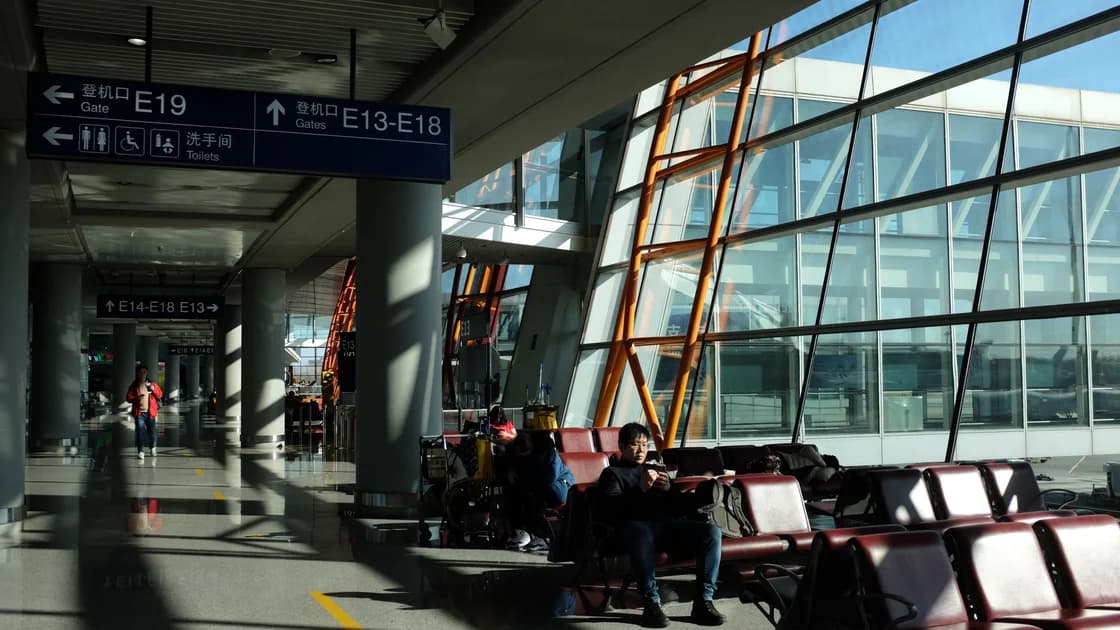

Shanghai's airports and railway stations do offer free Wi-Fi, and Pudong and Hongqiao airports let international travelers verify by scanning a passport on the Wi-Fi login page, but other venues in China use different login methods. To use airport and train station Wi-Fi in China, choose only an SSID published by the venue, join it, and complete its current captive-portal or in-person authentication. Confirm that ordinary internet access works before adding any optional VPN connection. If the portal fails, use mobile data, your own hotspot, or staff assistance rather than assuming every venue uses the same SMS or passport process.
Key Takeaways:
- Confirm the official SSID from signs, an information desk, or the venue's current website.
- A venue may use SMS, a local number, passport scanning, a kiosk, or staff assistance; there is no nationwide single method.
- Complete venue authentication and test ordinary internet before considering a VPN.
- Portal failures, authentication failures, disconnections, and congestion require different fixes.
- Keep mobile data or a personal hotspot as a fallback for time-sensitive travel tasks.
Do not assume universal availability or one national login system. Shanghai's public-information page says free Wi-Fi is available at many public places in that city, including railway stations.[1] That is a Shanghai example, not a guarantee for every airport, station, hall, platform, or city.
Check the particular venue before arrival. Coverage, SSID, authentication, session length, speed, service hours, device limits, and supported documents can change. Large stations can also have different networks in waiting halls, lounges, shops, and adjoining transport areas.
Confirm official SSID → Join Wi-Fi → Complete venue authentication → Verify ordinary internet → Only then consider a VPN
This order matters. Starting a VPN before the portal is complete can hide or interrupt the login page and make a venue-authentication problem look like a VPN problem.
Shanghai's current material says Pudong International Airport offers a route that does not require a mainland Chinese mobile number: on the Wi-Fi login page, passengers can scan the photo page of their passport to complete verification.[2] An earlier Shanghai notice describes the same passport-capture login on the free Wi-Fi page at both Pudong and Hongqiao airports.[3]
These are venue examples, not a nationwide promise. Do not assume that another airport or railway station accepts the same passport, provides the same kiosk, has the same service desk hours, or waives a local-number requirement. Follow the signs and staff at the facility you are using.
If the login page asks you to scan your passport, first confirm that you joined the SSID shown on venue signs and reached the page from that network, not from a link someone sent you. Where a venue uses a passport reader or kiosk instead, use only equipment clearly operated by the venue and do not hand the passport to an unsolicited helper. Ask an official information desk if the equipment or process is unclear.
| Symptom | Check first | Safe next step |
|---|---|---|
| Portal does not appear | Wi-Fi association, VPN off, and whether the venue requires a browser | Forget and rejoin the official SSID, then open a normal HTTP page or ask staff |
| SMS never arrives | Country code, local-number requirement, signal, and retry message | Use another officially offered method, kiosk, or service desk |
| Passport or kiosk fails | Correct machine, document orientation, and current eligibility notice | Ask venue staff; do not upload the passport to an unofficial site |
| Authentication succeeds but pages do not load | Ordinary internet state, session notice, and device time | Reopen the portal or use mobile data; do not diagnose a VPN yet |
| Wi-Fi disconnects repeatedly | Session timeout, movement between halls, and power-saving settings | Reauthenticate once or switch to mobile data or your own hotspot |
| Connection is very slow | Crowd level, signal, and time-sensitive task | Move near an official access area or use a cellular fallback |
Change one state at a time. If you have not completed the portal, stay on the portal problem. If ordinary internet works but a specific service does not, that is a separate service-availability question covered by the best VPN for China guide.
For a detailed captive-portal sequence, use VPN captive portal not connecting. Hotel networks have different ownership and room-authentication patterns; use the separate hotel Wi-Fi sign-in checklist for China.
These are minimum checks for a transport venue, not a complete public Wi-Fi security course. See airport Wi-Fi safety for the broader risk model.
Classify the connection before opening an account or uploading a document. If the device has not joined the official SSID, solve association first. If it has joined but the portal is unfinished, complete only the venue's official authentication. If ordinary pages still fail after authentication, treat the venue connection as unavailable and use mobile data, a personal hotspot, or staff assistance. Only when ordinary internet works should you diagnose a particular service or consider an optional VPN.
Set a time limit for troubleshooting. Rejoining the same congested network many times is rarely useful when a boarding call or train departure is approaching. After one careful retry, move to a clearly identified coverage area, ask staff whether the service is operating, or switch to your prepared fallback. Keep tickets, addresses, and essential contact details available offline so a portal outage cannot block the physical journey.
Protect the boundary between venue authentication and sensitive work. A legitimate portal may request one of the methods announced by that venue, but that does not make every similarly named page trustworthy. Stop if the SSID differs from the sign, the browser shows an unexpected certificate warning, or a stranger directs you to another site. Do not install a profile, remote-control tool, or unknown app merely to obtain waiting-room Wi-Fi.
When finished, sign out of any account used during the session, close document views, and forget the network. If you changed a sensitive credential because of a warning, wait for a trusted connection and then review account sessions. These steps do not make public Wi-Fi risk-free; they keep a short transport stop from becoming the only route to a critical account.
A captive portal, such as an airport Wi-Fi login page, has to load over the not-yet-authenticated network. A VPN that starts first sends that request into its encrypted tunnel, so the page may never appear or may stop halfway. A VPN also cannot complete the venue's SMS or passport check or prove that the hotspot is official. After venue login succeeds and an ordinary page opens, you can add an encrypted connection with AethoVPN for the rest of your wait; create an account with your email before you head to the station or airport.
Some venues may use a local number or SMS, while others may offer passport, kiosk, or staff-assisted access. Pudong's official material describes a no-local-number route, but that does not establish a nationwide rule.
Only where the venue currently offers an official passport-authentication process. At Shanghai's Pudong and Hongqiao airports, that means scanning the passport photo page on the Wi-Fi login page; elsewhere it may be a kiosk or service point, so follow the venue's current instructions.
The device may be associated with Wi-Fi while the captive portal remains incomplete, the session has expired, or the venue network is congested. Return to the authentication state before changing unrelated settings.
No. First complete venue authentication and confirm ordinary internet. An early VPN connection can prevent the captive portal from appearing or completing.
Look for another method explicitly offered by the venue, such as a passport kiosk or information desk. Otherwise use mobile data or your own hotspot.
There is no guarantee. Coverage and congestion vary by hall and time. For a time-sensitive ticket action, keep cellular data or staff assistance available.
Compare the network name exactly with current venue signs or ask staff. A similar name or stronger signal is not proof that the network is official.
Disclaimer: This article provides general connectivity and safety information, not a guarantee of Wi-Fi availability, authentication method, document acceptance, speed, session duration, internet access, or service availability. Follow current venue notices and staff instructions.
Sources checked 4 October 2026.
Sign up to experience all premium features at no cost.
*Available only to new users. Each user is limited to one trial.