Start your 3-day free trial
Sign up to experience all premium features at no cost.
*Available only to new users. Each user is limited to one trial.
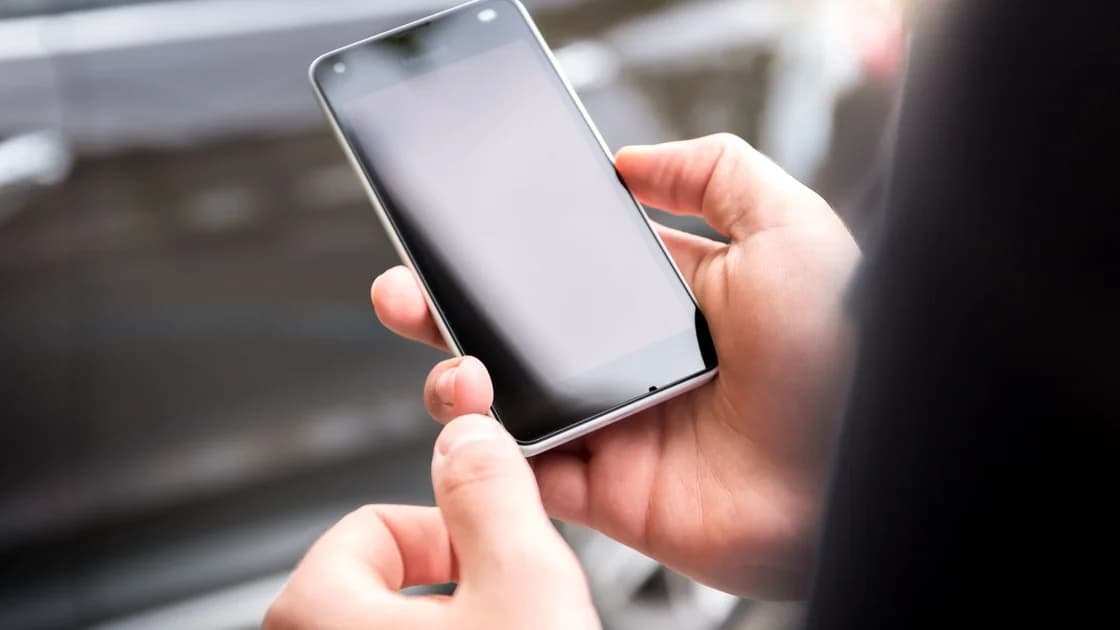

To reset network settings on Android, open Settings > System > Reset options on a Pixel (other brands use a similar Reset menu), tap Reset mobile network settings or Reset Bluetooth & Wi-Fi, and confirm.[1] Current Pixel devices keep these two resets separate, so choose the smallest matching action, read the on-screen warning, and plan how to reconnect afterward. Do it only after the problem follows one phone and safer checks have failed.
Key Takeaways
- Network reset is a last device-side step, not a first response to one broken app or one failed router.
- Pixel currently separates Reset mobile network settings from Reset Bluetooth & Wi-Fi.
- Samsung currently presents separate mobile and Wi-Fi/Bluetooth reset choices on supported Galaxy software.
- The Wi-Fi/Bluetooth action deletes saved Wi-Fi connections on Pixel; exact effects vary by device.[2]
- Network reset is not factory data reset and should not erase the entire phone.
First use the device and app troubleshooting guide to identify whether the failing layer is one app, one account, Wi-Fi, mobile service, Bluetooth, the router, or an upstream provider.
Consider a network reset only when evidence points to saved network state on one Android device. Examples include:
Do not reset because one website is down, one app account is blocked, every device fails on one router, or the carrier reports an outage. Use the Android Wi-Fi no-internet guide or Android mobile data checklist to narrow those cases first.
On a work, school, supervised, or shared device, stop and contact the administrator. A reset can remove the saved access needed to receive policy again, and you may not be authorized to rebuild organization Wi-Fi, certificates, APN, proxy, or VPN settings.
The exact effect depends on the manufacturer, Android version, selected reset, carrier, and management state. Do not rely on a generic list; read the confirmation screen on your phone.
Create this recovery record without copying secrets into a public note:
| Area | What to record | Recovery concern |
|---|---|---|
| Wi-Fi | Network names and a safe way to retrieve passwords | Pixel says Wi-Fi/Bluetooth reset deletes saved Wi-Fi connections |
| Bluetooth | Paired audio, input, vehicle, health, or accessibility devices | Devices may need pairing again |
| Mobile | SIM/eSIM labels, preferred data SIM, roaming choice, carrier contact | Mobile settings may return to carrier defaults |
| APN | Whether it is carrier-managed or manually supplied | Do not guess or copy an APN from the web |
| Private DNS | Off, Automatic, or exact provider hostname | Restore only the owned value |
| Wi-Fi proxy | Network, type, host, port, PAC and exclusions | It belongs to a saved Wi-Fi network |
| VPN or security layer | Product owner and trusted reinstall/profile path | Do not delete management to bypass it |
Also confirm local device unlock, account recovery, and another way to reach support if the phone cannot reconnect. Do not remove an eSIM, erase certificates, or delete a work profile as preparation unless the responsible owner gives a separate procedure.
Choose by symptom, not by the broadest label:
| Symptom already isolated | Narrow reset to consider | Avoid combining it with |
|---|---|---|
| Mobile calls/data state on one phone | Reset mobile network settings | Wi-Fi/Bluetooth reset or APN guessing |
| Saved Wi-Fi and Bluetooth state | Reset Bluetooth & Wi-Fi | Mobile reset or router factory reset |
| One saved Wi-Fi only | Forget and rejoin that network first | Resetting all networks |
| One Bluetooth accessory only | Forget and pair that accessory first | Clearing every pairing |
| One app or account only | App/account troubleshooting | Any network reset |
Pixel's current support separates Reset mobile network settings and Reset Bluetooth & Wi-Fi. Samsung's current Galaxy support similarly offers a mobile reset and a Wi-Fi/Bluetooth reset.[3] Older devices or other manufacturers may use one combined label, so the phone's own warning is the final local description.
Do not treat menu differences as an error. Search Settings for Reset network settings, Reset mobile network settings, or Reset Wi-Fi and Bluetooth, then consult the device manufacturer's current support page when the labels still differ.
Use this branch only after the issue is isolated to mobile connectivity:
Google documents the Pixel mobile reset under System > Reset options. Afterward, confirm the intended SIM is enabled, mobile data is on, and the carrier configuration returns. Contact the carrier rather than inventing APN values when service still fails.
Use this branch only after individual reconnect steps have failed:
Google warns that this Pixel action deletes saved Wi-Fi connections. Its Wi-Fi troubleshooting guide also places the reset after reconnect, restart, app, router, and captive-portal checks rather than at the start.
On current Galaxy software, the comparable path is Settings > General management > Reset > Reset Wi-Fi and Bluetooth settings. That is an OEM example, not a universal Android path.
Rebuild one layer at a time so a new failure remains attributable:
If the phone still fails on every trusted network, do not repeat the reset immediately. Preserve the model, Android version, reset label, exact warning, SIM state, assigned network values, errors, and comparison results, then escalate to the device manufacturer, carrier, or administrator.
A network reset targets network configuration. A factory data reset erases personal data and returns the device to initial setup. They are separate actions with radically different recovery cost.
Do not follow a troubleshooting page from network reset into factory reset merely because both appear in one support flow. Samsung's page places network reset and factory reset in separate sections, and its factory reset warning says all data is erased. This guide stops before that destructive action.
No. Network reset and factory data reset are separate actions. Confirm that the selected menu explicitly says network, mobile, Wi-Fi, or Bluetooth reset before proceeding.
Pixel's Reset Bluetooth & Wi-Fi action deletes saved Wi-Fi connections. Other devices can differ, so read the local warning and keep a recovery path.
A Wi-Fi and Bluetooth reset can require accessories to be paired again. Save a list and instructions for essential audio, vehicle, input, health, or accessibility devices.
Do not assume every reset handles eSIMs the same way. Read the confirmation screen for the exact mobile reset on your device and do not select an erase-eSIM option unless that is a separate intended action.
Not when the phone offers separate choices and the problem affects only one layer. Choose the smallest reset supported by the evidence.
Yes. If one saved network alone is broken, forget and rejoin that network after preserving its password and organization requirements.
Not automatically. Preserve evidence and escalate first; factory reset erases data and may not fix a carrier, router, account, hardware, or app problem.
A carrier, management policy, security product, restored proxy, Private DNS hostname, VPN, app, or upstream network may recreate the original condition. Identify which layer changed before repeating anything. A VPN cannot tell which Android network setting recreated the failure after a reset; compare proxy, Private DNS, APN, Wi‑Fi, and VPN state one at a time.
Sources:
Sources checked 4 October 2026.
Related articles:
Sign up to experience all premium features at no cost.
*Available only to new users. Each user is limited to one trial.