Start your 3-day free trial
Sign up to experience all premium features at no cost.
*Available only to new users. Each user is limited to one trial.
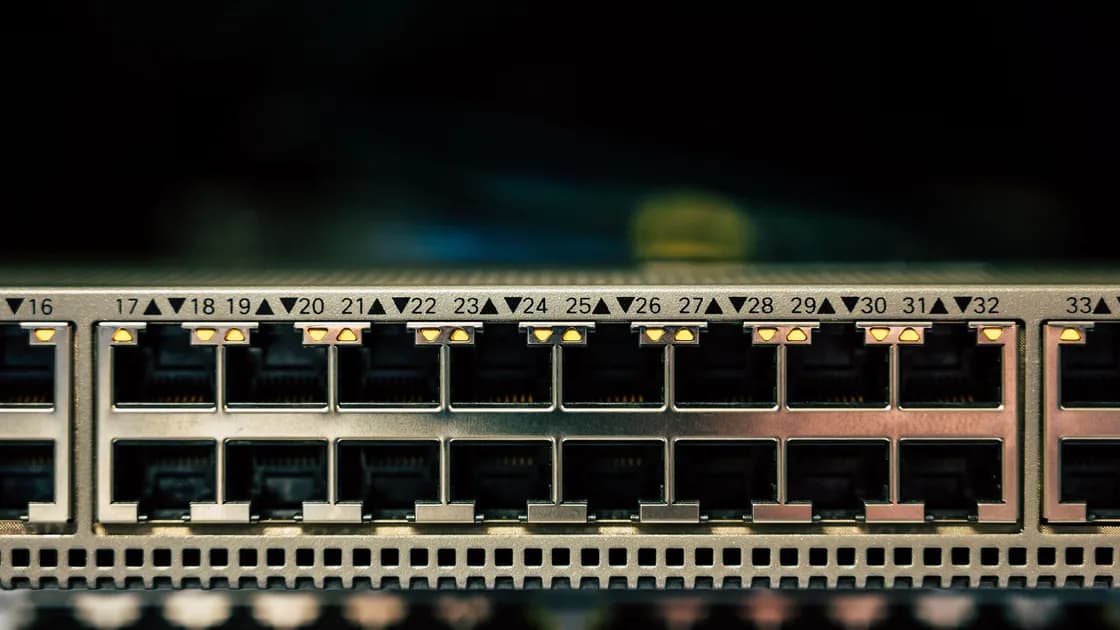

No guarantee comes from using port 443. It may pass a rule that blocks other port numbers, but a network can still distinguish TCP from UDP, inspect visible TLS negotiation, recognize a non-TLS protocol response, classify flow behavior, or block the endpoint IP address.
The complete VPN guide explains the wider tunnel path. This article addresses one narrow misconception: sharing a port number with web traffic does not make two protocols identical.
Key Takeaways
- A port is a routing and service hint, not proof of the application carried on it.
- TCP 443 and UDP 443 are separate filtering targets.
- TLS on port 443 can still expose negotiation and flow metadata.
- A VPN endpoint can be blocked by address even when ordinary HTTPS remains available.
- Use documented modes and respect network policy; do not weaken verification to imitate web traffic.
Many web services use TCP port 443 for HTTPS, and HTTP/3 commonly uses QUIC over UDP port 443. A network that permits these transports broadly may also pass another connection using the same destination port. That can change the outcome of a simple rule that says “allow 443, block several other ports.”
The result says only that the port rule was relevant. It does not show that the network classified the VPN as web traffic, that all packets reached the application, or that the connection will remain usable. A policy can allow a TCP handshake and reject later protocol behavior.
Port-based filtering is attractive because it is simple and cheap. It is also coarse. RFC 9308 explains that port numbers are not reliable application identifiers and that middleboxes can make assumptions that fail as protocols evolve.[1]
A five-tuple includes source and destination addresses, source and destination ports, and transport protocol. Changing the destination port modifies only one field. The endpoint address, TCP-versus-UDP choice, packet timing, sizes, direction, connection lifetime, and application negotiation can remain distinct.
If the connection uses TLS, a network may observe parts of the ClientHello and outer flow without decrypting protected application data. RFC 8446 defines visible negotiation needed to start TLS 1.3.[2] If the connection does not use TLS, placing it on port 443 does not create TLS semantics; a responder may still emit protocol-specific bytes or close in a recognizable way.
Measured research on OpenVPN showed that a detector can combine passive flow signals with active server behavior instead of relying on a port alone. Those results apply to the tested configurations and do not prove a universal signature for every VPN, but they demonstrate why “same port” and “same observable protocol” are different claims.[3]
TCP and UDP are separate IP transport protocols. A firewall can allow TCP destination port 443 while blocking UDP destination port 443, or the reverse. A user interface that shows only “443” can hide this decisive distinction.
HTTPS over TCP uses TLS records carried in a byte stream. HTTP/3 uses QUIC over UDP and integrates security and transport behavior differently. A VPN using UDP 443 does not become HTTP/3, and a VPN using TCP 443 does not automatically become HTTPS.
| Connection | Common legitimate use | What a network can distinguish |
|---|---|---|
| TCP 443 with ordinary TLS and HTTP | HTTPS web and APIs | Endpoint, TLS negotiation, HTTP behavior where visible, flow pattern |
| UDP 443 with QUIC | HTTP/3 and other QUIC applications | UDP transport, QUIC properties, endpoint, flow pattern |
| VPN over TCP 443 | Product-specific tunnel mode | Endpoint, handshake behavior, long-lived tunnel flow |
| VPN over UDP 443 | Product-specific tunnel mode | UDP transport, protocol behavior, endpoint, flow pattern |
| Non-TLS protocol on TCP 443 | Custom application | Absence of expected TLS behavior or recognizable response |
An operator can block a destination address or prefix while leaving other port-443 services available. It can block UDP but allow TCP. It can require an authenticated proxy, restrict unknown certificate or server-name patterns, rate-limit long-lived flows, or terminate connections that do not behave like permitted applications.
Some controls are organizational rather than technical detection. A managed device may allow browsers through a proxy while denying direct sockets from an unapproved app. A captive portal may permit only the traffic needed to sign in. An application-control policy can identify an executable independently of its network port.
False positives remain possible. Shared hosting, content delivery networks, common TLS libraries, and evolving protocols make broad classification uncertain. A responsible diagnosis records the failed layer instead of assuming a sophisticated detector whenever a connection fails.
TLS clients advertise versions, cipher suites, extensions, key shares, and other negotiation data. Implementations may order or group these values differently. Record sizes, early packet directions, reconnect intervals, and connection duration add context.
Encrypted application data prevents direct reading of the protected payload. It does not guarantee that every implementation produces the same outer trace. A fingerprint is an inference with a comparison set and false-positive rate, not a proof of user identity or decrypted content.
A certificate and endpoint can add more context. Do not respond by disabling certificate checks or accepting an unexpected server identity. That trades a possible connectivity problem for a direct interception risk.
First capture the exact network, endpoint, transport, port, client mode, timestamp, and error. Then repeat the same documented configuration once. Randomly changing several settings destroys the comparison.
If the product officially exposes a permitted alternative, change only the port while keeping the transport and endpoint constant. Then, separately, change only the transport if that option is supported. Many clients bundle endpoint, transport, and protocol changes into one label, so document the actual values rather than the button name.
Use the VPN ports foundation for terminology, not as a promise that a listed port will pass a particular network. If every mode fails only on one managed network, ask its administrator which remote-access methods are authorized.
It proves that the tested connection worked at that time on that path. It does not prove invisibility, future availability, or indistinguishability from a browser. Network policy, endpoint reputation, server configuration, congestion, and software versions can change.
Confirm a useful tunnel with an assigned state, expected route, DNS behavior, and a bounded data test. A connection indicator alone may stop at negotiation. If the tunnel works but one destination fails, diagnose that destination separately.
Do not advertise a one-time result as a universal bypass method. The safe conclusion is proportional: “this documented mode was permitted on this network during this test.”
If you are testing AethoVPN on such a network, first confirm ordinary web reachability, then connect to one server location in the app, try a location in another region, and note the stage at which each attempt stops. The app's documented choice is the server location rather than a port, so a location that connects tells you nothing about whether port 443 prevents blocking. Start the 3-day free trial to run that comparison.
Choose only options actually present in the supported client. Product availability must come from current official documentation and observed client state, not from a generic port guide.
Complete any captive portal sign-in and verify that ordinary allowed services work. Check the date and time, current client, valid profile, and documented settings. Then ask the network owner whether personal VPNs or an approved corporate remote-access service are permitted.
Do not scan the network, send custom probes, rotate endpoints repeatedly, or disguise traffic to evade policy. On a school, workplace, hotel, or public network, connectivity is not permission. If secure access is required, use an authorized alternative network or the organization's approved method.
VPN protocol designs differ in transport and handshake behavior. That foundation can explain symptoms, but it cannot override local rules.
No. A port number is a convention, not enforcement of an application protocol. Custom applications can use the port, while a network may test whether the traffic behaves like permitted TLS and HTTP.
No. They are different transports with separate firewall rules and behaviors. HTTP/3 commonly uses QUIC over UDP 443, while traditional HTTPS commonly uses TCP 443.
Yes. Address or prefix rules can deny a VPN endpoint while other websites on different addresses continue to work.
Not automatically. Implementations can expose different negotiation choices, certificates, server behavior, packet sequences, and long-lived flow patterns.
No. An unexpected certificate or identity can indicate interception or misconfiguration. Keep verification enabled and fix the endpoint, profile, clock, or trust source through official procedures.
Networks apply different address, transport, proxy, application, and policy controls. The server path and local captive-portal state can also differ.
No. It is evidence for one configuration, path, and time. Endpoint lists, policy, server configuration, and traffic conditions can change.
Disclaimer: This article explains network behavior and does not authorize bypassing access controls. Follow applicable law and the policy of the network you use.
Sources:
Sources checked 9 September 2026.
Related Articles:
Sign up to experience all premium features at no cost.
*Available only to new users. Each user is limited to one trial.