Start your 3-day free trial
Sign up to experience all premium features at no cost.
*Available only to new users. Each user is limited to one trial.
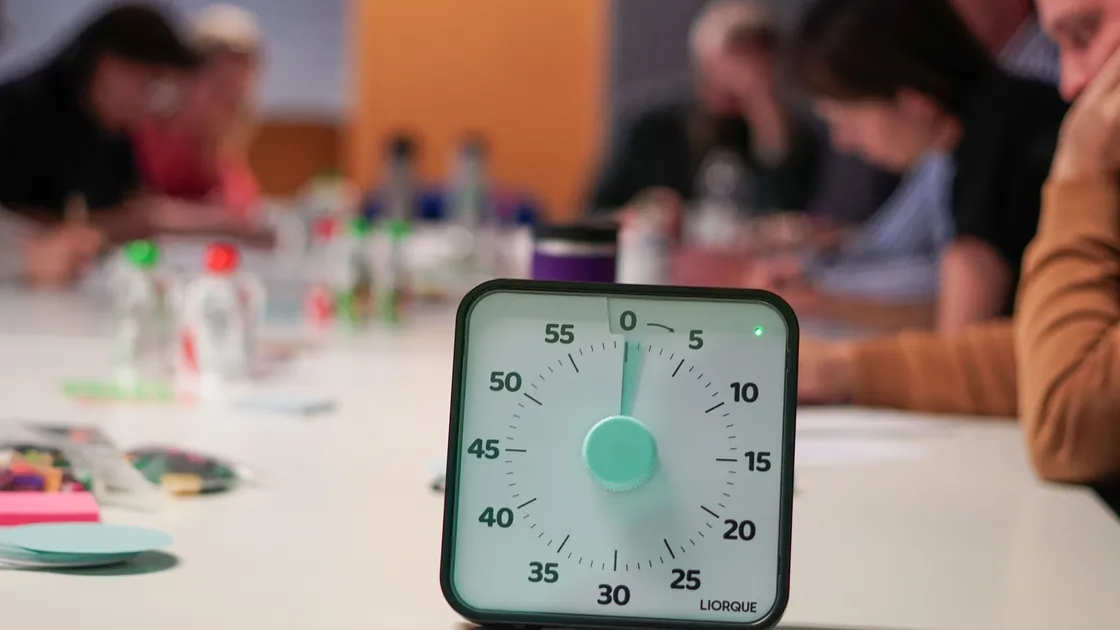

To create a meeting agenda with AI, first decide whether a meeting is needed, define one outcome or decision, and supply verified participant roles, constraints, pre-read, and available time. Let AI organize candidate agenda items, then have the meeting owner confirm purpose, order, owners, methods, timeboxes, accessibility, confidentiality, and conflicts before publishing.
An agenda is a pre-meeting control, not a transcript or follow-up email. The general guide to using AI explains why source material, privacy choices, and final approval remain human responsibilities.
Key Takeaways
- Do not schedule a meeting when an async decision or update will work.
- State one outcome, the decision owner, and what is out of scope.
- Invite people for a defined role rather than broad visibility.
- Give every agenda item an owner, input, method, timebox, and expected output.
- Circulate accessible pre-read early enough for meaningful preparation.
- Check time zones, confidentiality, conflicts of interest, and participation needs.
- Define the handoff to decisions and actions without pre-writing the minutes.
A meeting is useful when people must interact in real time to resolve uncertainty, challenge evidence, coordinate a time-sensitive response, or reach a decision that benefits from shared discussion. A meeting is usually unnecessary when the purpose is only to broadcast an update, collect independent comments, or obtain a simple approval that can be handled in a governed async workflow.
Ask five questions:
If the answer is “no meeting,” name the async owner, response deadline, decision rule, and record location. AI can compare options, but the organizer must consider power dynamics, urgency, access needs, and organizational policy.
Write a one-sentence purpose that describes the change expected by the end. “Discuss launch” is a topic; “decide whether the verified readiness criteria support the approved launch window” is an outcome. Add the decision owner, scope, non-goals, constraints, and fallback if evidence is insufficient.
Use a meeting brief:
| Field | Record |
|---|---|
| Meeting ID/version | Stable identifier and revision |
| Purpose | Why synchronous work is justified |
| Expected outcome | Decision, alignment, review, or jointly produced artifact |
| Decision owner | Person or body with authority |
| Scope/non-goals | What can and cannot be resolved |
| Inputs | Approved pre-read and evidence IDs |
| Constraints | Policy, deadline, confidentiality, or resource boundary |
| Insufficient-evidence rule | Defer, request evidence, or narrow the decision |
| Record owner | Person responsible for the official handoff |
Do not ask the model to infer the decision owner or fabricate consensus. If several decisions have different authorities or evidence, split the meeting or label each decision separately.
Invite the smallest set of people needed to provide evidence, challenge assumptions, make the decision, implement the outcome, or represent materially affected work. Separate required participants from optional observers and async contributors.
| Role | Contribution |
|---|---|
| Chair/facilitator | Protects purpose, participation, and time |
| Decision owner | Makes or formally escalates the decision |
| Item owner | Frames one topic and its requested output |
| Evidence owner | Answers for a source, analysis, or control |
| Challenger | Tests assumptions and alternative views |
| Record owner | Captures the approved handoff fields |
| Contributor | Supplies relevant expertise or affected-user context |
Avoid inviting people solely because they appear on an old distribution list. Do not paste calendars, private messages, employee profiles, or performance information into an unapproved model. Provide roles and availability windows rather than unnecessary personal details.
If someone cannot attend, decide whether a written contribution, delegate, or separate consultation is valid. Absence should not silently convert an advisory participant into an approver.
The pre-read gives participants enough context to understand why each item matters and what preparation is expected. The ACSS code says published agendas should contain enough background to explain why an item is discussed and calls for papers to be circulated in advance; its exact two-week practice applies to that committee, not every workplace.[1] HMRC guidance similarly recommends issuing a case-specific agenda early enough for preparation without turning it into an exhaustive, restrictive question list.[2]
For each document, record:
Link to one controlled copy instead of attaching competing drafts. If a source is missing, say so in the agenda and adjust the expected output. A fluent AI summary must not substitute for the original evidence.
When notes must be turned into a stable briefing, use a governed notes-to-report workflow and have the source owners verify the result.
Every item should state what participants will do, not just the noun they will discuss. “Budget” is ambiguous; “challenge the three cost assumptions and recommend which figures require rework” is actionable.
Use this row format:
| Field | Synthetic example |
|---|---|
| Item ID | A-03 |
| Outcome | Decide whether readiness evidence is sufficient to proceed |
| Owner | Operations lead role |
| Inputs | Readiness pack RP-08, exceptions EX-04 |
| Method | Evidence review, challenge, decision |
| Timebox | 25 minutes |
| Expected output | Proceed, defer, or request named evidence |
| Decision owner | Steering role |
| Record field | Decision, rationale, owner, due date |
Order items around dependencies. Put declarations, objectives, and decision rules before substantive decisions; place evidence reviews before conclusions; reserve time for synthesis, dissent, and the handoff. Do not put the highest-stakes item at the end if it can be crowded out.
Give the model the approved meeting brief, participant roles, pre-read inventory, candidate items, total duration, breaks, and constraints. Then set explicit limits:
Organize the supplied items into a draft agenda.
Preserve item IDs, owners, source IDs, decision authority, and total duration.
For each item return outcome, input, method, timebox, and expected output.
Do not invent participants, availability, facts, decisions, pre-read, or deadlines.
Mark missing dependencies and authority as [VERIFY].
Do not send invitations, access calendars, create minutes, or contact attendees.
Ask for a time arithmetic check. The model may suggest durations, but the chair should adjust them based on complexity, group size, accessibility, and decision stakes. Confirm totals in a deterministic spreadsheet or calendar, including breaks and transitions.
NIST identifies confabulation, privacy, information integrity, and human-AI configuration among generative-AI risks.[4] A bounded prompt and source IDs help expose unsupported additions; they do not prove the agenda is feasible.
For each item, estimate the minimum time for framing, silent review if needed, discussion, challenge, decision, and recording. If those parts do not fit, narrow the question, improve the pre-read, reduce participants, move updates async, or schedule a separate session.
Check the arithmetic:
| Component | Minutes |
|---|---|
| Opening, purpose, conflicts | 10 |
| Evidence review | 20 |
| Decision item | 30 |
| Break | 10 |
| Second decision item | 25 |
| Handoff and close | 15 |
| Total | 110 |
Synthetic numbers illustrate the check; they are not a universal meeting template. Include buffer when technology, interpretation, complex access needs, or contested evidence may slow the discussion.
If the session is a workshop designed to produce ideas or a shared artifact, use a facilitation plan. A decision meeting should not inherit brainstorming activities that obscure authority and evidence.
Ask participants privately about accommodations through the organization's approved process; do not require them to disclose medical details on the agenda. Provide accessible documents, readable structure, captions or interpretation where required, keyboard-accessible tools, clear breaks, and an async contribution route. GOV.UK maintains practical digital-accessibility guidance for content and services.[3] Local law and policy determine the applicable obligations.
Show the date, start and end time, time zone, location or approved link, expected preparation, and contact route. Avoid scheduling that repeatedly disadvantages one region. Clarify whether the meeting is confidential, what may be shared, whether recording is allowed, where notes are stored, and how retention works.
Put a conflict-of-interest declaration near the start when decisions or advice require it. The ACSS code provides a concrete governance example in which relevant interests are declared and participation may be limited.[1] Apply the rule that governs your organization rather than copying another committee's procedure.
The accountable organizer reviews and publishes the final agenda. Include version, issue date, owner, purpose, participants and roles, pre-read, preparation instructions, item table, access details, confidentiality, conflict process, and contact for accommodations.
Set a cutoff for ordinary changes and define emergency changes. When an item, time, owner, or document changes, notify participants through the approved channel and update the version; do not leave multiple attachments labeled “final.” If the purpose changes materially, reconsider whether the same meeting and participants remain appropriate.
AI does not send invitations or emails in this workflow. For a broader communication rollout after an approved decision, use a change communication plan rather than treating the agenda as an announcement.
The agenda should name how the official record will capture outcomes, without pretending they already happened. Use a minimal handoff table:
| decision / action / owner / due date / open question |
|---|
| Completed during or after the meeting by the authorized record owner |
This workflow does not write the minutes, infer agreement, or auto-assign work. The record owner captures what actually occurred, the decision owner confirms decisions, and action owners confirm commitments. If a transcript or verified notes need to be converted into tasks, use the separate meeting action-item workflow after applying consent, privacy, and accuracy controls.
Avoid it when the goal is only to broadcast information, gather independent comments, or obtain a simple documented approval. Use an accessible async route with an owner, deadline, decision rule, and record location instead.
It should be as short as possible while making purpose, preparation, roles, timing, and expected outputs unambiguous. Complexity matters more than page count; detailed evidence belongs in controlled pre-read rather than overloaded agenda prose.
Yes, if the agenda is meant to control a finite session. The timebox should reflect framing, evidence review, discussion, challenge, decision, and recording—not an arbitrary equal split between topics.
Send it early enough for the actual audience and workload, following the governing policy. A formal committee may require weeks, while a small operational meeting may need less; urgent meetings should state what preparation was impossible and narrow the expected outcome.
Include the decision owner and people needed for evidence, challenge, implementation, or affected-user context. Offer optional or async routes for others, and do not confuse visibility with approval authority.
Ask for a written contribution, approved delegate, or separate consultation and state how it will be represented. Confirm whether the substitute can advise, decide, or only provide evidence.
State classification, sharing, recording, retention, and conflict-declaration rules without exposing sensitive details. Use approved private channels for accommodations and conflicts, then document only the participation decision required by policy.
No. The agenda is prepared before the meeting and cannot know what occurred. Afterward, an authorized record owner may use verified notes or a consented transcript in a separate workflow, then confirm decisions and commitments with the responsible people.
Sources checked 4 September 2026.
Sign up to experience all premium features at no cost.
*Available only to new users. Each user is limited to one trial.