Start your 3-day free trial
Sign up to experience all premium features at no cost.
*Available only to new users. Each user is limited to one trial.
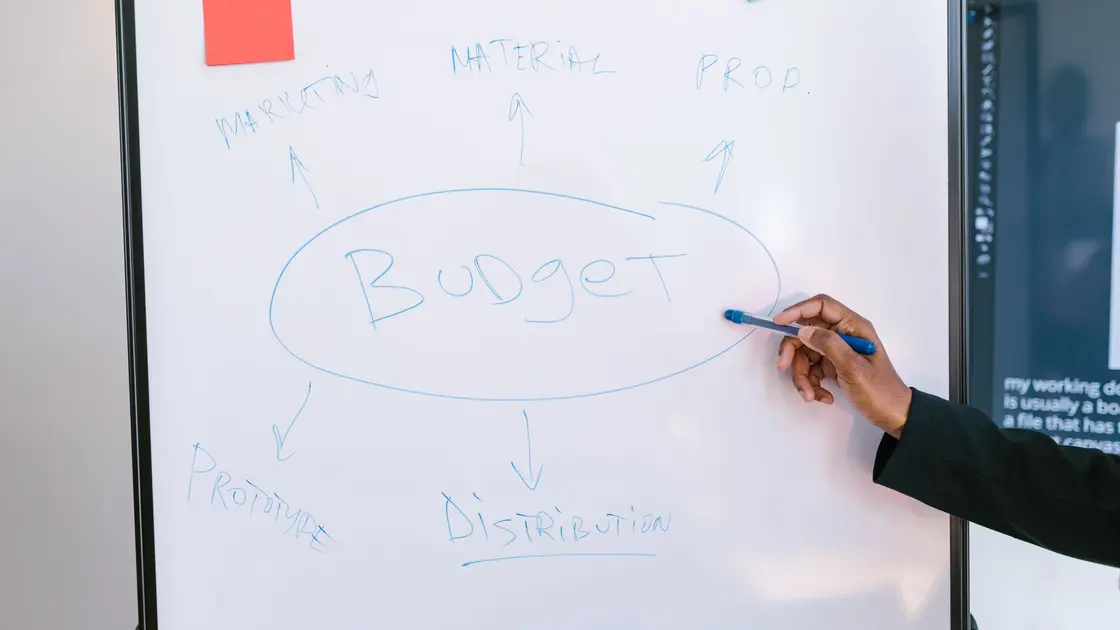

To create a mind map with AI, define what the map must help you understand, freeze the source material, and give every idea a stable node ID. Ask AI to propose branches and relationship labels from those nodes, then review the hierarchy yourself. Keep source references and uncertainty outside the visual shorthand so an attractive map never becomes evidence by itself.
Mind mapping is useful for exploring connections, summarizing material, and planning writing. The Open University describes a mind map as an open-ended structure that branches from a central theme and helps organize related ideas.[1] AI can accelerate the first grouping pass, but it cannot decide which connection is meaningful for your purpose. Start with the broader guide to using AI, and use the notes-to-report workflow when the required output is linear prose rather than a map.
Key Takeaways
- Write one question the finished map must answer.
- Separate source-backed nodes from ideas, questions, and hypotheses.
- Give every node an ID before asking AI to group it.
- Label relationships with verbs instead of relying on line placement.
- Preserve cross-links without forcing everything into one tree.
- Have a person approve the final hierarchy and remove unsupported links.
“Make a mind map about customer support” is too broad. Decide who will use it and what they should be able to do afterward. Examples include exploring possible causes, learning a body of knowledge, outlining a document, comparing concepts, or breaking a question into research areas.
Write a short map brief:
| Field | Question to answer |
|---|---|
| Purpose | What decision, explanation, or learning task should the map support? |
| Audience | Who will read it, and what do they already know? |
| Center | What single phrase names the central question? |
| Scope | Which sources, dates, teams, or topics are included? |
| Exclusions | What looks related but belongs outside this map? |
| Completion test | What must a reviewer be able to find or explain? |
Use a classic mind map when you want radial exploration around one center. Use a concept map when labeled relationships are more important than a single hierarchy. Kent State University explains that concept maps connect concepts with lines or arrows labeled by the relationship; that extra precision is valuable when “A depends on B” means something different from “A is an example of B.”[2] You can still use the workflow below for either form—just make the relationship field mandatory for a concept map.
Collect only material you are allowed to use. Remove unnecessary personal, confidential, or regulated information, and use an approved environment for restricted content. Save a dated snapshot rather than pointing the model at a folder that changes during drafting.
Create a source register with an ID, title, owner or author, version or date, and location. If you are mapping your own ideas, label them as notes rather than external facts. If several documents cover the same subject, do not merge them before recording where each statement came from.
Break the input into small candidate nodes. A node should normally contain one concept, claim, question, example, or action—not a paragraph. Washington University’s note-taking guidance emphasizes reviewing and synthesizing material gathered from different sources rather than recording everything word for word.[3] That is the right preparation for a map: concise nodes, with the full source still available for checking.
Give each node a stable ID so reordering does not erase its provenance. Use this template:
| Node ID | Proposed label | Type | Source and locator | Confidence | Parent candidate | Status | Owner |
|---|---|---|---|---|---|---|---|
| N-001 | [short concept] | Fact / idea / question / example | [S-01, page or section] | High / medium / low | [N-000 or unassigned] | Verified / proposed / excluded | [name] |
Keep the label short but do not simplify away an important qualifier. “Costs increase” is misleading if the source says only “transition costs may increase in the first quarter.” Preserve the qualified statement in a notes field or source excerpt.
Deduplicate carefully. Two phrases may be synonyms and share a node, or they may describe different levels of the same idea. Ask the source owner when merging would change meaning. Do not let AI turn disagreement into a single neutral-sounding node.
Give AI the map brief, node inventory, and an explicit output contract. A useful prompt is:
Organize the supplied node inventory into a candidate mind map. Use only the supplied node IDs. Propose no more than seven first-level branches and explain the grouping rule for each. Return a table with node ID, proposed parent, relationship label, and one-sentence rationale. Preserve facts, ideas, questions, and hypotheses as different types. Do not create facts, merge conflicting claims, or remove uncertainty. Put ambiguous placements in an exceptions list.
Request at least two structures when the material supports different views. One version might group by theme; another by stakeholder, lifecycle stage, or cause and effect. Comparing structures reveals hidden assumptions. The model’s preferred version is not automatically the best one.
Reject generic branch names such as “Other,” “Background,” or “Miscellaneous” unless the map is temporary. A good first-level branch has a coherent inclusion rule. If one branch contains most nodes, split it or narrow the central question.
Review the proposed parent and relationship for each node. Use explicit verbs such as causes, depends on, contains, contrasts with, supports, is measured by, or raises the question. A line without a label can hide whether the model inferred correlation, sequence, ownership, or causation.
For each connection, ask:
Use the AI fact-checking workflow for external claims. NIST’s Generative AI Profile identifies confabulation, privacy, information-integrity, and human-oversight risks that should be managed throughout the workflow.[4] Here, that means restricting inputs, retaining source locators, flagging model-added text, and assigning final authority to a person.
A mind map is usually drawn as a tree, but many subjects are networks. If one node belongs under two branches, choose one primary parent and record the other as a cross-link. Do not duplicate the node and accidentally make two versions of its evidence.
Create a separate question branch for gaps such as “Which team owns this?” or “Do these two sources describe the same event?” Questions are useful output, not defects to conceal. Mark hypotheses visibly and state what evidence would confirm or reject them.
Limit visual complexity. Aim for short labels, a manageable number of first-level branches, and consistent depth. Move supporting detail to linked notes. A map that contains every sentence from the source is a diagram-shaped transcript, not a useful overview.
After approval, transform the table into an outline, Mermaid-compatible text, OPML, CSV, or a native mind-mapping format supported by your tool. Keep the reviewed node IDs in the export even if the display hides them.
A portable outline looks like this:
Central question [N-000]
  Branch A [N-010] — groups: [rule]
    Concept [N-011] — supports — source S-02 §4
    Question [N-012] — unresolved — owner: [name]
  Branch B [N-020] — groups: [rule]
    Concept [N-021] — depends on — N-011
Cross-links
  N-021 -> N-012 — may answer — hypothesis
Do not ask AI to fabricate a proprietary file by guessing its undocumented structure. Export to a simple reviewed format first, then import it and inspect the result. If a map combines claims from several documents, use the source-comparison workflow to track agreements, conflicts, and evidence gaps.
Test the export with a small round trip. Import it into the destination tool, move one node, export it again, and confirm that node IDs, Unicode labels, notes, cross-links, and ordering survive. Record any fields the tool drops or rewrites. If the display tool cannot preserve evidence locators, keep the reviewed inventory as the authoritative companion rather than squeezing provenance into unreadable node labels. This test separates a sound information structure from a file that merely opens successfully.
Ask a reviewer who understands the subject—but did not create the first draft—to navigate the map. They should be able to identify the center, explain each major branch, distinguish fact from hypothesis, locate a source for important nodes, and find unresolved questions.
Complete this checklist:
Save the node inventory with the visual export. When source material changes, update affected nodes and relationships instead of regenerating the entire map without a change record.
Yes, if the PDF can be processed in your approved environment. First register the document and preserve page or section locators. Verify extracted nodes against the PDF before approving the map.
A mind map usually radiates from one central theme. A concept map emphasizes explicitly labeled relationships and may have several cross-links. Choose the form that matches the question.
There is no universal number. Keep the first level small enough to scan; five to seven branches is a useful drafting constraint, not a correctness rule.
It can propose alternatives, but a person should approve the hierarchy. Grouping reflects purpose and judgment, and a plausible structure can still conceal an important minority view.
Provide stable node IDs, require source locators and relationship labels, prohibit new facts, and return unsupported links in an exceptions list. Review every edge.
Prefer one primary node plus a cross-link. Duplicating it can create conflicting labels, owners, or source records later.
Keep them, but mark them as questions or hypotheses and record what evidence is needed. Do not visually present them as verified facts.
Update it when its source set or intended decision changes. Record the version, date, affected nodes, reviewer, and reason so users know which map they are viewing.
Sources checked 29 August 2026.
Sign up to experience all premium features at no cost.
*Available only to new users. Each user is limited to one trial.