Start your 3-day free trial
Sign up to experience all premium features at no cost.
*Available only to new users. Each user is limited to one trial.
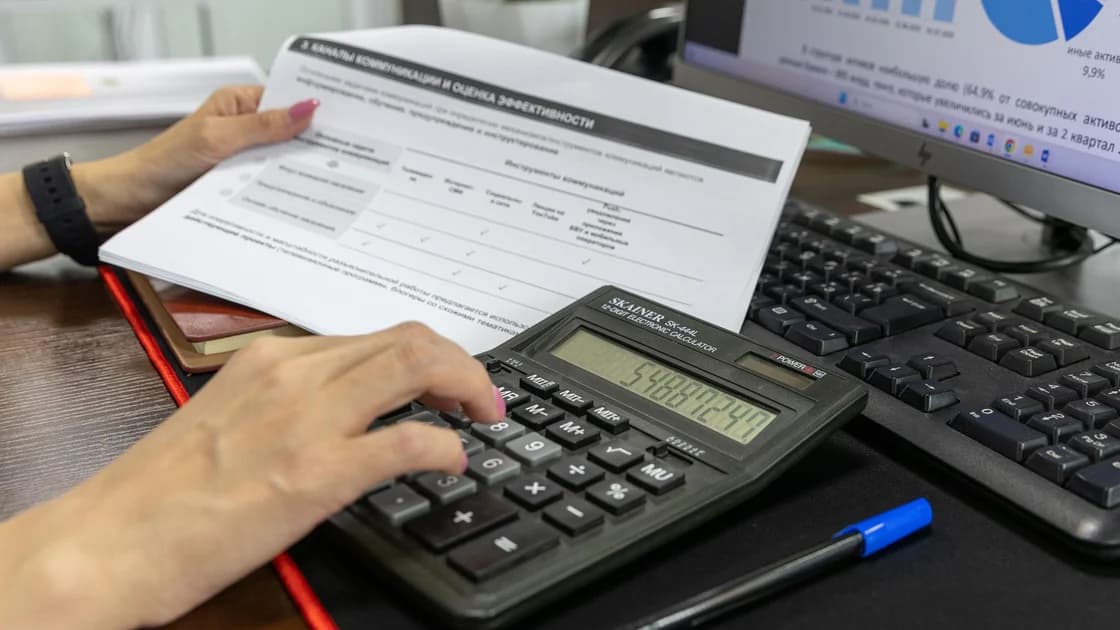

To get a China Railway e-ticket invoice, wait until the journey ends or the relevant refund or ticket-change fee has been paid, then use the electronic-invoice section of the official 12306 website or app. Select the eligible record, enter the buyer information exactly as your employer or accounting team requires, review the amount, and download the original electronic file.
Key Takeaways:
- For travel dated 1 October 2025 or later, the current reimbursement document is the electronic invoice, not the old paper reimbursement voucher.
- The normal issuance window is 180 days after the journey or payment of the refund or change fee.
- Confirm the buyer name and organization details before issuance; correcting an invoice is a separate red-invoice process.
- Preserve the original PDF or OFD and the delivery record instead of editing, rescanning, or recreating the invoice.
This article covers reimbursement evidence after a journey. For booking and passenger-document basics, start with the 12306 international visitor guide. If you need to change the underlying ticket, use the ticket change and refund guide first.
The State Taxation Administration, Ministry of Finance, and China State Railway Group introduced fully digital electronic invoices for domestic rail passenger transport. Their joint notice says passengers who need reimbursement should obtain an electronic invoice and that a paper reimbursement voucher remains usable only for a journey dated no later than 30 September 2025.[1]
The current 12306 business notice states that a ticket with a travel date on or after 1 October 2025 can receive an electronic invoice after the journey, normally within 180 days. It lists the official website, mobile client, station ticket window, and qualifying ticket machines as issuance channels.[2]
Do not confuse four different records:
| Record | Main purpose | Can you use it as the current invoice? |
|---|---|---|
| E-ticket order | Proves the booking and journey details in 12306 | No |
| Itinerary information sheet | Helps you read the trip details | No |
| Electronic invoice for the railway e-ticket | Reimbursement, accounting, and eligible tax use | Yes, subject to the recipient's rules |
| Old paper reimbursement voucher | Transitional evidence for journeys through 30 September 2025 | Not for a later journey |
Ask the organization receiving the invoice which buyer name, unified social credit code, email address, file format, cost center, trip reference, and submission method it needs. A valid invoice can still be rejected internally if you put your personal name where the employer requires its registered legal name.
Confirm who bought the ticket. The current 12306 notice explains that a purchaser or agent who handled booking, refund, or change may also handle invoice information for the passenger, while a non-traveling purchaser may need an order number and an accepted identity document at a station to obtain a QR-based invoice instruction.[2] Do not assume every record will appear in your own account.
Check the journey type and transaction. Cross-border passenger transport, routes not yet using domestic railway e-tickets, non-real-name tickets, emergency paper tickets, and some card products may fall outside ordinary self-service issuance. Use the current 12306 screen or station window to confirm the exact case.
Open the final order and verify the passenger, route, journey date, amount paid, and status. For a completed trip, wait until the system records the journey as eligible. For a refund or change charge, verify that the fee was actually paid and appears as a separate eligible transaction.
Do not issue against an abandoned order, failed payment, unpaid standby request, or superseded ticket. If you changed trains, identify which amount belongs to the original fare, new fare, refund, or change fee. Your accounting recipient may want more than one document.
If the trip predates 1 October 2025, confirm whether an old paper voucher already exists. The same economic event must not be represented by both a paper reimbursement voucher and an electronic invoice.
Copy the buyer's legal name from its approved accounting instructions. If the recipient is an organization, obtain the exact unified social credit code where required. Do not guess an abbreviation, English translation, branch name, or tax identifier from an email signature.
Ask whether the invoice should be issued to the traveler personally or to the organization. Confirm the receiving email and whether the accounting system wants PDF, OFD, or the original electronic accounting data. The 12306 notice offers PDF and OFD; it warns that PDF is intended for viewing and printing, while electronic archiving follows applicable accounting rules.[2]
Keep the buyer information in a trusted note or official expense system. Do not paste a tax identifier, passport number, or invoice file into a public group for someone else to “check.”
Sign in through the official 12306 website or mobile app. Open the electronic-invoice area and choose the category for an ordinary e-ticket, periodic ticket, or group ticket as appropriate. Complete any account identity verification requested by the official service.
Locate the journey or fee by date and order details. If another person made the booking, first confirm whether the record is available to the passenger or purchaser. If it is absent, use the official help or station-window route rather than entering credentials into a third-party invoice service.
Check the domain and app publisher before submitting personal data. Search advertisements, unofficial mini-programs, and agents may imitate invoice retrieval. An invoice request contains enough identity and travel information to deserve the same care as the ticket account.
Before entering the buyer information, compare the passenger name, masked identity record, train, route, journey date, and fare with your expense evidence. For a refund or change, confirm whether the invoice is for the fee rather than the full original ticket.
Do not proceed merely because the amount looks familiar. Two trips may have the same fare. If the record differs from your actual journey, stop and contact 12306 instead of trying to correct the finished invoice yourself.
Where a purchaser handled several passengers, select only the intended traveler and transaction. Keep personal and business trips separate so the invoice does not combine an ineligible cost with the reimbursable journey.
Select or create the correct invoice title. Enter the buyer's registered name and any required organization code exactly. Confirm the email address and the displayed amount, then read the acknowledgment before submission.
Take extra care with similar organization names, subsidiaries, branches, and punctuation. An invoice issued to the wrong legal entity may require replacement. Do not edit the downloaded file, overlay a new name, or use a PDF tool to “fix” a tax code.
The joint notice provides a red-invoice mechanism when buyer information is wrong. The current 12306 notice says replacement can be requested up to three times within the original issuance period, with the old invoice automatically red-reversed after a successful replacement.[1][2] Treat that as a correction path, not permission to submit uncertain data.
After issuance, download the file directly from 12306 or receive it at the verified email address. Save the original PDF or OFD without renaming it in a misleading way or changing its contents. If your organization uses electronic accounting data, follow its intake method rather than printing and rescanning.
Check the invoice number, issue date, buyer, passenger identity reference, journey details, amount, and QR code. Compare them with the 12306 record. If anything material is wrong, do not submit it; start the official replacement process.
Keep the confirmation page, email delivery evidence, and order number separately. Use the official national invoice-verification platform if your recipient requires verification, but type the address independently or follow the link from an authoritative tax source.
Upload the original file to the employer's approved expense system or send it through a verified accounting channel. Include the order or business-purpose information requested by policy, but do not attach a full passport copy unless the recipient has a lawful and necessary reason.
If accounting rejects the file, ask for the exact reason: wrong buyer, missing transaction, unsupported format, duplicate invoice, expense-policy issue, or tax treatment. A recipient's internal refusal does not make it safe to alter the official file.
For a wrong buyer field, use 12306's replacement process within the applicable window. If the invoice has already been confirmed or booked by the buyer, additional confirmation may be required under the red-invoice rules. Ask the buyer's accounting team before taking action.
First confirm that the journey ended, the transaction is supported, and you are signed into the correct account. Check whether a purchaser or agent owns the order and whether a station-window QR invoice route applies. Contact official 12306 support with the order number if the eligible record is still absent.
The joint interpretation says invoices can normally be obtained within 180 days and cases beyond that period follow the arrangement between the passenger and railway enterprise.[1] That is not a guarantee of late issuance. Contact 12306 promptly and tell the recipient that the outcome remains subject to the railway's current process.
For proof of other financial activity, do not substitute a train invoice with an unrelated document. If an organization instead requests an account record, follow the Chinese bank statement guide.
For travel dated 1 October 2025 or later, the current 12306 notice directs reimbursement users to the electronic invoice. The old paper voucher is transitional evidence for earlier travel.
After the journey ends or after the relevant refund or ticket-change fee is paid, normally within 180 days.
No under the ordinary process described by the joint notice. Wait until the journey has ended.
Check whether the purchaser can handle the invoice or whether the station-window QR instruction process applies. Use the order number and accepted identity documents requested by 12306.
Follow the recipient's accounting requirements. 12306 provides both; PDF is for viewing and printing, while electronic archiving may require a different workflow.
Do not edit the file. Request an official replacement within the applicable period; the old invoice is red-reversed when the replacement succeeds.
Do not create duplicate reimbursement evidence. The old paper voucher and electronic invoice cannot both represent the same eligible journey under the transition rule.
No. Network access is separate from railway eligibility, tax records, issuance, replacement, and your recipient's accounting decision.
Disclaimer: This article provides general travel and record-handling information, not tax, accounting, or legal advice. Confirm current 12306 rules and your recipient's expense policy before issuing or replacing an invoice.
Sources checked 8 September 2026.
Related articles:
Sign up to experience all premium features at no cost.
*Available only to new users. Each user is limited to one trial.