Start your 3-day free trial
Sign up to experience all premium features at no cost.
*Available only to new users. Each user is limited to one trial.

If a Chinese app verification code does not arrive abroad after the app accepted your number and submitted the request, verify the destination and delivery channel first, then test the original mobile line, roaming, dual-SIM routing, signal, handset filters, carrier short-code and international A2P handling, and the app's cooldown. If the screen instead says no service is available and asks you to verify your country or region, no code was sent yet: fix the country code or number eligibility rather than resending. Stop repeated requests and use only recovery methods currently offered by the app.[1][2][3]
Key Takeaways
- This checklist starts after the app accepts the number and sends the request.
- Confirm the masked destination and whether the code should arrive by SMS, voice, email, or an in-app prompt.
- The original line must remain active, roaming-enabled, registered on a network, and able to receive ordinary SMS.
- Check the selected SIM/eSIM, signal, airplane mode, blocked senders, spam folders, and notification rules.
- Ask the mobile operator specifically about short codes, international SMS, and application-to-person traffic.
- Stop rapid resends, wait through the cooldown, and use only official alternate or recovery routes.
The China connectivity pillar covers general preparation. If the app rejects the country code, number format, or supported region before it submits a request, use the separate foreign-number rejection guide; that is a different failure stage.
First identify the exact boundary. A message such as “unsupported number,” “invalid format,” “service unavailable in this region,” or a disabled Send button means the request may never have entered the delivery system. This article applies only when the number was accepted and the app displayed a countdown, confirmation, masked destination, or another sign that a verification request was submitted.
Write down the app, account purpose, local time, country, selected country code, last visible digits, and exact error text. Do not include the full number in public posts. If you recently changed the account number, restored a backup, moved to another country, replaced a SIM, or transferred an eSIM, record that event because the app and carrier may be addressing different lines.
Avoid guessing that every countdown proves an SMS was handed to your foreign carrier. It only proves what the interface reports. The message can fail at the app's risk control, sender, international gateway, roaming partner, home carrier, device, or user-interface layer.
| What you see | Likely stage | First action |
|---|---|---|
| Number or country code rejected | Eligibility or format before delivery | Use the foreign-number rejection guide |
| Masked number is wrong | Account destination mismatch | Stop and correct through official account settings |
| Countdown appears, no message | Delivery or filtering | Continue this checklist |
| SMS arrives on another device | Device or SIM routing | Check active line and message sync |
| Code arrives but is rejected | Code age, request order, or account control | Use only the newest official code and recovery route |
| Account locked or review required | Account risk control | Follow the app's official recovery process |
Read the masked number carefully. Compare country code, last digits, and any account hint with the original line you control. A familiar ending can still belong to an old number, a family account, or a recycled line. If the destination is wrong, do not keep requesting codes; use the app's official number-change or account-recovery path.
Confirm the promised channel. Some screens offer SMS first but later expose voice, email, push approval, an already signed-in device, or an identity-recovery option. Others have only SMS. Do not assume a telephone icon means a voice call is available in every country, and do not follow a search result that describes an older interface.
Check whether the screen says that a request was rate-limited, delayed, or blocked. Preserve the exact text and time. If a code arrives later, use only the newest code that belongs to the current request; older codes may be invalidated when a new one is generated.
The number must still be active with its home operator. Confirm the plan has not expired, been suspended, replaced, ported away, or limited because of account or payment status. If it is a mainland China number, check that the line is enabled for international roaming and can register with an available partner network at your location. China Telecom's roaming information illustrates that SMS handling abroad depends on the roaming service and operator route; it is not created by the app itself.[1]
Test an ordinary person-to-person SMS from a trusted contact if that is safe and does not incur an unexpected charge. Also test an incoming call if appropriate. A successful ordinary SMS proves part of the radio and account path, but not that short-code or application-to-person messages are permitted. A failed ordinary SMS indicates a broader line, roaming, network-registration, or device issue that should be solved with the carrier first.
If the line needs credit or account maintenance, use the operator's official app, website, service number, or authorized channel. The Chinese mobile-number top-up guide keeps top-up, service validity, and verification delivery as separate decisions.
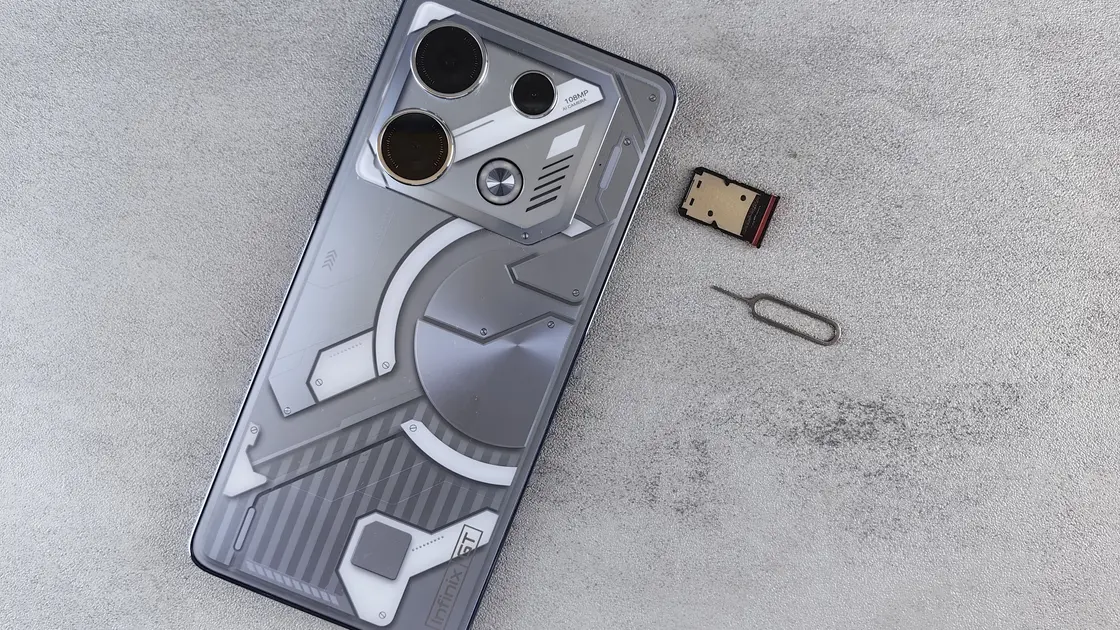
Open the phone's mobile settings and verify that the expected SIM or eSIM is enabled. Confirm it shows the correct number or carrier identity where supported, is registered on a network, and has not been turned off after a travel eSIM became the data line. A data-only travel eSIM cannot receive an SMS addressed to the original number.
Toggle airplane mode only as a normal radio reset, then wait for network registration; do not repeatedly reset while a code may be in transit. Restarting the phone can help a stale network registration but does not bypass app throttling. Check signal, manual or automatic network selection, and whether the line shows roaming, No Service, SOS, or emergency calls only.
Apple's message troubleshooting recommends updating the software, confirming that the phone number is enabled and selected for messages, checking the network connection, restarting the device, confirming that the carrier supports the message type, and freeing storage.[2] Then review blocked senders, unknown-sender filtering, spam or junk folders, notification silencing, linked-device routing, and any security app allowed to filter SMS. On Android, menu names vary by manufacturer and messaging app, so use the installed app's current spam and blocked-number controls.
The SIM, eSIM, and international-roaming guide explains why the data line, voice/SMS line, and account number may be three different choices.
Verification messages are often application-to-person traffic rather than ordinary personal SMS. The sender may appear as a short code, service name, shared number, or changing international sender. A carrier, roaming partner, anti-spam service, or handset filter may handle these categories differently.
Contact the home mobile operator through an official channel. Give the failed time window, current country and roaming network, sender name or number if known, and evidence that ordinary SMS works. Ask specifically whether incoming international SMS, short-code traffic, or application-to-person verification messages are blocked, unsupported on roaming, or subject to an account-level filter. Do not ask the operator to disable all security controls indefinitely.
Google's account help notes a daily limit on code requests and lists temporary unavailability, a recent carrier change, and carrier blocking of short-code senders as reasons a code may not arrive; use such guidance only as a general delivery layer, not as proof of a Chinese app's policy.[3] The app provider and mobile operator see different parts of the route, so a carrier saying “the line is active” does not establish that the app released the message.
Every new request can invalidate the prior code, extend a cooldown, trigger rate limiting, or make it unclear which message belongs to which screen. Pressing Send every few seconds is not a delivery test. Stop after recording the last accepted request and wait for the full displayed cooldown; if no duration is shown, use the app's official help rather than inventing a retry schedule.
Keep the app open only if its current instructions require it. Check the device clock and time zone because an incorrect clock can contribute to validation problems after a code arrives, although it does not deliver the SMS. When trying again, make one controlled request, note the exact time, and avoid switching numbers, networks, and devices simultaneously.
Never use temporary-number sites, public SMS inboxes, code sellers, automated resend tools, unofficial customer-service accounts, or a stranger's number. They can expose the account, violate platform rules, break later recovery, and hand control to whoever keeps the number.
Use only options visible in the current app or published by its official support: a voice call, email code, approval from an already signed-in device, trusted-device prompt, password plus additional verification, identity review, or formal support request. The email and two-factor-authentication guide helps prepare a recovery mailbox without treating email as universally available.
Before uploading identification, verify that the channel belongs to the provider and asks only for information relevant to recovery. Preserve the case number and redact unrelated details where the official process permits. Do not send passwords, payment PINs, or a code to someone claiming to be support; genuine codes should be entered only in the intended official interface.
If neither app support nor the carrier can identify the failure, write a compact escalation record: accepted masked destination, last request time, location, roaming network, ordinary-SMS test, phone model and OS, app version, filter checks, and cooldown observed. This separates evidence from speculation and avoids another burst of duplicate requests.
It usually means the request stopped before delivery: the app does not offer SMS verification for the selected country or region, or the chosen country code does not match the number. Check the country code against the SIM that should receive the code, then use the foreign-number rejection guide above instead of pressing Send again.
Personal SMS and application-to-person or short-code traffic can use different sender and filtering paths. Give the carrier the exact time and category rather than saying only that “texts do not work.”
Traditional SMS normally uses the mobile line rather than app data, but the app may need internet access to submit the request or validate the code. Treat those as separate paths.
Only if the travel eSIM owns that destination number and supports SMS. A data-only eSIM does not receive messages addressed to another SIM.
Stop requesting codes and use the app's official number-change or account-recovery process. Do not ask the current number holder to forward a code.
Do not use a fixed number from an unofficial guide. Stop repeated requests, follow the displayed cooldown, and make one controlled attempt or use the app's official support instructions.
No. Temporary and public numbers can expose the code, violate service rules, and leave you unable to recover the account later.
Use only the newest code associated with the current screen. Older codes may have expired or been invalidated; never send either code to another person.
No. The operator can investigate the line and message route, while the app provider controls account restrictions, verification acceptance, and recovery.
Provide the masked destination, request time, country, roaming network, ordinary-SMS result, device and app versions, exact error, filter checks, and observed cooldown—without publishing the full number or code.
Disclaimer: This is general troubleshooting information. Delivery routes, roaming support, app recovery, rate limits, identity checks, and carrier filters change by provider, country, account, and time.
Sources checked 4 October 2026.
Sign up to experience all premium features at no cost.
*Available only to new users. Each user is limited to one trial.