Start your 3-day free trial
Sign up to experience all premium features at no cost.
*Available only to new users. Each user is limited to one trial.
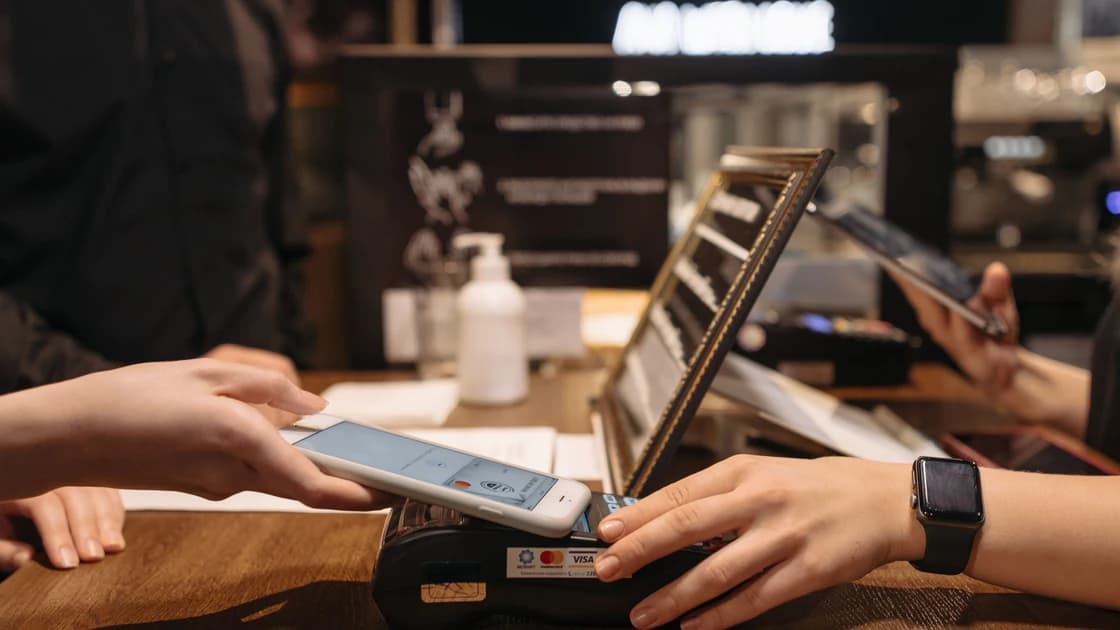

Apple Pay works in mainland China, but your particular card must also work with the merchant's payment network. A supported wallet is only the first check: prepare a payment backup rather than assuming every contactless terminal will accept your foreign card.[1]
Key Takeaways:
- Separate wallet readiness, card support, merchant acceptance, and transaction approval.
- An Apple Pay or contactless sign does not guarantee acceptance of your card network.
- A failed tap and an inaccessible banking app need different troubleshooting.
- Keep another payment method and a way to reach your issuer.
Start with the checkout you actually need: a shop counter, an app purchase, or a website. Do not use success at one of these as proof about the others. A hotel accepting your physical card at reception may have a different payment system for its online deposit, and a nearby cafe may use only QR payments.
Apple's acceptance guidance makes card-network support a separate requirement from wallet acceptance. In-store equipment also needs contactless NFC enabled; a symbol on the reader does not prove the merchant has enabled that function. Ask staff about the selected card, rather than asking only whether they accept mobile payments.[1]
For wider arrival preparation, use our checklist for choosing a connection before entering China. Connectivity helps with reservations and support, but your checkout decision still depends on the payment method the seller can process.
This table is an editorial checklist, not a claim that every bank implements the same error messages. Stop at the first layer you cannot confirm, and take the question to the party that controls it.
| Layer | What to establish | Who can confirm it | What passing it does not prove |
|---|---|---|---|
| Device wallet | The intended card is available on the device you will use | You and Apple support | That the card is eligible for every transaction |
| Card support | Your issuer supports this exact card in Apple Pay | The card issuer | That a Chinese merchant accepts the network |
| Merchant acceptance | The seller accepts that network and the required checkout method | Merchant or its payment provider | That the issuer will approve the purchase |
| Transaction approval | The purchase is authorized and recorded for the right amount | Merchant and card issuer | That future shops or larger purchases will work |
A card picture in Wallet answers the device question. An issuer's participation answers a different question. A final receipt answers the transaction question. Keep those observations distinct when describing a failure to support; otherwise you can end up reinstalling apps for a problem at the terminal.
A foreign-issued card is not automatically unusable just because you crossed into mainland China. Equally, being usable in your home country does not promise acceptance at your destination. Confirm the exact card product, its network, and any overseas-use restrictions with its issuer before making it your primary travel payment.
Apple lists participating issuers by region and warns that some cards from a listed bank may still be unsupported. The mainland list and the issuer list for your home market are tools for checking compatibility, not a directory of shops where a transaction is guaranteed.[2]
When contacting your issuer, ask whether your specific debit, credit, or prepaid card supports wallet payments abroad. Ask how you will receive an approval prompt while traveling, whether your existing phone number must remain reachable, and how to contact support from another country. Save the official contact route before departure.
Do not publish the card number, security code, password, or a one-time code in a public troubleshooting post. A merchant generally needs to identify the attempted transaction; it does not need your banking login. If someone asks you to install remote-control software to approve a purchase, stop and contact the bank through a channel you already trust.
UnionPay is a payment network, while Apple Pay is the wallet interface. Neither name replaces the other. Check the network of the card selected in Wallet and ask whether the merchant's terminal accepts that network through contactless payment; do not infer that every card in the wallet uses UnionPay.
You do not need to open a mainland bank account merely to satisfy a universal Apple Pay rule. The useful question is whether your existing eligible card matches a seller's acceptance configuration. A domestic card can be relevant to a particular service, but that is a service-specific requirement, not a blanket explanation for every failed foreign-card tap.
At a counter, the phone or watch communicates with a payment terminal. On a website, the merchant must offer a compatible Apple Pay checkout. Inside an app, the payment option and the purchase type determine the available route. Do not confuse paying a merchant through its app with paying for an App Store subscription.
Apple's mainland web guidance identifies compatible iPhone or iPad use in Safari and says third-party browser Apple Pay is unavailable there. A supported checkout elsewhere therefore does not establish that the same browser flow works in mainland China. Check the device and checkout context before interpreting a missing button.[1]
| Purchase context | Useful check before paying | Sensible fallback |
|---|---|---|
| Shop counter | Selected card network and contactless support | Physical card or another accepted method |
| Merchant website | Supported browser, device, and visible payment option | Merchant's alternative checkout |
| Merchant app | Offered payment method and account eligibility | Another official purchase route |
| Transit | The specific system's supported payment product | Its official ticket or travel card |
A transit card in Wallet is a separate product from a bank card. Confirm the route and ticket system before using your phone at a gate. Do not assume a successful retail purchase means you can board every train or bus with the same card.
Record the merchant name, approximate time, amount, selected card, and what each screen said. Distinguish an unresponsive reader from a decline after authorization. Ask whether the seller sees an attempted payment before trying a different method, especially if your bank shows a pending entry.
Apple directs declined-card questions to the issuer because transactions require issuer approval. A wallet authentication animation alone is not a substitute for a merchant receipt or a confirmed bank transaction. If the seller cannot confirm payment, avoid repeated taps that make the eventual record harder to reconcile.[3]
For the last-but-one branch, separate website access from account and payment failures. When you use an allowed public connection to consult your own issuer account, AethoVPN's global mode can encrypt application traffic; it changes that internet path, not NFC, merchant network acceptance, or bank approval. Follow local rules and the account's terms, and do not treat a VPN connection as a payment retry instruction.
Choose backups that fail for different reasons. Two cards from the same issuer can share an approval problem; two wallet apps tied to the same unreachable phone number can share a verification problem. Carry an accepted physical payment option and retain a small practical cash reserve appropriate to your itinerary, without carrying more than you need.
For QR checkout, check Alipay preparation for international visitors and WeChat payment setup for visiting travelers. Those guides cover their own account and card-linking conditions. Adding a card to Apple Pay does not add it to either QR wallet, and a merchant accepting one wallet does not establish support for the others.
Before departure, verify the intended card in your wallet, confirm the issuer's support route, and preserve access to approval messages. Save accommodation and transfer details offline so a payment problem does not also become a navigation problem. Keep physical cards separate from your phone where practical.
After arrival, ask about accepted methods before an expensive purchase. Make a modest necessary purchase to observe the actual receipt and account record, without treating that result as nationwide validation. If a method fails, use your prepared alternative and investigate later from a calm setting rather than experimenting repeatedly at a busy counter.
If the problem is a QR-wallet charge rather than a tap, use the separate Alipay foreign-card decline checklist. Keep that app-specific diagnosis separate from the card-network question at a contactless terminal.
No universal requirement follows from Apple's acceptance guidance. Your card must be supported by its issuer and accepted by the merchant's network and checkout configuration; check any particular service's additional conditions.[1][2]
The symbol is only a starting clue. The terminal needs enabled contactless support, and the merchant must accept your selected card's network; approval still depends on the issuer.[1]
Do not treat their QR flows as interchangeable. Use the payment app required by the merchant and confirm its own card and account eligibility before relying on that method.
Apple says an iPhone or Apple Watch can make in-store payments without an internet connection. Online checkout, card setup, and accessing bank support are separate activities that can need connectivity.[4]
Different merchants can have different payment providers, network acceptance, and terminal settings. One successful purchase is useful evidence about that checkout, not a promise about other shops or later approvals.
Contact the issuer first and describe the attempted purchase. Removing the card can create a fresh verification task during your trip without solving the original merchant or approval issue.[3]
Check whether the merchant has a receipt and ask your issuer how it handles the pending entry. Avoid assuming it is either settled or reversed, and keep transaction details for reconciliation.
Disclaimer: This article is for general information and does not provide financial or legal advice. Card eligibility, merchant acceptance, and account conditions must be confirmed with the responsible provider.
Sources checked 5 October 2026.
Sign up to experience all premium features at no cost.
*Available only to new users. Each user is limited to one trial.