Start your 3-day free trial
Sign up to experience all premium features at no cost.
*Available only to new users. Each user is limited to one trial.
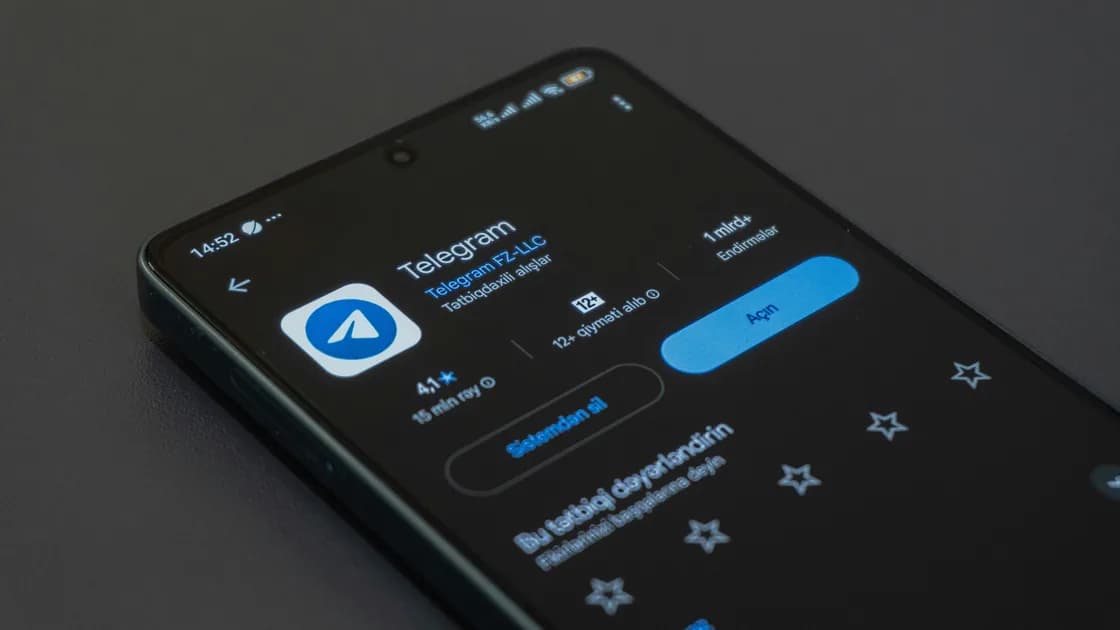

Does Telegram work in China? Usually not: on ordinary mainland China networks, plan for the Telegram app, Web, and Desktop clients to fail to connect directly. As checked on 4 October 2026, a UK government country note lists Telegram among blocked international social and messaging platforms, and text, media, calls, notifications, and a new-device login can still fail in different ways.[1] Travelers who need it usually prepare a VPN route before arrival, where that is legal for them; that route affects only the connection, not your phone number or login codes.
Key Takeaways
- A sent text does not prove that media, calls, notifications, or a new login will work.
- Keep control of the phone number connected to Telegram before travel.
- Enable 2-Step Verification, protect the recovery email, and review active sessions.
- Do not log out or reinstall casually when a working session is your only account access.
- A VPN cannot provide a phone number, SMS, login code, or account recovery.
The China VPN overview covers the broader network context. This article stays focused on Telegram's function and account layers.
| Layer | Typical symptom | What the result does not prove |
|---|---|---|
| Network | App, Web, or Desktop does not connect | That the Telegram account is lost |
| Messaging | Text sends but media stalls | That calls and file hosts work |
| Calls | Messages work but calls fail or drop | That all Telegram traffic is blocked |
| Notifications | Messages appear only after opening the app | That message delivery failed at the server |
| Login | A new device asks for a code or password | That a different route will supply the code |
| App distribution | Telegram cannot be installed or updated | That an existing session has the same problem |
Keep the distinction between synchronization and notification delivery. A delayed alert can come from device battery rules, notification permissions, a network path, or the app session; it does not automatically mean the message never arrived.
Define the exact Telegram task that matters before travel. Receiving a short text in an existing chat, downloading a large file, joining a call, receiving background notifications, and signing in on a new laptop are different tests. Write down the required task, the device and session that will perform it, the phone number connected to the account, and a fallback contact method. A single sent message cannot certify every other function.
Build a baseline on a familiar network. Confirm that the trusted mobile session can send and receive a short text, open a representative media file, and display the Devices or Active Sessions page. Check that the connected phone number is current and that the 2-Step Verification password and recovery email are usable. Do not terminate the only working session or request a new login code merely to prove that the account exists.
Telegram's FAQ explains that the account remains tied to a mobile number and that losing access to the number, every session, and any prepared passkey can block recovery. It also describes 2-Step Verification, recovery email, and active-session controls. Telegram now supports Passkeys as an additional login method that can work without an SMS code, including while traveling. A passkey is a login fallback, not a replacement for keeping control of the account number and recovery plan.[2] These are account controls, not proof that any particular mainland network will connect.
The routing layer is the part a VPN can prepare. If VPN use is legal where you are going, install AethoVPN before arrival on the device that holds your trusted session, connect to a nearby location from the in-app list, and send a message and place a short call to confirm both directions work; if calls fail while messages arrive, record that difference before changing anything else. It cannot issue or preserve your phone number, force an SMS or in-app code to arrive, reset a 2-Step Verification password, recover a lost account, restore deleted chats, or guarantee calls and notifications, and Telegram's terms still apply. Start the free AethoVPN trial while you can still receive Telegram login codes on your usual number.
Keep the account-continuity plan independent from Telegram itself. Store the important phone number, meeting point, accommodation details, and a second contact channel outside the app. Protect the recovery email with its own strong authentication, and make sure its recovery method does not depend solely on Telegram. If a desktop client is essential, install and sign in before departure instead of assuming that a new-device code will be available later.
Rehearse without destroying state. Close and reopen each intended client, confirm the expected chats and files are present, and check notification permissions at the operating-system level. Do not clear app data, reinstall, rotate the phone number, or sign out of all devices as a travel test. Those actions convert a possible routing problem into an account-access problem that a VPN cannot solve.
Use the mainland China app diagnostic for captive portals, routing, and device checks. If a message asks for money, credentials, or a recovery payment, move to the separate Telegram scam guide; scam handling is not a connectivity test.
Run comparisons in a fixed order. Verify the local network and captive portal, compare the already signed-in phone with Web or Desktop on the same network, and then compare Wi-Fi with mobile data once. Keep the account, device, recipient, and test message small and constant. Changing all of them together makes it impossible to tell whether the failure is transport, media delivery, call setup, notification delivery, or login.
Use timestamps and delivery indicators carefully. A cached conversation can open without a fresh server exchange, and a notification may be delayed even though the message arrived. Record when the test started, whether a new short message was sent and received, whether a small image transferred, and whether a call reached the ringing stage. Do not use sensitive files, payment requests, identity documents, or emergency-only contacts as test material.
Stop after controlled comparisons classify the symptom. Repeated code requests, logouts, reinstalls, and rapid retries can make account recovery harder without proving network availability. If Telegram asks for a phone-number code, 2-Step Verification password, recovery email, or account action, move to the official account path. If the required task remains unreliable, use the prepared second channel and preserve the working session.
Tell the other person which channel becomes primary and when to switch. A fallback that nobody checks is not a usable communication plan, even if the app is installed correctly. Confirm the arrangement before departure and rehearse the switch once together.
Keep another messaging route, important contact numbers, and meeting details outside Telegram. A social-media shutdown plan is useful because one device, number, or platform should not be the only way to reach your travel group.
Once contact is restored, review Telegram encryption and privacy settings; being able to send a message does not establish the conversation's confidentiality.
The cited UK government country note lists Telegram among blocked international social and messaging platforms.[1] Conditions can vary by network and time, so this is not a live test of every connection. Where VPN use is legal for you, a VPN set up before the trip is the route travelers usually rely on, but a connection is not guaranteed, and calls, notifications, and new logins still need separate checks.
Yes. Text, media, calls, notifications, and synchronization use different functions and can behave differently. Test them separately.
You should retain control of the number connected to the account. A prepared passkey or working session may let you log in without receiving an SMS code, but neither removes the number's role in account identity and recovery.
It adds a password to the login process. Use a strong password, protect the recovery email, and make sure you understand the recovery consequences before travel.
Not as a first step. Logging out or reinstalling can turn a network symptom into a new-login problem, especially when you cannot receive a code.
No. It cannot supply a mobile number, carrier service, SMS, in-app code, password, or recovery email access.
No. Connectivity and account continuity are the scope here. Use the dedicated scam guide for impersonation, fake support, investment, recovery, or payment schemes.
Disclaimer: This article provides general travel and technical information, not legal advice or a guarantee of network, messaging, calling, notification, login, or account availability.
If Telegram traffic fails in China while using AethoVPN, check the network path separately from phone-number verification and account recovery; a VPN cannot supply an SMS code or restore access to a lost number.
Sources checked 4 October 2026.
Sign up to experience all premium features at no cost.
*Available only to new users. Each user is limited to one trial.