Start your 3-day free trial
Sign up to experience all premium features at no cost.
*Available only to new users. Each user is limited to one trial.
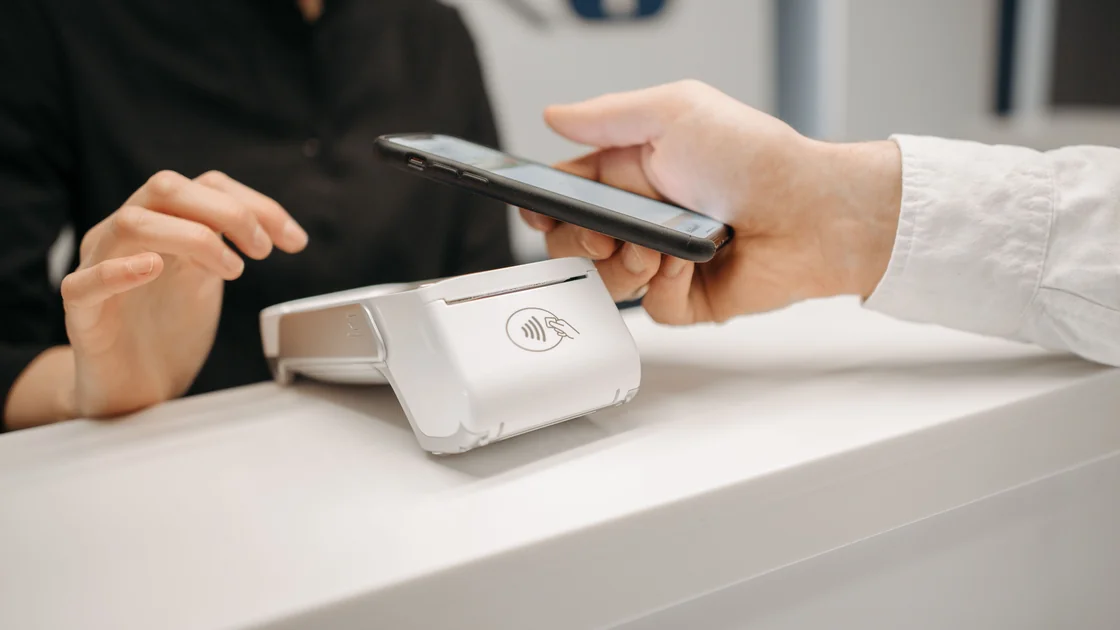

To use the e-CNY app as a visitor, verify that you have the official People's Bank of China service platform, register through a supported phone route, and open or add a wallet from an authorized operator that currently offers international service. Then check the wallet tier and funding method before making a small first payment, and keep cash or another accepted payment option as a separate fallback.[1][2]
Key Takeaways
- e-CNY is digital central-bank money; the app manages wallets provided by authorized operators.
- Use an official app-store listing or official guide, not a QR code or download sent by a stranger.
- Phone support, identity requirements, wallet limits, linked cards, top-ups, and merchant acceptance are separate checks.
- Test with a small purchase and keep the transaction record until any refund is complete.
- e-CNY does not replace every card, cash, WeChat Pay, or Alipay use case, so carry a fallback.
Before depending on one wallet, review the broader China visitor connectivity checklist and build a cash, card, and mobile-payment fallback. The separate WeChat Pay and Alipay guides cover those platforms; their accounts and balances are not the same as an e-CNY wallet.
The e-CNY application is the official service platform issued by the People's Bank of China for setting up and managing personal e-wallets and for e-CNY exchange and circulation services.[2] The app is the wallet-management entry point, while an authorized operating institution provides the wallet you choose inside it.
Opening the app is therefore not the same as opening a conventional bank account. It also does not automatically create a WeChat Pay or Alipay account, guarantee that a foreign card can fund a wallet, or prove that every merchant accepts the payment mode you intend to use.
China's visitor payment guidance presents several parallel methods, including bank cards, mobile payment, cash, bank accounts, and e-CNY.[3] Treat that as a resilience plan: one method failing should not leave you unable to pay for transport, food, or accommodation.
Prepare a phone you control, access to its app store, a supported mobile number, your own identity document if the chosen wallet tier requests it, and at least one backup payment method. Keep the device clock, operating system, and app store account working normally so you can verify publisher details and receive security messages.
| Item | What to verify | Why it matters |
|---|---|---|
| App listing | Publisher and link from an official guide | Reduces fake-app risk |
| Mobile number | Country code appears in the current registration flow | Support can change |
| Wallet operator | Marked as supporting international service | Operators may expose different routes |
| Identity request | Purpose, document type, and wallet tier | Higher capability may require more verification |
| Funding method | Card, top-up, or other method actually shown | Registration does not prove funding support |
| Backup payment | Cash or another independently working method | Merchant and network conditions vary |
The PBOC guide described by the State Council says users should choose “Open/Add e-CNY Wallets” and select an authorized operator supporting international services. It also reports broad overseas phone-number support.[1] Confirm the country-code selector and operator list in the current app rather than treating the published count as a permanent guarantee.
Start from the official guide or search your device's official app store for the exact application. Compare the app name, publisher, icon, privacy information, update history, and destination reached from an official government page. Do not install an APK, configuration profile, or “visitor wallet” supplied through a chat message, hotel flyer, social post, or unofficial download site.
If your app store region does not show the app, do not change account country or submit false billing information just to force installation. Check the official guide for currently supported stores and ask an authorized operator or staffed banking service point for the legitimate route available to your device and region.
Grant only permissions needed for the feature you are using. Camera access may be required to scan a payment code, while contacts, photos, microphone, or precise location should be evaluated separately. An app asking for a permission is not proof that every feature requires it.
Do not open multiple wallets merely because one operator rejects a document or card. First identify whether the failure belongs to phone registration, identity verification, operator eligibility, card authorization, or a temporary technical issue. Repeating mismatched submissions can make later support harder.
The available funding choices depend on the current app, chosen operator, wallet tier, identity status, card issuer, and transaction. A wallet may support a linked international card, an in-app top-up, a bank route, or another method; seeing one option in a guide does not establish that it is available to everyone.
Before confirming, check the funding source, amount, currency display, any issuer message, and the resulting e-CNY balance. Never send money to a personal account or scan a privately supplied “activation” code. Authorized wallet funding occurs inside the official flow.
If the payment provider reports a debit but the wallet does not show the funds, stop retrying. Preserve the time, amount, operator, bank or card record, and app transaction status, then contact the operator and issuer through verified channels. A second top-up can create a duplicate rather than repair the first one.
Merchants may present a code for you to scan, ask to scan a payment code generated by your wallet, or support another e-CNY acceptance method. Use only the mode shown by the merchant and current app. Check the merchant name and amount before approving the payment.
For your first transaction, choose a low-risk, low-value purchase where staff can help if the code or terminal is unfamiliar. Keep the receipt and in-app transaction entry. Do not expose a reusable payment code, credential, full card number, identity page, or wallet recovery information to staff or bystanders.
After payment, wait for one clear result. If the merchant says it failed but your wallet shows completion, compare transaction identifiers before paying again. If both sides remain uncertain, use their support routes instead of creating another charge immediately.
A refund normally depends on the original merchant, order, wallet operator, and transaction path. Ask the merchant to use the original transaction rather than offering an unrelated personal transfer. Save the order receipt, e-CNY transaction entry, refund acknowledgment, and final balance change.
Refund initiation and wallet credit are separate events. The merchant may show that a refund was requested before the wallet balance changes. If the expected credit does not arrive, give support the original and refund transaction references without sharing your payment password or recovery code.
| Problem | Responsible route | Safe next step |
|---|---|---|
| Country code absent | e-CNY registration support | Use another official payment method |
| Identity document rejected | Chosen wallet operator | Ask which visitor document and tier are supported |
| Card or top-up declined | Operator and card issuer | Verify one record before retrying |
| Merchant cannot accept e-CNY | Merchant | Use cash or another accepted method |
| Payment status differs | Merchant and operator | Compare transaction reference and timestamp |
| Refund not credited | Merchant first, then operator | Preserve both refund and wallet records |
Keep the phone locked, hide payment codes until needed, and review the official recovery path before storing a meaningful balance. Do not share SMS codes, wallet passwords, recovery phrases, remote-control access, or screen-sharing sessions with someone claiming to “activate” the wallet.
Use trusted mobile data or Wi-Fi for registration and support conversations when possible. A secure network does not make a fake app genuine, approve identity, add merchant acceptance, reverse a transfer, or recover a compromised wallet; those controls remain with the app, operator, merchant, and payment provider.
The official visitor guide provides an international-service route, but the current app and selected operator decide phone, document, wallet-tier, and funding support.[1] Confirm every step in the live official flow.
No. It is digital central-bank money issued under the People's Bank of China framework, and the official application manages personal wallets and circulation services.[2]
Not every visitor route necessarily uses a conventional Chinese bank account, but the available funding method depends on the chosen operator and wallet tier. Check the live wallet flow and keep another payment option.
The published guide reports broad international-number support, but it is not a permanent guarantee for every country code or carrier. Use the current selector as the decision point.[1]
No. Card support can depend on operator, network, issuing country, bank controls, identity status, and transaction. Do not infer acceptance from a logo or an earlier successful purchase.
No. Ask the merchant or check the supported terminal or code before approving payment. Keep cash or another working method for merchants that do not support it.
Do not assume so. Use the original merchant order and e-CNY transaction route, then follow the selected wallet operator's support process if the credit does not arrive.
Stop entering data, remove permissions, preserve the listing and transaction evidence, and contact the legitimate operator or your payment provider through verified channels. Change affected credentials from a trusted device if you disclosed them.
No. Network tools cannot approve identity, change an operator's eligibility, authorize a card, create merchant acceptance, or reverse an e-CNY transaction.
Disclaimer: This guide provides general payment-security information, not financial or legal advice. e-CNY app availability, operator participation, phone and document support, wallet limits, funding methods, merchant acceptance, and refund routes can change; follow the current PBOC platform, operator, merchant, and card issuer instructions.
Sources checked 4 September 2026.
Sign up to experience all premium features at no cost.
*Available only to new users. Each user is limited to one trial.