Start your 3-day free trial
Sign up to experience all premium features at no cost.
*Available only to new users. Each user is limited to one trial.
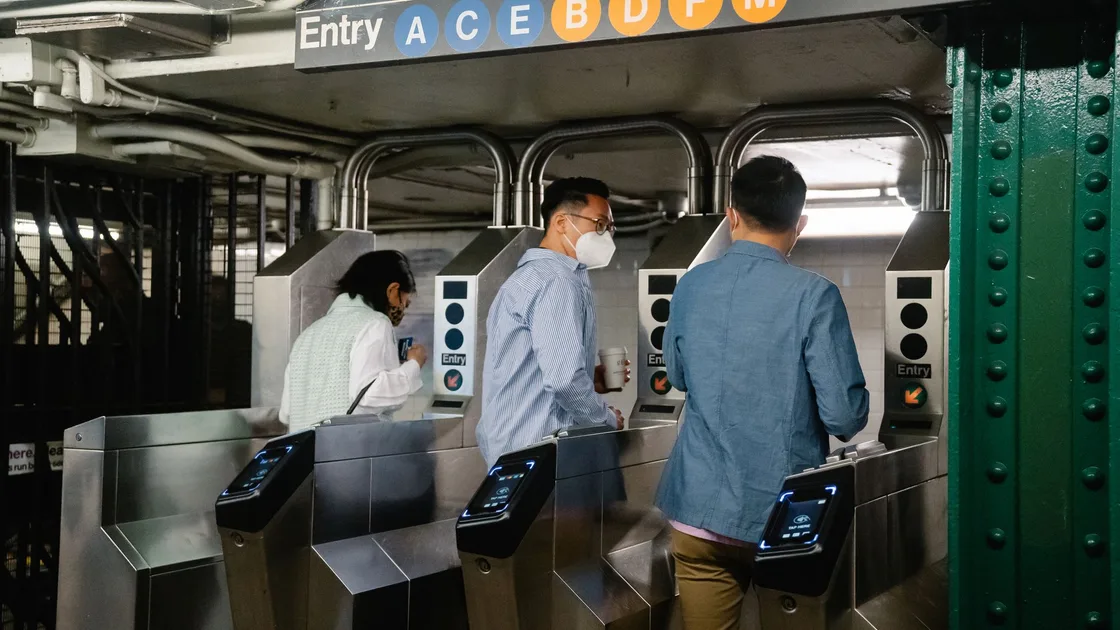

To use metro and bus apps in China, plan the route with one tool and travel with a separately verified fare credential. Select the current city and mode, confirm that the code, card, ticket, or bank card is accepted by that operator, complete any identity and payment setup, follow the gate or vehicle instructions, and keep a physical-ticket or staffed fallback.
Key Takeaways:
- A route displayed in a map app is not a ticket.
- Transport codes are city- and mode-specific; a metro code may not cover every bus or nearby city.
- Official guidance describes single tickets, transport cards, apps, and locally supported bank cards as possible methods, not universal promises.[1]
- Read the current instruction at the gate, validator, vehicle, and app before every unfamiliar trip.
- Do not use a screenshot, copied QR code, or another person's transport credential.
- Keep enough time and a staffed fallback for identity, payment, phone, battery, or network failure.
Start with the China visitor pillar. Use the China maps and navigation guide to find entrances and routes; this article begins when you choose and validate the fare.
| Method | Best fit | Setup dependency | Main fallback question |
|---|---|---|---|
| Single ticket or token | Occasional metro trip | Destination, fare, accepted payment | Where is the staffed ticket office? |
| Physical transport card | Repeated trips in one supported area | Deposit, balance, local coverage | Where can it be bought, topped up, and returned? |
| Wallet transport code | Phone users with supported identity and payment | Correct city, mode, account, payment | Can the same station issue a physical ticket? |
| City or operator app | Frequent use of a particular network | App availability and current eligibility | Does the operator provide an English or staffed route? |
| Contactless bank card | Only where current signs explicitly support it | Card network and issuer approval | Which ticket or card works if the tap fails? |
The Ministry of Commerce visitor guide lists several public-transport payment approaches, while also directing travelers to local rules.[1] Shanghai and Beijing publish their own fare and transport-code guidance, showing why one city's setup should not be generalized nationwide.[2][3]
Do not set up a “nationwide transport code” from a social post. Open the transport service from a verified wallet, city portal, or operator source.
In a supported wallet or official app, choose the city where you will ride. Confirm the city name again after location changes; nearby cities may use separate services.
Choose metro, bus, ferry, or another mode only when the service explicitly lists it. Similar icons do not establish shared coverage.
Read the current identity, phone, payment, privacy, fare, and account terms. Use your own supported details. If the route does not accept your document or payment method, use a ticket or staffed alternative rather than false information.
Confirm which wallet, card, balance, or postpaid arrangement will be charged. The Alipay visitor guide covers wallet setup; the cash, card, and mobile-pay guide explains payment fallbacks.
Open the transport service while online and wait for a current code. Never save it as an image or send it to another traveler. A screenshot may be expired, bound to another session, or rejected as a fraud control.
Before approaching the gate or vehicle, check city, mode, status, and payment source. A route-planning QR, merchant-payment QR, bicycle code, and transport fare code are not interchangeable.
Shanghai's guide describes several metro purchase and entry options, but availability depends on the current station and service.[2] If the gate rejects you, step aside instead of repeatedly blocking the lane. Show the credential status to staff without handing over passwords or payment codes.
Board through the door indicated by the operator. Look for the validator and current fare instruction before scanning or tapping. Some services use a flat fare; others may require a second action, zone choice, distance calculation, or a different credential. Never assume that an exit scan is or is not required because another city used a different rule.
Use this observable checklist:
If you are uncertain, ask the driver or another staffed transport employee before leaving the validator. Do not scan a merchant-payment QR unless the operator explicitly identifies it as the fare route.
| Failure | Check | Safe next step |
|---|---|---|
| City or mode unavailable | Is the service supported here? | Use local official app, ticket, or physical card |
| Identity cannot be completed | Does the route accept your document? | Staffed ticket or supported visitor channel |
| Foreign card rejected | Is another official payment method accepted? | Ticket office, machine, or physical card |
| Code will not load | Network, clock, account, battery, or service outage? | Step aside and buy a ticket |
| Gate says invalid or already used | Is the trip/session still open? | Ask station staff; do not generate copied codes |
| Insufficient balance | Which account requires credit? | Top up through the official owner, then verify |
| Charged but gate did not open | Was a ride created? | Preserve time, station, gate, and order reference |
| Phone lost or dead | Can the trip be resolved without the device? | Go directly to staff and identify the entry trip |
Beijing's official transport-card portal documents both card and ride-code options and their local conditions.[3] Use that kind of current city source rather than a generic video that may show an old interface.
At a ticket machine or counter, select the destination or explain the route, review the fare, pay using a displayed accepted method, and retain the ticket until after exit. Ask staff which gate accepts it.
For a physical card, confirm where it works, how to add balance, whether a deposit applies, how refunds or returns work, and whether one card can be shared. Do not assume a card from one city works on every nearby network even if it carries a national transport mark; current operator acceptance controls.
Record the city, mode, station or route, entry and exit time, credential type, last four digits or masked account reference, and visible error. Preserve the transport and payment order numbers. Report through the operator or wallet entry that owns the charge.
Never post a live code, full card number, identity document, or payment receipt with a reusable link. If your phone is lost, secure the wallet and transport account through official recovery before relying on another device.
Write the destination and interchange in Chinese, identify the accessible entrance, and allow time for a staffed gate. Travelers who cannot scan a phone can ask about a physical ticket or card. Keep the credential within reach without requiring a companion to control your identity or payment account.
No universal coverage should be assumed. Select the current city and mode and check the local operator's current rules.
No. The map app only plans the route; entering, riding, and settling the fare require a separate credential that the local operator accepts.
Official guidance describes wallet transport codes in supported places, but identity, payment, city, and mode eligibility varies.[1]
Follow the current vehicle and operator instruction. Bus fare models differ, so another city's practice is not proof.
No. Use the live credential; screenshots can expire, be session-bound, or trigger rejection.
Go to station staff before trying another gate or credential. Explain the entry station and account reference so the trip can be resolved officially.
No. Use them only where the current operator and reader explicitly show support, and keep another fare method.
Do not assume so. Many live codes and accounts are intended for one traveler and one open trip; use separate valid credentials unless the operator says otherwise.
Disclaimer: This guide provides general visitor information. City coverage, fare products, identity and payment eligibility, transfer rules, reader behavior, and support routes change. Follow the current transport operator, station, vehicle, wallet, and local authority instructions.
Sources checked 30 August 2026.
Sign up to experience all premium features at no cost.
*Available only to new users. Each user is limited to one trial.