Start your 3-day free trial
Sign up to experience all premium features at no cost.
*Available only to new users. Each user is limited to one trial.
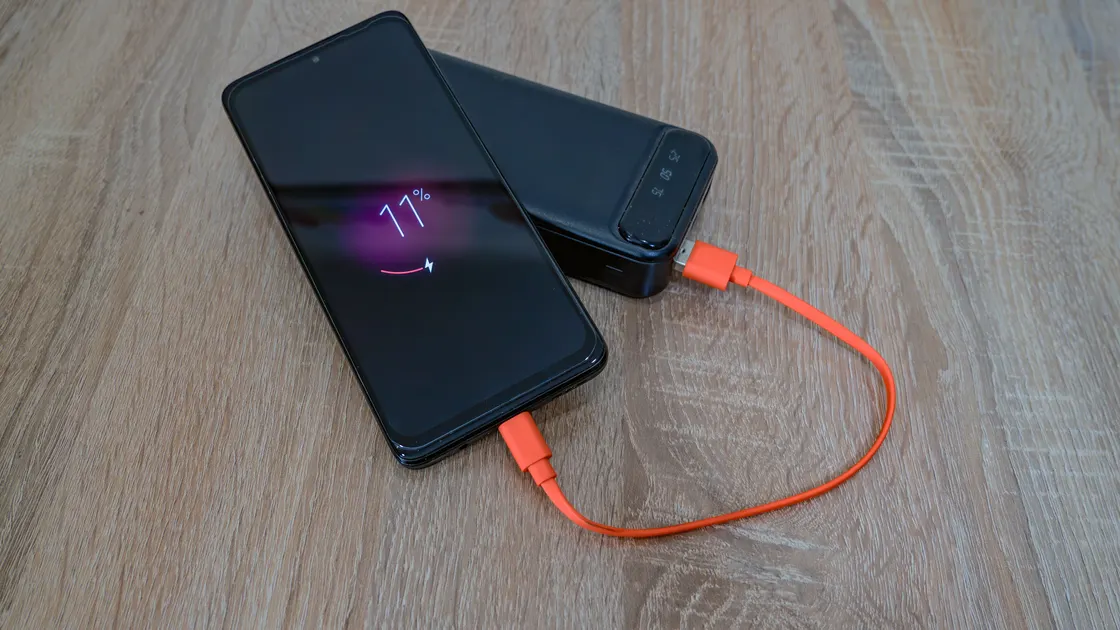

To use shared power banks in China as a visitor, find a rental cabinet in a mall, restaurant, or metro station, scan only its official code, and pay through WeChat Pay, Alipay, or another supported mobile payment app after reading the live price, deposit or authorization, return compatibility, and nearby return capacity.[1] After a unit ejects, check its battery, cable, connector, and condition. Return it to a compatible cabinet that is open and has an empty slot, push it in until locked, then verify in the same order that billing stopped. A successful scan is not a rental, and physically inserting a unit is not proof that the order ended.[1]
Key Takeaways
- Read the current price and maximum-charge terms before every rental; location-based pricing varies.[2]
- Confirm which operator owns the unit and where that operator accepts returns.
- Check connector compatibility and battery level immediately after ejection.
- Plan a return point before leaving the venue, especially near closing time.
- Return is complete only when the app or mini program shows the order ended.
- Save the cabinet location, unit number, order, payment, and return record until settlement.
Set up a supported payment method first with the WeChat Pay guide or Alipay guide. The government's payment guide explains that overseas visitors have several payment routes, but support and limits can vary by product.[3] A VPN cannot create payment eligibility, release a unit, or stop a rental timer.
Look for the operator name on the cabinet, slots, and QR code area. Make sure the code is physically attached to the machine and has not been covered by a suspicious sticker. Open the operator page or mini program reached by that code and compare the operator name with the cabinet.
Before agreeing, read the actual terms shown for that location:
| Check | Question to answer | Why it matters |
|---|---|---|
| Price | How is time measured and rounded? | A short overrun can enter another billing unit |
| Cap | Is there a daily or order maximum? | “Maximum” terms may differ by location |
| Deposit | Is it a deposit, pre-authorization, or deposit-free assessment? | Release and refund routes differ |
| Return network | Which cabinets or merchants accept this operator's unit? | Brands are not universally interchangeable |
| Empty slots | Is there a likely return slot nearby? | A full cabinet cannot accept the unit |
| Opening hours | Will the venue remain accessible? | A cabinet inside a closed venue is unusable |
| Connector | Does the unit support your device? | Included cables and ports vary |
The Shanghai government guide describes scanning, paying by mobile payment, checking battery level, and returning to a rental station, while noting that fees depend on duration.[1] Treat “any rental station” as the service's compatible network, not every cabinet from every brand.
Do not pull a locked unit by force, scan several cabinets at once, or accept a loose unit from a stranger. Those actions make it harder to prove which order and device belong together.
Keep the unit dry, ventilated, and away from excessive heat. Do not open the casing, modify a cable, use a visibly damaged connector, or leave the power bank charging unattended in a place where it can be lost. Stop if it swells, smells unusual, becomes excessively hot, sparks, or repeatedly disconnects.
The built-in cable may include USB-C, Lightning, or another connector, but a photographed or advertised connector is not a guarantee for the unit that ejects. Check immediately so you can return a mismatched unit without carrying it across the city.
Keep enough battery and connectivity to open the rental record at return. If your Chinese number needs service, use the mobile top-up guide before the phone reaches a critical level. For the wider arrival setup that keeps payment and messaging apps reachable, see the China arrival connectivity guide.
If the unit is physically locked but the order remains active, do not walk away without evidence. Photograph the cabinet and slot without capturing bystanders' private data, note the merchant and time, and contact the operator from the active order.
China's market regulator describes shared power-bank rental prices as market-adjusted and commonly set by city, location, consumption setting, demand, competition, and merchant conditions. It has also identified problems such as unclear charging, delayed deposit returns, unfair standard terms, and charges continuing after return.[2] That is why a price remembered from another restaurant or city is not reliable.
Separate three financial events:
| Event | What confirms it |
|---|---|
| Rental authorization | Active order linked to the ejected unit |
| Final rental charge | Ended order with duration and amount |
| Deposit or authorization release | Payment-account posting or release record |
An ended rental does not always mean a bank releases an authorization instantly. Conversely, a wallet notification does not prove the cabinet recorded a return. Keep both records.
| Problem | Check first | Next action |
|---|---|---|
| Unit does not eject | Whether an active order was created and which slot was assigned | Do not pay again; report non-ejection in the same order |
| Unit has no useful charge | Battery indicator and immediate charging test | Return promptly and record the defective unit |
| Connector is incompatible | Built-in cable and your device port | Return through the official flow; do not force an adapter |
| Return cabinet has no empty slot | Live map and venue access | Go to the planned compatible fallback |
| Unit is inserted but billing continues | Lock confirmation, active order, cabinet and slot | Collect evidence and contact operator support immediately |
| Deposit or authorization is not released | Rental end state and payment-account record | Ask operator and payment provider using the order reference |
| Cabinet is inside a closed venue | Current access and alternative return points | Use another compatible accessible cabinet |
| Support does not resolve the case | Written evidence, amount, merchant, cabinet, order | Escalate through the operator and applicable consumer complaint route |
Do not remove another customer's unit, block a slot, or abandon the power bank at a merchant counter unless operator support explicitly records that instruction.
No. Return networks are operator-specific, and even a compatible location may be full, offline, or inaccessible. Use the active order's current return guidance.
Possibly through a supported payment product, but acceptance, verification, and limits vary. Check the live payment flow and keep a fallback.
Not necessarily. Confirm that the order became active and the assigned unit actually ejected before leaving the cabinet.
There is no reliable universal price. Read the current location's time unit, rounding, cap, deposit, and loss terms before confirming.
Use the active order's map to find another compatible, open cabinet. Keep a backup location because availability can change while you travel.
Not by itself. Confirm that the active order shows an end time and final amount. If billing continues, preserve evidence and contact support.
Test it immediately after pickup. If the battery is empty, connector is wrong, or unit is defective, return it through the official order and report the issue.
Only if the operator's support records that route. Handing it to a merchant informally may leave the rental active.
No. It cannot change payment eligibility, cabinet state, physical return, operator billing, or deposit settlement.
Disclaimer: This guide provides general consumer-process information. Current operator terms, cabinet status, venue access, payment rules, and safety instructions control.
Sources checked 4 October 2026.
Sign up to experience all premium features at no cost.
*Available only to new users. Each user is limited to one trial.