Start your 3-day free trial
Sign up to experience all premium features at no cost.
*Available only to new users. Each user is limited to one trial.
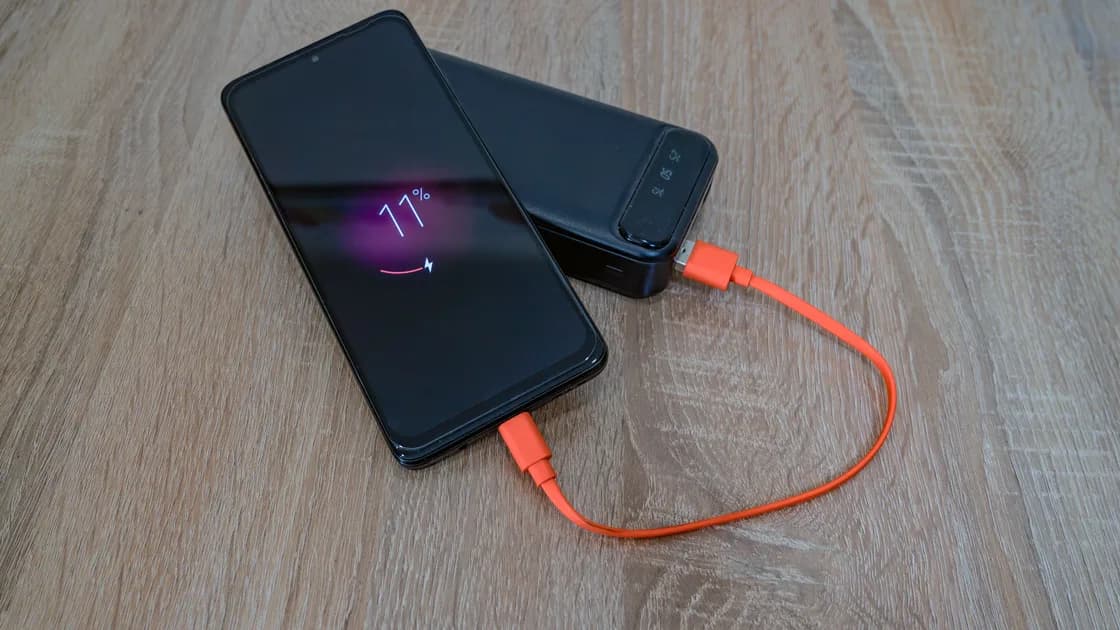

Why is my Android phone overheating? Usually because of a heavy task (gaming, video, camera, navigation, hotspot, setup, or a large backup), charging, a hot environment, weak signal, or an app working in the background. Warmth that fades after the task ends is normal; repeated warnings, shutdowns, heat while idle, or any sign of battery damage are not.
Key Takeaways
- Treat normal workload warmth differently from repeated warnings, shutdowns, or battery damage.
- Move the phone out of heat, stop heavy activity, unplug it, and let it cool naturally.
- Test apps, accessories, charging, signal, and recent changes one at a time.
- Swelling or deformation means stop using the phone and arrange service; smoke, hissing, leaking, chemical odor, or extreme heat needs emergency guidance.
Follow the reversible approach in Device and App Troubleshooting Guide. Android menus vary across Pixel, Samsung, and other manufacturers, so use the equivalent control on your phone rather than expecting one universal path.
Use the symptoms, not touch alone:
| What you observe | Possible explanation | First response |
|---|---|---|
| Warm during a demanding task | Processor, screen, radios, camera, or charging load | Pause and monitor |
| Hot in sun or a parked car | Ambient heat | Move to shade and cooler air |
| Warning, reduced performance, dimming, or charging pause | Thermal protection | Stop use and allow cooling |
| Heat returns quickly while idle | App, sync, signal, charging, software, or hardware issue | Record the pattern and isolate one cause |
| Swelling, deformation, smoke, odor, hissing, leaking, or extreme localized heat | Possible battery damage | Stop using it; seek service or emergency guidance appropriate to the symptom |
Google says Pixel phones can become warm during video, gaming, calls, navigation, large transfers, tethering, setup, restore, or charging. It also lists protective actions such as reducing processor performance, slowing charging, turning off the camera or flash, and limiting mobile data or Wi-Fi, including 5G.[1] Samsung similarly advises closing running apps and pausing use so the device can cool naturally, while noting that usage and environmental conditions affect temperature.[2] These are manufacturer examples, not identical rules for every Android model.
Do not use a freezer, refrigerator, ice, cold water, or compressed-air propellant. Rapid cooling can create condensation, and liquid can turn a heat problem into an electrical hazard. Google’s Pixel battery guidance says not to press a lifted cover, pry open the device, take it apart, or repair a swollen battery yourself.[4] Treat this as a manufacturer example and follow the instructions for your own phone.
Charging produces heat. Fast charging, wireless charging, a warm room, a thick case, poor contact, or intensive use at the same time can add more.
After the phone cools, compare one condition at a time:
Stop immediately if the charger, cable, port, or battery area becomes extremely hot, smells unusual, sparks, or shows damage. A charging warning is not something to defeat by disabling safety controls.
An app may keep the processor, GPS, camera, network, or storage active. A failed upload, stuck backup, malware, or repeated sync can continue in the background.
When the phone is cool:
Exact menu labels differ. Pixel and Samsung documentation may refer to different battery, device care, or diagnostics pages. Do not install a random “cooler” app: software cannot physically cool the battery, and an untrusted app may add ads, tracking, or more background work.
Yes. Weak cellular coverage can force repeated network work, and heat can rise when that combines with 5G, hotspot use, navigation, video, backup, or charging. Samsung lists weak-signal and roaming areas among the conditions that can make a Galaxy phone heat up, and Google suggests using Wi-Fi instead of mobile data where possible.[1][2] Poor Wi-Fi can also trigger repeated transfers or switching between networks.
Test later in a cooler place with charging disconnected. Compare airplane mode only as a brief diagnostic when you do not need calls or emergency connectivity. If heat disappears, re-enable radios individually and observe. Do not leave safety-critical communications disabled.
Record changes made shortly before the problem:
Google’s Pixel guidance names video calls, camera recording, long navigation sessions, and demanding apps used while charging as common heat triggers, and on Pixel 6a and later its battery diagnostics show the phone’s current temperature state.[1][3] Other manufacturers may provide their own diagnostics. A normal software check cannot rule out physical battery damage.
Contact the manufacturer or an authorized repair provider if the phone repeatedly overheats during light use, shuts down, will not charge after cooling, drains rapidly, or gets hot while idle after a restart. Record the model, software version, charger, room conditions, time to heat, and any warning text.
Google’s current Pixel guidance directs users with a swollen battery to repair options or local recycling rules and warns that an exposed battery is more vulnerable to damage that can cause overheating and injury.[4] Swelling or deformation therefore means stop using and arrange manufacturer-authorized service, without pressing or opening the phone. Smoke, hissing, leaking material, chemical odor, burns, or extreme localized heat needs emergency guidance: stop charging, keep people away, and follow local instructions. Do not puncture, compress, dismantle, or continue testing the device. If it must be transported or returned, first obtain damaged-battery instructions from the manufacturer or service provider and the carrier.
Back up the phone before ordinary service only if it is cool, stable, and safe to operate. Do not prioritize a backup over physical safety.
Android heat is often caused by a temporary workload, charging, environment, weak signal, or an app. Cool the phone gradually, isolate one factor at a time, and respect thermal protections. Repeated idle heat, shutdowns, or any physical battery symptom requires professional evaluation.
Yes, during demanding tasks or charging. It should cool after the task ends and should not repeatedly warn, shut down, or show battery damage.
No. Rapid cooling and condensation can damage the device. Use a dry, shaded place with normal airflow.
They cannot physically cool hardware. Some merely stop apps, while untrusted ones can add background work or tracking.
Background sync, updates, weak signal, restore work, a stuck app, charging, or hardware trouble can continue while no app is visible.
It can be a controlled comparison after the phone cools, but do not bypass safety warnings. Use supported settings and compatible charging equipment.
No. Android manufacturers use different menus, diagnostics, charging systems, and thermal limits. Follow guidance for your exact model.
Swelling or deformation means stop using the phone and arrange professional service. Smoke, hissing, chemical odor, leaking material, burns, or extreme localized heat requires immediate safety action and emergency guidance.[4]
Sources:
Sources checked 4 October 2026.
Related Articles:
Sign up to experience all premium features at no cost.
*Available only to new users. Each user is limited to one trial.