Start your 3-day free trial
Sign up to experience all premium features at no cost.
*Available only to new users. Each user is limited to one trial.
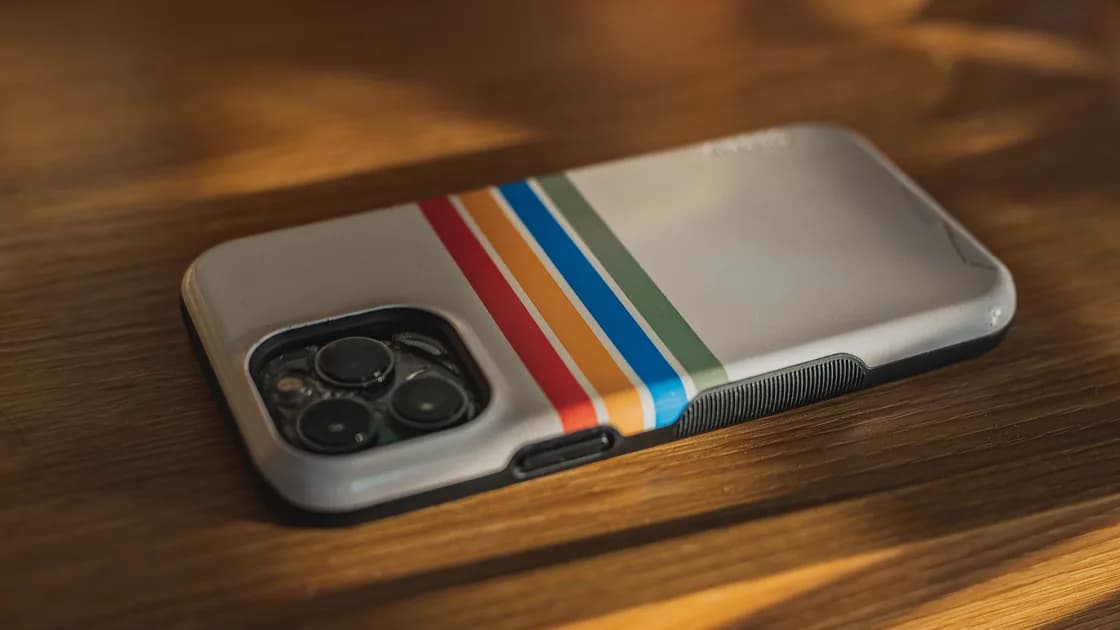

Why is my iPhone overheating? Usually a demanding task, charging, or a hot environment has pushed it past a comfortable temperature, and the heat should fade once that load ends. Setup, restoring a backup, wireless charging, navigation, gaming, camera use, and high-quality video can all make it warmer for a while.[1] It counts as overheating when iOS starts limiting features or shows a temperature warning; then stop the task, unplug it, and let it cool naturally.
Key Takeaways
- Warm during a demanding task can be normal; a temperature warning or repeated shutdown is not.
- Move the iPhone out of heat, stop demanding activity, unplug it, and let it cool naturally.
- Do not put it in a refrigerator, freezer, water, or against an ice pack.
- Swelling or serious damage means stop using the phone and obtain service; smoke, hissing, leaking, chemical odor, or extreme heat needs emergency guidance.
Use the general sequence in Device and App Troubleshooting Guide: observe the symptom, protect data, make one reversible change, and verify the result.
First identify what the phone is doing and whether iOS shows a warning.
| What you observe | Likely meaning | First response |
|---|---|---|
| Warm while charging, restoring, gaming, navigating, or recording video | Temporary workload or charging heat | Pause the task and monitor |
| Hot in direct sun or a parked car | Ambient temperature is driving the problem | Move it to a cooler shaded place |
| Screen dims, charging slows, camera flash stops, or performance drops | iOS may be limiting features to protect the device | Stop use and let it cool |
| Temperature warning appears | The iPhone is outside its operating temperature | Turn it off if possible and move it cooler |
| Swelling, deformation, smoke, odor, hissing, leaking, or extreme localized heat | Possible battery damage | Stop using it; seek service or emergency guidance appropriate to the symptom |
Apple specifies an ambient operating range of 0–35°C and warns that using or storing a device in very hot conditions can permanently shorten battery life. It also documents protective behavior such as slower or stopped charging, a dim display, reduced radio performance, disabled flash, and lower performance.[1]
Do not force rapid cooling. Condensation and abrupt temperature changes can create another hazard. Do not place the phone in a freezer or refrigerator, immerse it, or hold ice against it. If the device is swollen or damaged, do not press the case, remove the battery, or keep charging it.[3]
Charging naturally generates heat, and wireless charging can feel warmer than a wired connection. Heat rises further when the phone is charging while running navigation, games, video, tethering, or a restore.
Apple explains that iOS may slow or pause charging when the iPhone gets too warm, sometimes with a Lock Screen message that charging is on hold. Charging resumes automatically once the battery is back in a safe range, whether you use a cable, MagSafe, or another wireless charger, and this protection cannot be turned off.[2] That is a protective limit, not proof that the charger or battery is broken.
Check these factors one at a time:
Stop using a cable or adapter that is frayed, discolored, loose, unusually hot, or physically damaged. Do not continue a charging test when the phone shows a temperature warning.
Yes. A game, camera session, navigation app, video editor, upload, background sync, or software update can keep the processor, display, radios, or storage busy. A recently installed app may also be stuck retrying a task.
After the phone cools:
Do not repeatedly force-close every app as a routine “cooling” method. Focus on a reproducible trigger. If the phone heats while idle after a restart, record battery level, charging state, location, accessories, and how quickly the heat appears.
Look for a pattern before changing settings:
A poor signal plus navigation and charging can combine into significant heat even when no single component is faulty. Test later in a cooler place with the charger removed. Change one variable at a time so the result means something.
Arrange Apple or an authorized service evaluation when overheating repeats during light use, the phone shuts down or restarts by itself, the warning returns in a normal room, charging remains unavailable after cooling, or battery behavior changes sharply.
Apple says to stop using an iPhone if you suspect damage to the phone or battery, and to leave battery service to a trained technician.[3] Swelling or deformation calls for immediate stop-use and professional service. Smoke, hissing, leaking material, a chemical smell, burns, or extreme localized heat requires emergency guidance: stop charging, keep people away, and follow local instructions. Do not puncture, compress, or dismantle the device. If it must be transported or returned, first obtain damaged-battery instructions from Apple or the service provider and the carrier.
Before ordinary service, back up the iPhone if it is cool, stable, and safe to operate. Do not keep it powered on merely to complete a backup when physical battery damage is suspected.
An iPhone can become warm during charging or demanding work without being defective. The safe response is to remove heat sources, stop the workload, disconnect charging, and allow natural cooling. Repeated warnings, shutdowns, abnormal battery behavior, or physical battery symptoms need professional attention.
Some warmth is normal, especially with wireless charging. Stop and cool the phone if it becomes painful to touch, shows a warning, or has physical battery symptoms.
Apple documents display dimming as one of the protective changes iOS can make at high temperature.[1]
Apple lists the camera flash among the features iOS temporarily disables when the iPhone is too hot.[1] No setting restores it while the phone is still hot. Turn the phone off or leave it idle in a cooler, shaded place, then reopen Camera once it feels normal. If the flash stays unavailable in a normal room after cooling and one restart, arrange a service check.
No. Rapid cooling and condensation can damage the device. Let it cool gradually in a dry, shaded, ventilated place.
You can remove a normal case after disconnecting power if the phone is not swollen or damaged. Do not squeeze or manipulate a deformed device.
The phone is too warm, so iOS has slowed or paused charging. It resumes automatically after the battery returns to a safe temperature.[2]
It can contribute because the radio may work harder, especially alongside navigation, hotspot use, charging, or uploads.
Swelling or deformation means stop using the phone and obtain professional service. Smoke, hissing, chemical odor, leaking material, burns, or severe localized heat warrants immediate safety action and emergency guidance.[3]
Sources:
Sources checked 4 October 2026.
Related Articles:
Sign up to experience all premium features at no cost.
*Available only to new users. Each user is limited to one trial.