Start your 3-day free trial
Sign up to experience all premium features at no cost.
*Available only to new users. Each user is limited to one trial.

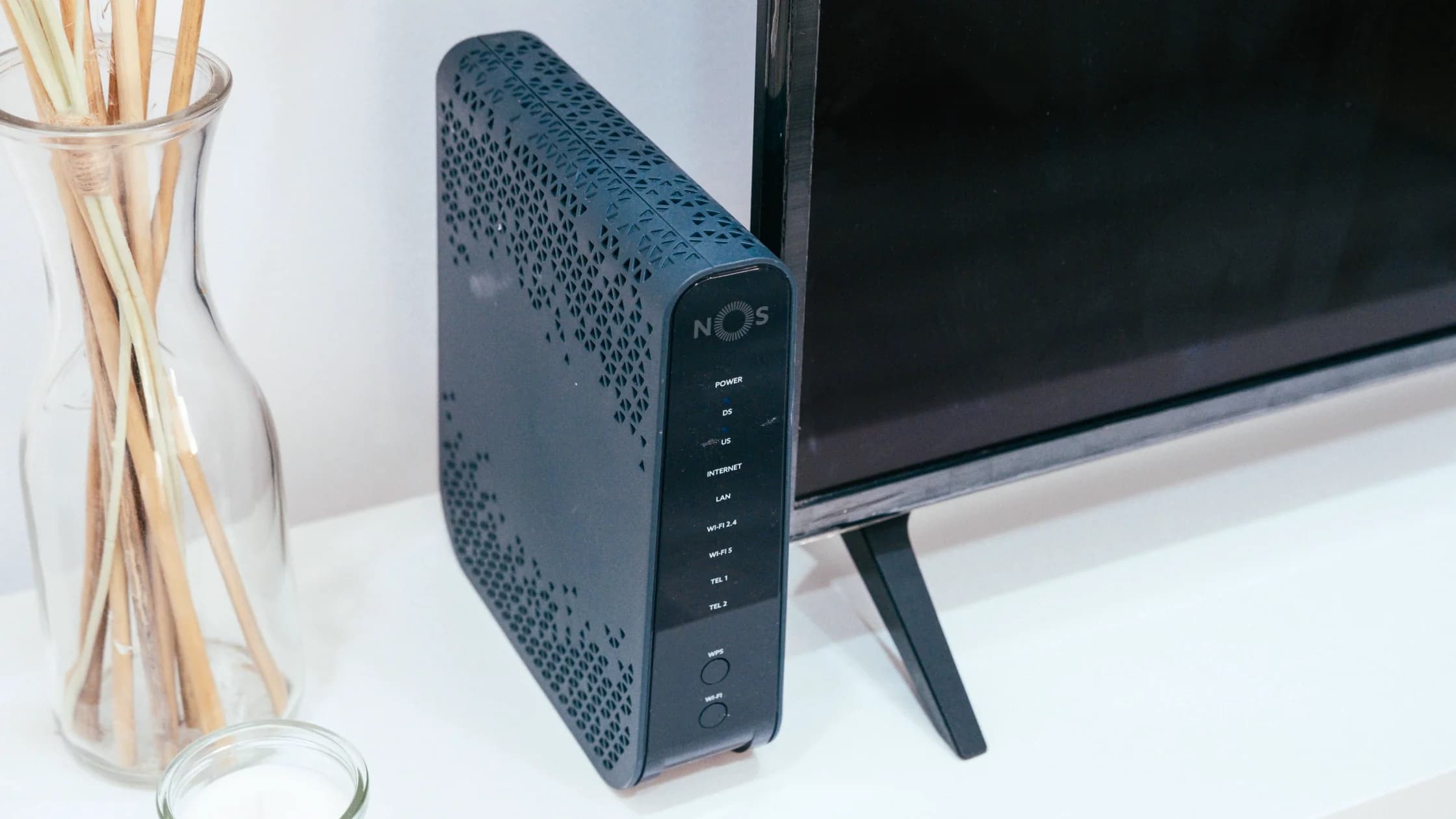
What is a NAS? Short for network-attached storage, it is a computer designed to provide files and storage services over a network. You need one when several devices or people benefit from shared, always-available storage and you are willing to maintain accounts, updates, disks, backups, and recovery.
Once you have chosen the hardware, use the first NAS setup checklist to separate storage, accounts, shares, backup, and restore verification.
Key Takeaways
- A NAS serves files over the network; an external drive normally serves the computer it is attached to.
- Central storage makes sharing easier but also creates one important system to secure and back up.
- RAID can improve availability after some disk failures, but it is not a separate backup.
- Every user should have an individual account and only the permissions required for their folders.
- Remote access should use the vendor’s supported secure design, not a publicly exposed administration port.
If you are diagnosing a client connection rather than choosing storage, begin with the device and app troubleshooting guide. A NAS decision starts with data ownership, sharing, maintenance, and recovery—not with buying the largest enclosure.
Network-attached storage is file-oriented storage connected to a network and accessed by clients through supported file-sharing services. A typical home NAS contains one or more drives, a small operating system, network interfaces, user accounts, shared folders, and management tools.
NIST SP 800-209 places NAS within the wider evolution from direct-attached storage to networked and cloud storage. It also emphasizes that networked storage adds management complexity and security responsibilities such as authentication, authorization, configuration control, data protection, isolation, and recovery.[1]
Clients may connect using protocols such as SMB or NFS when the NAS and client support them. The NAS decides which account can read or change each share. It may also run applications, media indexing, photo libraries, or synchronization services, but those extras increase the software you must update and monitor.
The right choice depends on who needs the data, where they need it, and who will maintain the system.
| Option | Best fit | Strength | Responsibility |
|---|---|---|---|
| External drive | One main computer or occasional manual transfer | Simple, direct, portable | Connect it, encrypt it, and maintain separate backups |
| NAS | Several local clients, shared folders, media, or automated local backups | Central access and account-based sharing | Hardware, updates, permissions, monitoring, and backup |
| Cloud storage | Access across locations without home server maintenance | Provider-operated infrastructure and easy remote access | Account security, subscription, sync choices, and provider limits |
| NAS plus separate backup | Important shared data requiring local access and recovery options | Combines fast local access with another recovery copy | Maintain both systems and test restoration |
A NAS is not automatically private merely because it sits at home. Cloud-connected apps, remote-access relays, administrator accounts, and exposed services can all extend its trust boundary.
A NAS is useful when its shared-service model solves a repeated task:
The strongest reason is not raw capacity. It is the need for managed, networked access from multiple clients. If one laptop owns all the data and the drive is used once a month, an encrypted external drive plus a disciplined backup routine may be simpler.
Avoid buying one when you do not want to administer another computer. A NAS needs firmware and application updates, drive monitoring, account reviews, notifications, and recovery practice. Ignoring those tasks turns convenient central storage into an aging single point of failure.
You may not need a NAS if:
No. RAID combines drives to meet availability or performance goals. Depending on the layout, it may let the NAS continue after a disk fails, but it does not create an independent historical copy.
RAID cannot by itself protect against:
CISA recommends maintaining offline, encrypted backups of critical data and regularly testing backup availability and integrity. It warns that ransomware may try to find and delete or encrypt accessible backups.[2] For a home NAS, that principle means at least one recovery copy should not remain continuously writable with the same credentials as the primary shares.
Use snapshots or versioning when the NAS supports them, but treat them as one recovery layer. Add a separate external disk, another secured location, or a cloud backup design according to the value and sensitivity of the data. Then restore sample files on a schedule; a successful job notification does not prove the data can be recovered.
Create one account per person or service. Shared administrator credentials make it difficult to limit access, revoke one user, or understand who changed a file.
Start with these rules:
Place the NAS on a trusted part of the home network. A guest Wi-Fi network should normally block access to it. If an IoT device needs one media folder, grant a narrowly scoped path rather than opening every private share to the whole segment.
Do not expose the NAS administration page or file-sharing ports directly to the public internet simply because the router offers port forwarding. Public exposure increases the attack surface and makes the NAS depend on every enabled service being patched and hardened correctly.
Prefer the manufacturer’s currently supported secure remote-access architecture or a deliberately administered private-access design. Verify encryption, account protection, update support, logging, revocation, and what infrastructure relays the connection. A consumer VPN app on a laptop does not automatically create safe inbound access to a NAS at home.
Use separate remote-access accounts with narrow permissions. Disable remote access when it is not needed, and test that local backups continue if the remote service is unavailable. Review home Wi-Fi security before treating the router and NAS as one trusted boundary.
A NAS needs a small operating routine:
Drive-health warnings are useful but not predictions. A drive can fail without a long warning, and a healthy drive cannot protect against deletion or account compromise. Recovery design matters more than a dashboard showing all disks as green.
Write the answers before comparing models:
If the backup answer is “the RAID array,” the design is incomplete. If nobody owns updates and restore tests, a simpler storage option may be safer.
No. A NAS is a networked computer with an operating system, accounts, services, and management duties. An external drive usually depends on the computer to which it is attached.
Yes, local file sharing can work on the home network without internet access. Cloud relays, remote access, updates, notifications, and some applications may require the internet.
Not always. Multiple drives can provide more capacity or selected RAID options, but they do not remove the need for a separate backup. Choose the drive layout from availability and recovery goals.
No. Mirroring may keep the system running after one disk failure, but deletion, ransomware, enclosure damage, and administrator mistakes can affect both drives.
Yes, when they access the NAS. Individual accounts allow appropriate permissions, easier revocation, and clearer activity records than one shared login.
Many products support remote access, but availability does not make every method safe. Use a supported secure design, strong accounts, updates, and narrow permissions; do not expose administration ports directly.
Neither is universally safer. Cloud storage transfers infrastructure duties to a provider, while a NAS gives you more local control and maintenance responsibility. Account security and independent recovery still matter in both cases.
Test on a regular schedule and after meaningful configuration changes. Restore representative files to a separate location and verify that they open, rather than relying only on a successful-job message.
Disclaimer: This article provides general technical and security information. Storage, remote-access, and backup requirements should be assessed for the value and sensitivity of your data.
AethoVPN alone cannot make a NAS reachable remotely or protect files stored on it; storage redundancy and access permissions are NAS-side choices.
Sources:
Sources checked 24 August 2026.
Related articles:
Sign up to experience all premium features at no cost.
*Available only to new users. Each user is limited to one trial.