Start your 3-day free trial
Sign up to experience all premium features at no cost.
*Available only to new users. Each user is limited to one trial.

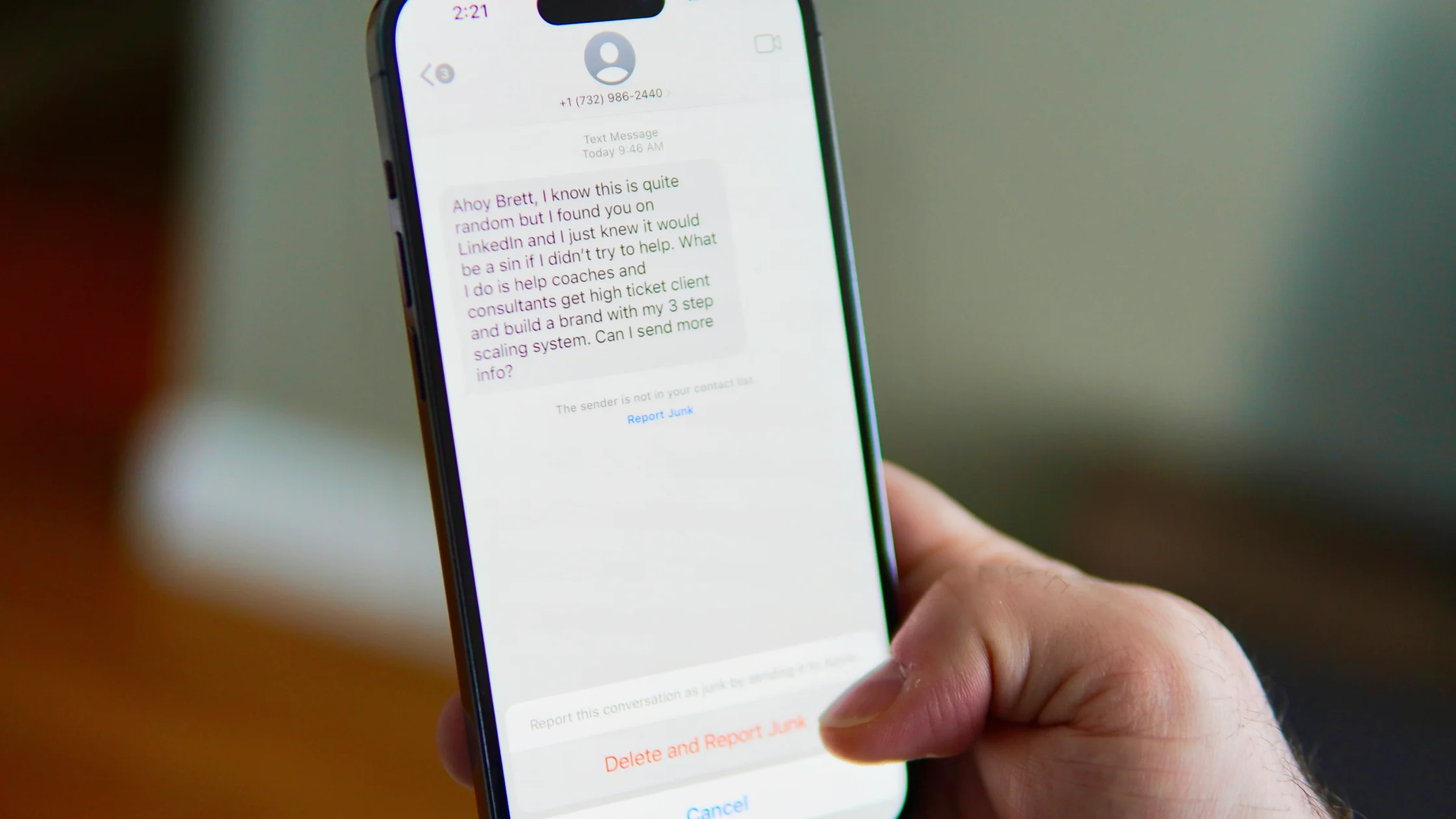
The scariest thing about phishing attacks is not that the emails are always brilliant. It is that attackers often need only one person to click once. The FBI's 2024 Internet Crime Report shows that phishing/spoofing remained one of the top internet crime categories by complaint volume, while reported internet crime losses exceeded $16 billion for the year.[1]
This is not a curiosity list. We will use 10 real incidents to break down what attackers were trying to steal, why the attacks worked, and where individuals and organizations should reinforce defenses.
If you need the basics first, read What is phishing?.
Use the digital privacy guide as the wider checklist: it connects this issue to accounts, devices, identifiers, and data-broker exposure.
Key Takeaways
- Phishing does not target only ordinary users. It can compromise corporate finance teams, political campaigns, and critical infrastructure.
- Successful phishing usually relies on three things: a false identity, urgency, and a fake login page or malicious attachment.[2]
- Polished grammar is no longer a reliable safety signal because AI can make phishing text sound natural.[2]
- The strongest everyday defenses are password managers, MFA, out-of-band transfer checks, and avoiding logins through email links.
A phishing incident does not have to be the largest to be instructive. It has to show an attack pattern clearly.
| Attack pattern | Common targets | Main result |
|---|---|---|
| Fake login page | Email, cloud storage, social media accounts | Credential theft, account takeover |
| Business email compromise | Finance, HR, vendors | Wrong payments, invoice fraud |
| Malicious attachment | Employee computers, corporate networks | Malware, ransomware, lateral movement |
| Social media lure | Journalists, activists, public figures | Private data leaks, surveillance risk |
CISA describes two core phishing goals: stealing login credentials or persuading users to download malware.[3]The 10 examples below mostly fall into those two groups.
The U.S. Department of Justice disclosed that an attacker impersonated a hardware vendor and sent fake invoices and emails to Google and Facebook, stealing more than $100 million.[4]
The lesson is simple: when companies are large and workflows are complex, attackers can hide inside normal vendor communication.
Belgian bank Crelan disclosed in its 2016 annual report that it had suffered "fake CEO" fraud worth nearly EUR 70 million.[12]The attackers used the pressure of executive authority to push finance workflows past normal skepticism.
This is less about technical sophistication and more about authority. Any large transfer needs a second confirmation outside email.
In 2016, attackers used spear-phishing emails to compromise Bangladesh Bank’s network, reach terminals connected to SWIFT and initiate fraudulent transfers. The U.S. Department of Justice said the group stole $81 million.[5]
The lesson: an email-borne compromise can reach payment systems, so transfer controls need independent checks beyond the inbox.
In 2015, Ukrainian power companies suffered a cyberattack that left about 225,000 customers without power. CISA's analysis noted phishing emails and malicious documents aimed at office networks as part of the attack chain.[6]
This is a representative case of phishing moving from "steal accounts" to "affect the physical world."
The Colonial Pipeline incident disrupted fuel supply along the U.S. East Coast. Public reporting and advisories pointed to a single compromised VPN account and missing MFA as major risk factors.[7]
It is a reminder that stolen credentials do not always come from a brand-new email. They may come from old breaches and reused passwords.
During the 2016 U.S. presidential campaign, John Podesta's Gmail account was compromised after a phishing email, and the messages were later published.[8]
For ordinary users, the warning is clear: one "change your password" link can become the doorway into an entire mailbox.
In 2014, private photos of multiple celebrities were leaked. Later DOJ case materials showed that attackers used phishing emails to obtain usernames and passwords, then accessed victims' accounts.[9]
This was not a cloud service "leaking automatically." It was account credentials being tricked out of people.
The DOJ also disclosed a case in which an attacker impersonated Apple support and asked athletes and performers for account information and security-question answers, then took over accounts.[10]
Security-question answers are effectively passwords. They should not be shared by email or direct message.
Locky ransomware spread widely through fake invoices, fake shipping notices, and Office attachments. HKCERT in Hong Kong rated it as an extremely high risk and warned that malicious attachments could be macro documents or compressed files.[13]
The keyword here is "attachment." If the sender is unexpected and you did not expect the file, do not open it just to "take a look."
Some attacks against journalists and activists begin by building a relationship, then sending a cloud document link or fake login page. Amnesty Tech reported sophisticated phishing against Google and Outlook accounts used by human rights defenders and journalists in the Middle East and North Africa.[14]
That shows phishing is not always crude mass mail. It can be slow, customized, and backed by background research.
Not because victims are "stupid."
Attackers often press several buttons at once:
CISA warns that grammar mistakes are no longer a reliable sign because AI-era phishing emails may read naturally.[2]
Start by hardening daily habits.
For more recovery steps, read What to do if you clicked a phishing link.
Anti-phishing work cannot rely only on telling everyone to be careful.
| Defense | Purpose |
|---|---|
| Mandatory MFA | Reduces direct login risk after password theft |
| Two-person payment review | Blocks CEO fraud and fake invoices |
| Email security gateway | Filters malicious links, attachments, and spoofed domains |
| Least privilege | Reduces the blast radius of one compromised account |
| Drills and reporting channel | Helps employees report quickly instead of hiding mistakes |
CISA, NSA, FBI, and MS-ISAC joint guidance also emphasizes handling both credential theft and malware delivery paths.[3]
No. Phishing can happen through text messages, social media DMs, phone calls, QR codes, search ads, and fake support chats. CISA also lists texts, social media messages, and calls as common forms.[2]
Large companies have many workflows, vendors, and permission layers. Attackers need only one person, one process gap, or one account without MFA to expand impact.
No. Confirm through the official website, a known phone number, an internal system, or an in-person channel.
No, but it greatly reduces the risk of a stolen password being used directly. Stronger options include phishing-resistant authentication such as hardware security keys or passkeys.[11]
Still be careful. The link may record your device, IP address, and browser information, or try to download malware. Close the page, clear downloads, run a security scan, and watch for account anomalies.
Yes. AI tools make fluent phishing text easier to generate, so do not rely only on spelling or grammar.[2]
No. A VPN does not catch phishing pages. It protects your network connection and reduces IP exposure, but it cannot decide whether a login page is fake. It is useful as one layer of privacy and public Wi-Fi protection; account safety still depends on MFA, password managers, and verification.
Disclaimer This article is for cybersecurity education and does not constitute legal, forensic, or incident-response advice. If an organization has been compromised, contact professional security teams and appropriate law-enforcement or regulatory channels.
Sources
[1]FBI Internet Crime Report 2024 [2]CISA Recognize and Report Phishing [3]CISA Phishing Guidance [4]U.S. DOJ Google and Facebook fraud case [5]U.S. DOJ, North Korean cyberattacks and Bangladesh Bank heist [6]CISA Ukraine power grid cyberattack analysis [7]CISA Colonial Pipeline ransomware advisory [8]U.S. DOJ GRU indictment [9]U.S. DOJ celebrity phishing case [10]U.S. DOJ Apple support impersonation case [11]NIST SP 800-63B Authentication [12]Crelan 2016 Annual Report [13]HKCERT Locky Ransomware Encrypts Victim Data [14]Amnesty International phishing attacks targeting journalists and activists
Sources checked 8 May 2026.
Related Articles:
Sign up to experience all premium features at no cost.
*Available only to new users. Each user is limited to one trial.