Start your 3-day free trial
Sign up to experience all premium features at no cost.
*Available only to new users. Each user is limited to one trial.


phishing attacks happen when attackers pretend to be a trusted organization, person, or system alert so they can make you click a link, enter a password, share a verification code, download a file, or send money. The FTC and CISA both warn users to watch for impersonation, urgent wording, suspicious links, and requests for sensitive information.[1][2]
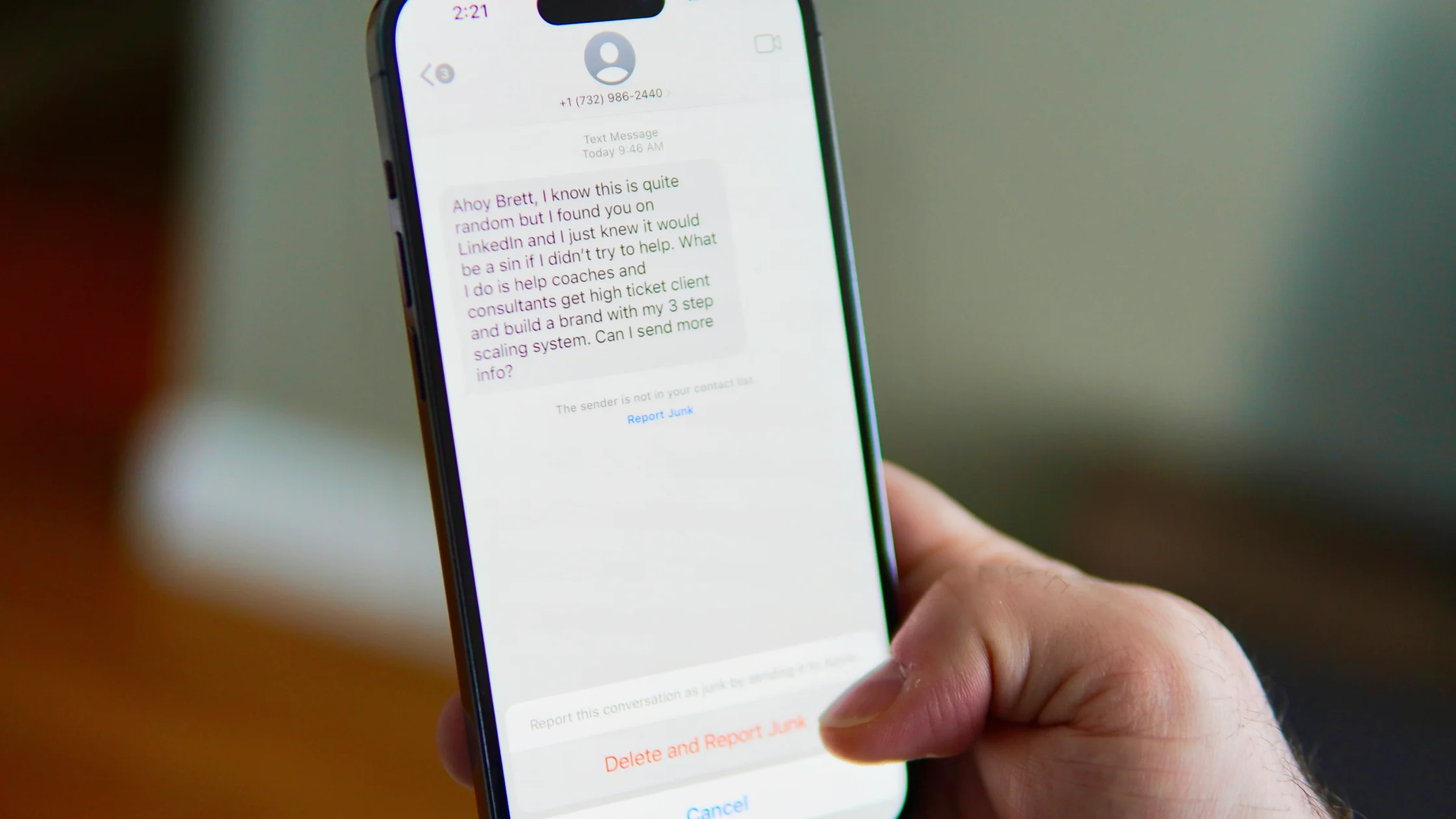
Modern phishing does not always contain typos. It may come from a realistic email, a text message, a QR code, a fake support call, or even an AI-generated voice.
Use the online security checklist as the baseline: it connects this risk to account, device, browser, and network hardening.
Key Takeaways:
- Phishing impersonates a trusted organization, person, or system alert to get a click, password, code, download, or payment.
- Modern phishing may have no typos and can arrive by email, text, QR code, fake support call, or AI-generated voice.
- The key signs are the real domain, the requested action, urgency, and pressure to bypass normal workflows.
- Password managers, MFA, and checking through an official second channel are the most useful defenses.
| Type | Common disguise | Risk |
|---|---|---|
| Email phishing | Banks, delivery, cloud storage, invoices | Account theft, malicious attachments |
| Text phishing | Tickets, packages, account alerts | Fake login pages, card fraud |
| QR phishing | Parking payment, event check-in | Hidden real URL |
| Social media phishing | DMs, giveaways, account appeals | Social account takeover |
| Voice phishing | Support, boss, family member | Verification-code or transfer scams |
| Business payment scam | Vendor, finance, executive | Changed payment account |
If you want to begin with the definition, read What is phishing?.
Look at the main domain first, not only the page title. login.example.com and example-login.com are different. In example.com.safe-check.net, the real main domain is safe-check.net.
Google likewise recommends checking the sender address and watching for look-alike domains instead of trusting a message's appearance.[3]
Then ask whether the request makes sense. Legitimate organizations normally do not ask for passwords, verification codes, recovery phrases, remote-control access, or transfer authorization by email or text. The FTC also recommends contacting organizations through official channels instead of using links or phone numbers in suspicious messages.[1]
CISA recommends staying alert to suspicious messages and reporting them through official channels.[2]
Start with what actually happened. If you only opened the page and did not enter information or download anything, close the page, remove any downloaded files, and run a security scan.
If you entered a password, go to the real website, change it immediately, sign out of all devices, turn on MFA, and check recovery email, phone number, forwarding rules, and authorized apps. If you entered a card number, verification code, or identity information, contact the bank, platform support, or your company IT team as soon as possible. For the full process, read What to do if you clicked a phishing link.
No. Targeted phishing, emails sent from compromised accounts, and internal-looking business emails can all land in the inbox.
No, but short links hide the real domain. Avoid them for sign-ins, payments, and downloads.
It usually autofills only on the matching real domain, so a fake domain will not trigger the saved password.
Yes. Attackers can trick you into entering a code in real time. Passkeys or hardware security keys are stronger.
No. Verify through the official website, app, or a known contact, then mark the message as phishing or spam.
Disclaimer: This article provides general security education and does not replace the emergency procedures of your bank, platform, or company security team.
Sources
[1]FTC — How to recognize and avoid phishing scams: https://consumer.ftc.gov/articles/how-recognize-avoid-phishing-scams [2]CISA — Avoiding Social Engineering and Phishing Attacks: https://www.cisa.gov/news-events/news/avoiding-social-engineering-and-phishing-attacks [3]Google Safety Center — Phishing protection: https://safety.google/security/security-tips/
Sources checked 8 May 2026.
Related Articles:
Sign up to experience all premium features at no cost.
*Available only to new users. Each user is limited to one trial.