Start your 3-day free trial
Sign up to experience all premium features at no cost.
*Available only to new users. Each user is limited to one trial.


Passkeys are credentials that let you authenticate with a cryptographic key pair instead of sending a shared password to a service. You authorize use through an authenticator, often with a device PIN or biometric check. Switching can reduce password reuse and phishing exposure, but your devices, credential provider, and recovery methods still need protection.[1][2]
Key Takeaways:
- The service stores a public key rather than a reusable shared password for the passkey credential.
- Synced passkeys and device-bound passkeys have different availability and recovery dependencies.
- A biometric or PIN authorizes local use; it is not the private key sent to the website.
- Passkeys reduce certain authentication attacks, not every form of account abuse.
- Plan a supported backup before removing an existing login method.
During registration, an authenticator creates a key pair for the service. The public key is registered with the account, while the private key is managed by the authenticator or passkey provider. The credential is scoped to the relevant relying party, which is a central part of its resistance to credential reuse on a lookalike site.[1][2]
At login, the service issues a challenge. After you approve use of the credential, the authenticator produces a cryptographic response that the service verifies with the registered public key. The service does not need a copy of the private key to perform that verification.
A device may ask for a fingerprint, face check, PIN, or another supported unlock action. That interaction authorizes use of the credential; it does not mean the website receives your fingerprint or that your face becomes the public key. The exact interface depends on the platform and authenticator.
The diagram keeps local approval separate from the signature sent to the service. It is a mechanism illustration, not a screenshot or claim about an individual account. The privacy decision framework helps identify device and account dependencies around that mechanism.
A password is a shared secret that a verifier must validate. People can reuse it, type it into the wrong site, or disclose it to a caller. A passkey avoids submitting that same reusable secret during authentication and binds the credential to the service it was created for.[1]
This changes the input available to an attacker. A copied public key is not a password that can simply be replayed elsewhere. The credential stuffing mechanism explains why shared-password reuse creates a different account takeover route.
Phishing resistance does not mean every harmful interaction is blocked. You can still authorize an unwanted action inside a legitimate service, lose control of an already authenticated session, or use a compromised device. Recovery procedures can also retain password-based or support-mediated routes that need their own protection.
| Question | Password-based login | Passkey-based login |
|---|---|---|
| What does the user submit? | A shared secret | A response created using a private key |
| Can the same secret be reused elsewhere? | People often reuse passwords | Credential is scoped to its relying party |
| What does device unlock do? | May unlock a saved password | Authorizes use of the credential |
| What remains to secure? | Password, factors, sessions, recovery | Device, provider, sessions, recovery |
The table describes authentication paths, not a verdict on every service. A site that offers passkeys can still retain an insecure fallback, while another may enforce stronger recovery and session controls. Evaluate the complete account rather than assuming the presence of a passkey button resolves every weakness.
A synced passkey can be made available across supported devices through its credential provider. This improves convenience when you replace a phone or use another device in the same ecosystem. It also makes the provider account and its recovery process an important dependency.[1]
Synchronization is not universal portability. Check the actual provider, platform support, and any supported transfer process rather than assuming every operating system can retrieve every credential. The existence of a passkey on one phone does not by itself establish access from an unrelated computer.
Protect the provider account with appropriate authentication and recovery settings. Know which devices can access credentials and how to remove a lost one. A convenient synchronization feature needs the same careful ownership review as a password vault.
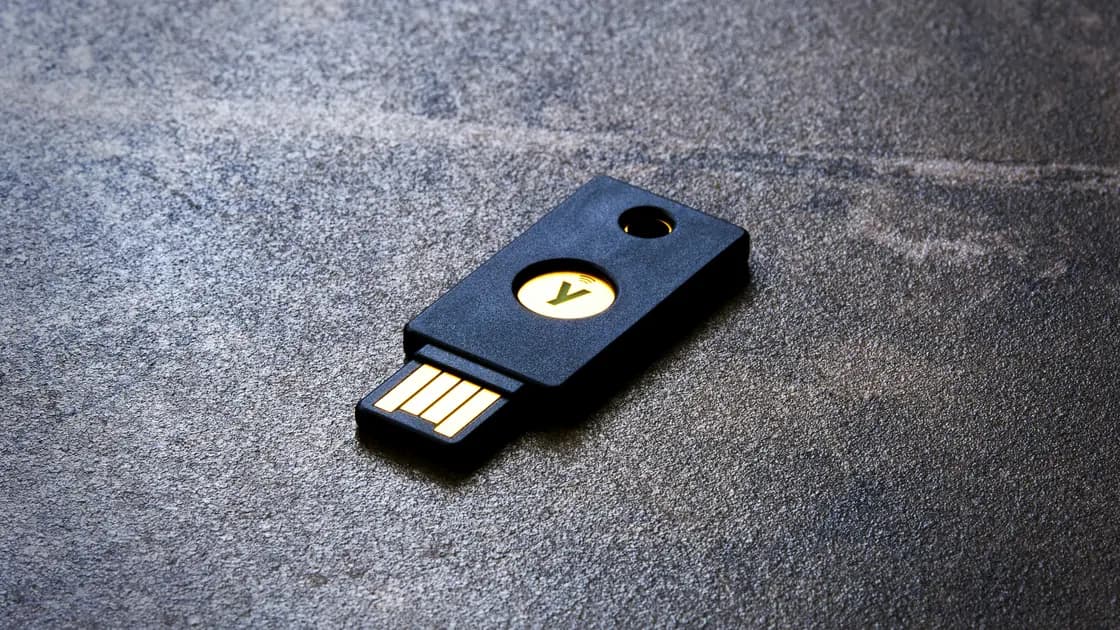
A device-bound passkey remains associated with its authenticator rather than being made available through synchronization. That authenticator can be a supported platform or an external FIDO security key. Losing it may require another registered credential or the service's recovery route.[1][3]
The hardware security key explanation focuses on the external authenticator, its compatibility, and separately registered backups. A physical key is a possible home for a passkey, not a synonym for every passkey.
Some supported flows allow an authenticator on one device to approve a login on another. This does not necessarily copy the credential permanently to the second device. Read the platform's instructions and understand whether you are approving one session, registering a new credential, or enabling synchronization.[2]
Do not scan a code merely because a caller says it will repair your account. Even a phishing-resistant authentication mechanism should be used only for a login you intended to initiate. Verify the service and the requested action before approving any prompt.
Start with the account you intend to protect, not the newest feature on your phone. Confirm that the service supports your intended device and authenticator, identify its fallback methods, and determine how you would regain access after losing the primary device. A work account may impose organization-specific rules.
| Dependency | Question to answer | Evidence to keep |
|---|---|---|
| Service account | Which login and recovery methods remain enabled? | Verified account settings |
| Primary device | How is local credential use approved? | Supported unlock method and device ownership |
| Credential provider | Is the passkey synchronized, and through which account? | Provider settings and supported devices |
| Backup | What works if the primary device is unavailable? | Tested approved alternate method |
| Organization | Are external keys or synced credentials permitted? | Administrator policy and support route |
If you already use a password manager, check its current support and recovery requirements. The password manager safety assessment addresses vault and device trust; passkey support is an additional capability to verify, not proof that the provider is appropriate for every account.
Test the approved alternate path before removing a password or other credential. Keep an authenticated session while verifying your options where the service allows it. Do not disable the only working method in an attempt to make the account appear passwordless.
The right answer can differ across services. One account may support multiple passkeys and clear recovery guidance, while another offers a limited platform rollout. Follow current official instructions rather than a generic promise that every passkey can be exported or restored in the same way.
Recovery depends on what you registered and how the credential was managed. A synchronized credential may be available through another supported device or provider recovery. A device-bound credential may require a separately registered authenticator or the service's identity-verification process.[1][3]
First use an already approved alternate method. Do not entrust your account to an unofficial recovery service or hand over device unlock codes. For organizational accounts, contact the verified administrator so that credential revocation and replacement follow the established process.
After access is restored, review the lost device and registered credentials. Removing a device from a provider, revoking a credential at a service, and ending existing sessions are distinct actions; their availability and effect depend on the system. Confirm each relevant action rather than assuming one deletion performs all three.
If no approved alternate path exists, follow the service's recovery instructions and expect its identity checks. A passkey does not authorize bypassing those checks. Record the account identifier and known devices, but never include private keys, recovery codes, or reusable tokens in a support message.
Protect local device unlock and keep software supported. An attacker who controls your endpoint or active session may operate after authentication, so reducing password phishing does not eliminate endpoint or session risk. The service's authorization and transaction checks still matter.
Consider recovery email and provider accounts part of the security chain. A strong primary credential can coexist with a weaker alternate route. NIST's authentication and lifecycle guidance treats authenticator management and recovery as important controls, not incidental settings.[3]
Your VPN account is another place to inspect the actual authentication methods instead of assuming every service offers passkeys. The VPN account credential checklist helps separate login and recovery protection from traffic tunneling. This article does not establish passkey support for a VPN provider.
Avoid overstating what migration achieves. Passkeys can reduce shared-secret exposure while leaving social engineering around support, payments, or session approval. Teach people what they are approving and where to seek verified help, not only how to tap a new login button.
Your fingerprint can authorize use of a credential on the device, but it is not the passkey sent to the service. The service verifies a cryptographic response using its registered public key.
Passkeys are designed to resist credential phishing through relying-party binding. They do not prevent every deceptive transaction, compromised session, or unsafe recovery interaction, so verify actions before approving them.
No. Some passkeys synchronize through a supported provider, while others remain bound to an authenticator. Check the credential type and supported ecosystem before relying on another device for access.
A hardware security key is an authenticator that can hold suitable credentials. A passkey is a credential and may instead be managed on a phone, computer, or synchronized provider.
Use a registered alternate device or authenticator if available, then follow provider and service recovery guidance. Review the lost device, affected credentials, and active sessions as separate recovery tasks.
Only remove a method when the service supports that change and you have verified a working backup. Keeping an approved recovery route is more useful than disabling the only reliable way to regain access.
Support depends on the service, operating system, browser, and authenticator. Check current official instructions for each account rather than assuming a passkey available in one app works everywhere.
Passkeys reduce certain authentication risks, but devices, sessions, authorization, and recovery still require protection. They do not automatically make a compromised computer or fraudulent payment request trustworthy.
Sources checked 5 October 2026.
Related Articles:
Sign up to experience all premium features at no cost.
*Available only to new users. Each user is limited to one trial.