Start your 3-day free trial
Sign up to experience all premium features at no cost.
*Available only to new users. Each user is limited to one trial.
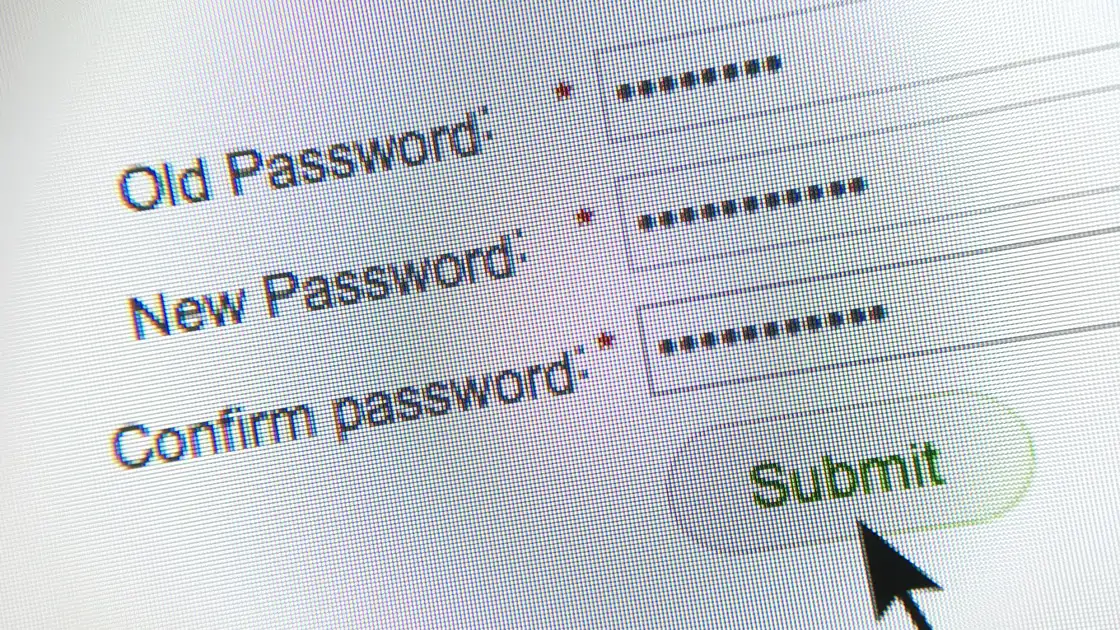

If you are asking how often should you change passwords, here is the practical answer: most people do not need to rotate every password every 30 or 90 days. What matters more is changing passwords immediately after a real risk event. NIST's current guidance says services should not force periodic password changes, but should require a change when there is evidence a password has been compromised, and should reject commonly used or breached passwords.[1] CISA also puts more weight on strong, long, unique passwords and multifactor authentication than on routine rotation.[2]
Use the digital privacy guide as the wider checklist: it connects this issue to accounts, devices, identifiers, and data-broker exposure.
In other words, password hygiene is not about changing more often. It is about changing quickly when risk appears, and changing in a way that does not repeat the same mistake.
If you already use a password manager, read this alongside Are Password Managers Safe? Yes, But Only If You Do Not Treat Them Like Magic Vaults.
Key Takeaways
- Blind periodic password changes are no longer the top default recommendation.[1]
- The real triggers are usually a breach, password reuse, a weak password, a compromised device, or the end of shared access.
- The accounts to prioritize are often not every account, but your email, banking, cloud storage, and work accounts because they can reset other services.
- If you change a password by reusing the old pattern, such as only changing the last digit, the security gain is limited.
- Multifactor authentication and a password manager usually do more than high-frequency password rotation.[2][3]
Routine rotation often leads to two bad habits:
NIST's digital identity guidance now says services shall not require periodic password changes, but shall force a change when there is evidence that the password has been compromised.[1] The logic is simple: if there is no risk signal, frequent rotation adds cognitive burden without necessarily improving account security.
This is the clearest case and the one you should not postpone. If a platform tells you about a data breach, or your email appears in a known breach lookup service, change that account's password immediately and check whether you reused it anywhere else.[4]
This risk is easy to underestimate. When a low-value website is breached, the damage may not stay there. If you used the same password for email, shopping, or social media, attackers may try credential stuffing against those accounts.[2][4]
Weak passwords are not limited to extreme examples like 123456.
If your password is short, includes obvious personal details, or follows a "common word plus year" pattern, change it. NIST and CISA both emphasize length and uniqueness more than symbol gymnastics: NIST sets a 15-character minimum for passwords used on their own, and CISA suggests at least 16 characters.[1][2]
Examples include:
Do not change only one site in this situation. If your primary email, password manager, or work account was used on the same device, include them in the response plan.
This happens with streaming services, family cloud storage, shared tools, and project collaboration. Once a password is no longer only yours, you should assume your control over it has dropped. When a relationship ends, a member leaves, or a contractor finishes work, change the password promptly.
I recommend sorting accounts by the damage they can cause if taken over:
| Priority | Accounts to change first | Why |
|---|---|---|
| Highest | Primary email, password manager, Apple ID / Google account | These accounts can often reset other services |
| High | Banking, payments, brokerage, cloud storage, work tools | They affect money and important files directly |
| Medium | Social media, shopping, forums | They can be abused for impersonation, credential stuffing, or social engineering |
| Later | Rarely used websites | Lower risk, but still relevant if you reused the password |
If you have not built a "protect the core accounts first" habit, read How to Protect Your Email Account: 7 Settings That Matter More Than Changing Addresses.
The issue is not that these moves are technically worthless. It is that attackers often try common variations first. Each time you change a password, check three things:
If you receive a breach notice, or you think you just entered your password on a phishing page, the safest order is usually:
This beats changing dozens of minor sites first because it protects the accounts that can unlock everything else.
Not necessarily. NIST's current guidance tells services not to require periodic changes and to force a change when there is evidence of compromise.[1]
Change your primary email and any important accounts that reused the same password, then move to the rest.
Technically yes, but it usually offers little protection because those variations are common.
Yes. 2FA is a reinforcement, not a replacement. If the password is exposed, change it.[2][3]
No. A password manager helps you create unique strong passwords faster, but you still need to recognize risk triggers.
Email, password managers, financial accounts, work collaboration tools, and cloud storage.
Disclaimer
This article is for general account security education only and does not constitute mandatory guidance for any specific identity system, enterprise password policy, or compliance program.
A VPN cannot determine whether a credential was leaked, rotate it across services, or enable account MFA.
Sources
Sources checked 4 October 2026.
Related Articles:
Sign up to experience all premium features at no cost.
*Available only to new users. Each user is limited to one trial.