Start your 3-day free trial
Sign up to experience all premium features at no cost.
*Available only to new users. Each user is limited to one trial.
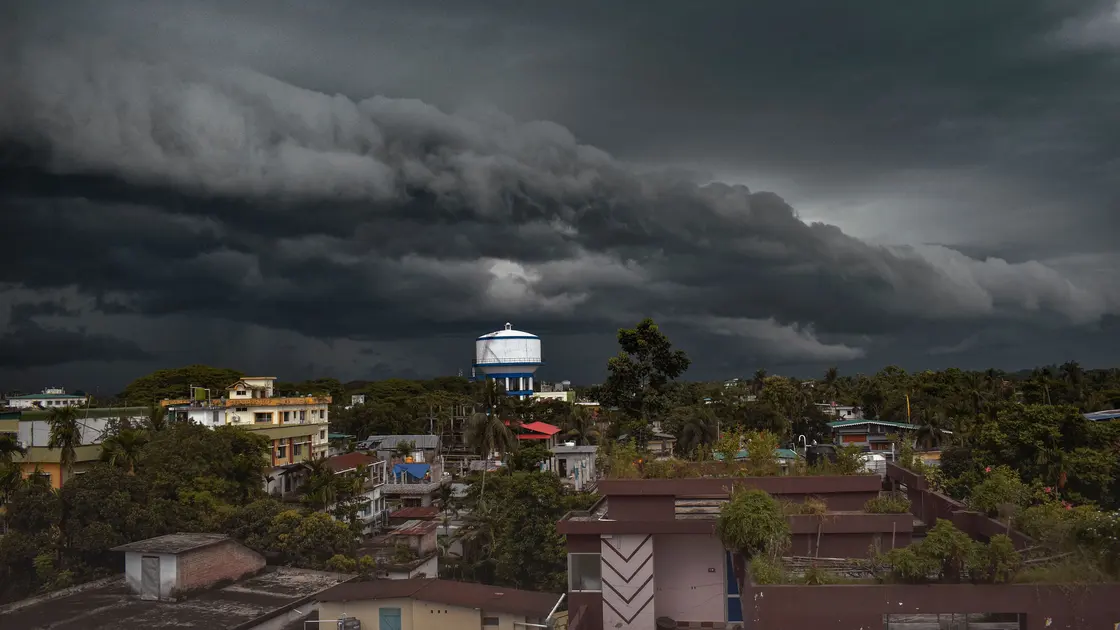

To find official emergency alerts in a new country, identify the national and local agencies responsible for civil protection, weather, public health, and regional hazards before you need them. Save their official websites, learn which broadcast channels they use, and keep at least one backup that does not depend on a single phone, app, or data connection.
Key Takeaways
- Start with government domains and named public agencies, not app-store rankings or social-media accounts.
- Separate national warnings from local evacuation orders, weather bulletins, and health notices.
- Treat cell broadcasts, official sites, radio, sirens, and apps as complementary channels.
- Verify urgent messages through a second official channel before forwarding them when time permits.
- Keep an offline plan for power, battery, mobile-network, and language failures.
Reliable warnings are part of a broader arrival plan. The international travel security guide explains how to protect connections and accounts while you establish these official information channels.
Begin with the destination government's main portal and search for civil protection, emergency management, meteorological service, public health authority, and local government. The name of the responsible body varies: it may be a ministry, national agency, provincial office, municipality, or several organizations working together. Record the official name, domain, geographic coverage, and hazards each organization handles.
Do not assume one service covers everything. A meteorological office may issue storm warnings while a municipality orders evacuation, a geological agency reports earthquakes or volcanoes, and a health ministry publishes disease notices. Border regions and autonomous territories can use different channels from the national capital. Your goal is a small authority map, not one supposedly universal feed.
Use an official page to confirm the system's rules. The United Kingdom, for example, explains that Emergency Alerts are government warnings sent to compatible mobile devices and lists current and past alerts[1]. Canada describes weather alerts and links them to the national Alert Ready system[2]. These examples show how to identify an operator and its scope; they are not a worldwide directory.
Write down every official delivery route. Common options include cell broadcast, SMS, an agency website, an official app, television and radio interruptions, outdoor sirens, electronic road signs, and verified government social accounts. A channel may work nationally, only in participating regions, or only for specific hazards. Read the official eligibility and coverage notes rather than relying on a travel forum.
Cell broadcast is useful because it can reach many devices in an affected area without requiring a subscription list. It is still not guaranteed on every handset, network, roaming arrangement, or software configuration. Apple's support documentation explicitly notes that government-alert availability varies by country or region and carrier[3]. That is a reason to add redundancy, not a reason to turn preparation into a device-settings tutorial.
Official apps can add maps, detailed bulletins, or multilingual information, but check the publisher from the agency's own website. An app with a similar name or logo is not proof of authorization. If registration requires a local number, account, or precise location, understand why the data is needed and whether the website or broadcast channel offers a less dependent alternative.
National systems often publish at several geographic levels. Determine whether alerts are targeted by your current cell location, registered address, municipality, postcode, province, or a manually selected area. Save the areas for your accommodation, workplace, school, regular transport corridor, and any remote trip. If you cross a border during the day, you may need two different authorities.
Check language before an emergency. Some alerts arrive only in an official local language; others provide several languages on a linked page. Learn the local terms for warning, evacuation, shelter, all clear, flood, wildfire, earthquake, severe weather, and public health emergency. Store those terms in an offline note so you can recognize the action even when translation services are unavailable.
For visitors who cannot read the main language, pair the original agency notice with a trusted translation method, but keep the original visible. Machine translation can mishandle place names, time windows, and negation. Ask a hotel, employer, school, or local contact which official regional channel residents actually monitor, then verify that answer against the agency's domain.
An urgent message should state the issuing authority, affected location, hazard, time, and required action. Compare those elements with an official website, radio bulletin, or second government channel. Type the saved official address yourself or use your bookmark instead of following an unexpected shortened link. Look for the same alert identifier, geography, and timestamp.
Warning signs of an imitation include a request for payment, login credentials, a verification code, cryptocurrency, remote access, or installation from an unofficial store. Real emergencies can involve fees later, but a broadcast warning should not pressure you to disclose banking or identity data. Screenshots forwarded in a group chat may be outdated even when the original was genuine.
Verification must not delay obvious protective action. If a siren, building announcement, or official cell broadcast instructs immediate evacuation or shelter, move first and check details from a safe place. When the situation is less immediate, confirm before sharing; adding an old or geographically irrelevant alert to local noise can make other people less safe.
Choose at least two independent channels. A practical combination is cell broadcast plus a bookmarked official website, with battery radio or local broadcast as a third option. Independence matters: two apps on one phone still fail together when the battery, device, or data connection fails. A companion's device on the same network is useful but not fully independent either.
Write a short offline card with the agency names, radio frequencies or stations, shelter terminology, meeting place, and the route to local instructions. Download an offline map covering your home and common destinations. Keep a charged power bank, but plan for longer outages by knowing where building staff, community notice boards, transport operators, or local radio provide updates.
Agree on a household check-in rule. Decide who follows official information, who helps children or pets, and when everyone should use text rather than repeated voice calls. Choose an out-of-area contact who can receive brief status updates. This is operational resilience, not a substitute for following local responders.
Test your source list after connecting to a local mobile network. Confirm that saved pages still resolve to the official domain, the selected area is correct, and the bulletin timestamps are current. If the country runs public tests, use the published test schedule to learn the alert sound and message format. Never trigger or imitate an emergency message yourself.
Ask your accommodation or building manager what sirens and announcements mean. One tone may signal a test, another shelter, and another all clear. Note where official instructions are posted during power failures. In rural areas, local radio and municipal channels may matter more than a national app; in a large city, district-level evacuation notices may be decisive.
Review the list when you move, change SIMs, replace a phone, enter a new region, or encounter a new seasonal hazard. Remove unofficial mirrors that no longer link to the issuing agency. A five-minute check at each major itinerary change is more useful than collecting dozens of unverified apps.
No. Delivery can depend on the country, carrier, roaming arrangement, device compatibility, location, and alert type. Keep another official channel available even if your phone received a test alert.
Not always. Some countries rely mainly on cell broadcast, websites, radio, or local systems. Install an app only when the responsible agency recommends it and the publisher is verifiable from the agency's site.
Only if the official service needs it for the function you want and you accept the privacy tradeoff. A manually selected region or public bulletin may offer adequate coverage with less data sharing.
Treat it as useful situational information, then compare the authority, location, and time with an official source. Building staff may also provide valid site-specific evacuation instructions.
Act on recognizable immediate instructions, keep the original text, and use an offline glossary or trusted translation. Confirm place names and timing through the issuing authority or a reliable local contact.
Only when the agency identifies the account on its own government domain. Even then, use the linked official bulletin for complete instructions and watch for copied or old posts.
Check it after arrival, whenever you change region or phone service, before a known hazard season, and at least once during a long stay. Also update household contacts and offline routes.
The safest way to find official emergency alerts in a new country is to map the responsible national and local authorities, confirm their real delivery channels, and preserve more than one way to receive instructions. Verify messages against the issuing agency when it is safe to do so, but never postpone immediate protective action. A compact offline card, local-language glossary, radio or community fallback, and household check-in plan keep the system useful when a phone or network cannot.
Emergency alerts are issued by local authorities over carrier networks; a VPN cannot subscribe to, receive, or relay those official warnings.
Sources checked 31 August 2026.
This article provides general public-safety information, not real-time emergency instructions. Follow the latest directions from competent local authorities and emergency services.
Sign up to experience all premium features at no cost.
*Available only to new users. Each user is limited to one trial.