Start your 3-day free trial
Sign up to experience all premium features at no cost.
*Available only to new users. Each user is limited to one trial.
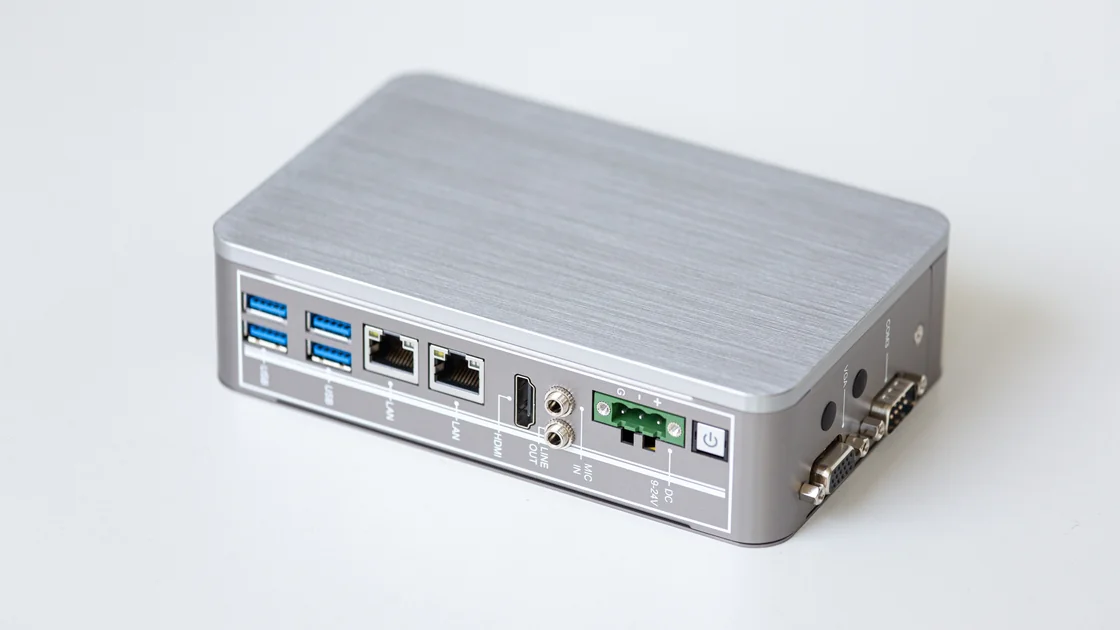

A home VPN server vs VPN service comparison starts with the destination: your own private devices, or the public internet. A server at home can provide authorized access to a household network and, if configured for it, a home internet exit. A consumer service is a different choice for everyday outgoing connections; it does not automatically provide a route into your home.
Key Takeaways
- Name the destination before choosing who will run the tunnel endpoint.
- A home exit depends on household upload, power, equipment, reachability, and maintenance.
- CGNAT can prevent ordinary inbound access; router forwarding alone does not control the carrier's translation.
- A hosted service can fit public browsing, while private home access may require a separate solution.
Separate three tasks: reaching a private device at home, sending public internet traffic through home, and using a managed public internet exit. They can all involve a tunnel, but the route and responsible operator differ. The introductory VPN explainer provides the wider connection model.
| Requirement | Home endpoint | Hosted consumer service |
|---|---|---|
| Reach a private NAS or home computer | Possible with authorized routes and access controls | Not supplied simply by buying the service |
| Public browsing exit | Home connection, if forwarding and routing are configured | A currently available provider location |
| Hardware availability | Depends on household equipment and electricity | Provider manages the endpoint infrastructure |
| Upload bottleneck | Home upstream can limit traffic leaving home | Depends on the actual path and provider service |
| Inbound reachability | Must be designed around home ISP and firewall conditions | Ordinary client use starts an outgoing connection |
| Maintenance owner | You maintain endpoint, access, patches, and recovery | You maintain the client; provider operates its service |
| Best reason to choose | A specific authorized home resource or home endpoint requirement | A supported device's ordinary public internet task |
Do not choose by assuming that running a server must be more secure or that paying a provider must be faster. Each choice moves responsibilities and creates different failure points. The useful question is which responsibilities you can verify for the destination you actually need.
If you need an outgoing public connection rather than access to a home resource, AethoVPN can be evaluated on a supported Windows, Debian/Ubuntu x64, or Android device using its official installer. Select a location actually shown in the App, connect, and check the observed exit IP, then repeat the same browsing or upload task on that device under comparable conditions. For a computer-and-phone pair, Pro provides two desktop and two mobile connections; iPhone, iPad, and Mac use the website configuration guide and require Pro or Premium. That workflow does not supply private home routes, a home router installation, or provider-side port forwarding. Compare the plans for the devices you need.[4]
A changed exit observation is one piece of evidence, not proof that every process follows the route. Keep the actual task result beside the IP result. If the task fails or performs worse, retain the original path rather than keep switching locations until an unrelated result appears better.
Private home access needs an authenticated path, an authorized destination, and the correct route and firewall policy. A tunnel to an endpoint is only one part of that arrangement. A NAS account, file-share permissions, and the destination service still determine what the connected user can do.
The diagram distinguishes the destination on each route; it is not a deployment recipe. A home tunnel can be limited to selected private resources or configured to forward public traffic. Do not infer the forwarding policy from the presence of a VPN interface.
For files, use the NAS remote-access checklist to consider the resource's own authentication and sharing controls. Giving a remote user tunnel access should not silently give them the whole household network. A guest, old phone, and administrator need not have the same rights.
NIST's remote-access guidance treats security as a property of the components and access policies, rather than a label attached to one tool. Apply that principle by identifying which endpoint is trusted, who may connect, and what happens when a device or credential is lost. It does not certify a particular home setup.[1]
A rented cloud host has different power, reachability, and operating responsibilities from a device behind a home router. The VPS comparison addresses that hosting choice. Do not reuse a cloud deployment conclusion as evidence that your home connection accepts incoming traffic or stays available during an outage.
Likewise, a home endpoint can be valuable even when it is not intended to carry all public browsing. Keep the private-access requirement independent from the desire for a different public exit. You may need both routes for distinct tasks, with clear policies rather than blindly stacked tunnels.
Home VPN upload speed matters because data leaving a home resource uses the household upstream. When you download a file from a NAS while away, the NAS sends that file out through the home connection. A household broadband offer's larger download figure does not describe that direction.
For public browsing forwarded through home, traffic also has to leave home toward the remote client. Your observed transfer is bounded by the slowest relevant part of the path: home upstream, the travel connection, processing, or a congested intermediate segment. Encryption adds work but does not create more physical access capacity.
Consider a hypothetical 2 GB file sent from home over an effective 20 Mbps upstream. Using decimal units, 2 GB is 16 gigabits, and dividing by 20 megabits per second gives 800 seconds, about 13 minutes 20 seconds. This is an ideal arithmetic example excluding overhead and competing traffic, not a measurement of any VPN or ISP.
Record what shares that upstream during the real task. A household backup, another user's call, or camera upload may compete for it. A controlled comparison should keep those conditions visible rather than attribute every delay to the tunnel protocol.
Do not turn a good direct test into a guarantee of remote performance. Direct access and a tunnel may take different routes, and the destination itself can limit transfer. Use a representative authorized task, not only a large download from an unrelated test server.
A home VPN behind CGNAT may lack an ordinary directly reachable public IPv4 endpoint. RFC 6598 defines shared address space, including 100.64.0.0/10, for carrier-grade NAT deployments. Seeing such an address is a useful clue, but address inspection alone does not prove the exact service and firewall arrangement.[3]
The CGNAT explanation separates carrier translation from a second home router. Forwarding a port on your own router changes only the mapping you control. It does not create a matching carrier-side mapping or permission to publish a service.
Ask the ISP what inbound options are supported, whether addresses change, and whether the service terms permit the intended endpoint. An IPv6-capable design also needs the appropriate firewall and route policy; a globally addressed device is not automatically safe to expose. Do not turn off the firewall or put an entire device into an unrestricted DMZ to force a result.
WireGuard's official quick start explains that keepalive traffic can preserve a NAT mapping for a peer behind a stateful boundary. It presupposes a configured peer and a workable connection path. It does not promise that an unreachable home server becomes reachable from arbitrary clients.[2]
Where an authorized design uses a relay or an outbound coordination path, evaluate that design's operator, access policy, and failure behavior separately. The mesh VPN overview is a starting point for that distinct architecture. Do not claim a consumer provider supplies this topology without explicit documentation.
Home VPN maintenance includes more than installing the server once. You need a supported operating system, updates, restricted administrative access, credential revocation, and a recovery method. If a private key is exposed or a device is lost, removing the application from that device is not necessarily enough; revoke the access material at its authoritative endpoint.
WireGuard's setup documentation distinguishes keys, peer configuration, and interface operation. Those are concrete administration responsibilities in a self-managed deployment. They should not be presented as confirmed features of a consumer client's interface or as reasons to share a live configuration publicly.[2]
Once family members or friends use the same home or self-hosted exit, their traffic leaves through your connection and your account. Give each person and device its own peer key instead of copying one configuration, so you can remove one person without re-issuing everyone; WireGuard identifies each peer by its public key.[2] On the endpoint, wg show lists each peer's latest handshake and transfer counters, which helps with capacity planning but also means the operator can see who connected and how much data moved.[6]
Tell the people you share with what you can see and how long you keep it, and keep only what you need for troubleshooting. Size the setup for the busiest realistic overlap, because every user draws on the same upstream. Your hosting or internet provider's terms still cover what others do through your exit: cloud acceptable-use policies forbid allowing others to misuse the service, not only misusing it yourself.[5] A consumer plan's device allowance is not evidence that one account may be shared between households, so check those terms separately.
List the modem, router, server, and any intervening equipment that must stay powered. A backup supply for one device does not keep an unpowered modem online. An ISP outage, a failed disk, or a changed router setting can remove access even when the remote client is healthy.
Ask who can recover the endpoint if you are traveling. A person at home needs an authorized, understandable recovery action, not your private keys posted into a chat. If you cannot restore a failed configuration safely, the setup is a poor sole route for an important task.
Record a rollback path before changes. Preserve the previous working configuration securely, change one relevant setting at a time, and verify that ordinary household access still works. Do not expose administrative interfaces broadly as a shortcut for remote troubleshooting.
| Failure | Home design question | Hosted-service question |
|---|---|---|
| Household power or ISP unavailable | Is there an approved independent recovery route? | Does the client have a usable local connection? |
| Endpoint address changed | How is the new address discovered safely? | Is a current provider location available? |
| Device or credential lost | Can the specific access be revoked? | Can the account's documented device controls be used? |
| Update causes a fault | Is there a secure backup and recovery owner? | Is the official client supported on this platform? |
| Required destination unavailable | Is the private resource itself healthy? | Is the public destination permitted and functioning? |
These questions expose separate owners. They are not a claim that a hosted service has no downtime, nor that a home server always needs expensive equipment. A small, well-maintained home design can fit a small task when its availability and access boundaries are acceptable.
Keep a home endpoint when a specific authorized resource requires it and you can operate the supporting route safely. Choose a hosted consumer service when the required task is supported public internet access and you prefer the provider to run its endpoints. The VPN types comparison helps separate consumer exit services from remote-access and site-to-site designs.
Make the decision with a task record: destination, device, permitted identity, normal workload, acceptable interruption, and recovery owner. Test that record from outside the home network where permitted. A successful connection while still on the same household Wi-Fi is not evidence of remote inbound reachability.
Do not buy a consumer service to solve an unspecified NAS route or build a public home endpoint just because your goal is ordinary browsing. Keep a safe existing route when it meets the task. Pause self-hosting when reachability, maintenance, or recovery remains unresolved, and keep a hosted trial's conclusions limited to the actual device and task observed.
Not merely because you purchased it. Private access requires an authorized route to that NAS and its own permissions; confirm a solution designed for that purpose.
A single endpoint at home normally exits through its own connection when configured for internet forwarding. Other exits require a different, explicitly designed arrangement rather than a location selector appearing automatically.
The file leaves your home server toward the remote device. That direction consumes household upstream, so a high home download figure does not remove the outgoing bottleneck.
It controls the router's own translation, not the carrier's. Confirm supported inbound options with the ISP before deploying a directly reachable endpoint.[3]
No general promise follows from that setting. It can preserve a NAT mapping for a configured peer, but it does not create every missing inbound route.[2]
It changes who operates the tunnel endpoint, but the home ISP, destination, accounts, and device remain relevant. Compare the actual trust and maintenance responsibilities rather than infer privacy from ownership.
Keep the original working route and record the failed task under comparable conditions. Investigate the destination or seek responsible support instead of assuming more location changes will establish suitability.
Disclaimer: This architecture comparison uses public technical guidance and illustrative arithmetic. It is not a deployment recipe, a speed test, or legal advice; follow applicable access rules and keep private endpoints protected.
Sources checked 14 October 2026.
Related Articles:
Sign up to experience all premium features at no cost.
*Available only to new users. Each user is limited to one trial.