Start your 3-day free trial
Sign up to experience all premium features at no cost.
*Available only to new users. Each user is limited to one trial.

To import a VPN configuration securely, verify who issued it, keep inspection local, identify any embedded credentials, and use only the intended client’s native import function. A configuration is operational access material, not a harmless text attachment.
Start with the complete VPN guide if you need the wider context. This guide focuses on the import boundary and deliberately avoids publishing sample keys, tokens, certificates, or live endpoints.
Key Takeaways
- Obtain the file or URL from the provider or administrator through the expected authenticated channel.
- Inspect only enough local structure to identify format, owner, and secret-bearing fields; never upload it to a generic decoder.
- Use the native import command of the correct client and confirm the app, profile name, endpoint label, and revision before connecting.
- Verify non-secret results after import and remove temporary copies without deleting the only recovery source.
- If the configuration reached an unintended service or person, stop importing and rotate or revoke the affected material through its issuer.
A VPN configuration can contain public connection facts, sensitive identifiers, and credentials in the same file. Public-looking fields may include a profile name, protocol, endpoint hostname, port, routes, or DNS policy. Sensitive fields may include usernames, certificate subjects, internal network ranges, or organization names. Secret fields may include a private key, a password, an access token, a preshared key, or a client certificate with its private key.
WireGuard’s official quick start tells administrators to generate a private key and keep it private; the public key is derived from it.[1] OpenVPN can use separate files, but its manual also documents inline blocks for certificates, keys, and other material inside one configuration.[2] A filename ending in .conf, .ovpn, or another familiar extension therefore says little about the sensitivity of the contents.
A subscription URL can be equally sensitive if possession retrieves the file or refreshes it. If that is your input, first use the subscription-link secret guide to control copies and understand revocation.
Confirm the issuer and delivery path before opening the item. The expected source might be an authenticated provider account, an organization’s managed portal, or a direct administrator channel whose identity you can verify independently. An unexpected attachment, shortened link, public paste, search result, or message that creates urgency is not a trustworthy configuration source.
Record non-secret context:
Check the file type and size locally without launching an unrelated application. Do not enable macros, execute a bundled installer, or change the extension just to make a client accept it. If the package contains several files, preserve their relationship and read the issuer’s instructions rather than guessing which one holds the key.
Use an offline text viewer or the intended client’s preview if the issuer says the format is text. Disable automatic cloud upload for the working location when your policy requires it, and avoid editors with unapproved extensions, shared telemetry, or collaborative synchronization. You only need to identify structure; you do not need to copy secret values into notes.
Look for field names and containers, not their contents. Terms such as private key, preshared key, auth token, password, certificate, inline key, or PKCS container signal that the file needs credential-level handling. OpenVPN documents options such as auth-user-pass, inline file blocks, and private-key password handling.[2] The point is not to teach manual reconstruction; it is to recognize that importing or sharing the file can disclose more than a server address.
Do not paste the configuration into an online YAML checker, QR decoder, chatbot, translation service, syntax formatter, public issue, or malware-analysis upload. Even a service promising not to store data becomes another recipient. If the configuration is binary or encrypted, use the issuer’s supported client instead of attempting to crack or convert it.
Follow a bounded sequence so every transition has an owner:
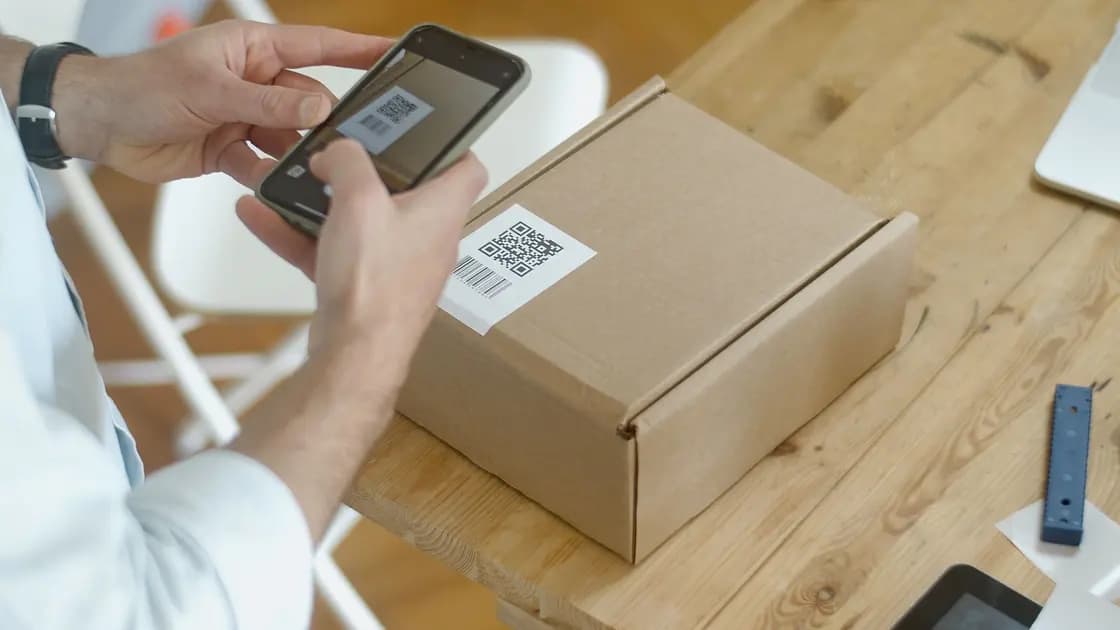
If the input is a QR code, use the separate pre-scan QR checklist. Scanning can reveal the payload before you know which app will receive it.
Verification should avoid showing secrets. Compare the profile name, intended organization, protocol, endpoint hostname or region label, route scope, and revision or issue time when the issuer provides them. A certificate fingerprint can be useful only when the issuer explicitly publishes a trusted value through a separate authenticated channel; do not invent a fingerprint workflow or send the private key for comparison.
Then confirm runtime behavior. Identify which client owns the active tunnel, connect once, and use the platform or provider’s supported status to check that the intended profile is selected. A successful import does not prove successful authentication, route installation, DNS policy, or traffic flow. Test one layer at a time.
For an AethoVPN connection, the safest import is the one nobody forwards to you: install the Windows .exe, Linux .deb or Android APK from the official downloads page and continue with your email code inside the app, and on a Mac, iPhone or iPad take the configuration from the official setup guide under your own account, which requires a Pro or Premium plan. Compare that issuer with any file or link you were sent before trusting it. Files, subscription URLs or QR codes that reach you from anyone else sit outside that official channel, so they still need the verification steps above. Open the official setup guide for your device.
Stop and classify the prompt. A password may unlock an encrypted private key, authenticate a user separately, or belong to the operating system’s credential store. Those roles are not interchangeable. Do not reuse an account password merely because the client displays a generic password field.
Check the issuer’s documentation for the exact client and format. A profile built for one application can use directives another client ignores or rejects. Converting it by deleting unknown lines can silently remove certificate checks, routes, or policy. Ask the issuer for a supported export instead.
If the import succeeds but the old settings remain active, do not repeat imports indefinitely. Use the stale-profile guide to distinguish a new stored object from the tunnel owner actually running.
Treat the file or URL as exposed if it was uploaded to a public or unrelated service, posted in a shared ticket, sent to the wrong person, included in a diagnostic bundle, or left on an unmanaged device. Deleting the visible copy may reduce further discovery, but it cannot prove that the recipient did not retain it.
Stop using the material, record where and when disclosure occurred without copying the secret again, and contact the official issuer. Ask which objects must be rotated or revoked: subscription token, private key, certificate, password, profile, or device authorization. Obtain replacement material through a fresh trusted channel, update authorized devices, and verify that old access is invalid where the system supports that check.
Do not post the exposed configuration again to ask whether it is dangerous. The absence of observed misuse is not proof that the secret is safe.
.ovpn or .conf file safe to email?Not by extension alone. Either format can contain or reference credentials and sensitive network details, so use only the issuer’s approved delivery method and access controls.
You can use an approved offline editor when the issuer says the format is text. Avoid cloud-synced workspaces, untrusted extensions, screen sharing, and copying values into other documents.
No. A generic checker becomes another recipient of any embedded key, token, certificate, password, endpoint, or identifier. Use the intended client or official issuer support.
The password might unlock a private key, authenticate a user, or authorize the local credential store. Confirm the exact role in the issuer’s instructions instead of guessing or reusing another password.
They may accept similar formats, but directives, credential storage, permissions, and tunnel ownership can differ. Use the client named by the issuer unless the issuer explicitly supports an alternative.
No. Import proves only that the client stored or parsed the profile. Authentication, interface creation, routing, DNS policy, and protected traffic still need separate verification.
That depends on what the file contains and what the issuer’s system authorizes. Ask the issuer whether to revoke a download token, private key, certificate, account credential, device, or the entire profile.
Disclaimer: This guide provides general security information. VPN formats, credential stores, and management policies differ; follow the official instructions of the configuration issuer and your device administrator.
Sources:
Sources checked 12 September 2026.
Related articles:
Sign up to experience all premium features at no cost.
*Available only to new users. Each user is limited to one trial.