Start your 3-day free trial
Sign up to experience all premium features at no cost.
*Available only to new users. Each user is limited to one trial.
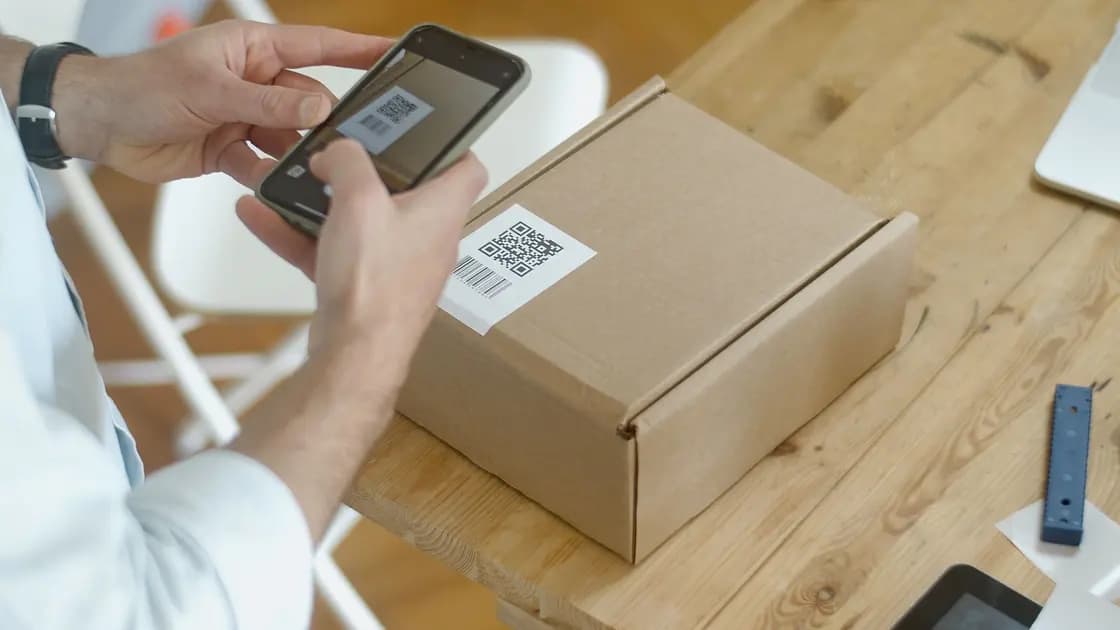

A VPN configuration QR code can encode a profile, a credential-bearing link, or another instruction that a scanner will reveal or hand to an app. Check the issuer, channel, expected client, and device context before scanning, because the first scan may already create another copy of the payload.
The complete VPN guide covers VPN fundamentals. This checklist stays at the pre-scan security boundary and does not address camera-focus or damaged-code troubleshooting.
Key Takeaways
- Confirm who issued the QR code and why your exact device is expected to receive it.
- Prefer the intended VPN client’s built-in scanner over a camera app or generic online decoder.
- Treat screenshots, photos, backups, clipboard output, and decoded text as additional copies of a possible secret.
- Stop on unexpected urgency, shortened destinations, certificate warnings, app-install prompts, or device-management requests.
- If the code was exposed, use the issuer’s official process to rotate or revoke the affected token, key, certificate, or profile.
A QR code is an encoding method, not a trust mark. The visual pattern can represent plain text, a URL, or configuration data. In a VPN workflow, that payload may include an endpoint and public parameters, but it may also include a private key, preshared key, certificate reference, access token, or subscription URL.
WireGuard configurations use private keys that must remain private, and the project leaves distribution to other layers.[1] OpenVPN profiles can include inline certificate and key material.[2] Those examples show why a VPN QR image can deserve credential-level handling; they do not mean every code uses either format.
You cannot reliably determine the payload by looking at the squares. Decoding is the act that reveals it, so the safest decision happens before an untrusted scanner, website, browser extension, or camera workflow receives the image.
Match the code to an action you initiated. A trustworthy context could be an authenticated provider account, an organization’s managed enrollment page, or an administrator interaction whose identity you verified separately. A code pasted into a public forum, attached by an unknown sender, printed over another label, or delivered with pressure to “scan now” has no reliable provenance.
The FTC warns that scammers can cover legitimate QR codes, send unexpected QR images, and use urgency to send people to spoofed sites or install harmful software. It recommends inspecting the URL and looking for misspellings before opening it.[3] For a VPN configuration, add one more question: should the destination be a website at all, or should the intended VPN client consume the payload directly?
Confirm these facts without scanning:
If the sender cannot explain those facts through an authenticated channel, stop.
Use the client named by the issuer. A built-in VPN import scanner can keep the payload inside the workflow that understands its format and permissions. A general camera may first open a browser, display the entire decoded value, copy it to a clipboard, or send it to a search provider. A web decoder receives the image itself and may log the result.
Before granting camera access, verify the app’s developer, installation source, and name. A look-alike “VPN QR reader” adds software risk and is unnecessary when the supported client already imports the format. Do not install an app from a link encoded in the same unverified QR code; that makes the untrusted object its own trust source.
If your organization uses device management, the expected workflow may not involve a user-scanned QR at all. Ask the administrator instead of bypassing management with a manual import.
Prepare a controlled receiving device:
These steps reduce accidental copies; they do not make an unknown issuer trustworthy. A secure device cannot repair bad provenance.
If the VPN configuration QR code is meant for AethoVPN on an iPhone or iPad, you can skip the forwarded image entirely: open the official setup guide from the downloads page while you are in your own account, choose the device, and take the configuration it issues there; iPhone, iPad and Mac setups need a Pro or Premium plan. That keeps the issuer tied to a known service origin. Whether AethoVPN can scan, import, fingerprint, rotate or revoke a configuration QR code is not documented, so any code you were sent still goes through the checks above. Get the iPhone configuration from the official setup guide.
Stop if the code appears on top of another code, arrives unexpectedly, or promises urgent account restoration without an independently verified notice. Stop if the sender asks you to use a generic decoder, disable device security, ignore a certificate warning, install a profile with unrelated device-management powers, or share the decoded result back in chat.
After scanning in the intended client, cancel rather than save when the result names the wrong organization, client, protocol, profile, or device. A request for accessibility control, contact access, payment details, an unrelated login, or a full device-management enrollment is not explained merely by the words “VPN setup.”
A shortened or unfamiliar URL deserves independent verification through the issuer’s known site. Do not open it merely to see where it goes. If the code is supposed to carry a subscription URL, apply the subscription-link secret lifecycle before storing or sharing it.
When provenance and device context are confirmed, use this bounded sequence:
Do not compare raw private keys or tokens. When an issuer provides a trusted fingerprint or identifier, compare only the documented non-secret value through a separate authenticated channel. The safe configuration import guide covers file and URL handling after you know the source is legitimate.
A screenshot changes one displayed secret into a durable image. It may enter cloud photo backup, shared albums, messaging previews, desktop synchronization, thumbnails, or repair diagnostics. Cropping the surrounding page does not remove a complete QR payload. Blurring part of the pattern without a verified method does not prove it is unreadable either.
An online decoder necessarily processes the image or encoded result. Even if its privacy statement sounds reassuring, it is an additional recipient outside the intended VPN relationship. Browser extensions and chatbots create the same boundary problem. Use offline, approved tooling only when the issuer’s workflow truly requires manual decoding.
If you must transfer the code between two devices, keep it on the authenticated issuer screen, avoid saving it, limit who can see it, and close the display after direct scanning. Do not print it in a shared area or leave it visible in a meeting recording.
Exposure includes posting the image publicly, sharing it with the wrong person, uploading it to a decoder, including it in a support recording, losing an unlocked device that stored it, or discovering that an unauthorized person scanned it. Remove copies you control, but do not treat deletion as revocation.
Record where and when the exposure occurred without reproducing the code. Contact the official issuer and ask which underlying object the QR represented. Rotation or revocation may need to cover a subscription token, private key, certificate, profile, device authorization, or account session. Replace the material through a fresh authenticated channel and verify that the old capability no longer works where the system supports such a check.
If a replacement imports successfully but the client keeps the old runtime state, follow the old-profile settings guide rather than repeatedly scanning the new code.
No. The visual pattern does not identify the issuer or reveal whether the payload is a harmless label, sensitive URL, private key, or malicious destination. Verify provenance before decoding.
It may hand the result to a browser or display and copy the raw value. Prefer the intended VPN client’s built-in scanner when the issuer supports it.
That creates another durable credential copy that may synchronize to photo services and other devices. Prefer the issuer’s authenticated recovery or reissue process.
No for a potentially secret VPN code. The service receives the image or payload; verify the issuer and use an approved local or native-client workflow instead.
Do not continue automatically. Inspect the displayed domain for exact spelling and independently reach the issuer through a known site; the expected workflow may have been direct client import rather than web navigation.
No. It proves only that a scanner decoded something. The issuer, client owner, permissions, profile summary, authentication, routes, and traffic path still require verification.
Follow the issuer’s lifecycle. Some enrollment codes are one-time or expire automatically, while others represent reusable credentials; ask what underlying object remains valid and how to revoke it.
Disclaimer: This article provides general security guidance. QR enrollment and revocation behavior vary by VPN provider, administrator, client, and device platform.
Sources:
Sources checked 12 September 2026.
Related articles:
Sign up to experience all premium features at no cost.
*Available only to new users. Each user is limited to one trial.