Start your 3-day free trial
Sign up to experience all premium features at no cost.
*Available only to new users. Each user is limited to one trial.
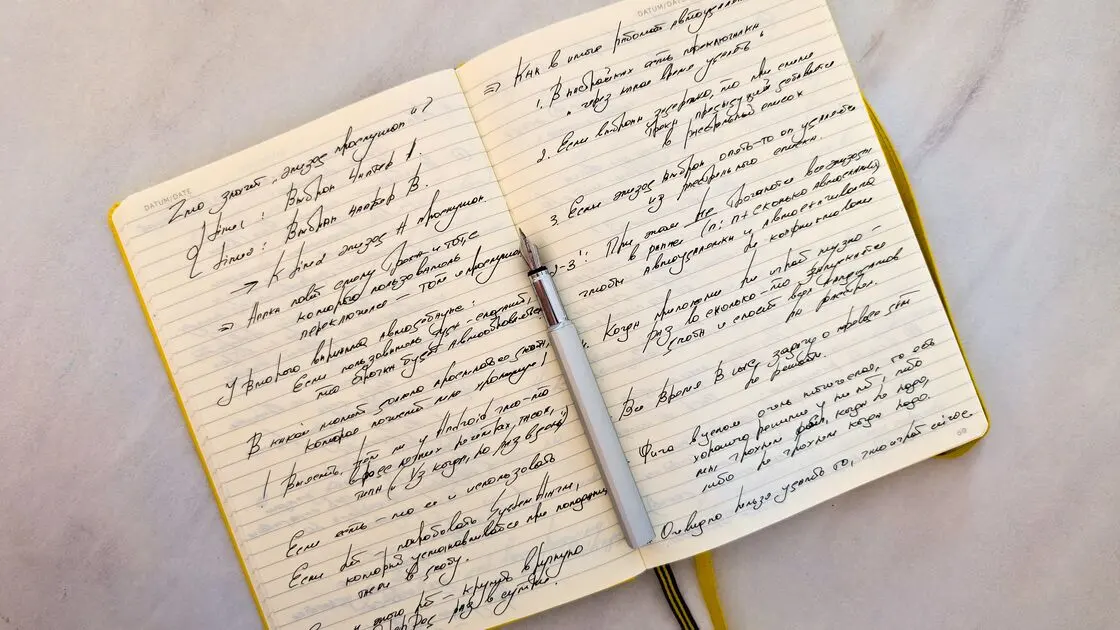

To turn handwritten notes into editable text with AI, preserve the original pages, capture them clearly, run handwriting OCR page by page, and review every uncertain character against the image. Keep the faithful transcription separate from any edited version so grammar cleanup never becomes a false claim about what the writer put on paper.
Key Takeaways:
- A clear source image improves OCR, but it does not make the result authoritative.
- Preserve page order, line breaks, checkboxes, marginalia, and uncertainty before polishing prose.
- Verify names, numbers, dates, units, and short labels character by character.
- Export the original images, raw OCR, reviewed transcript, and edit log as separate layers.
This workflow applies the same principle as the general guide to using AI: the source remains authoritative, while the model produces a candidate that a person can inspect.
First confirm that you may process the notes. Personal notebooks, school work, research records, meeting pages, client notes, and medical or legal material can carry different confidentiality, retention, and consent obligations. Do not upload pages containing passwords, access keys, identity documents, private customer data, or other unnecessary sensitive information to an unapproved service.
Freeze the original before editing anything. Give each page a stable identifier such as Notebook-03 / Page-017, record the capture date, and keep the original file unchanged. If the pages have fronts and backs, number both sides explicitly. A folder full of anonymous photos named by camera time is easy to reorder accidentally.
Handwriting OCR is a document-recognition task, not creative writing. Google Cloud Vision documents DOCUMENT_TEXT_DETECTION as an OCR mode optimized for dense text and documents, including handwriting, and its response can retain page, block, paragraph, word, and symbol structure.[1] Microsoft Document Intelligence Read v4.0 extracts printed and handwritten text from scanned images and documents and returns words, lines, locations, and confidence values.[2] Neither capability removes the need to compare the output with the source.
Use a simple register before processing:
| Page ID | Original file | Side | Language | Writer | Sensitivity | Capture quality | Reviewer |
|---|---|---|---|---|---|---|---|
| N03-P017 | IMG_4812.jpg | front | English | known | internal | good | OP |
| N03-P018 | IMG_4813.jpg | back | English | known | internal | shadow at edge | OP |
If you do not know the writer, language, or page order, record unknown. An explicit unknown is safer than a plausible guess that later becomes embedded in the text.
Capture quality determines how much evidence the recognizer can see. Use even lighting, keep the camera parallel to the page, include all four corners, and focus on the ink rather than the table underneath. Avoid fingers over text, hard shadows, glare, aggressive filters, and perspective correction that clips marginal notes.
The U.S. National Archives and Records Administration's digitization guidance emphasizes creating production master files with controlled capture, quality review, and preservation considerations.[3] Your notebook project may be much smaller, but the same distinction is useful: keep a high-quality master and derive working copies from it.
For each page:
Do not enlarge a tiny, blurred capture and call it restored. Upscaling can make an image look smoother while leaving the underlying characters ambiguous. Mark the page for recapture when the source is insufficient.
Rotation, lossless orientation correction, and conservative cropping outside the page can make the image easier to process. Changing ink strokes, erasing crossings-out, increasing contrast until faint marks disappear, or filling missing corners changes the evidence. Preserve the master and document every derivative operation.
Process pages individually or in small, ordered groups. Large mixed batches make it harder to notice a missing page, swapped side, or language change. Choose document OCR or handwriting recognition when the tool offers modes; a generic image-description model may paraphrase the page rather than transcribe it.
Use a source-bound instruction:
Transcribe the handwriting faithfully. Preserve page ID, headings, line breaks, list marks, checkboxes, deletions, arrows, and marginal notes where visible. Write
[unclear]for characters you cannot read and include the surrounding text. Do not correct spelling, complete fragments, infer names, or turn notes into a report.
Request a page-level output with line identifiers. If layout matters, ask for regions such as top-left, main body, and right margin. The output should distinguish a checked box from an unchecked box and a crossed-out phrase from a confirmed phrase.
Microsoft's current Document Intelligence Read model returns recognized words and lines with bounding polygons and confidence values.[2] Location is useful because it lets a reviewer return to the exact region. Confidence values can help prioritize review, but a high score is not proof that a short name or number is correct.
| Page or region | Raw OCR | Edited text | Confidence | Reason | Reviewer |
|---|---|---|---|---|---|
| N03-P017 line 4 | send to Marla 8/7 | send to Maria 8/7 | low | name checked against handwriting | OP |
| N03-P017 margin | [unclear] 15 | [unclear] 15 | unresolved | first character obscured | pending |
| N03-P018 box 2 | [x] call vendor | [x] call vendor | high | checkbox and text confirmed | OP |
The table creates an edit trail. It also prevents a reviewer from “fixing” a sentence without recording whether the change came from the page, outside knowledge, or stylistic preference.
Review the output in two passes. The first pass checks transcription fidelity page by page. The second checks the combined document for continuity, missing pages, duplicate text, and inconsistent conventions.
Short strings carry little context, so one character can change their meaning. Review these against the image at high zoom:
Read digits individually instead of accepting a familiar pattern. 1, 7, 9, 0, and 6 can be ambiguous; decimal separators and date order depend on locale. Do not silently normalize 08/09 to a particular date when the source does not establish the convention.
Use consistent markers such as [unclear], [illegible: 2–3 chars], or [possible: Chen/Chin]. Attach the page and region. Never let the model choose the most plausible word and remove the uncertainty marker.
NIST's generative AI profile treats confabulation, privacy, information integrity, and human oversight as risk areas.[4] In this workflow, uncertainty markers and a human review queue are concrete controls for those risks.
Compare the page register with the output. Confirm that every page appears exactly once, fronts and backs are ordered correctly, headings remain attached to their content, and continuation marks are not mistaken for new sections. Look for repeated first or last lines caused by overlapping photos.
If the writer used arrows or spatial grouping, describe the relationship without overinterpreting it: arrow from item A to item B, not item A causes item B. Spatial meaning becomes especially important for whiteboards, which require a separate layout-aware workflow.
Make the reviewed transcript read-only, then create a separate edited copy. The edited copy may normalize spacing, expand abbreviations, fix spelling, or reorganize headings only under explicit rules. It must not overwrite the faithful layer.
Use a three-layer package:
Label additions. If you insert a heading for navigation, write [editor heading]. If context from another source resolves a name, record the external evidence instead of pretending the handwriting was clear. If you turn the notes into a polished deliverable, use the separate notes-to-report workflow after the transcription is approved.
Choose an open, editable format such as plain text, Markdown, CSV for structured fields, or a word-processing document. Include project name, page range, OCR tool and mode, processing date, reviewers, unresolved count, and editing policy.
Keep the raw OCR only as an intermediate artifact when it helps audit changes. It should not be mistaken for the reviewed transcript. Apply the organization's retention and access rules to all copies, including cloud uploads and temporary exports.
The model may turn fragments into complete sentences. Require faithful transcription first, then edit a copy with visible rules.
Confidence is a prioritization signal, not ground truth. High-confidence names, dates, and numbers still need direct review.
Plain text can erase state. Represent unchecked boxes, checked boxes, deletions, insertions, and marginalia explicitly.
The image resolves disputes and supports future improvements. Preserve stable masters and never replace them with enhanced derivatives.
A missing or duplicated page can be hidden inside a polished document. Reconcile the page register before merging text.
It can produce a useful first pass, but accuracy varies with handwriting, language, image quality, layout, and context. Treat every output as a candidate transcription and verify consequential fields against the page.
Either can work. A scanner gives consistent geometry and lighting; a phone is convenient if it is parallel to the page, sharply focused, evenly lit, and captures all edges.
Keep an uncertainty marker with the page and region. Recapture the page, compare nearby writing samples, or ask an authorized reviewer; do not fill the gap with the most plausible word.
Not in the faithful layer. Preserve what is written first, then create a separate edited copy whose spelling and grammar rules are documented.
Represent their visible state and location explicitly. Describe relationships conservatively and avoid converting a nearby note or arrow into an approved action or causal claim.
No. Use confidence to order the review queue, but check names, codes, dates, numbers, and units even when the reported confidence is high.
No. Confirm the service, account, retention, access, and organizational approval first, and remove unnecessary sensitive information. Some material should stay in an approved local or enterprise environment.
Keep the unchanged source images, reviewed transcript, edited version, page register, change log, and unresolved-item list according to your retention policy.
Sources:
Sources checked 30 August 2026.
Related articles:
Sign up to experience all premium features at no cost.
*Available only to new users. Each user is limited to one trial.