Start your 3-day free trial
Sign up to experience all premium features at no cost.
*Available only to new users. Each user is limited to one trial.
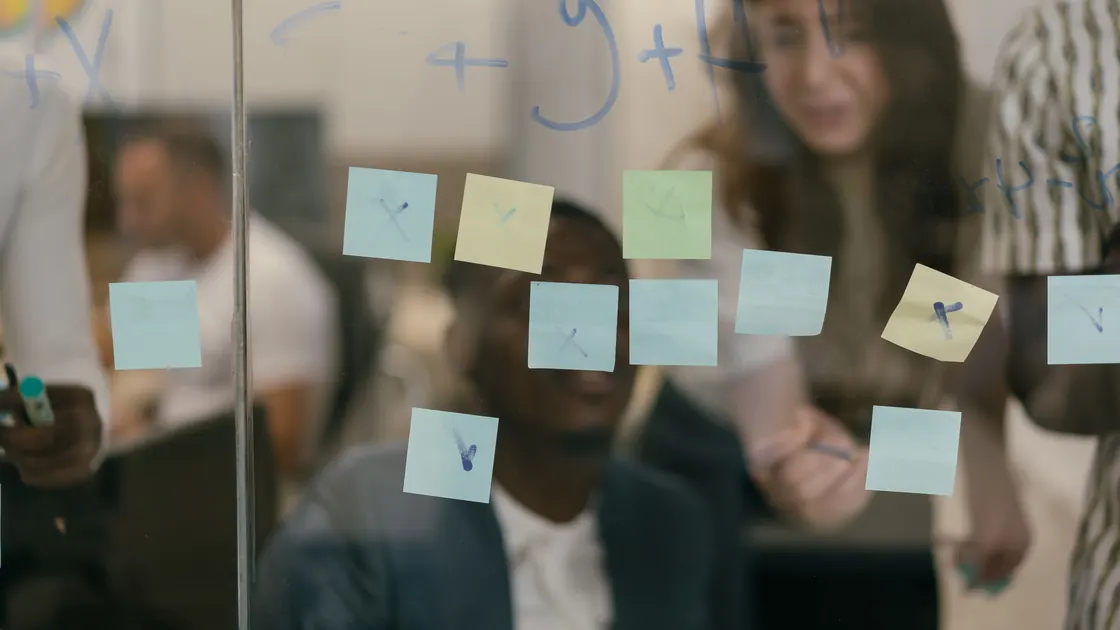

To turn a whiteboard photo into actionable notes with AI, preserve the original image, transcribe before summarizing, record spatial relationships, and separate written facts from inferred details. The useful result is not a polished recap alone: it is a traceable action register that a responsible person has compared with the board and approved.
Key Takeaways
- Confirm that you may photograph, upload, and share the board before processing it.
- Keep an unchanged original and work from a separate, readability-adjusted copy.
- Capture arrows, clusters, color roles, and proximity instead of extracting words alone.
- Mark absent owners, dates, and decisions as unknown; never let AI fill them in.
- Approve each consequential item against the source image before distribution.
This workflow applies the broader guide to using AI for reviewable work to a visual meeting artifact. If your source is spoken discussion rather than a board, use the meeting transcript to action-items workflow instead.
A whiteboard is a two-dimensional argument, not a bag of words. Meaning may come from an arrow, a box around three notes, a heading above one column, or the fact that a card sits between two clusters. A plain text extraction can capture every visible phrase while destroying those relationships.
Image quality creates a second problem. Glare can erase marker strokes, perspective can compress one edge, and overlapping sticky notes can hide content. Handwriting recognition may produce a plausible word that was never written. OpenAI Academy recommends using a clear image and reviewing organized output for accuracy and private information before sharing.[1]
The third problem is inference. A board may contain “send draft Friday” without saying who sends it, which Friday, or whether it was approved. A fluent model may silently complete those fields. Your process must make uncertainty more visible, not less.
Create two linked outputs: a faithful transcription and an action register. The transcription preserves what the board says and how it is arranged. The action register reorganizes approved content for follow-up without pretending that missing details were present.
Use a table like this:
| Item ID | Exact text | Spatial relationship | Classification | Owner | Due date | Source evidence | Approval status |
|---|---|---|---|---|---|---|---|
| W-01 | Send draft Friday | Blue note under “Launch” | Candidate action | unknown | ambiguous | image region B3 | needs review |
| W-02 | Legal review complete | Boxed, arrow to W-01 | Candidate decision | unknown | not stated | image region B2 | needs review |
Keep unknown, ambiguous, and not stated as valid values. Empty cells invite someone to guess later. The table also gives reviewers a stable way to discuss corrections: “W-02 is a status, not a decision” is clearer than “the summary feels wrong.”
Identify who owns the board, who contributed to it, and who may receive the result. Confirm whether photography was allowed and whether the proposed AI service is approved for the information class. A workshop consent to participate does not automatically authorize uploading names, customer details, health information, or confidential plans to another system.
Remove unnecessary personal or restricted content before upload. Crop out adjacent boards, badges, faces, calendars, access codes, and unrelated screens. If safe redaction would remove essential meaning, use an approved local process or transcribe manually.
The ICO advises organizations to limit personal data to what is necessary for the purpose and to manage security risks throughout AI processing.[2] Record the permitted purpose and audience beside the job so the output is not reused casually.
Save the original file unchanged with a neutral identifier, capture time, board location, and photographer or custodian. Restrict access according to the board’s content. Do not draw corrections on the only copy or replace it after someone sends a clearer version.
Create a working copy for rotation, perspective correction, exposure adjustment, and cropping. Maintain a short processing log such as “rotated 1.5 degrees; corrected perspective; split into six overlapping regions.” This is not forensic evidence handling, but it makes ordinary workplace review reproducible.
If several photos overlap, keep their order and note which one is the overview. Do not stitch them in a way that hides duplicated or missing areas.
Start with one full-board overview, then make readable crops for dense regions. Correct orientation and perspective only enough to improve legibility. Preserve color when color has an agreed meaning; otherwise state that color roles are unknown.
Assign simple coordinates such as columns A–D and rows 1–4. Overlap neighboring crops so notes at an edge are not lost. If glare or obstruction remains, mark the affected region unreadable rather than enhancing it until a guessed stroke looks certain.
Before extraction, ask a human to confirm that every board region appears in at least one crop. This coverage check catches missing corners more reliably than asking a model whether the image is complete.
Ask for exact visible text before requesting themes or actions. A useful first prompt is:
Transcribe every visible text item from the supplied whiteboard crops. Give each item an ID and image region. Preserve spelling, punctuation, line breaks, and obvious strike-throughs. Use
[unclear]for unreadable text and provide alternatives only when the letters genuinely support them. Do not summarize, correct grammar, infer names, or create missing words.
Compare the returned inventory with a manual count of sticky notes, headings, and drawn labels. If the board has 27 notes but the extraction contains 23 items, find the gap before continuing.
Keep literal text separate from normalized text. A later column may expand an abbreviation after a reviewer confirms it, but the original wording should remain available.
Run a second pass that describes layout using only visible evidence. Record each item’s cluster, heading, arrow direction, enclosure, ordering, proximity, and color role. Use cautious labels: direct arrow, same box, near, and possible group are not equivalent.
Ask the model to return relationships as pairs, for example W-03 -> W-07 (direct arrow) or W-11 in cluster “Risks”. Review arrows at both ends; crowded lines often cross, and a model may attach the wrong destination.
Do not translate proximity into causation or priority. A note near another note might have been placed there accidentally. Preserve the visible relationship and let participants interpret it.
Classify each transcribed item into a controlled set: confirmed decision, candidate action, open question, risk, assumption, reference, parking lot, or unclear. Require a reason based on the item’s wording or placement. If the board uses a legend, preserve that legend as the governing rule.
Use “candidate” when the status is not explicit. A verb does not automatically make a note an approved action, and a boxed phrase does not automatically make it a decision. Ask meeting participants to settle ambiguous categories.
For each action candidate, capture the expected deliverable and completion evidence only if written. “Review policy” is not complete enough to execute; the reviewer may clarify it as “annotated policy returned to the operations lead,” but that clarification must be recorded as a post-board decision.
Create owner and due-date fields, then populate only explicit values. Pronouns, colors, handwriting styles, seating positions, and organizational habits are not sufficient evidence. If “Sam” appears, do not expand it to a full identity without participant confirmation.
Use a clarification queue:
| Item | Missing field | Question | Decision maker | Resolution status |
|---|---|---|---|---|
| W-01 | owner | Who will send the draft? | workshop lead | open |
| W-01 | due date | Which calendar date does Friday mean? | action owner | open |
This queue turns gaps into visible work. It also prevents an AI-generated assignment from being mistaken for a commitment.
Review in three passes. First, compare every transcription against its image region. Second, verify every relationship and classification against the board. Third, ask the meeting owner and affected action owners to approve decisions, assignments, dates, and distribution.
The ICO accuracy principle recommends recording the source and status of personal data, distinguishing opinion from fact, and correcting misleading records.[3] Apply the same discipline even when the notes do not contain personal data: preserve provenance, label interpretations, and document corrections.
NIST’s AI Risk Management Framework treats trustworthy use as a lifecycle activity involving governance, measurement, and management rather than a one-time model choice.[4] Keep an approval log with version, reviewer, changed items, reason, and date. Publish the approved register, not the model’s first draft.
Use risk-based review without skipping source comparison. Check every decision, action, owner, deadline, numeric value, name, and unreadable item. For low-impact reference notes, sample across every crop, color, and handwriting style.
Ask reviewers to use four dispositions:
Do not silently rewrite a transcription to match later recollection. Keep the literal board record and the later clarification as separate fields. This distinction helps when participants remember the discussion differently.
For consequential claims, adapt the AI fact-checking workflow. For restricted content, consult the AI privacy risk guide before any upload. Final circulation should follow a human approval workflow, with one named owner for the approved version.
It can often produce a useful draft, but messy strokes, glare, perspective, and overlapping notes create errors. Mark uncertain text and compare it with the image rather than accepting a plausible word.
Yes, crop unrelated or restricted information and create readable overlapping regions. Keep the unchanged original separately so reviewers can verify coverage and context.
No. Those clues are unreliable unless the workshop explicitly defined them and participants confirm the mapping. Otherwise set the owner to unknown.
Record visible relationships as structured fields such as direct arrow, same box, heading, or possible group. Keep the evidence distinct from an interpretation of what the relationship means.
Treat them as separate time-stamped versions. Do not merge changed or removed notes into one synthetic board unless a reviewer documents the timeline and approves the reconstruction.
No. Keep item IDs, source regions, classifications, owners, dates, uncertainties, and approval status. A prose summary alone makes omissions and invented details hard to detect.
The meeting or workshop owner should approve decisions and overall distribution, while named action owners confirm their assignments and dates. Privacy, legal, or records specialists may need to review restricted material.
Follow the organization’s approved records and retention rules for the information involved. Keep only what is necessary, restrict access, and dispose of working files when their authorized purpose ends.
Disclaimer: This workflow supports ordinary workplace documentation. It does not replace legal evidence handling, regulated records procedures, privacy review, or the accountable meeting owner’s approval.
Sources:
Sources checked 30 August 2026.
Related Articles:
Sign up to experience all premium features at no cost.
*Available only to new users. Each user is limited to one trial.