Start your 3-day free trial
Sign up to experience all premium features at no cost.
*Available only to new users. Each user is limited to one trial.
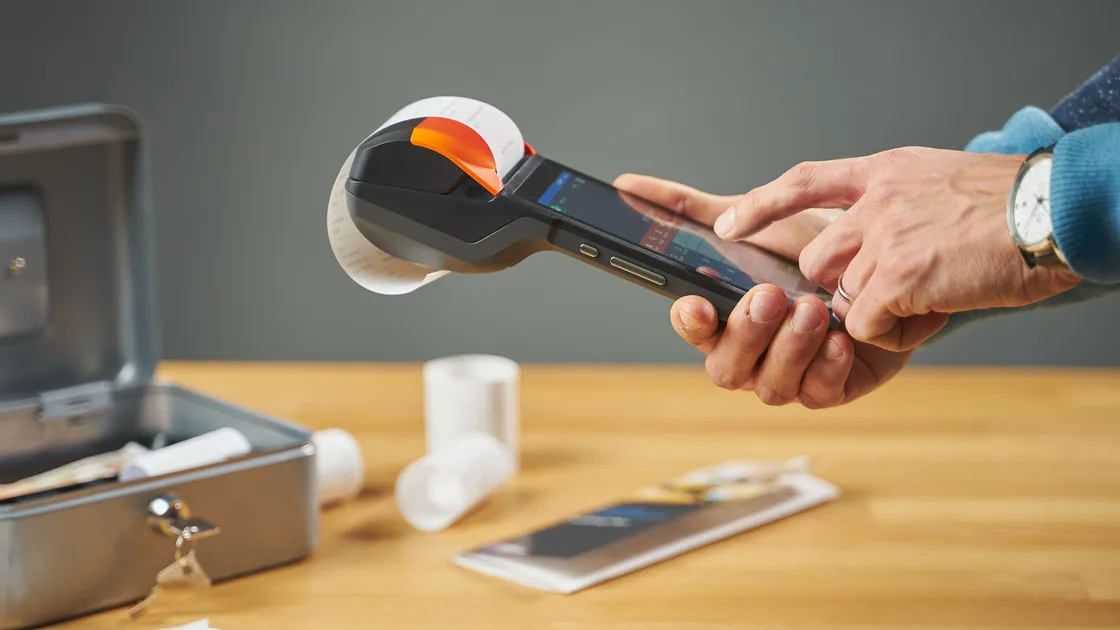

A fapiao (发票, fāpiào) is China's official tax invoice, and merchants in mainland China issue it on request for a genuine purchase. To ask for a fapiao or receipt in China, first decide what proof you actually need, tell the seller before the invoice is issued, give the exact personal or organization header, and confirm how the electronic copy will reach you. A payment-app record or shop receipt (收据, shōujù) proves a payment, but it is not the same document as a tax invoice.
Key Takeaways:
- Say whether you need an ordinary receipt, a payment record, or a fapiao.
- Give the invoice header before the seller submits the invoice.
- Never ask a seller to change the real goods, service, seller, or amount.
- Check the title, amount, date, seller, and delivery address as soon as the invoice arrives.
- Keep the original electronic file and the payment or order record together.
A shop receipt, order page, card slip, or mobile-payment record documents a transaction. A fapiao is an invoice issued under China's invoice rules and carries prescribed invoice information. The invoice rules require invoices to be issued truthfully and prohibit documents that do not match the actual business transaction.[1]
Use the document required by the person reimbursing you. A hotel, employer, insurer, or event organizer may ask for a fapiao with a particular header, while a personal expense log may only need a receipt and payment record. Confirm that requirement before checkout; the cashier cannot infer it from a foreign card or passport.
| What you need | Ask for | Check before leaving |
|---|---|---|
| Proof that you paid | Receipt or payment record | Seller, time, amount, payment status |
| Personal tax invoice | Personal fapiao | Your exact requested name and transaction details |
| Organization reimbursement | Organization fapiao | Exact legal name and any fields your organization requires |
| Electronic copy | Electronic fapiao | Correct email, phone, download route, and file received |
For a personal invoice, prepare the name that the reimbursement recipient expects. For an organization invoice, copy the legal Chinese name and any required taxpayer information from an approved source supplied by that organization. Do not translate, shorten, or guess a company name.
Also keep the order number, merchant name, transaction time, amount, and payment record. Those details help the merchant find the transaction if the invoice does not arrive. The tax authority's invoicing guidance emphasizes that invoice content must reflect the real transaction, not a convenient substitute description.[2]
Make one small invoice note before the trip or business event. Put the requested purchaser title first, followed by any organization fields exactly as supplied, the email or phone that you are willing to use for delivery, and the name of the person who can confirm reimbursement requirements. Keep this note separate from a full passport scan or a general company document folder so that you can show only the fields the merchant needs.
If several travelers share an order, decide in advance whether the recipient wants one invoice for the whole genuine transaction or separate documents that the merchant can lawfully issue. Do not ask the cashier to split, combine, backdate, or rename a transaction merely to fit an expense claim. When the recipient's instructions are unclear, pause before issue and obtain clarification rather than guessing at the counter.
Keep the approved purchaser wording available offline. A weak connection at the counter should not force you to reconstruct legal names or tax fields from memory. For the wider arrival toolkit, including keeping maps and messaging usable, see the China visitor pillar.
Use one short request and then show the exact header:
Then follow this sequence:
Fully digital electronic invoices are part of China's current invoicing framework, so electronic delivery is normal rather than an inferior copy.[3] The merchant's delivery method can still vary.
Treat issuance, delivery, and reimbursement acceptance as three separate checks. A merchant may have issued the invoice even when an email is delayed, and a file that opens correctly may still use a header that the reimbursement recipient will not accept. Confirm the merchant's issue status first, then retrieve the original file through the stated route, and finally compare it with the recipient's requirements.
Save the original attachment or download rather than forwarding it through multiple chat apps. Give the file a local name that ties it to the date, merchant, and order without exposing unnecessary identity data. If you must send it to an employer or insurer, use that recipient's verified submission channel and retain a copy of the submission confirmation.
Check that the purchaser title is the one you supplied, the seller matches the merchant, and the amount and transaction description are truthful. Confirm the invoice date and number are present and that the file opens. If an organization supplied specific taxpayer fields, compare them character by character.
Do not publish the invoice online. It may contain purchaser and seller identifiers, transaction details, contact information, or retrieval data. Store the original file rather than relying only on a cropped screenshot.
Return to the merchant with the same transaction evidence and describe one error at a time.
| Problem | Evidence to gather | Safe next route |
|---|---|---|
| No electronic message | Order, payment time, delivery address | Ask the merchant to verify issue and delivery status |
| Wrong purchaser title | Original request and issued file | Ask the merchant about the official correction process |
| Wrong amount or item | Order and invoice | Request correction to the real transaction only |
| Duplicate request | Invoice number and order | Ask which invoice remains valid before doing anything else |
| Merchant refuses without explanation | Merchant identity and transaction record | Use the official tax-service or competent tax-authority route |
Do not create a replacement yourself, edit the PDF, or ask for a different amount or item. If the merchant cannot resolve a genuine issuance problem, use the current official tax-service channel and provide only the evidence requested.
Build the escalation record in chronological order: the genuine order, proof of payment, the header you supplied, the invoice or delivery error, and the merchant's response. State the correction you need without sending unrelated account history. This makes it easier for the merchant or competent tax authority to distinguish a delivery problem, a data-entry error, and a dispute about whether an invoice was issued.
Keep the case reference and final corrected document together so the same issue is not reopened later.
No. It proves a payment event, but an official invoice is a separate document issued under invoice rules.
Yes, when the merchant can issue an invoice for the genuine transaction. Ask what personal header the receiving organization requires.
Not normally. Use a personal header if that is what the reimbursement recipient accepts; do not invent an organization.
No. Invoice information must match the actual goods or service.[1]
Yes. The invoice measures give electronic invoices the same legal effect as paper ones.[1] Fully digital e-invoices are also part of the current framework.[3] Preserve the original file and verify its fields.
An ordinary receipt is 收据 (shōujù), a till slip is often called 小票 (xiǎopiào), and an official tax invoice is 发票 (fāpiào). Say 请给我收据 (qǐng gěi wǒ shōujù) for a receipt or 请给我开发票 (qǐng gěi wǒ kāi fāpiào) for a fapiao.
Contact the merchant with the order and payment record and ask for its official redelivery or correction route.
Do not send unrelated identity data by default. Ask which exact field is legally or operationally required and use the merchant's verified channel.
No. Departure tax-refund eligibility and procedures are a separate topic.
Disclaimer: This guide provides general visitor information and is not tax, legal, or accounting advice. Invoice requirements and correction routes depend on the real transaction, recipient, merchant, and current official rules.
Sources checked 4 October 2026.
Sign up to experience all premium features at no cost.
*Available only to new users. Each user is limited to one trial.