Start your 3-day free trial
Sign up to experience all premium features at no cost.
*Available only to new users. Each user is limited to one trial.

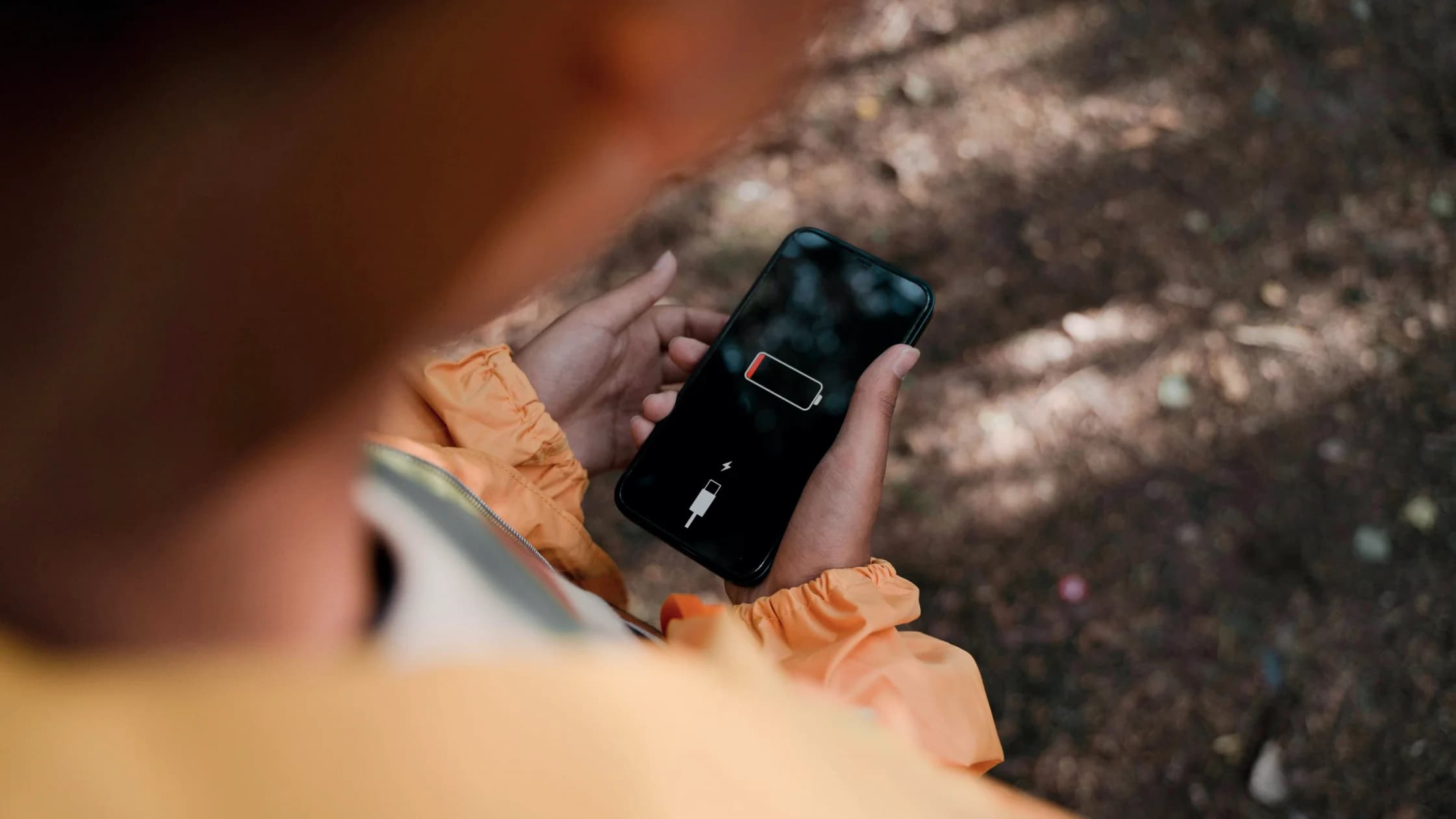
An iPhone battery draining so fast is usually explained by background work after setup or an update, heavy screen or radio use, one app working in the background, weak signal, or an aging battery. To fix it, compare a normal day before changing many settings, then check the Battery page instead of guessing from the percentage alone.
Key Takeaways
- New setup and recent updates can cause temporary background work.
- Check app and system activity before uninstalling anything.
- Weak cellular or Wi-Fi signal can increase power use.[1]
- Battery health and repeated unexpected shutdowns can indicate aging hardware.[2]
Use the one-variable method in the Device and App Troubleshooting Guide so one test does not hide another.
Record the charge at the start and end of a representative period, along with screen time, calls, camera use, navigation, gaming, hotspot use, signal, temperature, and charging. A day of video, navigation, or poor coverage is not comparable with an idle day.
Allow a few days after setting up or restoring a phone or installing a major update. Indexing, photo analysis, downloads, and app optimization can temporarily increase activity. Persistent drain after the phone returns to ordinary temperature and routine use deserves investigation.
Open Settings > Battery. Apple's current guide shows Suggestions and Insights above Daily Usage when they are available. Daily Usage requires iOS 26 or later, while Insights can appear on iOS 18 or later.[1] Older supported versions have different charts and labels, so do not treat an iOS 26 path as universal.
Review the selected time period and tap into details. Look for:
A high percentage does not automatically mean an app is defective: it may simply be the app you used most.
Do not force-quit every app repeatedly or disable every system service. That destroys the baseline and can break mail, location, health, accessibility, or notification behavior.
Update the app, restart it, and reproduce the same task. If the app remains the outlier during comparable use, check its background refresh, location, notification, media-upload, and sync settings. Temporarily restrict only the suspected function and observe a full normal cycle.
Uninstall only after its local data and sign-in recovery are safe. Security software is not the default explanation for ordinary drain; use the iPhone security checklist only when there are separate signs such as unknown profiles, account alerts, or unauthorized changes.
Open the Battery Health view available for your model and iOS version. Rechargeable batteries are consumable: Apple says capacity and peak performance decline over time and replacement eventually becomes necessary.[2] A service message, significantly reduced maximum capacity, unexpected shutdowns, or poor runtime under light use points more strongly to aging than one busy day.
Heat also shortens useful runtime and can trigger protective limits. If the phone becomes unusually hot or shows a temperature warning, stop the demanding task and use the iPhone overheating guide.
Low Power Mode can extend a charge by reducing or disabling features such as Mail fetch, Background App Refresh, some visual effects, and some voice-trigger behavior.[1] It is useful as a temporary measure, but delayed background work or notifications may be the tradeoff. It does not repair a degraded battery or identify the root cause.
On iOS 26 or later, supported models starting with iPhone 15 Pro also offer Adaptive Power under Settings > Battery > Power Mode. It extends runtime on days when you use more power than usual and can turn on Low Power Mode automatically at 20%.[1] Treat it as a convenience, not as evidence that the drain is normal.
Contact Apple or an authorized provider if the battery is swollen, the enclosure separates, the phone shuts down unexpectedly, Battery Health shows a service warning, charging is erratic with known-good accessories, or severe drain continues during light use after updates and app isolation. Stop using a swollen or physically damaged battery.
Establish a fair baseline, read Battery Usage, and test display, signal, background activity, and one suspected app separately. Use Low Power Mode with its feature tradeoffs. Persistent light-use drain, shutdowns, or service indicators shift the diagnosis from settings toward battery replacement.
Background optimization and indexing can temporarily use more power. Allow a few days, then compare similar usage.[1]
In the first days after setup or a restore, iPhone finishes setup tasks in the background, and Battery Insights may show Ongoing Device Setup. Wait a few days, then compare a normal day before suspecting the battery.[1]
No. It can mean that app dominated the selected period. Check the activity type and compare equivalent days.
Yes. Searching for or maintaining a weak connection can increase radio use. Apple surfaces low-signal activity in Battery details and suggests Airplane Mode when you expect no coverage for some time.[1]
No. Restrict the suspected app or unneeded feature first; broad changes can delay useful content and obscure the cause.
No. It reduces selected activity and effects to extend runtime, but some background behavior is limited.[1]
Consider service when health indicators, low capacity, shutdowns, or poor light-use runtime point to aging. Apple notes rechargeable batteries eventually need replacement.[2]
No. Usage, signal, updates, apps, and aging are more common explanations. Investigate security only when independent evidence supports it.
Disclaimer: This article provides general troubleshooting information. Available Battery views and power features vary by iOS version and iPhone model.
Sources:
Sources checked 4 October 2026.
Related Articles:
Sign up to experience all premium features at no cost.
*Available only to new users. Each user is limited to one trial.