Start your 3-day free trial
Sign up to experience all premium features at no cost.
*Available only to new users. Each user is limited to one trial.
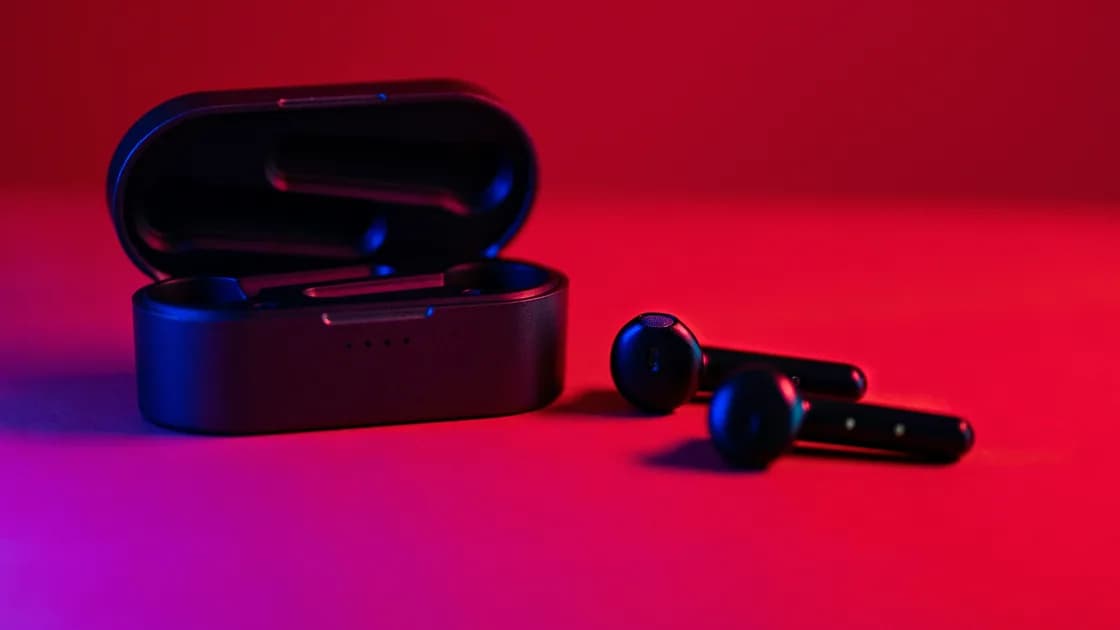

When only one earbud works, the usual causes are a silent bud that did not charge, blocked contacts or speaker mesh, a left-right balance setting or one-sided recording that routes sound away, or buds that have lost their link to each other; a failed driver or battery is the less common explanation. To tell them apart, test a known stereo track, swap the earbuds between ears, check each bud’s charge separately, center the balance control, and inspect the charging contacts and speaker mesh before removing the pairing or resetting the set.
Key Takeaways
- A one-sided recording or off-center balance can imitate a dead earbud.
- A bud that did not charge may still look seated in the case.
- Test left and right separately; do not infer hardware failure from one app or one track.
- Clean only with the dry, gentle method approved for the exact model.
- Brand-specific “primary” and “secondary” earbud behavior is not a universal Bluetooth rule.
This is a symptom-first guide. If the pair does not connect at all, use the Bluetooth headphones connection checklist instead. The broader device and app troubleshooting guide can help when the same audio problem affects wired output or the device speakers too.
Begin with a source that is known to contain both left and right channels. Some older recordings, accessibility tests, calls, livestreams, and user-created videos intentionally place sound on one side. A single clip is not enough evidence.
If the same channel is missing through speakers and another headset, investigate the source, app, or system mix. If silence follows one physical bud across multiple sources and hosts, charging, blockage, pairing state, or hardware becomes more likely.
Do not use a random “speaker cleaning” tone at high volume. It can mask the diagnosis, create uncomfortable sound pressure, and does not repair charging contacts or electronics. Keep volume moderate during tests.
Open the host’s accessibility or sound settings and find the left-right balance. The control should normally be centered unless you intentionally use an accessibility adjustment. Apple’s one-AirPod guidance explicitly includes checking that the balance slider is centered after testing each side.[1]
Also inspect the current app. Music production, game, meeting, and media-player apps may have their own pan, channel, output, or accessibility control. Reset only the control you understand; do not erase an application profile or project to test one audio channel.
Mono audio usually combines left and right content so both sides receive the same mix; it should not be treated as a generic cure for a silent physical bud. The relevant check is whether a system or app setting has routed, panned, or assigned the output unexpectedly. Microsoft’s Windows guidance for one-channel Bluetooth playback similarly calls for checking left and right levels and testing the headset after basic battery checks.[2]
On Windows, look at the selected output device and its channel levels. On macOS, check System Settings > Sound > Output and the balance control. On Android and iPhone, search Accessibility settings for audio balance. Menu names can vary by release and manufacturer, but the principle is the same: verify the current value before changing it, then return it if the test does not help.
An earbud can sit in the case without making electrical contact. The case may charge one side while the other remains flat because of debris, misalignment, a depleted case battery, a damaged contact, or an ear tip that prevents full seating.
Use this sequence:
Treat an absent or implausible battery reading as a clue, not proof. Some devices report cached values or show a combined icon. A physically warm, swollen, wet, corroded, or damaged earbud should not be charged further; stop and seek service.
Google’s Pixel Buds charging guidance recommends dry, soft cleaning of the contacts and correct seating before deeper steps.[3] That advice is model-specific in detail but supports a general order: make the charging path observable before resetting software.
Follow the manufacturer’s care instructions for the exact earbuds. Materials, water resistance, removable tips, filters, and vent placement differ. A method that is safe for one model can push debris deeper or damage a coating on another.
As a conservative baseline:
A blocked mesh often makes one side quieter rather than completely disconnected. Compare loudness at low volume after cleaning. Do not pry off a fixed mesh or remove an acoustic filter simply because it looks replaceable.
Clean the case wells too. Repeatedly reseating a dirty contact may produce an intermittent charge and make the bud appear to recover only briefly. If one contact is recessed, corroded, loose, or discolored, service is safer than scraping it.
Reseat first. Place both earbuds in the charged case, confirm that each begins charging, close the lid for the documented interval, then remove them together. This can let a set synchronize without deleting the host pairing.
If one side still fails, forget the earbuds on the host and pair them again only after confirming that both have charge. Keep other remembered phones and computers from reconnecting during the test. The connection checklist explains how multipoint and automatic switching can interfere.
A full earbud reset is a later step. Use only the official sequence for the exact model, because button timing, case position, indicator colors, and the effect on saved hosts vary. Record custom controls, hearing accommodations, equalizer settings, and firmware version before resetting if the companion app exposes them.
Do not assume one bud must always be the “master.” Some products have a fixed primary side, some can relay or switch roles, and others connect both buds differently. A model-specific architecture can explain a symptom, but it should not be presented as a rule for all true-wireless earbuds.
Sometimes the host connects, but only one bud joins from the start. Many true-wireless sets appear as one device entry, yet some models list the left and right buds separately, ask you to connect the second bud during pairing, or let a bud pair alone after it was used by itself. If the host shows two entries, or the companion app never sees the missing side, the buds have likely lost their link to each other rather than to the host.
If one bud still joins alone but plays normally when tested by itself, treat it as model-specific sync behavior and move to the official reset or service rather than repeating the pairing loop.
Independent testing reveals whether each bud can charge, wake, connect, and play audio without relying on the other.
Interpret the pattern carefully:
| Pattern | More likely lead |
|---|---|
| One bud never shows charge or power | Contact, battery, case well, or hardware |
| Each bud works alone, but not together | Pair synchronization, saved state, or model-specific behavior |
| Both work on another host | Original host routing, balance, or Bluetooth state |
| The same audio channel is absent on every output | Source or application mix |
| One bud is much quieter after cleaning | Mesh, fit, seal, hearing, or driver condition |
If a symptom changes when you swap ears, consider fit and hearing as well as electronics. Try the correct-size tips and a low-volume left/right test. Sudden hearing loss, pain, ringing, or dizziness is not an earbud troubleshooting problem; stop using the earbuds and seek appropriate medical advice.
Service is appropriate when one bud does not charge in a clean, powered case; cannot power on after a documented charge period; shows swelling, corrosion, heat, or liquid damage; or stays silent across two compatible hosts after balance and source checks. Also seek help when a charging contact or case spring pin is damaged.
Bring concise evidence:
For host-wide Bluetooth problems, use the Windows Bluetooth guide or Mac Bluetooth guide. If multiple audio devices fail on the host, repairing one earbud will not address the shared layer.
When one earbud is silent, prove whether the failure follows the source, channel setting, physical bud, charging well, or host. Center the balance, test known stereo audio, inspect separate charge state, clean only by the approved method, and test each bud alone. Re-pair after those checks and reserve a model-specific reset for later. Hardware service becomes the sensible next step when the same physical bud cannot charge, wake, or play across controlled tests.
The cause may be one-sided source audio, an off-center balance control, one uncharged bud, blocked mesh, stale pairing state, or hardware failure. A known stereo source and independent left/right test separate these layers.
Many models support independent use, but behavior varies. Test the documented single-bud mode rather than assuming every model uses the same primary-side design.
It may be misaligned, blocked by debris, prevented from seating by an ear tip, or affected by a damaged contact or flat case battery. Inspect and reseat it without using metal tools.
Centered is the normal diagnostic baseline unless you intentionally use an accessibility adjustment. Record the current value before changing it and restore your required accommodation afterward.
Yes. A blocked mesh can reduce volume substantially. Follow the model’s care instructions and avoid liquid, pins, compressed air, or removing fixed filters without approval.
It can repair stale pairing state, but it cannot charge a flat battery or repair a blocked or damaged driver. Check charge, balance, source audio, and contacts first.
Only after lower-risk checks and only with the exact model’s official sequence. A reset may erase every saved host and custom setting.
If the quiet side follows your ear rather than the physical bud, or you have sudden hearing change, pain, ringing, or dizziness, stop the test. Seek appropriate professional advice instead of increasing volume.
Sources checked 4 October 2026.
Sign up to experience all premium features at no cost.
*Available only to new users. Each user is limited to one trial.