Start your 3-day free trial
Sign up to experience all premium features at no cost.
*Available only to new users. Each user is limited to one trial.
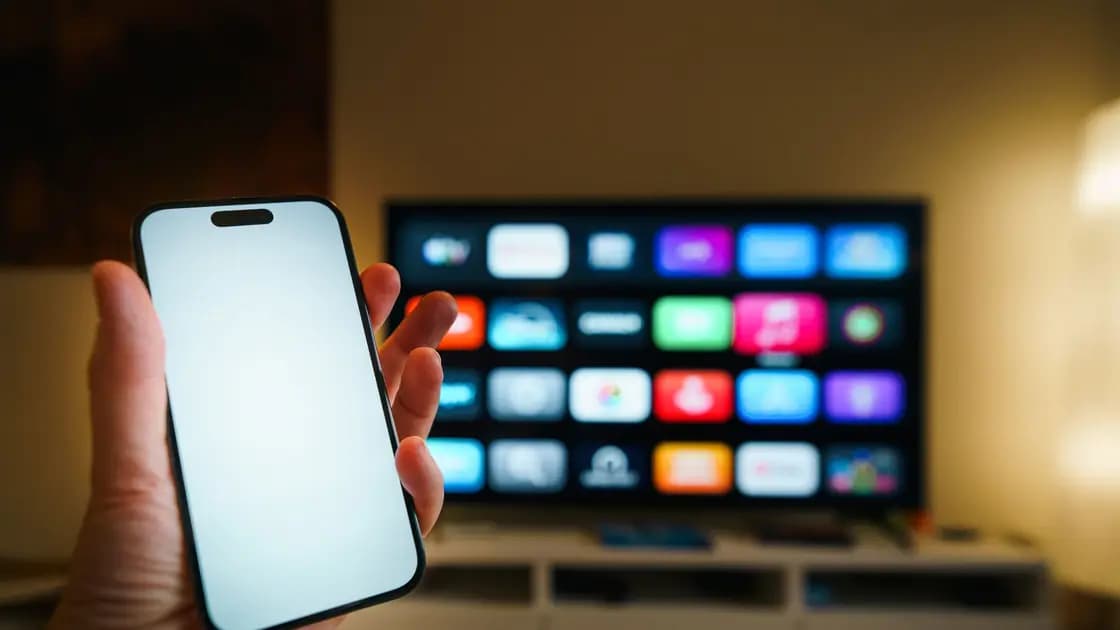

Several conditions can make casting stop when a VPN is connected because the workflow depends on at least two paths: local discovery and control between your phone or computer and the receiver, plus the media path used after the session starts. A denied local-network permission, guest Wi-Fi, AP isolation, or a firewall can break one path without breaking the other. Classify the symptom before changing security settings.
Key Takeaways
- A missing Cast button, a missing receiver, and a session that starts then stops are different failures.
- Sender and receiver normally need local reachability for discovery and control.
- VPN routing and local-network access behavior vary; do not assume a named feature exists.
- Guest or public Wi-Fi may intentionally isolate devices. Do not defeat that protection.
- Test only on a trusted network, change one variable, and restore the secure baseline afterward.
For initial device setup, see the separate Chromecast and VPN guide. This article focuses on diagnosis after casting changes or fails. The wider streaming VPN guide covers service and policy considerations.
Think of casting as two planes:
This model explains apparently inconsistent symptoms. The receiver may already be playing internet media while the phone loses local control. Or both devices may have internet access while local discovery packets cannot cross a VPN route or isolated Wi-Fi segment.
Google says Cast-enabled apps and Chrome need local-network access to discover supported receivers, and the sender should be on the same Wi-Fi network. Denying local-network permission prevents casting from proceeding.[1]
| Symptom | Likely first checks |
|---|---|
| Cast button disappears | App support/state, local-network permission, sender network |
| Button exists but receiver is absent | Same LAN, VPN route, guest Wi-Fi, AP isolation, firewall |
| Receiver connects, then session stops | Control path changes, receiver media reachability, app session |
| Video continues but phone controls stop | Local discovery/control path between sender and receiver |
| Only one app fails | That app's permission, session, account, or casting implementation |
| Every app fails after VPN connects | VPN/local routing interaction or network isolation |
Do not treat a visible button as proof that every later path works. Likewise, internet access on both devices does not prove they can communicate locally.
Record four checkpoints for every comparison: whether the Cast button appears, whether the receiver is listed, whether the session starts, and whether controls remain available after playback begins. Use the same app and receiver, and note the sender network, receiver network, local permission, and VPN state. If another supported app works under the same conditions, investigate the first app before widening firewall or router changes. If no app finds the receiver even without VPN, restore the local baseline before attributing the failure to VPN routing.
Check the exact Wi-Fi network name on both devices. Similar names can represent separate guest, extender, mesh, or frequency-segment configurations. Google states that Chrome cannot find Google streaming devices on different networks.[2]
On your own trusted home network, test the same app with the VPN disconnected, without changing Wi-Fi or restarting everything. If the receiver returns, you have isolated an interaction between the VPN state and local communication—not proven that the VPN service itself is defective.
If the VPN in that comparison is AethoVPN, change only its connection: connect to a nearby location from the in-app list (a green load indicator means the server is in good shape), check whether the receiver is listed, then disconnect and check again, which shows whether the tunnel sits on the failing discovery path. Its only documented routing switch is global mode, which concerns websites in your current region rather than a cast receiver on your local network, so the lasting fix stays in app permissions and the LAN. To run that test on the Windows laptop or Android phone that does the casting, download the Windows or Android app; an iPhone or Mac sender uses a configuration from the website setup guide and needs Pro or Premium.
On hotel, school, office, café, or other shared Wi-Fi, stop here if devices are intentionally isolated. Use an approved network or your own controlled equipment instead of weakening the network's protections.
On supported Apple systems, apps and browsers can require explicit permission to access devices on the local network. Google documents the iPhone, iPad, and Mac Local Network setting for Cast discovery. Apple describes local-network privacy as a permission boundary for apps that interact with devices on the user's local network.
Verify permission only for the app you intend to use. If the button exists in one app but not another, compare their individual permissions and restart the failing app after correcting an accidental denial. Do not broadly grant local access to unrelated apps.
A full-tunnel VPN may route traffic in a way that prevents or changes local-device communication. Google explicitly advises disconnecting from VPNs or proxy servers when Chrome cannot communicate with Google streaming devices. That is a diagnostic step, not a universal instruction to browse without protection.
On a trusted home network:
AP isolation—also called client isolation or guest mode—prevents Wi-Fi clients from communicating with one another. Google says it can block setup and that public, hotel, or guest networks using isolation may not support the device workflow.[3]
Only on a router you own and a trusted private LAN, confirm that the sender and receiver are intentionally allowed to communicate. Review router and host firewall rules narrowly for the casting app and local network. Google also identifies firewall blocking and AP isolation as possible discovery causes. Apple's separate technical note documents the per-app local-network privacy boundary described above.[4]
Never disable isolation, firewall protection, or network privacy on an untrusted public network. The safe fix is to move the devices to an approved trusted network, not to expose other guests to one another.
Try a second Cast-enabled app with the same sender and receiver. If the second app works, return to the first app's local permission, account, media entitlement, and current support guidance. If both fail in the same way, the shared local path is more likely.
If the receiver stays connected but playback buffers, casting discovery may already be working. Use the streaming buffering guide to test service delivery, Wi-Fi, device performance, and VPN route without conflating them with discovery.
Then repeat the original action: open the same app, find the same receiver, start the same media, and use the controls for long enough to reproduce the former failure. Keep the working cast result as your baseline.
The app may lose local discovery access, change network interfaces, or have a permission issue. Check the app's local-network permission and whether sender and receiver remain on the same trusted LAN.
Internet reachability and local peer reachability are different. Guest isolation, AP isolation, firewall rules, or VPN routing can permit internet access while blocking device-to-device discovery.
On a trusted home network, a brief disconnected comparison can identify the boundary. Whether you keep it disconnected depends on service rules and your risk context. Do not disable protection on an untrusted network merely to make casting work.
No. Availability and behavior depend on the VPN product, operating system, and app, and discovery can still be blocked by permissions or network isolation. Use only documented features that actually exist on your setup.
It is a router or access-point policy that prevents wireless clients from talking directly to one another. It is useful on guest networks but can prevent a sender from discovering a receiver.
The receiver may already be fetching media directly from the internet while the local control path back to the phone has failed.
That app may have a denied local-network permission, an expired session, unsupported media, or an app-specific defect. Compare another supported app before changing the network.
Sources checked 28 August 2026.
Sign up to experience all premium features at no cost.
*Available only to new users. Each user is limited to one trial.