Start your 3-day free trial
Sign up to experience all premium features at no cost.
*Available only to new users. Each user is limited to one trial.
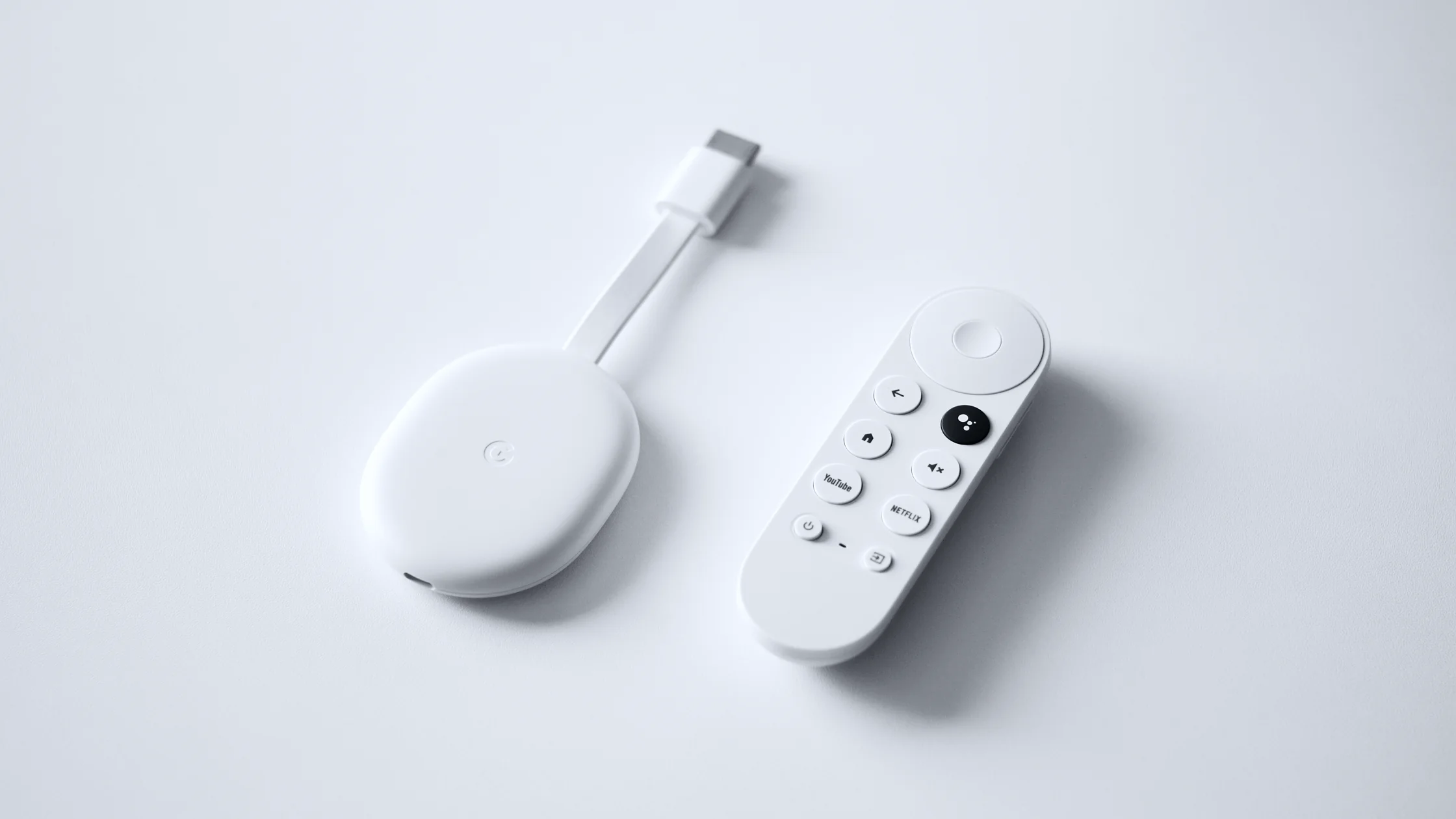

Chromecast VPN setup depends on the model. Traditional Chromecast devices usually cannot install a VPN directly, so they need to connect through a VPN-enabled router or computer hotspot. Chromecast with Google TV can install apps, but only when the provider offers a compatible TV app.[6] Google’s casting help also requires the phone, computer, and Chromecast to be on a network where they can discover one another.[1][2]
If your goal is streaming on a TV device, the best VPN for streaming guide helps you compare router support, Smart TV workflows, and playback stability. If the target service is Netflix, see how to watch Netflix with a VPN.
TV-side issues differ by platform. Disney+ depends heavily on account and regional licensing, so see watch Disney+ abroad. Prime Video can be affected by account region and device restrictions; see Amazon Prime Video VPN. For Fire Stick, IPTV, or Netflix browser issues, compare best Fire Stick apps, IPTV VPN, a US-versus-UK Netflix catalog comparison, and Netflix error M7111-1331-5059.
Key Takeaways
- A direct Google TV install works only when the VPN provider offers a compatible TV app.
- Older Chromecast models usually need a router VPN or computer virtual hotspot.
- Turning on a VPN on your phone does not automatically route Chromecast traffic.
- If casting fails, check same Wi-Fi, AP isolation, DNS, and device region.
| Method | Best for | Difficulty | Stability |
|---|---|---|---|
| Compatible Google TV VPN app | Chromecast with Google TV, if available | Low | High |
| Router VPN | All Chromecast models | Medium-high | High |
| Computer virtual hotspot | Older Chromecast and travel setups | Medium | Medium |
| Phone hotspot + VPN | Depends on OS limits | Medium-high | Inconsistent |
Router VPN is usually the most stable because Chromecast, phone, and TV all share one network. A direct Google TV install is an option only when the device's app store marks the VPN app as compatible.
For the computer-hotspot row, AethoVPN can run on the sharing computer: install the Windows (.exe) or Linux (.deb) app, or set up a Mac through the website setup guide on Pro or Premium, keep global mode on so that computer's apps use the tunnel, and pick a nearby, low-load server location in the app before you start sharing. Then turn off any VPN on your phone, join the hotspot, and open check your IP address on the phone: the server's location means devices on the hotspot, including Chromecast, leave through the tunnel, while the hotel network's location means your OS is sharing the raw connection. The download page lists no Google TV app or router profile, so the first two rows of the table need another route.[7] The 3-day free Pro trial is one per user, so start your free trial when the travel computer is ready for this test.
Older Chromecast devices rely on Wi-Fi and do not provide a full VPN client. Configure a router VPN only when your chosen provider currently supplies a compatible router profile, then connect Chromecast to that Wi-Fi.
Basic steps:
Google’s troubleshooting docs also emphasize that the casting device and Chromecast must be on the same Wi-Fi, and the network must allow device discovery.[2]
A virtual hotspot is useful for short trips: the hotel TV accepts Chromecast, but you cannot change the router. Connect the computer to the VPN first, share its connection as a Wi-Fi hotspot, then connect Chromecast and your phone to that hotspot.
The downside is that the computer must stay on, and macOS and Windows sharing settings differ. If hotel Wi-Fi requires a captive portal, the computer may need to complete that sign-in before sharing the network.
Casting is not always “phone sends video through phone connection to TV.” Many streaming apps tell Chromecast to fetch the video stream directly from the platform, while the phone only sends the play command. So the phone may be on VPN while Chromecast still uses the original Wi-Fi exit.
That is the most common Chromecast VPN trap. You need to protect or change Chromecast’s network exit, not just the remote-control device.
Phone, computer, and Chromecast must be on the same discoverable network. Guest Wi-Fi, corporate Wi-Fi, and hotel Wi-Fi often enable client isolation, which prevents devices from seeing each other.[3]
Some streaming apps cache region, account, and DNS signals. After changing VPN servers, restart the app, clear cache, and reboot Chromecast if needed.
A VPN does not change subscription region, payment region, or licensing rules. Netflix and similar services show different content based on rights and location, so travel catalog changes are normal.[4]
Netflix recommends higher sustained bandwidth for 4K, and casting also depends on Wi-Fi signal and router performance.[5] If 4K stutters, choose a nearby server and 5GHz Wi-Fi first.
Chromecast with Google TV can install only apps that its marketplace marks as compatible. The current AethoVPN download page does not document Google TV support; use a router VPN only with a provider-supplied compatible profile, or test a computer hotspot without assuming it shares VPN traffic.[7]
The phone and Chromecast may not be on the same network, or Wi-Fi may have client isolation enabled. This is common on hotel, campus, and workplace networks.
Some speed impact is normal because traffic is encrypted and routed. A stronger router, nearby server, and stable protocol reduce buffering.
No. Content rights, account region, payment region, and platform detection all matter. A VPN mainly helps with network exit and privacy.
Sometimes, but it depends on whether your phone OS shares VPN traffic with hotspot devices. A router VPN or a computer hotspot is usually more stable.
Not always. Smart DNS may help with region resolution, but it usually does not encrypt traffic. If privacy and public-network safety matter, a VPN is the better fit.
Choose a nearby, low-load, low-latency server. Long-distance servers may open content but still cause quality drops.
Disclaimer: This article is for general informational purposes only and does not constitute legal, technical, or other professional advice. Follow local laws, platform terms, and content licensing rules.
Sources:
Sources checked 1 September 2026.
Related Articles:
Sign up to experience all premium features at no cost.
*Available only to new users. Each user is limited to one trial.