Start your 3-day free trial
Sign up to experience all premium features at no cost.
*Available only to new users. Each user is limited to one trial.

WhatsApp scams are attempts to turn a chat into a payment, a surrendered code or access to your account. A familiar name or encrypted conversation does not verify the person making the request; check what they want you to do before responding. If you have already acted, use the exposure-based steps below rather than continuing the conversation.[1]
For the wider account and device checklist, start with the digital privacy guide.
Key Takeaways
- Verify unexpected requests through a contact route you already know.
- Registration codes and device-linking codes protect different forms of access; neither belongs in a chat.
- Check linked devices after an unfamiliar linking request, even if your phone still works.
- If you paid, contact the payment provider promptly. Blocking the chat does not reverse the payment.
Think in three columns: the claimed identity, the requested action and the asset at risk. A message may claim to come from your daughter, your workplace or support. The decisive detail is whether it asks for money, a registration code, a device link or an installation. This is an editorial decision framework, not a detection score or a claim that any one warning sign proves fraud.
| Request | What it can expose | Safer next move |
|---|---|---|
| “My phone broke; pay this bill” | Money sent to a substitute recipient | Call the person on a known number |
| “Forward the code sent to you” | Registration of your phone-number account | Keep the code private and inspect account access |
| “Scan this QR code to vote” | A linked device if the flow links WhatsApp | Stop and inspect linked devices |
| “Deposit to unlock earnings” | A payment or investment loss | Verify independently and do not send the deposit |
Scammers can move between messaging and payment services, so save the sequence of contacts rather than only the final chat. Meta describes campaigns that build apparent earnings before requesting deposits. A group full of praise or profit screenshots does not establish that the offer is legitimate.[1]
You do not need to argue with the sender to establish certainty. An unexpected sensitive request is enough reason to pause. Verify the request before disclosing anything, and use the outcome of that check to decide whether to report the account.
A new number may claim to replace a lost phone. An existing account can also be misused, so a familiar chat history is not sufficient. Call through a previously saved number or reach the person through another trusted channel. Do not use a replacement number supplied by the suspicious message as your only check.[1]
Ask what the money is for and confirm the intended recipient independently. If the person cannot talk, you can wait rather than treating refusal as a deadline. Do not share private family details as a “test”; those details can give an impersonator material for the next victim.
A WhatsApp verification code scam may say the sender accidentally entered your number and needs their code back. The code sent to your phone belongs to your registration flow. Providing it can let someone attempt to register your number elsewhere. Keep it private even when the request appears in a friend's chat.[3]
Do not treat a two-step verification PIN as interchangeable with the registration code. One protects an additional check; the other is used to register the number. For the broader pattern of code requests, use our Telegram scam guide, while following WhatsApp's own recovery instructions for this account.
A device-linking request can leave WhatsApp working normally on your phone while another device gains linked access. Meta warns specifically about scammers requesting a linking code or persuading users to scan a QR code under a false pretext. An account that still opens is therefore not proof that no access was granted.[2]
Only link a device you control for a task you deliberately started. A contest, refund or support conversation is not a reason to authorize someone else's device. Suspicious-linking warnings add context, but their absence is not a guarantee that a request is safe.
Investment and task groups can use staged conversation to make an upfront deposit feel routine. The useful question is not how impressive the group looks, but whether you can independently verify the company, the offer and the payment destination. Do not let displayed earnings substitute for money actually received without further payment.[1]
A payment request may move the scam to Venmo; our Venmo scam response guide separates payments you initiated from activity you did not authorize. Those are different facts when you explain the event to support.
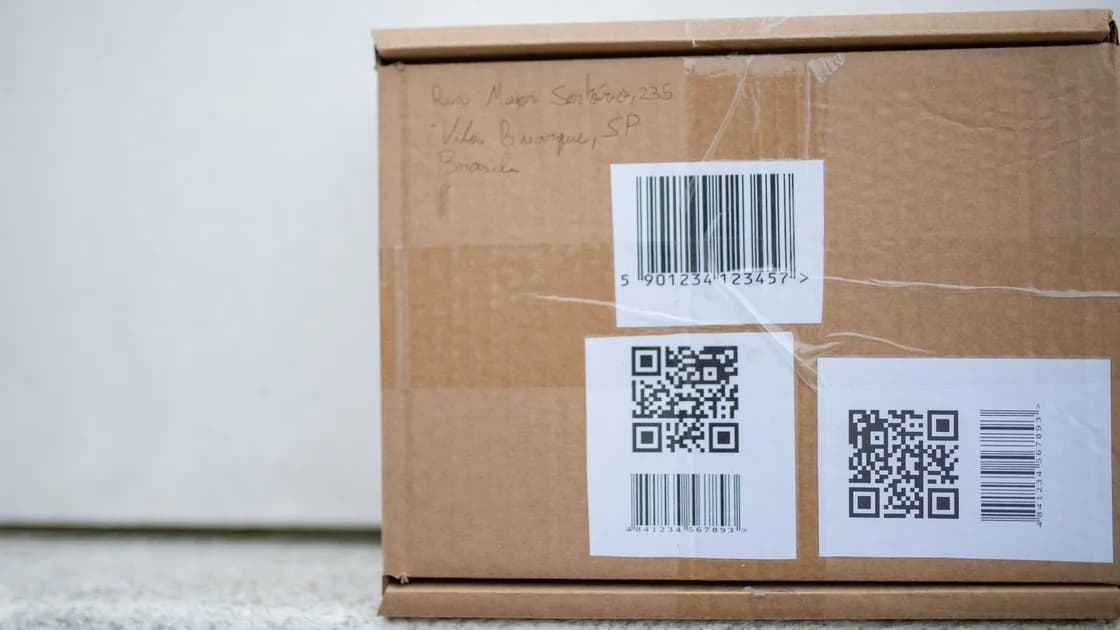
A parcel may give a scammer a convincing opening: “scan to find the sender” or “confirm delivery.” If there is a real unsolicited parcel, our brushing scam guide explains the physical-package checks. A threatening web page is a different route; see Apple security alert scams before accepting device access instructions.
If you did not share information, link a device or pay, focus on verification and blocking. The message itself is not evidence that your account has been taken over. Review privacy and group settings if unwanted contacts persist, but do not install a “cleaner” offered in the chat.
Open WhatsApp independently and inspect the linked-device list. Disconnect sessions you do not recognize. Note that unfamiliar device labels can also belong to your own browser or computer; compare them with devices you actually use before deciding what happened.
If registration access may have been handed over, follow the official recovery flow. Change exposed credentials for other services through those services separately. Simply changing an unrelated password is not a substitute for reclaiming the WhatsApp registration.[3]
WhatsApp account recovery starts by re-registering your number with the six-digit code sent by SMS or phone call. The official guidance says that entering this code logs out other account users; an unfamiliar two-step PIN can require a seven-day wait. Follow the in-app prompts rather than paying anyone to remove that wait.[3]
You need control of the same phone number for recovery. If the SIM or number is unavailable, contact your carrier through a trusted route. Warn contacts through another channel that messages from the account may be fraudulent. Recovering access does not undo messages or payments already sent.
Contact the payment service and, where relevant, your bank or card issuer promptly. Describe accurately whether you sent the payment yourself, someone accessed your account or a purchase was not delivered. Keep the transaction identifier and correspondence. Recovery options depend on the payment method and applicable conditions; no stranger can guarantee a refund.
Watch for a second approach claiming to recover lost funds for an advance fee. Do not move money to a new account to “protect” it. A report reference is useful evidence, but it is not permission to send another payment.
Protect your number, review linked sessions and enable available account security features through the official app. Keep the device updated and check unexpected access prompts before approving them. These measures reduce opportunities for misuse, while independent identity checks address the social engineering that starts the scam.
WhatsApp's encryption does not decide whether the person asking for money is honest. Public-network protection is a separate layer: AethoVPN can encrypt forwarded device traffic on an untrusted network, but cannot verify a contact, revoke a linked device or stop you from sharing a registration code. Our guide to VPN limits against hackers explains that boundary.
Use a simple household rule: sensitive requests move to a known channel before anyone acts. Make that rule apply even to familiar accounts. It is easier to follow one repeatable verification habit than to memorize every scam script.
Yes. An impersonator may use a compromised account or a new number claiming to belong to that person. Confirm sensitive requests through another known channel before acting.
No. QR codes have legitimate uses. The risk here is authorizing a WhatsApp device link you did not intend, so inspect the actual action rather than the code's appearance.
Continued access does not rule out an unfamiliar linked device. Check the device list when you suspect a linking request and disconnect sessions you cannot account for.
Keep the code private and do not forward it. An unexpected code can indicate a registration attempt, but receiving it alone does not prove that someone successfully accessed your account.
Official recovery requires control of the account's phone number. Contact your carrier if you cannot receive the code; avoid services promising recovery without that requirement.[3]
A VPN does not verify identities or block voluntary code sharing. Network transport protection cannot replace account recovery, linked-device review or independent checks before payment.
No. Reporting helps establish the record, but payment recovery depends on the provider, transaction type and circumstances. Contact the relevant provider promptly and avoid advance-fee recovery offers.
Sources checked 5 October 2026.
Sign up to experience all premium features at no cost.
*Available only to new users. Each user is limited to one trial.