Start your 3-day free trial
Sign up to experience all premium features at no cost.
*Available only to new users. Each user is limited to one trial.
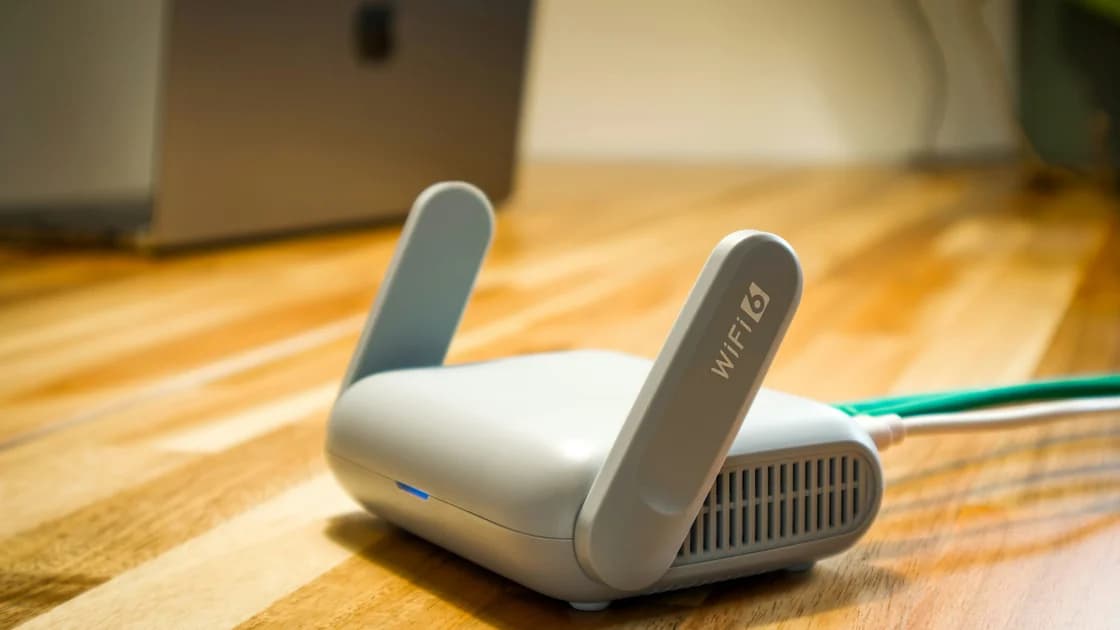

For WPA2 vs WPA3, choose WPA3-Personal when your router and the devices that need the network support it reliably. Use WPA2/WPA3 transitional mode when compatibility requires it, understanding that a device using WPA2 has not acquired WPA3 protection. If WPA3 is unavailable, WPA2-Personal with AES is the relevant fallback; avoid old WEP, original WPA and TKIP combinations. Apple’s router guidance supports this order.[1]
Key Takeaways
- WPA3-Personal changes password authentication through SAE; the difference is more than a stronger-sounding label.
- Protected management frames address selected management traffic, not every kind of interference.
- Transitional mode admits legacy WPA2 clients, so read the security of each connection rather than the router label alone.
- Firmware, drivers, a strong unique Wi-Fi password and a tested compatibility plan still matter.
Both are Wi-Fi security modes for the connection between a client and an access point. In a home network, Personal generally means a shared passphrase rather than an organisation’s separate authentication infrastructure. This comparison concerns those Personal modes. Do not transfer a claim about WPA3-Enterprise’s optional 192-bit mode to ordinary WPA3-Personal.
The router interface often shortens the names. WPA2-PSK describes the pre-shared-key approach; WPA3-SAE names Simultaneous Authentication of Equals. Intel’s support documentation uses WPA3-Personal and WPA3-SAE for the supported mode.[2] Seeing a password box does not mean the underlying authentication is identical.
| Property | WPA2-Personal with AES | WPA3-Personal | What to check |
|---|---|---|---|
| Password authentication | PSK-based authentication | SAE authentication | Actual client connection and router setting |
| Captured-exchange password guessing | A captured suitable exchange can support offline candidate checking | SAE is designed to resist that passive offline guessing route | Implementation, updates and whether the client used WPA3 |
| Protected management frames | Support and configuration vary | Required for WPA3 connections | PMF capability and negotiated mode |
| Older clients | Widely supported | Requires client and access-point support | OS, adapter, driver and firmware |
| Mixed deployment | Can join a transitional network | Can join the same network using WPA3 | The mode used by each device |
Aruba’s deployment documentation explains SAE, Personal transition mode and protected management frame requirements.[3] This table compares mechanisms, not results from a laboratory test. We have not measured a universal performance improvement, performed penetration tests on your router or assigned a security score to a particular manufacturer.
If your immediate question is which password belongs to the network, read what a network security key means. The Wi-Fi passphrase is separate from the password that opens the router’s administration interface. Changing one does not establish that the other changed, and leaving an administrative default is a different concern from selecting WPA3.
WPA2-Personal’s handshake lets a suitable captured exchange be checked against password candidates offline. That makes the quality of a shared passphrase important: a captured exchange does not reveal every password instantly, but predictable candidates are a different proposition from independently generated random ones.[3]
SAE changes that authentication exchange. Its purpose includes resisting passive offline dictionary attacks against the exchange, so observing a normal connection is not the same opportunity to test an unlimited list of passwords without further interaction.[3] This is a specific improvement in a specific attack route, not a claim that every possible password attack disappears.
A weak, shared or disclosed passphrase remains a problem. Someone you intentionally give it to can attempt to join the network. Someone may also obtain it from a label, a saved configuration, a message or deception. WPA3 does not undo those disclosures or prevent you from approving a misleading request for the secret.
The password cracking time guide explains why attack context, generation and cost must accompany time estimates. A benchmark against a website’s stolen password hash cannot automatically describe a Wi-Fi exchange. Equally, a statement about SAE should not be used to promise that a reused password is safe on unrelated services.
Choose a long, unique passphrase through a method you can maintain and share only with the people who need access. Do not publish it in troubleshooting screenshots or ordinary planning notes. If someone no longer needs access, review the shared credential and the network design instead of assuming a new protocol name excludes that person.
Wi-Fi uses management traffic as well as application data. Protected Management Frames, often abbreviated PMF, protect selected robust management frames against spoofing or tampering after the relevant protection is established. Their role includes resistance to forged disconnection traffic in the covered circumstances. Aruba’s documentation describes the mandatory protection for WPA3-Personal connections.[3]
That does not make wireless communication immune to disruption. PMF does not prevent radio jamming, repair weak reception, or authenticate every beacon and every pre-connection exchange. A laptop losing its connection therefore does not automatically prove an attack, and choosing WPA3 does not guarantee that all disconnections end.
Router controls may label PMF as optional, capable or required. These are not decorative terms. Requiring it can exclude clients that cannot support it; allowing it preserves compatibility but does not establish that every admitted connection uses it. Read the router’s documentation before changing a control whose relationship to the selected mode is unclear.
In WPA3-only operation, the relevant WPA3 connection requires PMF. In a Personal transitional network, the access point also admits WPA2 clients, so the overall network’s compatibility rules differ.[3] Do not read a mixed-network label as proof that an old client negotiated the same protections as a current phone.
When troubleshooting, separate authentication failure from poor signal and internet-path failure. A device may connect to Wi-Fi successfully yet fail to reach the internet for unrelated reasons. Likewise, a wrong password is not evidence that a radio channel needs changing. A simple record of whether association succeeded makes later comparisons more meaningful.
Transitional mode allows WPA2 and WPA3 Personal clients on the same network. Apple recommends it when WPA3-Personal compatibility is not sufficient.[1] It helps you move a mixed collection of devices without immediately abandoning every older one. The compromise is that a WPA2 connection continues to use WPA2’s mechanism.
Consider an illustrative household with current phones and an older printer. If all phones join using WPA3 but the printer requires WPA2, transitional mode may keep the required tasks working. That is a deployment decision, not evidence that the printer has become a WPA3 device. Record which requirement forces the compromise and review it when the printer is replaced or updated.
| Your situation | A mode to evaluate | Acceptance check | Reason to revisit |
|---|---|---|---|
| All required devices support WPA3 | WPA3-Personal only | Every required device reconnects and completes its task | New device or changed firmware |
| One necessary client requires WPA2 | WPA2/WPA3 transitional | Confirm both functionality and each available connection mode | Legacy device updated or removed |
| Router lacks WPA3 | WPA2-Personal with AES | Supported firmware and strong unique passphrase | Router support ends or replacement becomes practical |
| Only obsolete security works | A supported replacement or revised setup | Required device works without relying on WEP or TKIP | Do not make obsolete security the default for convenience |
The table is a decision aid, not a mandate to buy hardware immediately. First establish what the actual router and clients support. A settings label from another model cannot prove an option exists on yours. Where a separate legacy network is supported, evaluate it with the vendor’s instructions and the access restrictions you actually need.
A guest network can be useful, but its name alone does not prove isolation. An old device that must print for local clients presents a different functional requirement from a guest who only needs internet access. Do not enable isolation blindly and then treat a broken local task as evidence that WPA3 is defective.
Support is an end-to-end question: access point, client hardware, operating system, driver and firmware all matter. Intel lists supported adapters and software conditions for WPA3.[2] A computer’s age or a “Wi-Fi 6” marketing name alone does not reveal the exact mode available in its current installation.
Start with an inventory of required tasks rather than every device you once owned. Include phones, laptops, printers, cameras, mesh nodes and other equipment that must reconnect. Write down the model and the support page you consulted. You do not need to place passwords or sensitive addresses in that inventory.
Make changes through the router’s documented administration route, retaining a way to recover access if the wireless connection drops. Read the vendor’s backup and rollback instructions beforehand. This article does not supply a universal menu path because routers expose different settings, and an incorrect instruction could leave a reader disconnected.
Keep a controlled before-and-after record. Note the security mode, the firmware and the clients required for each test. Confirm that a device reconnects after saving settings, then check its actual task: printing, a call or access to a required service. A router interface reporting “saved” is not the same evidence as successful reconnection.
If a client fails, check its documented support and updates before downgrading the whole network. Where a transitional mode is necessary, record the reason. Do not change the passphrase, security mode, band configuration and several unrelated settings simultaneously unless recovery demands it; otherwise you lose the ability to identify the cause.
When the router offers connection details, inspect the negotiated mode for individual clients. Not every consumer interface exposes it clearly, so an absent field leaves that specific check unresolved rather than proving WPA3. Intel’s verification paper discusses multivendor compatibility testing and transition support, underscoring that actual combinations need verification.[4]
No. The wireless security mode protects the client-to-access-point connection. HTTPS protects an application connection to a server, and a VPN tunnel protects traffic within its own endpoints and scope. These are different segments. A secure local link does not settle what the destination service collects or whether an endpoint is compromised.
AethoVPN’s device tunnel operates beyond the Wi-Fi security choice; it does not change the router’s authentication mode or turn a WPA2 client into a WPA3 client. The limits of VPN protection against hackers explain the separate network boundary. Keep a supported Wi-Fi mode even when using a device tunnel.
Public networks present another setting: you may not administer their security mode or know their configuration. Our public Wi-Fi risk guide discusses that environment. Do not equate a venue password with proof of an exclusive or trusted network, and do not assume your home-router instructions apply to a captive portal.
WPA3 also does not change a router’s administrator credentials, stop malicious software on a connected device or withdraw access from an authorised user. Home Wi-Fi security covers the wider hardening tasks. If you have concrete compromise signs, router incident indicators address that separate investigation.
Choose the strongest supported mode that works for the devices and tasks you actually need, with a clear reason for any fallback. WPA3-Personal only is the preferred option when that combination is supported. Transitional mode is a compatibility decision, and WPA2 with AES is a fallback for a router without workable WPA3.[1] Do not quietly fall back to obsolete modes just to avoid investigating one client.
Keep firmware and client software maintained, and review the choice when you retire the device that required mixed operation. Record unresolved compatibility checks rather than claiming a universal upgrade succeeded. A one-time change does not establish continuing security if the equipment loses support.
The broader digital privacy guide connects networks with accounts, devices and data exposure. Here the outcome is narrower: you understand the authentication modes, the compatibility tradeoff and how to verify a change. No single Wi-Fi label can certify the entire household’s privacy.
WPA3-Personal provides relevant authentication and management-frame improvements, but the deployment must be supported and maintained. A label alone does not prove every client used that mode or that the whole network is secure.[1][3]
No. SAE changes an offline guessing route, but a disclosed or shared password can still grant access. Use a strong unique Wi-Fi secret and manage who receives it.[3]
No. Transitional mode admits WPA2 clients as well as WPA3 clients. A connection using WPA2 keeps that mechanism rather than gaining all WPA3 protections from the network’s label.[3]
They may if the required hardware or software support is missing. Check the actual client and router documentation, update where supported and test required tasks before committing to a mode.[2]
No. PMF protects selected management traffic, not radio jamming or poor reception. A disconnection needs ordinary troubleshooting before it is treated as evidence of an attack.[3]
WPA2-Personal with AES is the relevant fallback in Apple’s guidance. Maintain the supported equipment and a strong unique secret; do not select WEP or TKIP simply because they are offered.[1]
Yes. Wi-Fi security and application encryption cover different segments. WPA3 does not determine what happens beyond the access point, what a destination collects or whether your device is trustworthy.
Disclaimer: This editorial comparison is based on public technical and vendor documentation, without independent laboratory testing or manufacturer ratings. Available controls and compatibility depend on the actual hardware and software.
Sources:
Sources checked 5 October 2026.
Sign up to experience all premium features at no cost.
*Available only to new users. Each user is limited to one trial.