Start your 3-day free trial
Sign up to experience all premium features at no cost.
*Available only to new users. Each user is limited to one trial.
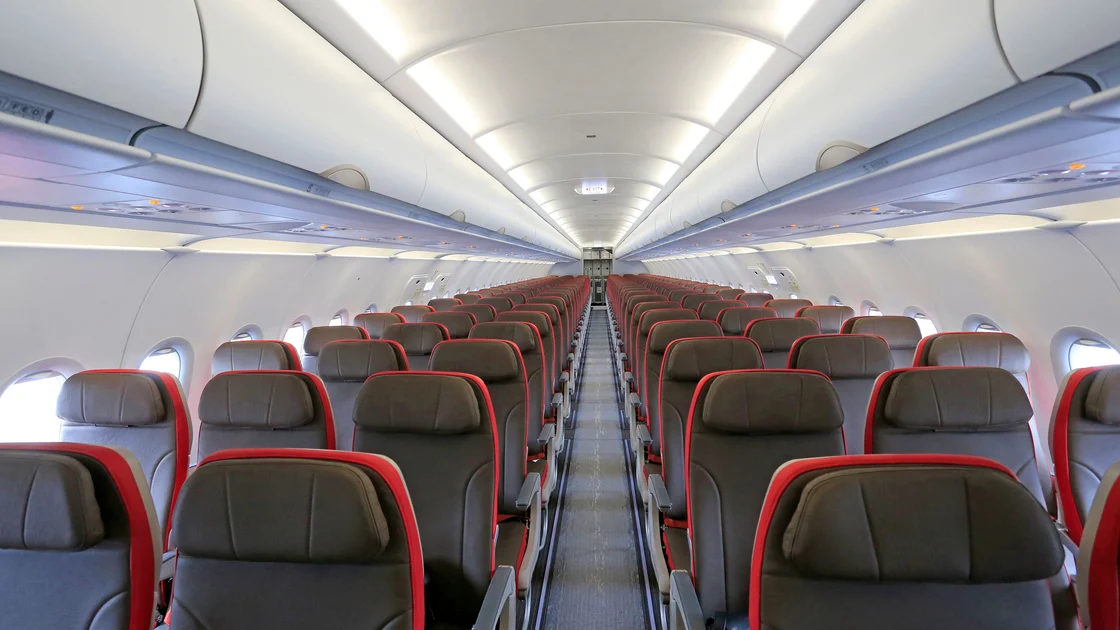

If your airline seat assignment disappeared, first confirm that the flight and ticket are still active. A seat number normally appears in the manage-booking view and on the boarding pass, not always on the e-ticket receipt. Save the former seat and any payment evidence, find out whether the aircraft or booking changed, then ask the operating carrier to record your seating needs and the remedy for any paid service that is no longer available.
Key Takeaways:
- A missing seat number does not by itself mean that your flight or ticket was canceled.
- Check the booking through the actual operating carrier as well as the seller when roles differ.
- Preserve the old assignment, seat-fee receipt and current seat map before contacting support.
- State family, disability and special-assistance needs explicitly; do not rely on a preference note alone.
- Check again at online check-in, bag drop and the gate because operational seating can change.
Include seat verification in your international travel checklist. If the underlying flight was changed or canceled, use the flight disruption guide first; this page focuses only on a lost or reassigned seat number.
Open the reservation from the airline's saved official website or app rather than an unexpected message. Confirm the passenger name, route, date, flight number, booking status and electronic ticket number. Then look for the seat under each passenger and segment. A wallet pass, cached app page or travel-agent view can lag behind the operating carrier's record.
Try one controlled comparison: sign out and reopen the official itinerary, or use the operating carrier's manage-booking page with the reference it recognizes. Do not repeatedly select and pay for new seats merely to test the interface. If the old seat appears in one channel and not another, capture both views with the time and source.
Classify what you see:
| Display | Likely question to ask |
|---|---|
| Seat field is blank | Is the old assignment still in the passenger record? |
| “Assigned at airport” | Is this a temporary operational hold or a permanent restriction? |
| Different seat number | What changed, and is the new seat equivalent to the paid service? |
| No seat map | Has the aircraft, flight or booking control changed? |
| Ticket or segment inactive | Resolve the itinerary or ticket before treating this as only a seat issue |
An aircraft substitution can replace one seating layout with another, so the old row or seat may not exist. The US Department of Transportation warns families that airlines can change seats after booking because of events such as an aircraft substitution and recommends confirming the arrangement before travel.[1] A schedule change, flight-number change, ticket reissue or transfer between partner carriers can also detach an earlier selection. If you accepted a rebooked flight after a disruption, check the seat on every new segment, because a selection made for the original flight may not transfer.
Other possibilities include a blocked seat, maintenance requirement, weight-and-balance decision, a change in passenger eligibility for a particular row, or a system synchronization problem. Ask the airline which category applies instead of guessing from the seat map. A map showing a seat as occupied does not prove who has it or why it became unavailable.
Keep this separate from cabin class. A missing economy seat number is not automatically a move to a lower cabin, and a different seat within the same cabin is not automatically a denied-boarding event. Verify the cabin and fare separately so the support request uses the correct problem.
Save the original confirmation showing the seat number, passenger, segment and date. If you paid, keep the itemized seat receipt, amount, currency, seller and payment reference. Capture the current itinerary and current seat map, but do not include an unmasked card number or passport in an ordinary email.
Build a short record:
Store the evidence outside the airline app in case the booking view changes again. The offline travel-document guide explains how to keep a recoverable copy without broadly sharing identity documents. Evidence should show the service purchased; it does not need to expose unrelated account data.
Start with the operating carrier for the current seat map and operational assignment. If a travel agent or partner airline sold the seat or controls the ticket, it may also need to repair the service or payment record. Ask each party to identify its role and provide a case number rather than accepting an indefinite referral loop.
State the outcome you need in order of importance. For example: keep a child with the accompanying adult, preserve an accessibility feature, obtain an equivalent paid seat characteristic, or recover the fee if the purchased service cannot be supplied. An exact seat may be impossible after an aircraft change, so describing the functional need is more useful than demanding only one number.
Ask the agent to confirm:
Do not bury an essential need inside a general seat preference. Tell the airline the ages of accompanying children and which adult is responsible for each child. The DOT family-seating dashboard describes specific commitments made by participating US airlines, but the dashboard is not a worldwide guarantee and must be read for the named carrier and conditions.[2]
For disability-related seating or assistance, contact the airline through its official accessibility channel as early as practical. Explain the function required—transfer assistance, movable armrest, proximity to a companion, space for an approved device or another need—without sending unnecessary medical records. Ask what is confirmed and what must be reconfirmed at the airport.
Never self-certify eligibility for an emergency-exit row. Airlines apply safety criteria and crew instructions. If a former exit-row seat disappears, ask for an appropriate alternative or fee resolution; do not coach another traveler to give an inaccurate answer to regain it.
Check the itinerary when online check-in opens. If the seat is still blank, arrive with enough time to use the carrier's staffed desk and present the case number and evidence. Ask for a printed or in-app boarding pass showing the current seat, then inspect it again after any reprint, flight change or upgrade request.
At the gate, monitor official announcements and the boarding pass rather than assuming an earlier screenshot remains final. If staff reassign the seat, calmly restate any safety, child or accessibility requirement before boarding closes. Record the new seat and the name or location of the desk, but do not photograph other passengers or expose their boarding details.
If a separately paid seat service was not provided, ask for the airline's official fee-remedy route and preserve the final boarding pass. Under covered US rules, advance seat selection is an ancillary service and a fee can be refundable when the service is unavailable through no fault of the traveler.[3] Other itineraries may follow different laws and contracts, so request the remedy that actually applies rather than presenting the US rule as universal.
No. An e-ticket receipt often omits the seat, and some fares receive a seat only at check-in. Look in the manage-booking view or on the boarding pass, where the seat appears as a row number and letter, such as 23C. Verify both the segment status and electronic ticket number with the responsible airline or issuer.
Not always. The seat may not exist after an aircraft change. Ask for an equivalent characteristic where possible and the applicable fee remedy if the service cannot be provided.
Contact the operating carrier promptly, state each child's age and accompanying adult, and ask what can be confirmed before the airport. Recheck at the staffed desk and gate.
Requirements vary. Explain the functional assistance needed and use the airline's official accessibility channel. Share only documents the legitimate process actually requires.
Yes. Aircraft or operational changes can cause later reassignment. Inspect every updated boarding pass and listen for official gate instructions.
Ask who collected the fee and who failed to provide the service. The operating carrier, ticket seller or payment merchant may have different roles depending on the transaction.
No. A VPN cannot restore a seat, determine exit-row eligibility or require an airline to refund a fee.
Sources checked 4 September 2026.
This article provides general travel information, not legal advice. Seat assignments, assistance, family-seating practices, fees and remedies depend on the carrier, aircraft, contract, itinerary and applicable jurisdiction.
Sign up to experience all premium features at no cost.
*Available only to new users. Each user is limited to one trial.