Start your 3-day free trial
Sign up to experience all premium features at no cost.
*Available only to new users. Each user is limited to one trial.


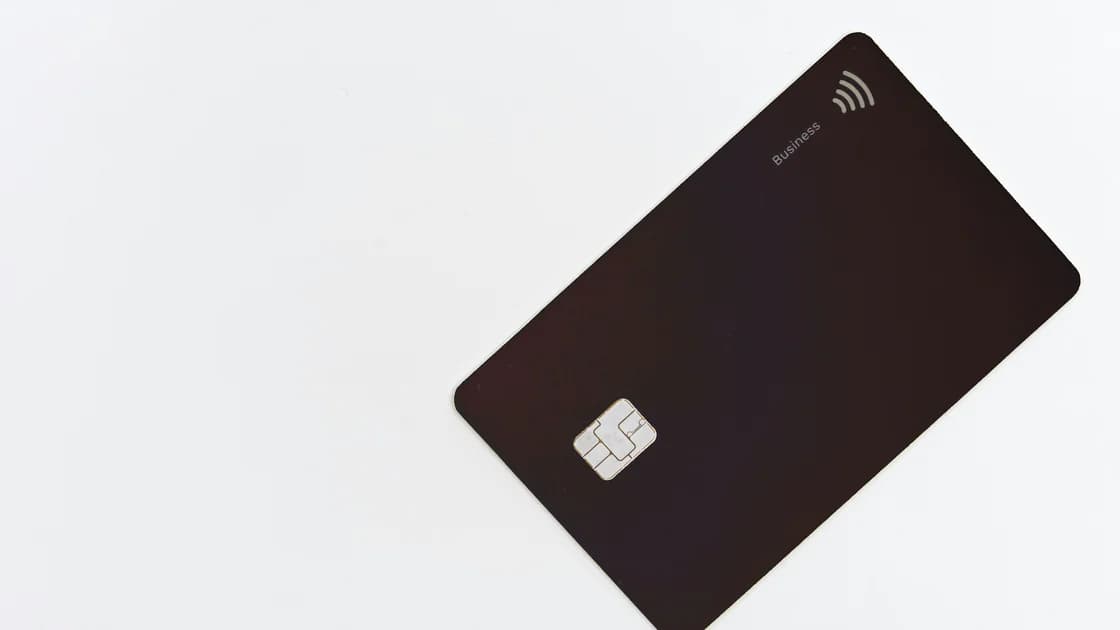
If an authorized user card is missing from online banking, first confirm that the issuer actually issued that card and identify whose login should display it. Activation, online enrollment, identity matching, and viewing permissions are separate steps. Never solve the problem by sharing the primary cardholder's password or one-time code.
Key Takeaways:
- Confirm the person's role, card status, delivery, and last four digits.
- Use the authorized user's own issuer profile where the issuer permits one.
- Match the issuer's identity records exactly and check online-access eligibility.
- Retry only the issuer's authenticated enrollment or linking process.
- Escalate with both parties available, without exposing credentials.
Add account-access checks to your international travel preparation before either person crosses borders or loses access to a familiar phone number. This guide addresses a card already requested or issued but absent from the expected login. It does not decide whether someone should be an authorized user or a joint account holder.
Ask the primary cardholder to inspect the issuer's authenticated account and the most recent confirmation. Record the authorized user's full name as submitted, the date added, the card's last four digits if available, delivery status, and whether the issuer says the request is pending, approved, shipped, replaced, removed, or declined.
Use precise role labels. “Authorized user,” “additional cardholder,” “account manager,” “employee cardholder,” and “joint owner” can carry different access and responsibility. Capital One, for example, distinguishes authorized users from account managers and says their account access differs.[1] That description applies to Capital One's current US process, not every issuer.
If the parties are unsure of their legal or credit responsibilities, read the separate authorized-user versus joint-holder guide. For this troubleshooting flow, the operative questions are whether a card exists, who owns the account, and what online access the issuer grants that role.
Check for later changes. A replacement, name correction, product conversion, fraud closure, or removal and re-addition can leave an earlier plastic card or confirmation obsolete. Do not repeatedly submit new authorized-user requests while the first one is unresolved; duplicates can complicate identity review.
Confirm that the card was delivered to the address or pickup method the issuer recorded. Compare the card's name and last four digits with the primary account's authorized-user entry. If it has not arrived, use the issuer's missing-card process instead of trying to link an unknown credential.
Activation may be required before online visibility, but the order varies. Use only the issuer's official app, typed website, or phone number on the card. Do not send the card number, security code, PIN, password, or one-time code through chat, email, or a search result.
Record activation time, channel, confirmation, and any error exactly. “Card not found,” “information does not match,” “already enrolled,” and “not eligible for online access” point to different stages. A generic blank dashboard may instead be a session, profile, or region issue.
If the physical card works but remains absent online, do not treat successful spending as proof that digital access exists. Conversely, a visible card tile does not prove activation or purchasing authority. Keep card state and online-profile state separate in the timeline.
The primary cardholder should use their own profile, and the authorized user should use a separate personal profile if the issuer offers one. Never share a username, password, passkey, security answer, device approval, or one-time code. Shared credentials erase accountability and can trigger security controls.
Capital One says eligible authorized users may create their own online profile and have limited access, while account managers can have broader permissions.[1] It also describes account linking as a way for eligible accounts with matching ownership details to appear under one username.[2] These are issuer-specific examples; another bank may show the card only to the primary user or require a different enrollment path.
Check whether the missing card is expected in the authorized user's dashboard, the primary holder's card-management page, or both. Ask the issuer what the role should see: balance, transactions, statements, rewards, controls, payments, or only the card itself. Do not assume access to one feature grants access to all account data.
If a person has multiple profiles, stop guessing which one is authoritative. List the masked usernames or email hints shown by the issuer's recovery flow, without sharing secrets, and ask support to identify duplicates or merge eligibility safely.
Compare the issuer's record with the user's legal name, date of birth, residential address, phone, email, and any tax or identity number the issuer lawfully requests. Look for transliteration differences, old addresses, compound surnames, hyphens, suffixes, recent name changes, and country-code errors. Do not email sensitive documents unless the issuer directs you to a verified upload route.
Some issuers require a minimum age, domestic address, taxpayer identifier, account relationship, or completed identity check for independent online access. Ask which requirement applies and whether the card can remain valid even when the authorized user is not eligible for their own profile.
Capital One's linking guidance says accounts may be linked when the personal information and ownership relationship match its records.[2] A mismatch can therefore be a data-quality problem rather than evidence that the card was never issued. Again, confirm the relevant bank's rules rather than transferring this example wholesale.
If the user recently moved abroad, keep an evidence trail before changing address or phone data. The digital-account moving checklist covers recovery channels and document continuity. Update facts accurately; do not invent a domestic address or use another person's identity to pass enrollment.
Close duplicate sessions, update the official app if appropriate, and sign in from a trusted device and network. First confirm that the account is absent in both web and app views. A stale app cache is possible, but repeated reinstallations will not correct issuer-side identity or permission data.
Follow the issuer's documented enrollment, add-account, or link-account route exactly once. Enter the authorized user's own details and the requested masked card information. Save the confirmation or exact error and time. Do not use an unofficial “account linking” service or give remote-control access to a stranger.
If travel or a new phone interferes with verification, consult the banking and payment app preparation guide. Ask the issuer for an approved recovery method. Do not bypass a security challenge through the primary holder's session.
After a successful link, sign out and back in, then check what permissions actually appeared. Verify alerts and contact details without changing payment instructions unintentionally. If the card still does not show, stop repeated attempts before an automated security lock and move to authenticated support.
Contact the issuer through the number on the card, a verified statement, or the authenticated message center. The primary holder may need to confirm the relationship; the authorized user may need to complete their own identity check. Arrange a joint call only if the issuer requests it, and each person should authenticate themselves separately.
Provide the role, date added, masked card number, delivery and activation confirmation, the authorized user's profile identifier, exact error, attempted route, and timestamps. Ask whether the card is active, attached to the intended account, eligible for online access, linked to another profile, or blocked by an unresolved identity field.
Request a specific resolution: correct the profile data, finish identity review, remove a duplicate profile, send the correct enrollment invitation, replace an invalid card, or explain the role's access limit in writing. Record case numbers and avoid sending full credentials in follow-up correspondence.
When access appears, compare only the permissions that should exist. Report unfamiliar transactions through the issuer's security process, but do not call the card fraudulent merely because it was hidden online. Keep the final confirmation with your account records.
No. Access depends on the issuer, role, identity requirements, and account configuration. A valid card may exist without an independent online profile.
No. Each person should use their own credentials. Never share a password, passkey, security answer, device approval, or one-time code.
Yes, some issuer flows link visibility to activation, while others display the card first. Check the issuer's required order.
Its record may contain an old address, spelling variation, duplicate profile, or incomplete identity field. Ask which field must be corrected through a secure route.
They may confirm the relationship, but the authorized user may still need a separate enrollment and identity check. Follow the issuer's process.
No. It can reflect profile, permission, activation, or display issues. Confirm card and account status directly.
No. A VPN cannot change issuer identity records, user roles, activation, eligibility, permissions, or account linking.
Sources checked 8 September 2026.
This article provides general account-access and financial education, not legal, tax, credit, or financial advice. User roles, identity requirements, permissions, and remedies vary by issuer, account, and jurisdiction.
Related reading:
Sign up to experience all premium features at no cost.
*Available only to new users. Each user is limited to one trial.