Start your 3-day free trial
Sign up to experience all premium features at no cost.
*Available only to new users. Each user is limited to one trial.
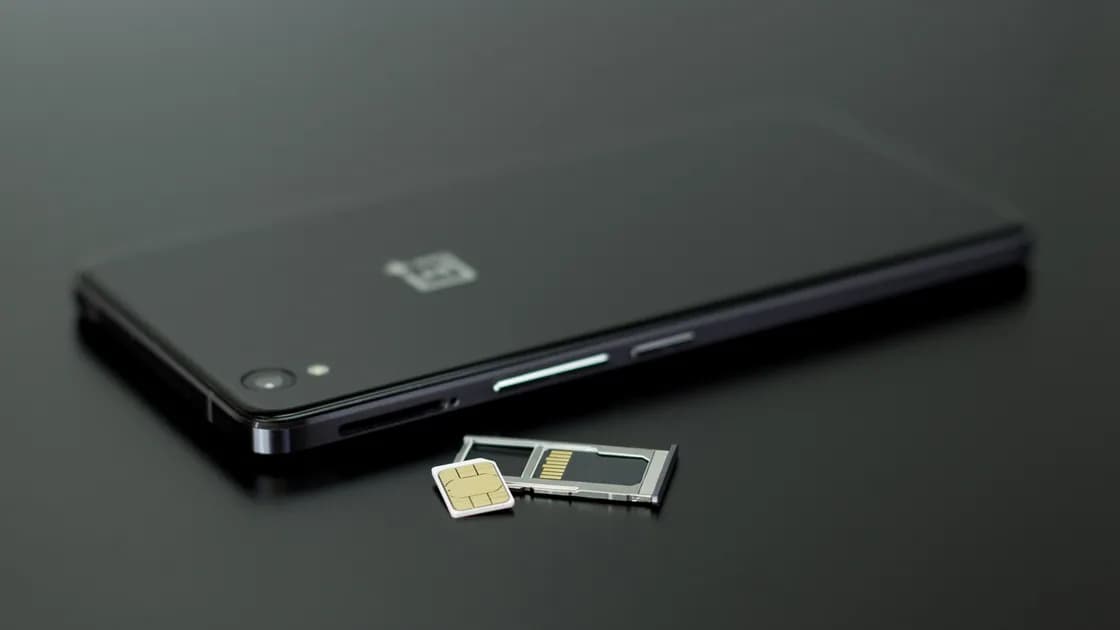

If your SIM or eSIM is lost abroad but the phone is still in your control, reach your carrier through a trusted connection, ask it to suspend the old SIM, and request a same-number replacement: a new physical SIM or, where the carrier supports it, an eSIM sent to the phone you already have. If the phone is also missing, stop here and follow the lost-phone digital recovery sequence, because device locking and session protection become immediate priorities.
Key Takeaways:
- First decide whether only the SIM credential is affected or the phone is missing too.
- Use a trusted connection and a pre-saved official carrier channel.
- Ask the carrier to suspend the old credential before it can be used for calls, texts, or account recovery.
- Prefer a same-number replacement or supported transfer when preserving account continuity matters.
- Do not assume an old eSIM QR code can be reused, and do not repeatedly delete and reinstall profiles.
Keep a minimal carrier and document recovery kit as part of international travel preparation and an offline travel-document backup.
Start with the physical state, not an account menu:
| What you still control | Likely situation | First route |
|---|---|---|
| Phone, account session, but physical SIM is absent | SIM removed, misplaced, or stolen | Secure connection, carrier suspension, same-number replacement |
| Phone, but eSIM profile is missing or inactive | Profile deleted, transfer failed, carrier activation unavailable | Preserve phone state, contact carrier, request supported reactivation |
| Phone and SIM/eSIM are both missing | Device loss or theft | Use the lost-phone recovery article immediately |
| Phone is present but number suddenly loses service | Could be account, network, provisioning, or SIM-swap issue | Check carrier status through an official channel; do not assume physical loss |
Do not label every “No Service” event as a lost SIM. Coverage, roaming, an expired travel plan, account suspension, device settings, and a carrier outage can look similar. But if the physical SIM is gone or the carrier confirms an unauthorized replacement, treat the old credential as exposed.
Use known hotel Wi-Fi, a trusted companion's hotspot, or another connection whose identity you can verify. Avoid entering carrier credentials through a link in an unexpected text, search advertisement, or message. Open a saved carrier app, bookmark, printed support number, or the carrier's official site reached independently.
If only the eSIM profile is missing, keep the phone powered, locked, and unchanged. Do not factory-reset it or delete other working profiles. The carrier may need device information, account state, or an existing session to approve recovery.
Tell the carrier whether the phone remains with you, whether the affected line is a physical SIM or eSIM, when service last worked, and whether you suspect theft or unauthorized transfer. Ask for the old SIM/eSIM credential to be suspended while preserving the account and number if possible.
Use only the minimum identity data requested through the official process. A support agent may need account PINs, billing details, device identifiers, or identity documents, but do not send copies to an unverified chat account. Record the support reference number and the exact status applied to the line.
A suspended line may temporarily stop legitimate verification texts. That inconvenience is safer than leaving a missing credential active. Identify the accounts where the phone number can reset a password or approve a transaction: primary email, banking, cloud storage, password manager, messaging, work access, and social accounts.
Use existing trusted sessions to add or verify a second factor that does not depend only on the missing line, where the service permits. Review recent security alerts and sessions. Do not rotate every password automatically; prioritize accounts showing suspicious activity or relying exclusively on the affected number.
Ask first for the same number, because changing a number creates a second migration across contacts, messengers, banks, and recovery settings. The carrier may offer a physical replacement, a new eSIM activation, an in-app transfer, a store visit, delivery, or collection by an authorized person. Availability and identity requirements vary by carrier and country.
Apple documents multiple eSIM setup paths: carrier activation, transfer, QR code, carrier link, carrier app, and manual details, all depending on carrier support. It also notes that activation of a transferred line can deactivate the previous SIM, and that an eSIM the carrier sends to an iPhone you already use is installed from a ready-to-install notification and then checked with a call.[1] Google similarly describes SIM/eSIM transfer as carrier-dependent and tells users to contact the carrier when automatic transfer is not detected.[2] These are reasons to follow the carrier's live instructions, not reasons to improvise.
Before the replacement is issued, confirm:
Do not assume an old QR code is reusable. A code may be one-time, expired, linked to a specific activation, or invalid after suspension. Repeated scans and repeated profile deletion can create more ambiguous state. Request a fresh supported method when the carrier says it is required.
Keep the phone on a trusted connection and follow the exact carrier/device steps. If a second working line is present, label it clearly so you do not delete or disable the wrong profile. Complete one activation attempt, wait for the documented period, and capture the exact error if it fails.
After the line appears, verify in a low-risk order:
Do not begin by requesting several high-value account codes. First prove ordinary carrier service, then test one low-risk verification path. Repeated code requests can trigger account or carrier fraud controls.
Review the window between loss and suspension. Check carrier account changes, call or message activity if the carrier exposes it, new forwarding settings, number-transfer requests, and security notifications. Then inspect primary email, financial, cloud, password-manager, messaging, and work sessions for unexpected access.
If you see an unauthorized number transfer, password reset, new device, or transaction, preserve the alert and contact the affected provider through an official channel. Change credentials from a trusted device and revoke unknown sessions. Consider the number a recovery factor, not proof of identity by itself.
Messaging apps need their own review. A same-number replacement does not necessarily require an in-app number change[3]. Keep the active session and use the messaging-app continuity checklist before signing out or reinstalling anything.
If the physical SIM never went missing but service suddenly stopped, first rule out coverage, plan expiry, maintenance, and device settings. Then use the carrier's official account or support channel to ask whether a replacement credential, number-transfer request, or new call-forwarding rule was added.
Treat several signals together as urgent: an unfamiliar SIM-change notice, an unexpected carrier-account sign-out, missing texts, a password reset you did not request, or a new login to email or banking. Do not give a caller a verification code to “cancel” a transfer. Record times, alerts, the support reference, and carrier-confirmed changes without publishing ICCID, EID, IMEI, identity documents, or codes.
Preparation should not create a portable bundle containing every password, identity document, recovery code, and activation credential. Separate storage locations so one loss does not expose the entire recovery chain.
A missing physical SIM may be placed in another device unless carrier controls stop it. An exposed number can also be targeted for account recovery. Contact the carrier promptly and suspend the credential.
Do not assume so. Reuse depends on the carrier and activation method. Ask for a supported reactivation or a fresh credential instead of repeatedly scanning or deleting profiles.
Often that is the goal, but the carrier decides eligibility, identity checks, delivery, and timing. Ask explicitly whether the replacement preserves the number and invalidates the old credential.
Sometimes. If your phone and carrier support eSIM, the carrier may issue a replacement remotely through carrier activation, a link, a QR code, or its app.[1] A physical SIM may need delivery, a store visit, or collection by an authorized person, so ask which option works from your current country.
Not automatically. First suspend the credential, review alerts and sessions, and prioritize accounts where the number can reset access or where suspicious activity appears.
Yes, a separate travel line may restore internet access on a compatible phone. It does not restore control of the home number or receive its verification texts.
Use the lost-phone recovery sequence immediately. Device location, locking or erasure decisions, session protection, carrier action, and account recovery must be coordinated.
Disclaimer: This article provides general incident-response information. Replacement, identity verification, number retention, roaming, activation, and fraud procedures vary by carrier, device, account, and country.
Sources checked 4 October 2026.
Sign up to experience all premium features at no cost.
*Available only to new users. Each user is limited to one trial.