Start your 3-day free trial
Sign up to experience all premium features at no cost.
*Available only to new users. Each user is limited to one trial.
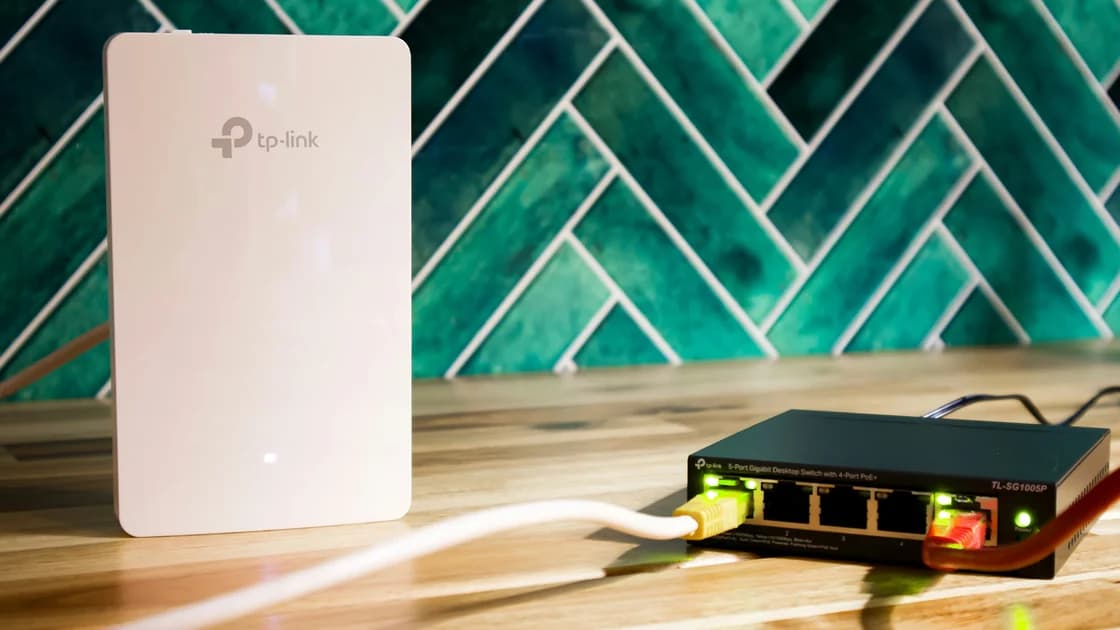

For backup internet while living abroad, choose a fallback outside the main link's failure domains. Then rehearse a real switch.
Key Takeaways:
- Two devices are not independent if they share the same provider, cell site, last-mile route, power source, or payment dependency.
- Set a tolerable interruption time for each critical task before buying equipment.
- A UPS can keep local equipment powered, but it cannot repair a provider or regional outage.
- Check data allowance, tethering eligibility, top-up access, battery runtime, and safe storage.
- Test the fallback by deliberately disconnecting the primary service and completing a real task.
Start with tasks that cannot wait and the failures that can interrupt them. Choose an independent fallback where practical, provide power and account access, then disconnect the main link and test the backup under realistic load.
This is a resilience plan, not a list of hotspot products. For phone-specific eligibility and setup, use the phone hotspot abroad guide. If the main household line is not yet active, complete the home internet setup process before treating it as a dependable primary connection.
List what you need the internet to do during an ordinary day and during an emergency. Include work login, voice or video calls, messaging, banking, maps, healthcare, school, smart-home access, and contacting the landlord or provider. Mark which tasks can wait, which need a low-bandwidth alternative, and which require a full computer connection.
Assign a maximum tolerable interruption to each task. The number does not need to be formal, but it must influence the design. If a work meeting can wait until the next day, a nearby coworking space may be adequate. If a medical device, urgent support role, or business system must reconnect quickly, travel time to public Wi-Fi is not a sufficient first fallback.
| Task | Tolerable interruption | Minimum fallback | Offline alternative |
|---|---|---|---|
| Emergency communication | Very short | Voice, SMS, or another reachable network | Written contacts and meeting point |
| Essential work | Defined by employer or client | Stable authenticated computer connection | Local files and phone escalation |
| Banking or account recovery | Can often wait briefly | Trusted private connection and recovery access | Verified support numbers |
| Routine streaming | Usually longer | Best-effort data | Downloaded media |
| Home automation | Depends on safety impact | Local controls or secondary link | Manual device operation |
The UK Prepare campaign notes that outages may affect one network, several networks, or—in serious cases—mobile, landline, and broadband together.[1] Its legal and service context is UK-specific, but the planning lesson is general: define what happens when more than one channel fails.
A failure domain is a dependency whose failure can disable one or more connections. Draw the primary path from your device to the destination and mark each layer. You do not need an operator-grade network diagram; a table that exposes shared dependencies is enough.
| Failure domain | Primary path | Candidate backup | Independence question |
|---|---|---|---|
| Last mile | Building fiber or cable | Mobile data | Does mobile use a separate physical access network? |
| Provider | Fixed-line ISP | Another service | Does the second brand share wholesale infrastructure? |
| Mobile radio | One mobile operator | Second SIM or hotspot | Is it a different network and likely a different cell path? |
| Local power | Wall-powered modem and router | Battery hotspot | Can every required device run during a power cut? |
| Device | One router or phone | Separate device | Can the backup work if the primary device fails? |
| Account and payment | One login or card | Pre-authorized second account | Can you top up or sign in without the failed service? |
| Building | Shared communications room | Off-site location | Can you leave safely and reach it during an incident? |
| Region | Local terrestrial networks | Satellite or another area | Is the event likely to affect both paths? |
The GOV.UK telecoms resilience guidance emphasizes diversity, layered fallbacks, and the difficulty of proving that apparently different services have distinct geographic and logical routes.[2] Two suppliers can still share ducts, towers, upstream networks, power, or wholesale infrastructure. Therefore, “different bill” is weaker evidence than “different failure domains.”
Ask providers what they can confirm, but do not expect a consumer support agent to disclose full topology. Use conservative assumptions: if independence cannot be established, record the shared dependency and add another layer or an offline procedure for the highest-priority task.
Score each option against the failures you actually need to survive. A phone hotspot is portable and quick, but it shares the phone's battery, plan, mobile operator, local radio conditions, and sometimes the same account-recovery channel. A second SIM may improve operator diversity, but dual-SIM roaming can still depend on the same available local network.
A dedicated mobile hotspot separates the router function from the phone, which can help battery and device-failure planning. It is not automatically independent if it uses the same operator or cell site. A second fixed line can be strong only if its last mile, provider path, and power are meaningfully diverse.
Public Wi-Fi at a library, hotel, or coworking space may be useful for a longer outage. Check opening hours, travel safety, power, privacy, noise, authentication, and whether your critical service permits that environment. The portable hotspot and public Wi-Fi comparison covers that narrower tradeoff.
Satellite access can add geographic diversity, but availability, clear-sky placement, power, contract conditions, congestion, and local rules still matter. Do not buy it merely because it sounds independent; test the actual location and tasks.
Apple describes Personal Hotspot as sharing an iPhone or cellular iPad connection over Wi-Fi, USB, or Bluetooth, and notes that carrier support and device limits can vary.[3] Google similarly explains that Android phones can share mobile data by Wi-Fi, Bluetooth, or USB, while carriers may limit or charge separately for tethering.[4]
For resilience planning, record:
Do not put account passwords, full payment details, or recovery codes in the plan. Store the provider's official support route and non-sensitive account reference separately.
List every local device required for the primary and backup paths: optical terminal, modem, router, mesh node, mobile hotspot, phone, computer, and any powered building interface in your control. Read the labels or documentation for power requirements, then choose a supported battery or UPS solution with safe connectors and enough capacity.
A UPS keeps selected customer equipment running for a limited time. It does not power a failed neighborhood cabinet, mobile tower, provider core, damaged cable, or regional network. GOV.UK guidance specifically distinguishes customer-side equipment and recommends testing backup-power arrangements under realistic load.
Test runtime rather than trusting a packaging estimate. Batteries age, load changes, and equipment may restart when power transfers. Keep ventilation clear, follow manufacturer safety instructions, and do not improvise incompatible voltage or connectors.
For longer outages, decide which equipment can be shut down. Preserving phone power for emergency communication may matter more than keeping every mesh node or streaming device online.
A backup that needs an unreachable verification code is not ready. Confirm that the mobile plan is active, the SIM is unlocked as intended, the hotspot has been tested, and the provider account can be accessed through a recovery path that does not depend solely on the failed home line.
Keep critical contact numbers, outage pages, account references, and building contacts offline. If the provider app is the only place to report a fault, save an alternative official channel. If a plan renews manually, schedule the renewal before the allowance expires.
Write a short switch procedure that another household member can follow:
A VPN can protect or route traffic only after an internet connection already exists; it cannot create connectivity, a backup link, cellular coverage, or electricity.
Do not test only by seeing a hotspot name. Deliberately unplug or disconnect the primary router at a safe time, start a timer, and follow the written procedure. Complete a real video call, work login, file transfer, or support call within the data and power budget.
During the drill, capture:
Restore the primary service and verify normal routing afterward. Repeat the drill after changing provider, SIM, router, phone, power equipment, payment method, or recovery details. Also review it before a predictable high-risk season such as severe weather, without assuming every outage can be solved locally.
Only if it meaningfully reduces the failure risks you care about. Two phones on the same operator, cell site, account, or power source may fail together. Check the network, device, power, and payment dependencies.
That can improve diversity, but operator brands do not prove separate towers, upstream links, or regional power. Test both at the actual location and record what remains shared.
Measure the critical tasks during a drill, add a reasonable margin, and account for operating-system updates, cloud sync, and other clients. Avoid using a generic allowance that has never been tested against your workload.
It may keep your optical terminal, modem, and router powered, but upstream provider equipment or the wider area may also lose service. Treat the UPS as local power resilience, not a network guarantee.
It can be a later layer if the location is open, reachable, powered, suitable for the task, and allowed by your organization. It is usually weaker for immediate or sensitive needs than a tested private fallback.
Test after any material change and on a regular schedule appropriate to the importance of the tasks. A simple household plan might be reviewed periodically; a critical work or health dependency warrants more frequent drills.
Use offline contacts and procedures, conserve device power, follow official emergency information, and move only when safe. Regional events require a non-network fallback, an off-site option, or specialist resilience planning. AethoVPN needs a working underlying network, so an overseas backup-internet plan must also cover carrier outages, power loss, and offline contacts.
Sources checked 28 August 2026.
This article provides general resilience information. Network availability, emergency communication, power safety, carrier rules, and service obligations vary by location and provider.
Sign up to experience all premium features at no cost.
*Available only to new users. Each user is limited to one trial.