Start your 3-day free trial
Sign up to experience all premium features at no cost.
*Available only to new users. Each user is limited to one trial.
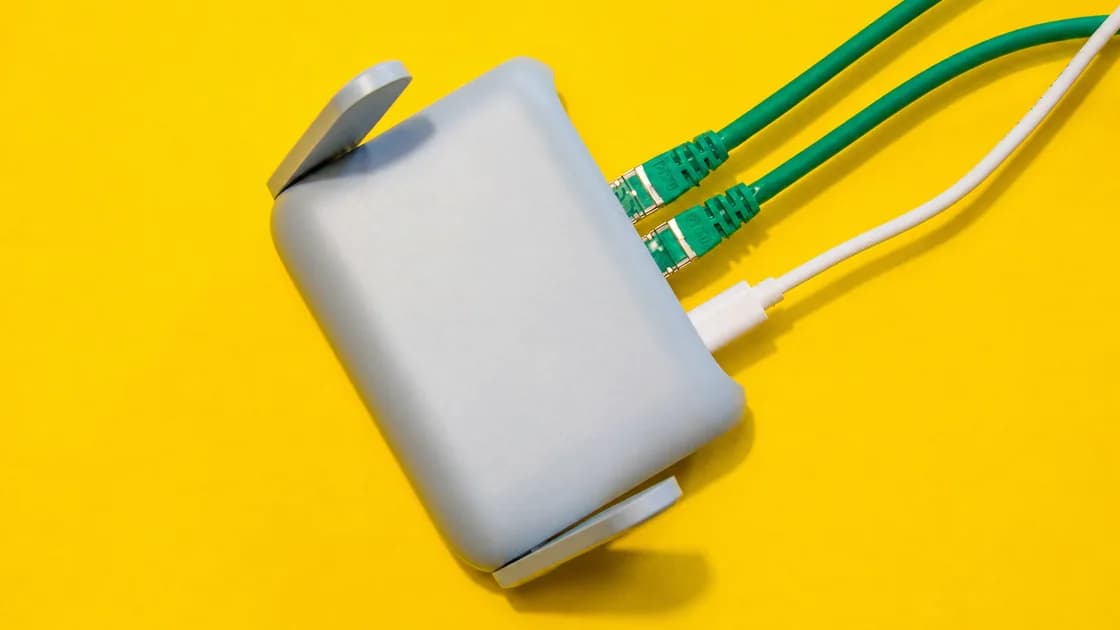

Is a personal hotspot safer than public Wi-Fi? Usually, yes: in a portable hotspot vs public Wi-Fi decision, your own hotspot is more controllable because you set its password and choose which devices join, if you have reliable mobile coverage, enough data, and a charged device. Public Wi-Fi can still be useful when mobile service is weak, expensive, or unavailable, but you must verify the network and treat its access path as shared. Canada's Get Cyber Safe campaign warns that criminals can intercept personal information on unsecured public networks and set up fake hotspots that imitate real ones.[3]
The answer is not “hotspot always good, Wi-Fi always bad.” A phone hotspot, a dedicated travel hotspot, and a cafe or hotel network have different trust boundaries. Choose the connection first, then decide whether your devices also need a VPN.
Key Takeaways
- A personal hotspot gives you more control over the local Wi-Fi name, password, and joining devices.
- A dedicated hotspot still depends on its SIM, carrier plan, coverage, battery, and tethering terms.
- Public Wi-Fi is convenient but requires SSID verification, portal caution, updates, and careful task selection.
- A VPN can protect a device-to-VPN-server path on either connection; it does not validate a fake hotspot or repair an infected device.
- Keep a fallback: offline travel information, mobile data, a second connection, or a place where you can safely recharge.
“Portable hotspot” can describe two setups:
Both give you a network you control more directly than a cafe or airport access point. Apple documents Personal Hotspot as a way to share an iPhone's cellular connection over Wi-Fi, Bluetooth, or USB, while Google describes Android tethering as sharing the phone's mobile data connection with another device.[1][2]
Public Wi-Fi is the network provided by a venue, carrier, airport, hotel, transport operator, or other organization. You may need to accept terms, enter an access code, or pay before it allows internet traffic. The venue controls the access point and upstream connection, not you.
| Decision factor | Phone hotspot | Dedicated travel hotspot | Public Wi-Fi |
|---|---|---|---|
| Local access control | You choose the password and can stop sharing | You manage the device and its Wi-Fi settings | The venue controls the network and portal |
| Internet source | Phone's mobile plan | Hotspot device's SIM/eSIM plan | Venue or network operator |
| Coverage | Depends on the phone line and local carrier | Depends on the hotspot plan, bands, and carrier | Depends on the venue's access points and backhaul |
| Data limits | Your phone plan or travel eSIM | The hotspot plan | Venue policy; may be time, speed, or device limited |
| Battery impact | Drains the phone and may heat it | Drains a separate battery, leaving the phone freer | Usually low device impact after joining |
| Number of devices | Depends on the phone and carrier | Depends on the device and plan | Depends on the venue and network load |
| Trust boundary | Your devices, mobile carrier, and hotspot settings | Your devices, hotspot provider, and carrier | Shared local network plus venue and upstream providers |
| First security question | Is the phone and plan configured correctly? | Is the hotspot firmware, plan, and password under your control? | Is this the real network and a legitimate portal? |
The table compares control, not guaranteed security. A personal hotspot can be misconfigured, a mobile network can be monitored under applicable law, and a VPN provider becomes another party in the traffic path.
When you must access an account, handle work, or approve a meaningful transaction and your mobile signal is stable, a personal hotspot can remove the uncertain local Wi-Fi access point. Use the official app or a saved website address, keep the device updated, and check the account's normal security prompts.
This does not make the task risk-free. The carrier, destination service, account controls, and endpoint still matter. If a bank or employer requires a particular network or managed VPN, follow that policy rather than substituting a personal hotspot.
One hotspot can be practical for a laptop, phone, and tablet, but every connected device consumes data and shares the same mobile link. Give the hotspot a new, non-obvious password, turn it off when finished, and remove unknown devices from the connected-device list.
For longer trips, compare the phone's battery and heat cost with a dedicated hotspot. A separate device can keep the phone available for navigation and calls, but it adds another battery, charger, plan, and firmware surface.
Personal connectivity is useful in a taxi, on a platform, in a quiet work area, or when the only visible Wi-Fi names look suspicious. Check coverage and plan terms before relying on it in a rural area, on a border crossing, or during a long transfer.
If your mobile connection comes from a travel eSIM, read travel eSIM vs VPN: do you need both? to separate the data-plan decision from the VPN decision.
Public Wi-Fi can be the practical choice when the mobile signal is poor, the plan has no data left, a venue offers faster access for a large download, or you need to complete an official captive-portal step. Convenience is not the same as trust.
Before joining, verify the exact SSID using a sign, official venue app, or staff member. Do not choose a network only because its name contains the venue name. A captive portal may legitimately ask you to accept terms or enter an access code, but an unexpected certificate, configuration profile, browser extension, or app is a stop signal.
Apple describes captive Wi-Fi as a normal flow in places such as hotels, airports, and cafes: join from the device's Wi-Fi settings, then wait for the login screen.[4] The portal proves only that the network has an access step; it does not certify every website you visit afterward.
For a more detailed venue-network sequence, see safer airport network connections.
A personal hotspot generally gives you stronger control over who joins the local network. Use a unique password, keep sharing off when not needed, and update both the phone and dedicated hotspot. Do not assume that a hotspot encrypts everything end to end; HTTPS and app-level protections still matter.
Public Wi-Fi adds an access point and local network you do not control. Get Cyber Safe advises checking for HTTPS and avoiding online banking or purchases on public Wi-Fi.[3] Verify the network before entering credentials, and switch to mobile data for a high-impact task when practical.
A VPN can add an encrypted tunnel from a device to the VPN server over either type of access. Cloudflare describes that tunnel as protecting the connection between the client and VPN server; it does not make a phishing page legitimate, remove malware, or decide whether an account should accept the session.[5]
Public Wi-Fi may not charge you directly, but it can require registration, a purchase, a time limit, or acceptance of terms. A hotspot has plan, data, roaming, tethering, and hardware costs. A VPN is a separate service layer.
Read the current carrier or venue terms for data caps, speed shaping, tethering, connected-device limits, and overage rules. Avoid making a decision from a headline price that omits activation, taxes, top-ups, or the cost of a second device.
Hotspot performance follows the mobile signal, carrier load, plan limits, Wi-Fi distance between the device and hotspot, and the number of connected devices. Public Wi-Fi follows the access point, backhaul, venue congestion, portal state, and any network policy.
If a VPN is active, server distance and routing add another variable. Choose a nearby available server for routine browsing and calls, and compare the result using the actual task rather than one isolated speed test. A VPN cannot fix a congested venue or a mobile plan with no remaining data.
Phone tethering keeps the radio, Wi-Fi sharing, and often the screen or background apps active. A dedicated hotspot moves that workload to another battery, but now that battery must be charged. Public Wi-Fi avoids hotspot sharing but may tempt you to stay connected to a poor network while the device repeatedly searches or reconnects.
Carry a trusted charger, disable sharing after use, and avoid leaving a hotspot in direct sun or under clothing. If the device becomes unusually hot, stop sharing and let it cool before continuing.
Install the VPN on each endpoint that needs its traffic protected. A laptop connected to a phone hotspot does not automatically inherit the phone's VPN tunnel; the phone VPN may protect traffic generated by the phone while the tethered device has a different path, depending on the operating system and configuration.
For the mobile-data-specific trade-off, continue with using a VPN on cellular data. The VPN guide for international travel fits this choice into a full trip checklist.
With AethoVPN, that means installing it on each device that carries sensitive work: the Windows, Linux or Android app on those machines, and the setup-guide configuration for an iPhone, iPad or Mac on Pro or Premium. Pro covers two desktops and two mobile devices, so a laptop and a phone on the same hotspot can each run their own tunnel. The tunnel covers the path from each device; it does not make a shared hotspot genuine or improve weak cellular coverage. Start the 3-day free trial and connect both before you rely on either network.
Use this quick sequence at the moment you need to connect:
After a suspicious public network, stop using it, forget the saved entry, review account activity, and follow what to do after using unsecured WiFi.
A personal hotspot is a phone feature that shares its mobile data with a laptop, tablet, or another phone over Wi-Fi, Bluetooth, or USB. iPhone calls it Personal Hotspot; Android lists it under hotspot and tethering.[1][2]
It is often more controllable because you manage the hotspot password and joining devices, while a venue controls public Wi-Fi. It is not automatically safe: carrier policy, device updates, plan settings, HTTPS, and the destination service still matter.
They share the idea of using mobile data to create a local Wi-Fi network, but the hardware, battery, plan, coverage, and management are different. A phone hotspot uses the phone's resources; a dedicated device separates that workload.
It can reduce direct visibility into the tunnel between your device and the VPN server, but it cannot verify the SSID, stop phishing, remove malware, or make an unsafe destination legitimate. Verify the network and use HTTPS as well.
Use one when the task and your privacy model call for an additional tunnel, but install it on the device generating the traffic that needs protection. Do not assume that a VPN on the phone automatically covers every tethered device.
The hotspot still needs a mobile data source, such as a SIM, eSIM, or carrier plan. A hotspot is the sharing device; an eSIM is one possible way to supply its mobile service. Travel eSIM vs VPN explains the layers separately.
The mobile signal may be weak or congested, the plan may limit tethering, or several devices may be sharing data. Public Wi-Fi may have a better backhaul at that venue, but it also has its own congestion and access rules. Test both with the task you actually need.
No. Turn it off when you are finished, remove unknown devices, and watch battery, heat, and data usage. Continuous sharing creates unnecessary exposure and can leave the device unavailable when you need it.
Stop and verify the request through an official venue channel. A normal portal may request terms acceptance or an access code, but an unknown installation is not a routine reason to weaken device security. Use mobile data if the request cannot be confirmed.
Disclaimer: This article provides general travel and network guidance, not legal, financial, medical, compliance, or carrier-plan advice. Follow the current terms of your device, network provider, employer, destination, and online services.
Sources:
Sources checked 4 October 2026.
Related Articles:
Sign up to experience all premium features at no cost.
*Available only to new users. Each user is limited to one trial.