Start your 3-day free trial
Sign up to experience all premium features at no cost.
*Available only to new users. Each user is limited to one trial.
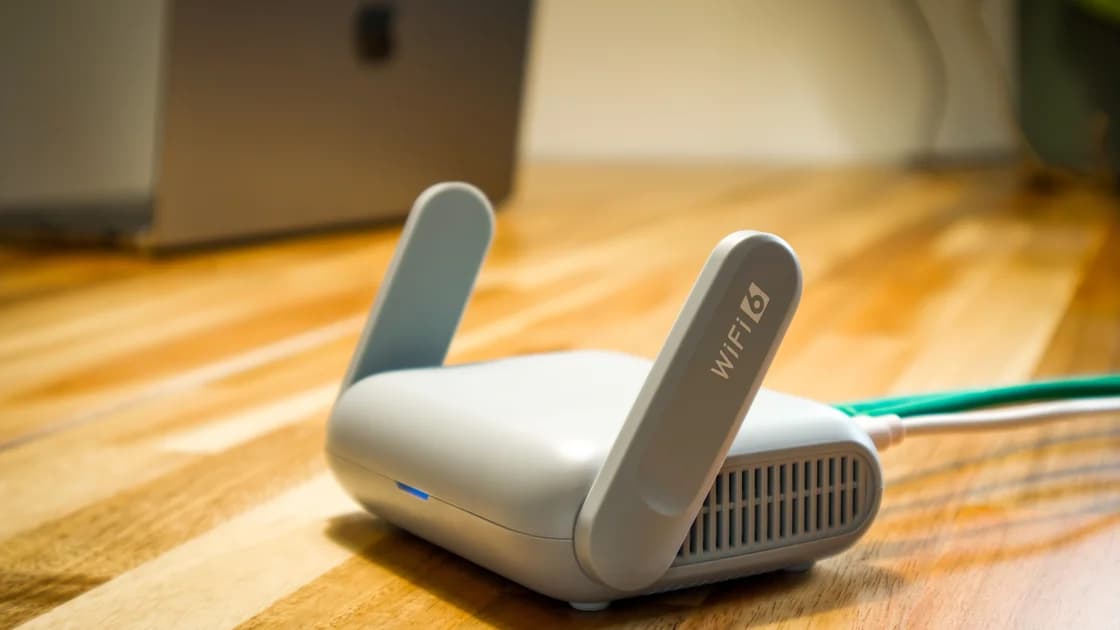

The travel router vs VPN app decision is mostly about where you want to own the configuration. A router can sit between a local network and several devices, while an app protects traffic on the device where it is running. For a short trip with one or two devices, an app is usually easier to inspect; a router is worth evaluating only when you accept the extra network-device responsibility.
Key Takeaways
- A VPN app is a device-level choice; a router is a network-path choice.
- A router does not prove that every endpoint is updated, locked, or using the same policy.
- Hotel and train captive portals may need to be completed before a VPN path can work.
- A VPN app cannot automatically cover a laptop or tablet just because they share Wi-Fi.
- Choose the smallest setup you can test and troubleshoot before departure.
A travel router is a small network device that can join an upstream connection and provide a local Wi-Fi network. The router may have its own administration page, firmware, credentials, and connection rules. Those details are the router owner's responsibility, not a guarantee supplied by the venue or by every app on a connected device.
A VPN app runs on an endpoint such as a phone or laptop. It normally creates a protected path for that device's traffic to a VPN gateway. With AethoVPN, that endpoint route is concrete: a Windows laptop uses the .exe installer, a Debian or Ubuntu x64 laptop the .deb package, an Android phone or tablet the APK, and an iPhone, iPad, or Mac a configuration from the website setup guide, which requires Pro or Premium. The official site lists those entry points, not travel-router firmware or router settings, so treat router support as unconfirmed.[1] If you choose device-level protection, install the matching client on each endpoint and run a connect-and-reconnect test on every device before departure; to try that on the devices you will actually pack, start the 3-day free trial with your email.
The distinction matters because a network can be shared while security decisions remain separate. A laptop using a router does not inherit the router's update status, screen lock, browser safety, account controls, or application permissions.
| Decision area | Travel router | VPN app on a device | Personal hotspot | Public Wi-Fi |
|---|---|---|---|---|
| Main control point | Network device and its upstream connection | Phone, laptop, or tablet running the app | Phone's cellular sharing and hotspot settings | Venue access point and its login portal |
| Possible scope | Devices that actually use the router path | The endpoint with the active tunnel | Devices that join the hotspot | Devices that join the verified venue network |
| Setup owner | You must manage firmware, admin access, and network rules | You manage the app, account, and device state | You manage the phone, password, sharing, and battery | You verify the SSID, portal, and venue rules |
| Portal handling | The router may need to join or pass through the venue portal | The device may need normal Wi-Fi authentication first | Usually starts after the phone has cellular service | Complete the official portal before starting a VPN |
| Failure diagnosis | Upstream link, router, local Wi-Fi, then endpoint | Device network, app state, account, then destination | Coverage, battery, plan rules, phone sharing, then endpoint | SSID, portal, upstream service, then endpoint |
| Best fit | Several compatible devices and a prepared configuration | One or a few devices that you can test individually | Selected devices when cellular service is a trusted fallback | Low-impact tasks on a verified venue network |
The table describes responsibility, not a security ranking. Either path can be misconfigured, disconnected, or blocked by the upstream network.
An app is a strong default when you carry a phone and a laptop, change networks often, or do not want another battery and administration page. Install it on each supported device you own, sign in with the account holder's credentials, and test it on a trusted connection before you leave.
If you connect to a hotel, station, or café network, verify the exact SSID and complete its normal sign-in page first. A portal is an access step, not evidence that every later destination is trustworthy. The captive portal troubleshooting guide explains why a tunnel may need to wait until ordinary web authentication succeeds.
The app choice is also easier to explain to a managed-device owner. An employer or school may require a particular VPN, certificate, endpoint agent, or remote-access method. NIST treats the endpoint, its authentication, and the remote-access path as separate parts of a telework system.[3] Do not install a personal app over that policy without permission. A travel router in front of a managed laptop does not remove the owner's obligations.
A router can be useful if several devices must use one prepared local network and you are comfortable testing the complete path. Before the trip, identify the upstream connection method, administration credentials, firmware update process, recovery procedure, and exact devices that will join it.
Do not confuse “all devices are connected to the router” with “all devices have the same protection.” A tablet may bypass the router, a device may fall back to cellular data, or an application may fail while the local Wi-Fi still looks normal. Check the connection and VPN state on each endpoint.
Accommodation networks add another dependency. Some require a browser-based portal, a room-specific code, or a device registration step. A router may not be able to complete that flow in the way the venue expects. If the portal cannot be verified, use a trusted fallback rather than trying to defeat the access controls.
Use a three-layer order so that a failure at one layer does not get blamed on another:
If one endpoint fails while another works, treat it as an endpoint problem until you have evidence otherwise. If every endpoint fails after a venue change, check the upstream and portal layers before changing app settings repeatedly. Portable hotspot and public Wi-Fi covers the separate question of who controls the first local network hop.
Neither choice updates a neglected device, prevents a stolen laptop, validates a phishing site, or replaces an employer's access policy. CISA's travel guidance treats internet-enabled devices as full computers and recommends updates, backups, physical protection, and caution around public networks and uncontrolled charging equipment.[2]
A router also does not turn a shared room, hotel desk, or borrowed computer into a trusted endpoint. An app does not make an unknown SSID legitimate or provide internet access when the upstream connection has no service. Keep offline tickets, contacts, and maps available so a networking failure does not force an unsafe shortcut.
Use this short decision sequence:
The best answer is the setup whose boundaries you can see. Smaller scope is often easier to verify, while a larger shared path can be worthwhile only when its extra administration is deliberate.
Not automatically. A router can change the network path for devices that actually use it, while a VPN app runs on a particular endpoint. You must verify both the router path and each device's protection state.
No. An app normally protects the device where it is active. Other devices need their own supported configuration or a separately verified network design; do not infer coverage from shared Wi-Fi.
Only if you can verify the hotel's connection rules and manage the router safely. Some hotels require a browser portal or per-device registration that may not work cleanly through a router.
It can be easier to inspect because the connection state is visible on the endpoint. Still verify the SSID, complete the portal, use HTTPS, and keep sensitive work paused if the network cannot be confirmed.
It can provide a network path, but it cannot replace your employer's VPN, endpoint controls, or device policy. Ask the employer before adding another network layer.
Check the portal and upstream access first, then confirm which path the device is using, and only then inspect the app account and connection state. Repeatedly changing settings before this order can hide the actual fault.
No. A larger setup may reduce repeated local configuration, but it adds router administration and can hide endpoint differences. Choose it only when the owner can test every device and explain the fallback.
Disclaimer: This article provides general travel and network guidance, not legal, employer, carrier, or product-support advice. Device support, network rules, and product capabilities can change; follow current official instructions.
Sources:
Sources checked 21 August 2026.
Related Articles:
Sign up to experience all premium features at no cost.
*Available only to new users. Each user is limited to one trial.