Start your 3-day free trial
Sign up to experience all premium features at no cost.
*Available only to new users. Each user is limited to one trial.
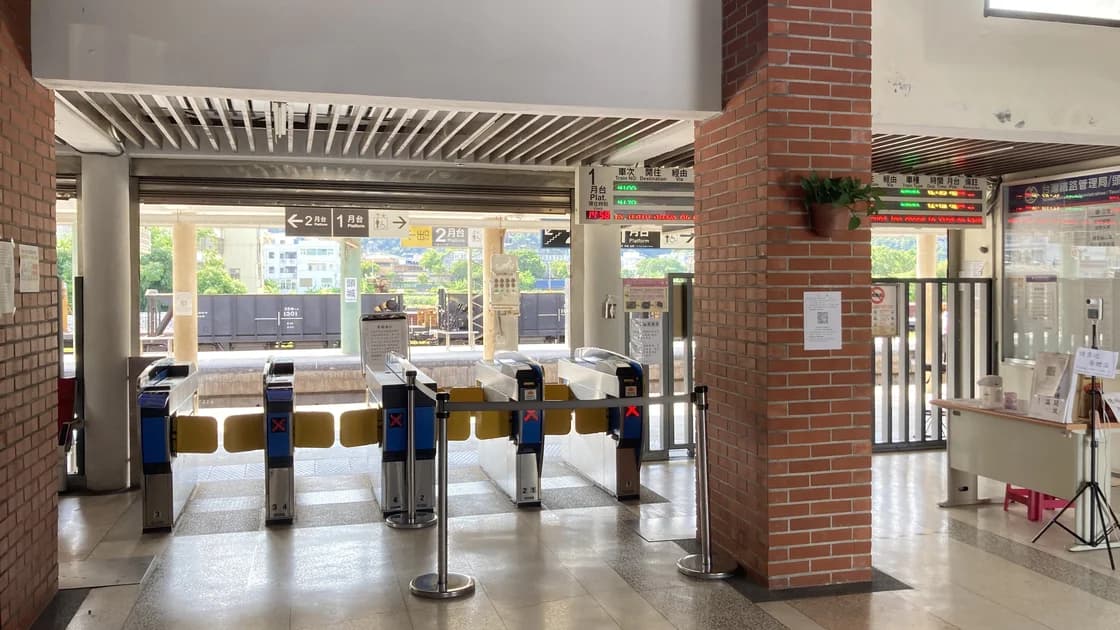

If a China Railway e-ticket gate rejects your passport, step out of the queue, confirm which checkpoint failed, and compare the passport in your hand with the identity document on the booking. Keep the original passport and order details ready, then use the staffed manual channel instead of repeatedly trying different automatic gates.
Key Takeaways:
- A valid booking, a readable passport, and a matching identity record are separate conditions.
- The entrance gate, platform ticket check, and exit gate can fail for different reasons.
- Your itinerary sheet, payment receipt, screenshot, or invoice does not replace the identity document used for the ticket.
- A staffed manual channel is the normal recovery path for many foreign-passport cases, not evidence that your ticket is invalid.
This guide starts after you already have a ticket. For buying and managing one, use the 12306 guide for international visitors. For a complete station sequence, see the high-speed rail station guide.
China Railway states that an e-ticket passenger should keep the booking information and present the valid identity document used to buy the ticket when entering, boarding, and leaving the station. It also says an itinerary sheet or reimbursement receipt is not a ticket.[1] That means a successful payment alone does not prove that the passport presented at the gate matches the railway record.
The reader may not support or may not reliably read every passport. The booking might contain an old passport number, a different document type, or a name entered differently from the document. You may also be at the wrong station, date, train, or checkpoint, or the ticket may have been changed or refunded. Station staff can distinguish those cases more safely than repeated scanning.
| What you see | Likely layer to check first | Best next action |
|---|---|---|
| Gate does not react to the passport | Reader or document presentation | Try once as directed, then use the staffed lane |
| Gate displays a booking or identity mismatch | Ticket record versus passport | Open the current order and compare every document field |
| Entrance works but boarding check fails | Train, platform, time, or changed order | Confirm the latest train number and departure details |
| Boarding works but exit fails | Journey record or exit-gate processing | Keep the ticket order open and ask exit staff to check |
| Passport was renewed after booking | Old document linked to ticket | Show both passports if lawfully retained and ask staff to reconcile |
Carry the original valid passport used for the booking. If the ticket was bought with a previous passport and you lawfully retain it, keep both documents accessible. Do not rely on a photo of the passport unless staff expressly accept it for a limited check; a photo normally does not replace the original identity document for travel.
Open the current order in the official 12306 channel or keep the booking details available offline. Note the passenger name, masked passport number, train number, date, departure station, arrival station, departure time, carriage, and seat. If another person bought the ticket, make sure you can locate the booking under the correct purchaser and passenger.
Leave time for a manual check. The official guide for foreigners explains that passengers may use automatic or staffed inspection channels with the identity document used for booking.[2] Arriving at the gate at the last minute turns a routine document check into a missed-train risk.
Do not block the gate or keep presenting the passport rapidly. Move to the side where you remain visible to staff and where you do not cross a controlled line without permission. Take note of the exact gate, time, displayed message, and whether the passport was read at all.
Identify whether you are at the station entrance, the boarding check for a platform, an onboard inspection, or the station exit. Say the checkpoint explicitly when asking for help. “My passport failed at the entrance” gives staff more useful information than “12306 is broken.”
If the gate retained a document, damaged it, or closed on luggage, alert staff immediately and do not pull against the mechanism. Safety and recovery of the original passport take priority over diagnosing the booking.
Open the latest order, not an old screenshot. Check that the ticket is paid, active, and for today; verify the exact departure station because large cities may have several stations with similar names. Confirm the train number and departure time after any change.
If the order was changed, refunded, placed on standby, or purchased through another person, look for the final issued ticket rather than the original request. A standby success notice or payment notification is not enough if the final passenger record is different.
For a platform checkpoint, compare the departure board and gate announcement with the order. Gates may not open before the boarding window or may close before departure. Those are operational controls, not passport-reading failures.
Compare the document type and number character by character. Check letters that resemble digits, the country or nationality selection, expiry date where recorded, and whether the passenger was added with the same passport now being presented. Do not focus only on the name.
Then compare the romanized name. Hyphens, spaces, order of family and given names, middle names, and truncated fields may display differently, but you should not edit a live booking merely to imitate a visual format. Show staff the actual passport and current order so they can determine whether the record is acceptable.
If the booking uses an old passport, do not conceal that fact or present someone else's document. Explain when the passport changed and show supporting documents you legitimately possess. Staff may direct you to a ticket window or service desk for a record correction or ticket handling decision.
At an automatic gate, follow the diagram for passport placement. Remove opaque covers if staff direct you to do so, keep the data page flat, and wait for the reader to finish. Do not bend the passport, press the chip area forcefully, or repeatedly slide it while the reader is active.
Try a second automatic gate only if staff recommend it. Several identical failures usually add no useful evidence and may delay other passengers. A dirty reader, glare, cover, page movement, chip issue, or unsupported reader can look the same to the traveler.
Do not scan an itinerary sheet, invoice QR code, booking screenshot, residence permit, or a different passport because it is easier for the machine to read. The relevant document is the one attached to the ticket, subject to staff verification.
Show the original passport and the current order to the employee at the manual channel. State the checkpoint and error briefly: “Entrance gate did not read this passport; this is the document used for the ticket.” Let staff inspect the record rather than handing your unlocked phone to an unknown bystander.
The employee may check the passenger list, scan or enter the document, compare the journey, or send you to a ticket office. Follow the controlled route they indicate. Do not tailgate another passenger or cross a barrier because the train is close; that can create a security incident and will not repair the journey record.
If language is difficult, show the written train number, station, date, and the phrase “人工通道” for manual channel. Keep your explanation factual. Avoid sharing a full passport image in a public chat or asking an unofficial helper to modify your booking.
If staff confirm a reader limitation, continue through the manual channel and ask whether the same method is needed at boarding and exit. If the problem is the wrong station or boarding time, follow station directions rather than changing identity fields.
If the ticket is linked to an old passport, ask which documents must be shown and whether the ticket needs handling at the window. If the passenger name, document type, or number is wrong, use the official correction, refund, repurchase, or verification path staff specify. Do not create a second identity or edit a passport image.
If the account or passenger status itself is unresolved, use the separate 12306 identity-verification guide. A gate agent can handle the immediate journey, while the account record may need a different channel for future bookings.
After staff let you proceed, confirm whether the intervention applies only to that checkpoint. Keep the passport and order accessible for the boarding gate, onboard inspection, and exit. Do not pack the passport deep inside checked or hard-to-reach luggage.
Save the final order number, service-window receipt, and any instruction about the old and new passport. Record which station and channel handled the case without photographing staff, other passengers, or restricted screens. This helps you explain the same record at the exit or on the return journey.
Before another trip, correct any persistent account or passenger-data issue through 12306. A one-time manual release does not prove that the underlying identity record is fixed. Recheck the exact passport selected before paying for each new ticket.
Tell uniformed staff the train number and departure time immediately and follow their queue direction. Keep the passport and order open. Do not waste the remaining minutes changing network settings, cycling through gates, or asking strangers to take you through.
Staff decide whether there is enough time and which channel can process you. If you miss the train, move to the official service or ticket window and use the missed-train procedure; do not assume the gate error automatically grants a refund or free change.
No. It may be a reader limitation or a record mismatch, but staff must check the current ticket and document before deciding.
No. 12306 says the itinerary sheet and reimbursement receipt are not tickets. Carry the valid identity document used for booking.
Try again only if staff direct you. Repeated attempts do not correct an identity mismatch and may cost boarding time.
Bring the new passport and, if lawfully retained, the old one. Tell staff before the checkpoint and follow the official window procedure they give you.
Do not assume so. The official rule centers on the valid identity document used for purchase; only railway staff can decide whether any exception applies.
It may. Ask the first employee whether you should use a manual channel at boarding and exit, and keep the order accessible.
No. Network access is separate from the gate reader, ticket record, and staff decision.
Go to the official ticket or service window immediately and ask which missed-train, change, or refund rule applies to your actual order.
Disclaimer: This guide provides general travel information. Station layouts, accepted documents, inspection channels, and ticket handling can change. Follow the current 12306 instructions, station announcements, and railway staff directions.
Sources checked 8 September 2026.
Related articles:
Sign up to experience all premium features at no cost.
*Available only to new users. Each user is limited to one trial.