Start your 3-day free trial
Sign up to experience all premium features at no cost.
*Available only to new users. Each user is limited to one trial.

If you find VS Code Remote SSH not connecting, first test the same authorized host with your local SSH client. Then separate authentication, VS Code Server installation, and forwarding: an accepted SSH login is a useful checkpoint, but it does not establish that the editor's remote components can start.
These checks follow the listed VS Code and OpenSSH documentation, without a complete end-to-end connection test. Record your editor, extension, SSH client, and operating-system versions; check the current remote prerequisites for that combination rather than treating these examples as a tested configuration.
Key Takeaways:
- Keep the host, account, port, SSH client, and configuration fixed while comparing failures.
- Verify host identity before authentication; an unexpected host key is a reason to stop.
- Server downloads can occur remotely or through a documented local fallback.
- A local route comparison tests one connection, not the remote machine's internet access.
Save your files and record the editor version, Remote-SSH extension version, local operating system, and remote operating system. Identify whether the error occurs before authentication, during server installation, or after the remote window opens. Use the device troubleshooting sequence if unrelated applications also fail.
Start with the same host alias used by the editor. The official setup sequence first verifies terminal SSH access, then connects through Remote-SSH. Using a different account or hostname in the terminal creates a different comparison.[1] Keep your existing approved SSH configuration, including any required jump host; do not remove it merely to simplify an example.
Record only the first failed checkpoint and a timestamp. Use a small table with columns for terminal SSH, host verification, authentication, server startup, and remote terminal. Mark checkpoints you did not reach as unknown. A failure before login supplies no evidence about server installation or workspace permissions.
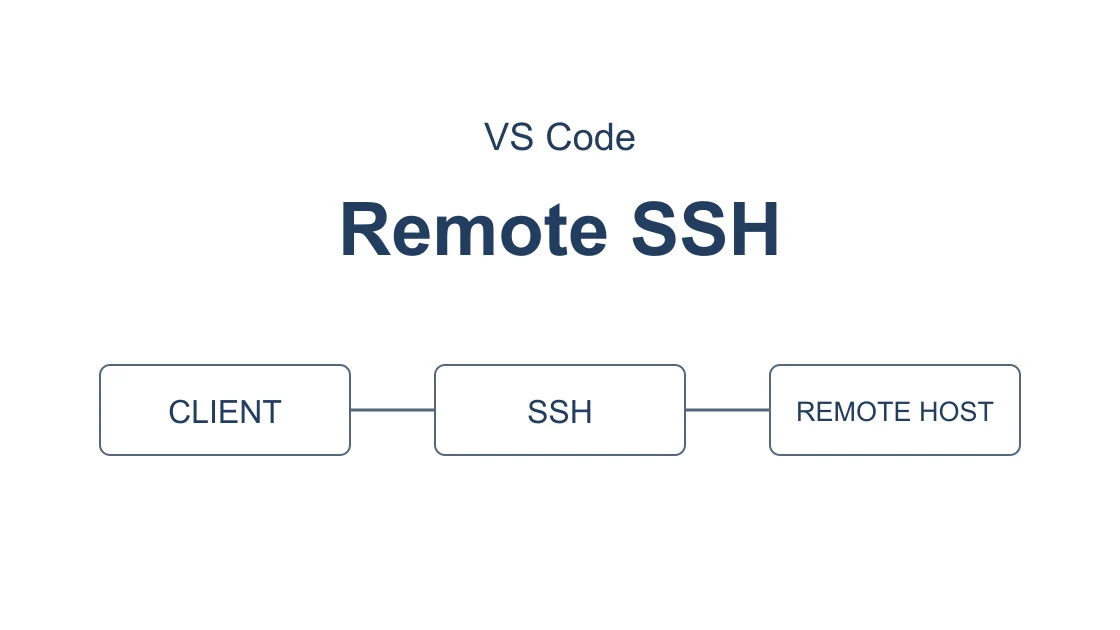
The diagram describes execution boundaries, not a captured connection or an availability test. An editor window on your laptop can control processes on another host. The place where a command runs determines which network route and filesystem it uses.
Use the administrator-approved hostname, account, port, and configuration. The following example is a command pattern, not a successful test. Replace the reserved example hostname with your own authorized host, and keep the same settings in VS Code:
ssh -v -o StrictHostKeyChecking=yes -o ForwardAgent=no -o ControlPath=none user@host.example
Strict checking requires a previously verified host key in the applicable trust file. Obtain the expected key through the administrator's trusted channel before connecting; do not treat an unverified first-contact prompt as proof of identity. Debug output can expose usernames, paths, and internal hosts, so inspect it locally and share only a redacted excerpt. The options are documented by OpenSSH.[3]
A timeout, a refused connection, and Permission denied identify different stages. A refusal means the connection attempt received a rejection; it does not establish that your key is wrong. Permission denied means you reached an authentication decision and should inspect the permitted identity and account rather than changing the port repeatedly.
If terminal SSH itself cannot reach the server, follow the authorized SSH port and connection alternatives. Do not copy GitHub's special alternate-port configuration to an unrelated server. A provider's documented endpoint is valid only for that provider.
If terminal SSH succeeds, retain that baseline. Close an ordinary diagnostic session normally, but do not end your only management session before an authorized change to SSH access, routes, or firewall rules.
For a host you maintain, first confirm an independent SSH or provider-console recovery path, then verify the expected host key and permitted login in a second fresh session using strict checking. Keep the original management session until the authorized change and recovery checks succeed; if a second login or console cannot be confirmed, stop and ask the owner. This is a prerequisite for maintenance, not an instruction to change or restart the SSH service.[4]
Next compare the executable and host configuration selected by Remote-SSH. A terminal launched inside an already connected remote window runs remotely and is not the local baseline you need.
Check the Remote-SSH output for the executable and host selected by the editor. Privately compare those with the successful terminal attempt. Confirm the intended user, port, configuration file, key identity, and any approved proxy or jump configuration; a matching display name alone does not prove these inputs are identical.
An authentication prompt may be waiting outside the visible editor notification. VS Code documents remote.SSH.showLoginTerminal for displaying the login terminal when additional authentication is required.[2] Change this specific setting only when the log shows an authentication-stage problem; note its prior value so you can restore it later.
This English-language image comes from the official Remote-SSH guide and illustrates target selection. It is not this article's host, account, error, or test result; labels can differ in other editor versions and interface languages. Choose your existing approved host rather than copying the example identity.[1]
If the key is unavailable to the local client, fix that local authentication context with the administrator. Do not copy a private key to the remote host, turn on agent forwarding as a generic remedy, or publish agent listings. A prompt that accepts credentials still does not demonstrate that server installation completed.
Stop immediately if the host identity changes unexpectedly, your organization requires an unsupported authentication method, or access has been revoked. These are trust or authorization decisions. A new network exit must not be used to evade them.
After authenticated SSH is established, identify the installation stage in the editor's output. VS Code Server is installed on the remote operating system and is distinct from a preexisting desktop installation there. Check the current official remote prerequisites, available storage, and the specific error before deleting a server directory.[1]
The documented default attempts a remote download and can fall back to downloading locally and transferring the server over an established connection. The remote.SSH.localServerDownload setting controls this choice.[1] Therefore, name the host performing the failed HTTPS request; “server download failed” alone does not tell you whose connection needs investigation.
Do not silently change that setting, update the editor, and change routes in one attempt. Fix one evidenced condition, then repeat installation with the same version. If a managed remote host cannot download, ask its owner about the approved installation path rather than assuming a VPN on the laptop controls that host.
An extension download error belongs to a separate acquisition step. Use the Marketplace search and package download checks if the remote window works but an extension does not install. This avoids treating an extension's compatibility or signature failure as an SSH outage.
| First failed checkpoint | Evidence to retain privately | Responsible next step |
|---|---|---|
| SSH connection | Target and timeout/refusal category | Approved route and server listener |
| Authentication | Account and permitted identity | Authentication owner |
| Server installation | Execution host and install error | Remote prerequisites or download path |
| Forwarding | Relevant refusal message | Server forwarding policy |
| Workspace action | Path and operation category | Workspace permissions or extension |
Consider this comparison only when the local-to-host transport is failing and the server owner permits the alternate exit. A private host reachable through an enterprise tunnel may need that tunnel; a consumer VPN does not supply its private routes. Confirm the destination is reachable by the permitted method before testing.
For a developer-owned Windows computer or Debian/Ubuntu x64 workstation, use Pro or Premium with the corresponding official AethoVPN client; on Mac, obtain configuration through the official setup guide with the same tiers. Connect to an available nearby or home-country location in the App and enable global mode on the computer initiating SSH. Start a fresh SSH connection to the unchanged host, account, and port, then compare the first checkpoint reached with the baseline.
An existing multiplexed SSH session can keep using its original connection, so a reused session is not evidence of a changed route. Do not terminate unrelated work just to obtain a comparison. If you cannot safely start a fresh diagnostic session, defer the test and document that limitation.
For this diagnostic attempt, use the earlier command with -o ControlPath=none before and after changing the route. This disables sharing for the target connection without closing an existing master session; ControlMaster=no alone can still reuse a configured control socket. If an approved jump host or proxy reuses its own upstream connection, a fresh target session does not prove that first hop changed. Ask its owner how to verify a fresh permitted first hop, or defer the comparison.[3]
This comparison does not grant access to a private network, repair a host-key mismatch, or change the remote server's forwarding policy. If you need an account for the permitted route test, start the 3-day free Pro trial; it begins at registration and is available once per user.
Use the local tunnel checklist for SSH work for the local connection, then verify SSH and the editor separately. If browser access changed but SSH did not, the browser-versus-desktop connection distinction helps organize the evidence. Do not describe a new public IP as proof that every SSH process or remote request used it.
A successful login can still be followed by a forwarding refusal. The official troubleshooting guide identifies administratively prohibited forwarding errors as a server-side policy checkpoint.[2] Ask the server owner whether the required forwarding is permitted; do not broadly enable forwarding or restart a shared SSH service without authorization.
After the remote window opens, confirm the intended host and open an authorized nonsensitive folder. Run a harmless observation such as pwd in its terminal and verify that the location is remote. Check one permitted file read without editing production files. Shell access, folder access, and extension functionality should be recorded separately.
For a wider GitHub workflow, use the operation-specific developer access checks, not a claim that Remote-SSH success validates all developer services. The scope comparison between SSH and VPN explains why these results cover different boundaries.
Stop repeated retries when the same checkpoint fails without new evidence. Restore temporary diagnostic settings and provide the owner with versions, the first failure stage, sanitized error text, and the before/after observations. Keep private logs and credentials out of public issues.
The editor can select a different SSH executable or configuration, or fail later during server installation and forwarding. Compare those checkpoints before changing working credentials.
Reinstallation does not establish that the required identity or prompt is available. Check the selected account, client, and authentication stage before replacing software.
The default can fall back to a local download and transfer. Identify the attempted execution host and documented download setting instead of assuming one fixed path.[1]
An unexplained changed host key is a stop condition. Ask the owner to verify the change through a trusted channel before updating your trust record.
A local tunnel alone does not establish the remote host's route. Diagnose the machine performing the failed download and use its owner's approved access method.
A forwarding refusal can occur after authentication. The server owner must confirm its forwarding policy; rotating network exits does not change that policy.[2]
Send versions, the first failed checkpoint, and a sanitized comparison. Exclude private keys, tokens, internal addresses, full configuration files, and complete terminal logs.
Disclaimer: Use only authorized hosts and network paths, follow local laws and organizational rules, and retain host-key and certificate verification. The examples explain diagnosis, not measured availability.
Sources:
Visual Studio Code — Remote Development using SSH — https://code.visualstudio.com/docs/remote/ssh
Visual Studio Code — Remote Development Tips and Tricks — https://code.visualstudio.com/docs/remote/troubleshooting
OpenSSH — ssh_config(5) — https://man.openbsd.org/ssh_config
OpenSSH — ssh(1) — https://man.openbsd.org/ssh
Sources checked 9 October 2026.
Related Articles:
Sign up to experience all premium features at no cost.
*Available only to new users. Each user is limited to one trial.