Start your 3-day free trial
Sign up to experience all premium features at no cost.
*Available only to new users. Each user is limited to one trial.

An SSH port 22 blocked symptom needs a stage check before an alternate connection. A timeout does not prove that a firewall blocked the port, and changing the client to port 443 works only if the server owner has actually provided an SSH listener there.
Key Takeaways:
- Distinguish transport failure, host verification, and account authentication.
- Test only your own authorized destination and its administrator-approved ports.
- Retain strict host checking on the original and any alternate endpoint.
- A VPN route comparison does not repair a listener, grant access, or replace private-network routes.
This guide covers authorized SSH diagnostics using the cited OpenSSH documentation. Record your client version and keep the administrator’s approved configuration; option support can differ across implementations. The procedure has not undergone a complete end-to-end test, and the examples are not connection results.
Record the intended hostname, account, approved port, client, network, and timestamp privately. Keep the first error category rather than paraphrasing every failure as “blocked.” A timeout can involve several points along the path; a connection refusal and an authentication denial tell you that the attempt progressed differently.
Use the device and application diagnosis framework if other local tools also fail. Confirm that you are testing the permitted server rather than a stale address copied from an old deployment note. Do not scan neighboring addresses or a range of ports to find a way in.
OpenSSH's client options let you select the destination port, configuration, and diagnostic verbosity.[1] Those controls help reproduce one attempt; they do not create a server listener. Decide which single observation will distinguish the current hypothesis before running anything that generates a login or audit event.
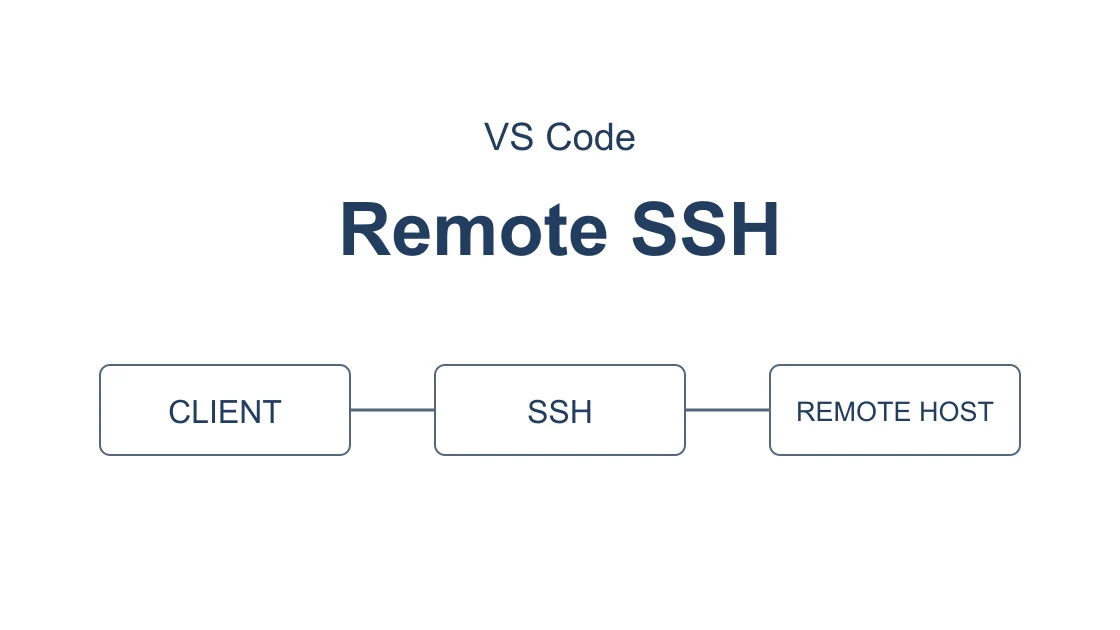
The diagram is a diagnostic model, not a packet capture or test result. It keeps endpoint identity and account authorization after transport reachability. Reaching a port alone is insufficient acceptance for a trusted administrative session.
Run one normal connection attempt using your approved SSH configuration. This reserved hostname illustrates the command shape only; substitute the destination you are authorized to access. A 10-second connection timeout is an example observation window, not a service requirement:
ssh -v -p 22 -o ConnectTimeout=10 -o StrictHostKeyChecking=yes -o ForwardAgent=no -o ControlPath=none user@host.example
Inspect the log locally. With strict checking, a new or changed host needs a verified trust record before the session can proceed. The administrator should supply the expected public key through a trusted channel; do not erase known-host records or accept an unexplained replacement to make a test pass.[2]
A Permission denied message is an authentication checkpoint. Investigate the correct account, permitted identity, and access policy rather than trying many ports. A host-key warning is a trust checkpoint, even if it appeared after switching routes. Neither should be attributed to port blocking without additional evidence.
| Observation | Limited conclusion | Next action |
|---|---|---|
| Connection timeout | Connection did not complete within the chosen window | Confirm destination, route, and listener with owner |
| Connection refused | A rejection reached the client | Ask owner about the intended listener |
| Host-key mismatch | Presented identity differs from trusted record | Stop and verify the change out of band |
| Authentication denied | Attempt reached authentication | Correct authorized account or key policy |
| Trusted login succeeds | This session passed several checkpoints | Verify the required authorized task |
Verbose logs can reveal internal addresses, usernames, key paths, and connection details. Do not paste the complete transcript publicly. Preserve a private original and share only the category and redacted context needed by the owner.
Ask the server owner to confirm the listener, address, access policy, and any firewall rule relevant to your account. This is a server-side question. The owner should also confirm whether access requires an enterprise tunnel or a jump host and whether the service accepts the exit address you intend to use.
An SSH alternative port is useful only when it is actually configured for SSH. OpenSSH documents -p and the Port setting as client destination choices, not ways to turn an HTTPS service into an SSH server.[1][2] If the owner supplies a different endpoint, verify that endpoint's host key as well.
Do not invent a listening service on 443 or publish instructions for changing a shared daemon as the default fix. A port used by HTTPS may already belong to another application. Changing a listener can affect monitoring, firewall policy, automation, and existing users; its deployment and rollback belong to the server operator.
GitHub has a specifically documented SSH-over-HTTPS-port endpoint, which is a provider exception rather than a general recipe.[3] For GitHub, use the developer transport checklist with its current official procedure. Do not apply GitHub's hostname or alternate port assumptions to a company server.
Compare the role of SSH with the role of VPN before substituting tools. SSH authenticates the server and account for a particular session; a consumer VPN supplies a different local exit. It is not the server owner's remote-access permission system.
Privately confirm that the intended host entry uses the approved hostname, port, user, and required jump or proxy configuration. OpenSSH can print evaluated configuration with ssh -G without opening the SSH session.[1] Inspect the relevant fields locally, since the output can still include sensitive paths and internal destinations.
ssh -G -p 22 -o StrictHostKeyChecking=yes -o ForwardAgent=no user@host.example
This command is a configuration inspection example, not a connectivity test. Some configurations can evaluate local commands, so review untrusted configuration before processing it. Do not claim that a printed port means a packet reached that port or that a host key was verified.
For an administrator-approved alternative, repeat the same normal SSH attempt with only the supplied port changed. If a different hostname or jump route is required, record those changes explicitly rather than calling it an identical comparison. Keep credentials and trusted host records intact.
If the target can be reached only inside a private network, use the organization's sanctioned access route. Do not replace a required corporate tunnel or proxy with a personal VPN. The workplace VPN boundaries help separate an approved transport alternative from evading organizational controls.
A controlled comparison is useful when the server owner confirms a healthy reachable service and permits the alternate route. Keep the destination hostname, port, account, key, and timeout unchanged. If the server uses an IP allowlist, ask whether the test exit is permitted before connecting.
With AethoVPN on the computer initiating SSH, establish a connection through an available suitable nearby or home-country location and enable global mode. For this desktop connection, use Pro or Premium with its official Windows installer or Debian/Ubuntu x64 package; a Mac needs configuration from the official guide. Then start a new diagnostic SSH session to the same authorized endpoint and record whether it progresses beyond the original transport failure.
Do not reuse an existing multiplexed connection as proof of the new path. If another session is doing important work, leave it alone and coordinate a separate diagnostic attempt. A result from another account, host, port, or jump path is a separate experiment.
For this diagnostic attempt, use the earlier command with -o ControlPath=none before and after changing the route. This disables sharing for the target connection without closing an existing master session; ControlMaster=no alone can still reuse a configured control socket. If an approved jump host or proxy reuses its own upstream connection, a fresh target session does not prove that first hop changed. Ask its owner how to verify a fresh permitted first hop, or defer the comparison.[2]
The alternate exit cannot open a missing server listener, supply private routes, approve an unknown key, or override account and IP policies. To try this permitted connection comparison, register to start the 3-day Pro trial; the trial begins at registration and is available once per user.
Check the local VPN connection before interpreting SSH evidence. If activating the VPN removes general connectivity, use the connected-but-no-internet diagnosis rather than claiming the SSH endpoint is blocked. Stop when the alternate route fails in the same way or conflicts with required organizational access.
The VPN port explanation describes another protocol boundary. Do not infer which protocol a VPN service supports from this article's SSH command, and do not treat changing the SSH destination port as changing the VPN transport.
A trusted login is a useful result, but validate only the task you actually need. Open a permitted read-only session, confirm the intended host through your organization's established procedure, and run a harmless command such as pwd. Avoid changing production files or running privileged commands to manufacture stronger evidence.
If terminal SSH now works but VS Code does not, continue with the Remote-SSH installation and forwarding checks. The remaining failure can be in an editor component or server forwarding policy, after port reachability has already passed.
Write down the actual endpoint, tested port, connection stage, and time in your private operational record. A passed attempt is evidence for that session under those conditions. It does not prove all networks, other ports, sustained performance, or continued access after a policy update.
Close the diagnostic session and restore temporary configuration changes. If the outcome is unresolved, ask the owner to correlate the timestamp with listener and access records. Repeated retries without a new hypothesis can trigger account protections and add noise without locating the problem.
A timeout shows that the connection did not complete within the observation window. Destination, listener, routing, and access policy still need investigation before identifying a block.
Only a server endpoint actually configured for SSH on that port can accept it. A client port option cannot convert a normal HTTPS listener into SSH.
An authentication denial means the attempt reached an account decision. Check the permitted identity and credentials instead of repeatedly changing network ports.
Stop and verify the change with the server owner through a trusted channel. Do not erase a useful trust warning simply to continue connecting.
It prints evaluated client configuration rather than opening the SSH connection. The output does not prove that a listener, trust check, or login succeeded.[1]
A consumer exit does not automatically provide private-network routes or organization authorization. Keep the sanctioned access method and obtain approval for any alternative.
The editor additionally needs its remote server and forwarding path. Diagnose those later checkpoints after preserving the successful terminal SSH baseline.
Disclaimer: Connect only to authorized servers and approved ports. Follow local laws and organizational policy, retain strict host verification, and keep credentials and logs private. These examples are not recorded availability tests.
Sources:
Sources checked 7 October 2026.
Related Articles:
Sign up to experience all premium features at no cost.
*Available only to new users. Each user is limited to one trial.