Start your 3-day free trial
Sign up to experience all premium features at no cost.
*Available only to new users. Each user is limited to one trial.
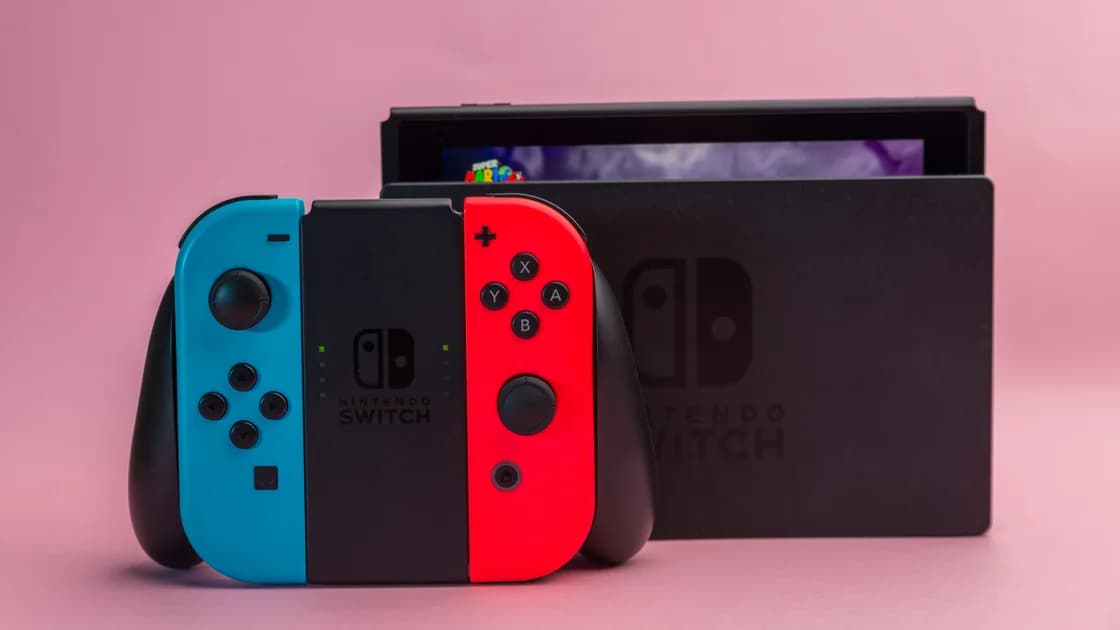

To change Nintendo eShop region after a genuine move, update the country in the Nintendo Account associated with the store, after resolving any balance, automatic renewal, or unreleased preorder blocker.[1] Changing the console's language is not the same operation, and old funds do not become a new-country wallet.
Key Takeaways
- Identify the Nintendo Account buying from eShop before changing its country.
- Check balance, renewal settings, and pending downloadable preorders first.
- Read the change confirmation rather than assuming funds or subscriptions migrate.
- Family-managed child accounts require the appropriate administrator workflow.
- Verify the new storefront and local payment terms before making a purchase.
The streaming and gaming planning guide covers broader access choices. This workflow is for a real relocation, not a plan to switch repeatedly between cheaper stores or supply false billing information.
The relevant setting belongs to the Nintendo Account used for the eShop.[1] Identify that account separately from the console user you have selected. If several household members use the device, changing one adult's country should not be described as migrating every purchase on the console.
Console language, local user name, game language, and the storefront country serve different purposes. A new language in a menu does not demonstrate that the buying account has changed. Keep your account identity, old country, and desired new residence in a private checklist before proceeding.
| Item | Check before the change | Check afterward |
|---|---|---|
| Buying account | Correct email and linked console user | Same intended account opens eShop |
| Funds | Remaining balance and applicable warning | No assumption of converted or transferred funds |
| Renewal | Each membership and pass | Intended renewal state remains understood |
| Preorders | Unreleased downloadable orders | Cancellation or remaining order status is clear |
An IP address does not substitute for updating the stored account country. Use accurate residence details and the applicable terms. If you only want a different game language, use the game language and region guide rather than changing the purchasing account.
Record your account email, current country, balance, memberships, passes, future renewal dates, and outstanding preorders. Keep order receipts and recovery access. For a shared console, note which account owns each important purchase; the visible local profile name alone is not enough.
The official country-change help identifies an unspent eShop balance as a possible blocker and advises spending it.[1] Treat the actual warning for your account and market as authoritative. Do not assume money can be carried across countries or that support will refund or convert it as part of relocation.
Avoid topping up again merely to solve a small remainder without understanding the consequence. That may leave more funds tied to the old market. If you cannot resolve the balance through the displayed official process, stop and ask Nintendo support instead of confirming a warning you have not read.
If a confirmation describes forfeiting funds or another irreversible effect for your account, decide whether you accept it before proceeding. This guide does not promise that every country presents an identical screen. Keep the exact wording so your later support question reflects the account's actual case.
Yes. Nintendo's help lists active automatic renewal and unreleased downloadable preorders among possible blockers.[1] Review every relevant membership or pass, not just the one you remember using most recently. A successful change to one renewal switch does not establish that all blockers are cleared.
The help specifically includes Nintendo Switch Online, Pokémon HOME Premium, and in-game passes.[1] Turning off renewal prevents a future renewal; do not confuse it with a completed refund or the immediate disappearance of an already paid service period. Record the displayed end date and status for each service.
Nintendo's US renewal terms describe turning renewal off through Passes in the Nintendo Account or Your Subscriptions in eShop Account Information, and require doing so at least 48 hours before the current period ends to avoid renewal billing.[2] Check your market's applicable terms and act before its deadline rather than assuming a last-minute change will stop a charge.
For an unreleased downloadable preorder, follow the official cancellation path and inspect the order afterward.[1] Do not label a request or an opened menu as a canceled order. If cancellation is unavailable or the message differs, preserve the order reference and contact support before attempting country changes repeatedly.
After reviewing the blockers, use the account website rather than hunting for a console-only country switch. Nintendo documents this sequence:[1]
The final verification is a practical check, not a reason to buy a game just to test the setting. Read the country, currency, signed-in identity, and any warning first. If they are inconsistent, stop checkout and review the account rather than creating several new ones to see which accepts payment.
Keep the old account accessible. Do not unlink users, delete local saves, or create replacement accounts as a preliminary relocation step. Changing a field in the original account and buying content with a new identity are different choices with different entitlement consequences.
Nintendo's help describes child accounts as managed through the family administrator's country change rather than changed individually.[1] The definition and age boundary can differ in regional instructions. Use the official page for the affected account's market, not a universal age copied from another country's help.
The administrator should review the household before changing their country. Identify affected children, account relationships, memberships, and any purchases that need clarification. Do not edit birth dates or bypass parental controls to force an adult-account procedure onto a managed child account.
If the country selector is unavailable on a child's profile, that does not by itself show a network failure. First establish whether it is a managed account. Ask official support about the correct family branch when the account relationship or regional rule is uncertain.
If your household also uses other consoles, the PSN account-country decision and Xbox relocation workflow can help you plan separately. Their account and age rules do not replace Nintendo's family instructions.
Before buying in the new store, check the listed game, edition, add-on, supported platform, country, and payment terms. Do not rely on a translated title as evidence that an add-on matches a previously purchased edition. Keep the base-game receipt or product information available for comparison.
For existing content that is missing, use the DLC troubleshooting workflow or the game ownership checks. Establish the actual buying account and entitlement first. Another country change is not a substitute for checking what you purchased.
Payment methods and prepaid codes should be checked against the new store's own terms. Do not assume an old-market card or code will be accepted, and do not buy a code labeled “global” without official regional information. A failed payment is not a reason to invent local billing details.
Network problems belong to another branch. For a multiplayer NAT message, use the Nintendo Switch NAT troubleshooting guide; it does not require rewriting the purchasing country. Keep the error, console model, account country, and redacted order reference separate when contacting support.
Change the intended Nintendo Account country after resolving its actual blockers. Verify balance consequences, every renewal, preorders, and family management before confirming. Check the resulting store without an unnecessary purchase, and preserve access to the account and receipts throughout relocation.
No. This workflow updates the Nintendo Account country, not simply the display language.[1] Verify the buying account and resulting store separately from the console's language preferences.
The official help lists balance as a possible blocker.[1] Read your actual warning and resolve it through the applicable process. Do not assume transfer, conversion, or a refund into the new market.
Check all affected memberships and passes, including Pokémon HOME and in-game passes where relevant.[1] One disabled switch does not prove there are no remaining renewal blockers or preorders.
Act before the applicable deadline. The cited US terms require turning renewal off at least 48 hours before the period ends.[2] Review your market's terms and the displayed subscription status rather than relying on a last-minute click.
Nintendo identifies it as a possible blocker and directs you to cancel it.[1] Confirm the order's resulting status; if cancellation is unavailable, stop and contact support rather than retrying country changes.
Use the official family-administrator workflow for a managed child account.[1] Check regional age definitions instead of applying one universal cutoff, and preserve parental controls throughout the process.
No. First identify the buying account, receipt, edition, and entitlement. Preserve local saves and recovery access, use the appropriate ownership checks, and ask support before a destructive or unnecessary purchase action.
This is a relocation checklist, not a guarantee of fund, content, or subscription migration. Nintendo's current regional account and purchase terms govern your specific case.
Sources checked: 4 October 2026
Sign up to experience all premium features at no cost.
*Available only to new users. Each user is limited to one trial.