Start your 3-day free trial
Sign up to experience all premium features at no cost.
*Available only to new users. Each user is limited to one trial.
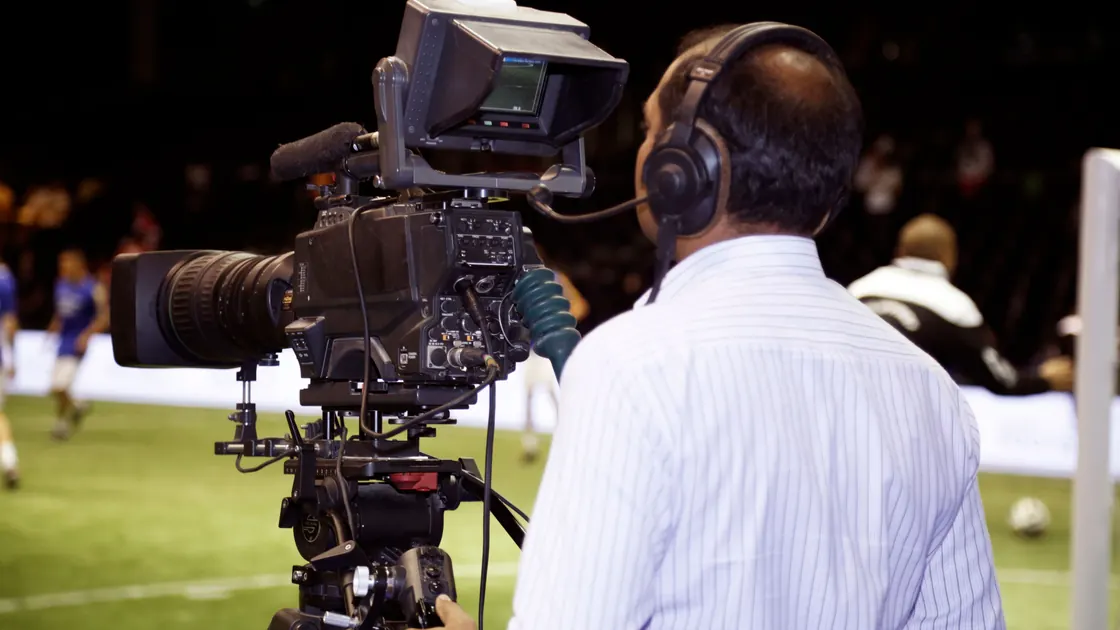

A live sports stream is delayed because the pictures and sound pass through capture, production, encoding, packaging, distribution, player buffering, decoding, and display before reaching you; that gap is usually called latency or broadcast delay. Some of it protects playback from interruption, and more accumulates when the app buffers, the device falls behind, or you pause behind the live edge. A deferred live broadcast is different: the event is aired later on purpose, often in full from the start, so the gap comes from the schedule rather than the delivery chain.
Key Takeaways
- “Live” means near the event, not simultaneous with the stadium.
- Radio, television, streaming services, and notifications follow different production and distribution paths.
- Lower delay gives the player less reserve against network variation.
- A stream that is consistently behind differs from one that keeps falling farther behind.
- Compare the same event and timestamp before blaming Wi-Fi, bandwidth, or the playback device.
The streaming overview covers service context. Here the task is narrower: measure glass-to-glass delay and decide whether you are seeing the provider's normal live position or an additional local lag.
Glass-to-glass delay is the time from a camera capturing an event to a viewer's screen displaying it. It is not the same as network ping. Ping measures a round trip for small packets between two endpoints; a sports stream carries produced video through many systems and normally maintains a playable buffer.
Use a reliable reference when estimating delay. A stadium clock visible in the picture is better than a neighbor's shout. A phone notification may originate from a separate data feed and can arrive before the corresponding video. Radio commentary can also take a shorter or differently buffered path.
Measure three samples instead of one:
If the difference remains roughly constant, you are probably observing a path's baseline delay. If it grows throughout the match, the player may be rebuffering, failing to catch up, or remaining behind after a pause.
Deferred live is broadcast and listings language for coverage of a live event that airs later than it happens instead of in real time, usually in full and presented as if it were live. A channel may defer a match because of a time-zone difference, a schedule clash, or the terms of its rights deal. Streaming latency is measured in seconds; a deferred showing can trail the event by minutes or hours.
Check the listing first. If the start time matches kickoff and the feed carries a live label, you are watching real-time coverage with normal latency, and the steps below apply. If the listing says deferred, delayed, or "as live", or starts after kickoff, the schedule sets the gap: the live button, a lower-delay mode, or better Wi-Fi will not close it, and score alerts will arrive first.
The signal crosses several stages, and each stage trades speed for processing, reliability, or scale:
| Stage | Why it adds time |
|---|---|
| Camera and venue contribution | Capture, synchronization, transport from the venue |
| Live production | Switching cameras, graphics, replay, commentary, moderation |
| Encoding | Compressing high-rate video into deliverable representations |
| Packaging | Dividing output into addressable media parts and playlists |
| Distribution | Moving parts through origin and edge infrastructure |
| Player buffer | Holding enough data to survive normal delivery variation |
| Device pipeline | Decoding, frame processing, refresh timing, and display |
The viewer controls only the last part of this chain. You cannot remove production replay, rights insertion, publisher encoding, or the service's distribution policy from a television menu.
Apple's HTTP Live Streaming documentation describes the technology used to deliver live and on-demand media over HTTP.[1] In systems of this kind, the player requests playlists and media parts rather than receiving an unprocessed camera feed. Segment or part duration, playlist updates, edge delivery, and the player's chosen buffer all affect how close playback can stay to the live edge.
This explains why two services showing the same match can differ even on the same home network. They may receive different contribution feeds, perform different encoding, use different packaging and advertising workflows, and choose different playback reserves.
A player near the live edge has less media stored ahead of the frame currently displayed. When a chunk arrives late, it has less reserve to hide the variation. A player farther behind can absorb a brief slowdown without stopping, but spoilers may reach you first.
YouTube defines stream latency as the delay between camera capture and display to viewers. Its creator guidance says lower latency reduces the player's read-ahead buffer and makes viewers more exposed to problems between encoder and player. It describes low-latency and ultra-low-latency modes as trading features or buffering tolerance for faster interaction.[2] A sports viewer usually cannot change the broadcaster's creator-side mode, but the trade-off explains the result.
Think of the choice as a sliding balance:
Do not assume that the lowest-delay option is always better. A stable stream 25 seconds behind may be more useful than a stream 8 seconds behind that freezes during every important play.
Some viewer apps expose a broadcast-delay or low-latency control. Use it only if the service documents it, and keep the default value available for comparison.
YouTube TV currently offers Default and Decrease choices on supported television apps. Its help page says Default is intended to minimize playback interruptions, while Decrease is intended to reduce live spoilers; it also notes that congestion and Wi-Fi interference can delay live programming even on an otherwise strong network.[3] Menu availability can vary, so do not expect that exact control on another service or device.
Use this controlled sequence:
Closing and reopening the stream can also discard an old playback position. Make sure you did not start from a recording, restart-from-beginning option, or paused session. Some players preserve the previous position deliberately.
Compare one variable at a time. Begin with two devices on the same account playing the same authorized feed. Start them as close together as possible, then compare the visible match clock.
Use these tests:
Interpret the result carefully. If every device is behind by nearly the same amount, that shared delay is likely upstream of your home or set by the service. If one device falls farther behind, focus on its app, decoder, wireless path, power-saving mode, or accumulated buffer.
A lower quality can reduce delivery and decoding pressure, but it does not prove that raw broadband speed was the only cause. The HD and 4K capacity guide helps separate plan capacity from usable throughput at the device.
If the stream stops or repeatedly shows a spinner, switch to the buffering troubleshooting flow. Delay and buffering are related through player reserve, but they are not interchangeable symptoms.
Sports streaming is primarily a one-way media pipeline. Cloud gaming adds an interactive loop: controller input travels to a remote game, the game state changes, a new frame is rendered and encoded, then video returns to the player. That loop makes network latency, jitter, packet loss, input processing, and display response directly affect control feel.
A sports stream can be 30 seconds behind yet play smoothly after its buffer is filled. A cloud game with an extra 30 seconds would be unusable. Conversely, a low ping does not guarantee that a sports provider selects a short production and playback delay.
Use the cloud gaming latency diagnostic for input-response problems. Do not apply its ping target to a broadcast path or treat a delayed scoreboard as packet loss.
Support can act faster when the report distinguishes service baseline from local accumulation. Record:
Do not send account passwords, payment details, or unnecessary location history. A short timestamped comparison is more useful than “the stream is always late.” If only one event or channel is affected, say so; production paths can differ within the same service.
Yes, every digital broadcast has some processing and delivery time. The amount varies by production, service, device, settings, and network conditions.
Notifications can use a compact data feed that does not wait for video production, encoding, packaging, and player buffering. They can therefore arrive before the corresponding picture.
No. More stable throughput can prevent extra buffering, but it cannot remove upstream production time or a service's chosen baseline delay.
Radio and streaming video use different capture, production, distribution, and buffer paths. The radio path may contain less processing or reserve.
Choose it only when the app provides it and playback remains stable. Lower delay leaves less protection against congestion and Wi-Fi variation.
The player may resume with a larger safety buffer instead of jumping fully back to the live edge. Use the live control or restart the feed if the service allows it.
Yes. App behavior, decoder performance, video processing, refresh timing, Wi-Fi conditions, and retained playback position can differ by device.
AethoVPN may alter a live stream's network route, but broadcast encoding, CDN buffering, and player latency can still leave the match behind real time.
Sources checked 4 October 2026.
Sign up to experience all premium features at no cost.
*Available only to new users. Each user is limited to one trial.