Start your 3-day free trial
Sign up to experience all premium features at no cost.
*Available only to new users. Each user is limited to one trial.
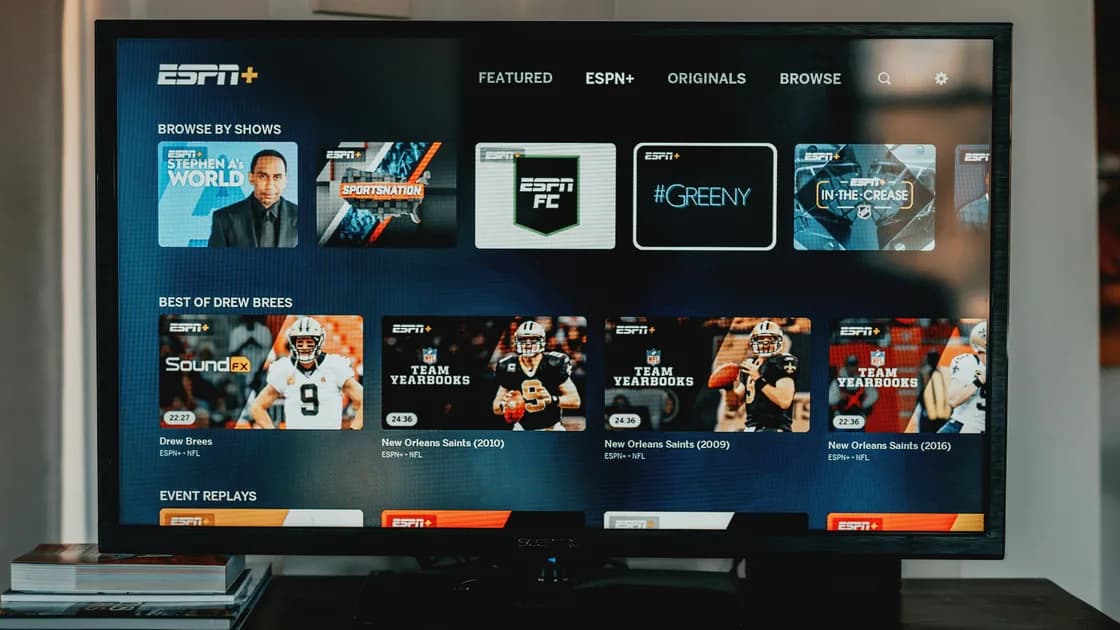

To watch ESPN outside the US, find the event's authorized broadcaster for the country where you will be watching. Do not assume that a US ESPN subscription or television-provider login carries international playback rights. Identify your actual product, then check the competition, date, destination, and live or replay listing. International ESPN or Disney+ products have their own market rules rather than universal access through a US account.[1][2]
The streaming planning hub separates account entitlement from connection conditions. This guide focuses on an event-by-event travel worksheet, not a VPN sports ranking or a claimed test of a particular match overseas.
Key Takeaways
- Current US ESPN help distinguishes Select and Unlimited; older ESPN+ wording needs context.[1]
- Direct subscriptions and television-provider authentication are different entitlement routes.[3]
- A destination ESPN presence does not prove your US account works there.
- Blackout, missing package rights, and ordinary playback failure are separate diagnoses.[4]
- Verify the exact event and local start time before paying for an alternative.
Open your official account and record the current plan or provider authorization. ESPN's current subscription help uses Select and Unlimited; its explanation of ESPN+ says that content is available within those plans. Unlimited includes a wider network offering than Select, so an older statement that “ESPN+ covers ESPN” is too imprecise for an event decision.[1][5]
If your access comes from a television provider, record the provider, the package, and whether you have activated its ESPN authentication. A MyDisney login establishes identity but is not by itself a subscription to every network. Likewise, a bundled subscription requires the applicable service activation and entitlement.
Use the current account screen and event listing instead of a remembered subscription name. Do not buy a duplicate package just because a player displays a generic subscription prompt. First verify that you are signed into the entitled account and using the supported route named by the provider.
| Access route | Evidence to check | Limit to preserve |
|---|---|---|
| ESPN Select | Active subscription and event inclusion | Does not automatically include Unlimited's full network offering |
| ESPN Unlimited | Active plan and exact event/network listing | Broader content does not mean worldwide territory rights |
| TV-provider access | Participating provider and subscribed network package | Authentication is limited to the provider's actual entitlements |
| Disney bundle | Activated service and the selected bundle tier | Shared login does not create identical content in every app |
| Destination ESPN or Disney+ product | Local plan, eligibility, and program listing | International branding does not port the US subscription |
The US television travel worksheet helps keep ESPN separate from your on-demand services. Live sports need more precise event information than a series you can prepare before departure.
Record the competition, teams or participants, event date, venue if relevant, destination country, and destination time zone. Include the exact round or session for a tournament. Two streams with similar names may refer to different courts, sessions, language feeds, or delayed coverage.
Then consult the competition's current official broadcaster list or the destination broadcaster's official event page. Match the event date and market, not merely a season-wide brand partnership. Rights can differ between live coverage, highlights, replay, and radio commentary.
Use this worksheet before selecting a paid alternative:
| Event input | Required match in the listing |
|---|---|
| Competition and round | The precise tournament or session you intend to watch |
| Date and local time | The destination's scheduled start, including time-zone conversion |
| Country or territory | Coverage explicitly offered for where you will be |
| Live or replay | The type of coverage and any delay |
| Package | Inclusion in your actual subscription or local plan |
| Device | An officially supported player for that product |
If the rights holder publishes no clear answer, ask it whether the package covers the event at your real destination. Save the response privately. A fan forum or reseller claiming “all sports worldwide” is not equivalent to a broadcaster's current rights statement.
Disney+'s international ESPN announcement describes local product expansion across markets. It is useful evidence that an international offering exists, but it does not say that a US ESPN subscription transfers to every destination or carries the same event schedule.[2] Read the destination's current product and event information before relying on the announcement.
Do not assume that the same app name means the same bundle, channel lineup, price, or rights. A destination could distribute an event through ESPN in Disney+, another local sports service, a television package, or a free broadcaster. The competition's local listing should lead this decision.
Before considering another subscription, confirm truthful local registration and payment eligibility, the package's event inclusion, device support, and cancellation terms. Do not invent an address, alter a billing country for a short trip, or borrow a provider account to bypass an entitlement check.
If no local live listing exists, look for an authorized replay or highlights release with a stated time. A highlight package is not a full match; a scheduled replay is not live access. Make that distinction in your travel plan so the fallback meets your actual viewing goal.
A blackout is an event-level geographic restriction associated with broadcast rights. ESPN's official blackout help describes location checking and the need to enable applicable device location services.[4] A paid plan may still exclude a particular event at a particular location.
A missing entitlement means the account does not include the required package or network. A region refusal means the product or event is not offered at the physical destination. A buffering player after authorized playback has started is a different technical observation. Preserve the exact message rather than labeling all three “blackout.”
| Observation | First branch | Useful next evidence |
|---|---|---|
| Explicit blackout notice | Event-level local rights | Event, location, broadcaster's blackout explanation |
| Subscribe or authenticate prompt | Plan/provider entitlement | Active account, included network, activation status |
| Unsupported-location notice | Service territory | Real destination and applicable product terms |
| Loading failure in a permitted session | Device/network/service | Supported device, app version, one controlled connection comparison |
For a detailed blackout explanation, use the sports blackout guide. This article does not recreate that general guide. Your immediate travel decision is whether a destination rights holder can legitimately carry the event you want.
Complete these steps while you can still resolve your normal account and device setup:
Test your existing app's account recovery and a known entitled program before departure. That confirms parts of your setup, not the future event's international rights. Keep your device updated through its official store, and ensure you can access the email or authentication method required by your account.
Do not assume that live sport can be downloaded before it takes place. Any replay or on-demand download feature requires its own explicit official support. Check a specific item and device rather than applying another service's movie-download rules to ESPN.
For accommodation televisions, prefer your own supported device when practical. If you authenticate on a shared screen, use the official flow, avoid saving credentials, and sign out before leaving. Do not disable a household or provider requirement simply because a hotel screen requests it.
Only investigate the connection after territory, event rights, and entitlement are confirmed. If the broadcaster excludes your real destination, stop. A faster connection, a different browser, or repeated cache clearing will not create the missing right.
For an ESPN event, AethoVPN is not a substitute for either the destination broadcaster's license or required device-location checks; the sports connection and selection guide keeps those limits separate from network considerations. Do not falsify GPS information or change exits to defeat a blackout.
For an unexplained failure during a permitted session, preserve the message, event listing, plan or provider route, device, app version, actual location, and time. Compare one supported device or ordinary connection without changing several settings together. If the result suggests a location misclassification, ask the service about your real location rather than claiming another one.
Send support only the information it needs. Redact account identifiers where practical, and never post passwords, session cookies, billing details, or full provider credentials. A clear report can distinguish activation from playback without destructive resets or duplicate purchases.
Plan ESPN viewing abroad around the event's authorized destination broadcaster. Identify Select, Unlimited, bundle, or provider access precisely, then verify event rights, package inclusion, device support, and blackout conditions. International ESPN branding is not universal US-account portability, and a network change does not create a missing sports license.
ESPN's current help describes ESPN+ content within Select and Unlimited. Use the exact plan in your account when checking event entitlement.
No. Official help distinguishes their offerings; match your actual tier to the required network or event instead of relying on an older label.
Do not assume that. Provider authentication verifies subscribed entitlements, while the product's territory and event rights remain separate conditions.
No universal portability follows from the international announcement. Verify the destination product, local subscription conditions, and the specific event listing.
Yes. An event can be geographically restricted despite an active subscription, so check the broadcaster's explanation for the actual location and match.
The cited blackout help describes geographic checks for event rights. Follow legitimate permission instructions rather than falsifying the device's reported position.
Do not assume a feature that has not been documented. Live events, later replays, and selected on-demand downloads have different availability conditions.
Check an official replay or highlights release and its schedule. If none is listed, wait for licensed availability instead of paying an unverified reseller.
Follow the applicable subscription, broadcaster, and local rules. This public-source guide does not certify your account's event rights or report overseas playback tests.
Sources checked 4 October 2026.
Sign up to experience all premium features at no cost.
*Available only to new users. Each user is limited to one trial.