Start your 3-day free trial
Sign up to experience all premium features at no cost.
*Available only to new users. Each user is limited to one trial.
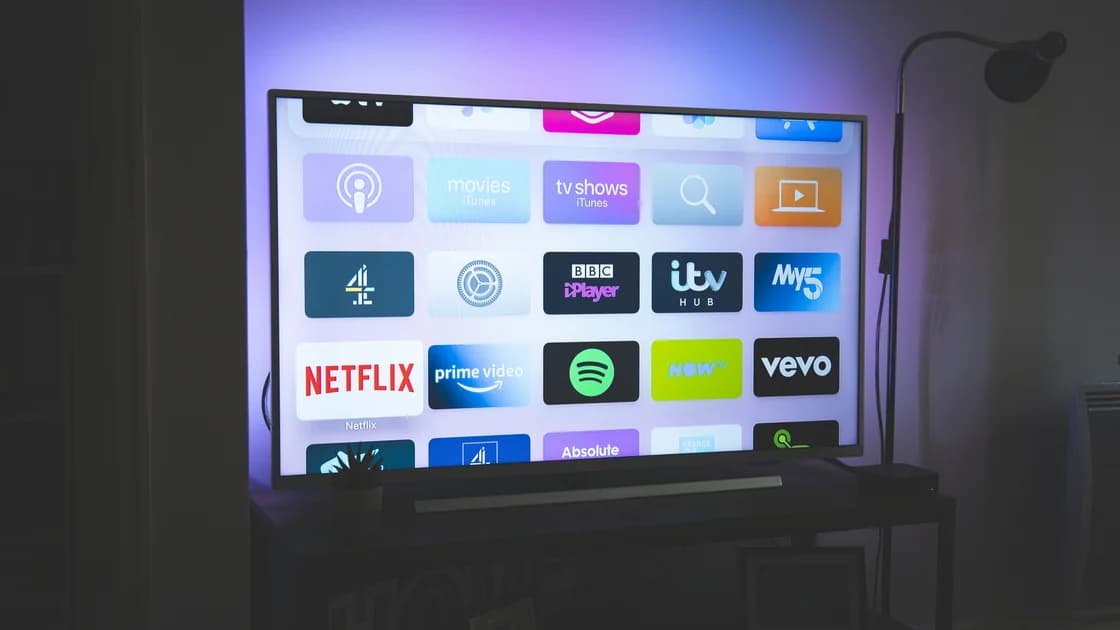

You can watch US TV abroad only through a service and playback method authorized for your destination. A paid US subscription does not automatically travel with its American catalog. Some services offer destination catalogs, some support eligible downloads, and others restrict online viewing to their service territory. Start with your actual account and the program you want, rather than treating every blocked player as a connection fault.
The streaming planning hub explains the broader network and service distinctions. This guide gives you a subscription-origin, destination, title, and playback-method worksheet for your own trip. It does not report overseas playback tests or promise that a particular show will be available.
Key Takeaways
- Billing access, app installation, and playback authorization are separate checks.
- Hulu, Peacock, Paramount+, and ESPN need their own destination assessment.[1][2][3][4]
- Netflix, Prime Video, and Disney+ have travel guidance, but catalogs and downloads can change.[5][6][7]
- Prepare eligible offline content before departure and test it on the device you will carry.
- When the service excludes your destination, look for the program's authorized local distributor.
List the account's contracting country, the service that bills you, your current plan, and the exact program. Include season and episode for a series, or competition, teams, and date for sport. A brand name alone is insufficient: a bundle can activate several services with different rules, while a television-provider login grants only its own entitlements.
Check the receipt or official account page without copying payment details into your travel notes. Record whether your account is direct, billed through an app store, or activated through a partner. Do not assume that paying through the same store gives you the same catalog in every country. A saved password proves you can authenticate; it does not establish permission to play video there.
Use this worksheet before purchasing an extra plan. Each row must refer to one actual title and one destination, not “all US television.” If your itinerary includes multiple countries, make a separate row for each country where you expect to watch.
| Input | Evidence to record | Decision it supports |
|---|---|---|
| Subscription origin | Contracting country, plan, billing partner | Which service rules apply |
| Destination | Country or territory, travel dates | Whether streaming is offered there |
| Program | Exact title or event, episode/date | Whether the local license covers it |
| Playback method | Online player or official in-app download | Which preparation is required |
| Fallback | Destination broadcaster and its current listing | What to use if the first route is unavailable |
Keep this record private. You do not need account credentials, identity documents, a full itinerary, or billing addresses in a public support post. If the account page is unclear, ask the provider which country's agreement governs the subscription before proceeding.
Check the provider's current territory and travel pages. Search the destination itself, including territories that may have separate rules. “Available away from home” can describe domestic travel and must not be read as permission to leave the service region.
The following comparison describes what to check, rather than certifying a particular account or title. Hulu's international policy restricts its US service and has separately stated military conditions; Peacock lists the United States and specified US territories. Paramount+'s US travel rule does not become worldwide access simply because the brand also operates abroad. ESPN's US plans and international products must be treated separately.[1][2][3][4]
| Service | Travel decision | Download or alternative decision |
|---|---|---|
| Hulu | Check US service territory and Live TV home restrictions | Confirm eligible plan, device, and title; international Disney+ is a different content route |
| Peacock | Compare destination with the current listed service territory | Check eligible mobile downloads or the title's local distributor |
| Paramount+ | Identify the account's market before reading travel conditions | Check that market's download rules; a local edition need not accept the US account |
| ESPN | Identify the US subscription or television-provider entitlement | Find the event's destination rights holder; do not assume offline live sport |
| Netflix | Follow travel and household instructions | Expect catalog, subtitle, maturity-rating, and download differences |
| Prime Video | Check the selection offered while abroad | Prepare compatible official downloads before departure |
| Disney+ | Check destination service and applicable travel rules | Confirm plan and device eligibility before downloading |
For the first four services, use the focused Hulu travel guide, Peacock destination checklist, Paramount+ account-market guide, and ESPN event-rights guide. They explain different eligibility branches; none converts a US payment into global rights.
Open the actual service app on the device you will take. Verify that your plan supports downloads, the device is supported for that feature, and the chosen episode has a download control. A streaming-compatible television or laptop need not be download-compatible. Check free storage, charging arrangements, and the app's current expiration notice before loading a large queue.
Download one eligible item first. Wait until the app reports completion, disconnect the device from the internet, and open the item from the app's downloads area. Then check the language track and subtitles you need. This is a preparation test, not proof of indefinite or worldwide authorization. Reconnection, title removal, subscription changes, and expiration can affect later playback.
Do not test every item to the end unnecessarily: starting playback can activate a viewing deadline on some services. Record the displayed deadline and plan around it. Keep the app signed in, avoid clearing its storage, and do not reinstall it after downloading without checking what will be deleted.
Netflix warns that existing downloads can be unavailable in another country. Prime Video describes compatible pre-trip downloads for offline viewing abroad. Disney+ recommends downloading travel content, subject to the feature's eligibility. These are distinct policies; do not copy one service's allowance onto another.[5][6][7]
If downloads are unavailable, choose another authorized title or provider. Do not use recording tools, unofficial video extractors, or account-region changes as substitutes for a missing official download feature.
Complete the following numbered preparation sequence while you still have ordinary access to your subscription:
Also confirm you can recover access to the account without exposing credentials. If authentication uses a phone or email inbox, ensure you can access it during travel. Keep any recovery information in your usual secure storage, not in a shared packing list. This matters when a hotel television asks you to sign in, but it does not remove the service's household checks.
For a shared accommodation device, prefer your own supported playback device where possible. If you do sign into a television, follow the provider's official travel flow and sign out before departure. Never approve another household's account change just to make the hotel player work. A successful login on a public screen is a privacy issue to manage, not a reason to broaden account sharing.
Search the program's official page, its distributor, or the competition's broadcaster list for your destination and travel date. Match the season or event precisely. A local service might carry an older season, a delayed replay, or selected matches instead of the live feed you expect.
Before paying, verify local registration eligibility, the required package, device support, and whether the listing is live or on demand. For sport, convert the start time into your destination's time zone and check blackout notices. For a series, verify language options and episode availability. An international logo or app-store result is not enough evidence.
Netflix's travel and catalog considerations, the Prime Video account and playback guide, and Disney+ travel explanation help you compare these broader services. Use their official travel permissions; do not infer that they can replace every unavailable US title.
European portability is also not a blanket benefit for US subscribers. A provider's verified-residence conditions and the applicable temporary-travel area matter. Disney+'s European help describes this distinction; a US account does not acquire European home-catalog rights merely by landing there.[7]
Preserve the exact message and first determine whether it says territory, household, entitlement, or connection. A service that excludes your real destination is behaving differently from an authorized service that cannot load video. Stop connection experiments when the account or territory rule already explains the refusal.
If AethoVPN is active during an otherwise authorized viewing session, separate that connection from the service-eligibility check; the streaming network guide explains why a tunnel cannot grant destination rights. Follow any provider instruction to disable a VPN or proxy rather than selecting a US exit as a travel method.
For an unexplained failure in an allowed region, compare the same title on a supported device and ordinary connection, changing one variable. Ask support about a location misclassification if necessary, without claiming to be elsewhere. Do not send passwords, session cookies, or full payment records. If support confirms the destination is unsupported, use the authorized fallback instead of repeating resets.
For two more US subscriptions, check the HBO Max destination and download rules and Sling’s stated viewing area separately. Their travel permissions differ; do not transfer one provider’s download or catalog conditions to the other.
Sports and other US subscriptions follow their own rules: compare NFL Sunday Ticket's US-only rights and the international Game Pass route, NBA League Pass US and international plans, and MLB.TV's international blackout rules. For general entertainment, check Fox One's account and program rights, PBS Passport and member-station eligibility, Starz's remaining service markets, and Discovery+ account markets and travel rules before you leave.
Plan overseas viewing around your actual subscription, destination, title, and playback method. Confirm official travel permission first, prepare eligible downloads on your own device, and identify a local licensed distributor for anything that will not travel. Keep rights decisions separate from network troubleshooting and stop when the provider's rule excludes the trip.
No. Each service sets its own territory and travel conditions, and your US payment does not establish worldwide playback eligibility.
No. Installation and authentication can succeed even when the destination or selected title is outside the account's licensed playback scope.
No. Check the title's expiry, plan status, supported device, and destination conditions; an initial offline test does not guarantee later playback.
Do not assume so. Identify the subscription's market and follow its specific travel rules before treating a local edition as an alternative.
Not necessarily. Destination catalog and entitlement rules apply, so confirm the exact show instead of treating shared branding as account portability.
No. A network location change cannot create contractual viewing rights, and the service may require VPN or proxy connections to be disabled.
Not simply because you travel to Europe. Applicable residence verification and temporary-travel conditions govern the provider's portability arrangement.
Check official replay availability or wait for an authorized release. Do not pay an unverified reseller promising universal access to every broadcaster.
Check current platform terms and local rules before viewing. This guide uses public policy sources and does not establish your account's individual eligibility or provide legal advice.
Sources checked 4 October 2026.
Sign up to experience all premium features at no cost.
*Available only to new users. Each user is limited to one trial.