Start your 3-day free trial
Sign up to experience all premium features at no cost.
*Available only to new users. Each user is limited to one trial.

If you are looking for the best browser for privacy, start with this: the real comparison is not the marketing line. It is whether the browser blocks cross-site tracking by default, limits fingerprinting, reduces data exposure, and keeps pages usable while those protections are on. Incognito mode and "do not save search history" are not enough.[1][2][3][4]
Use the digital privacy guide as the wider checklist: it connects this issue to accounts, devices, identifiers, and data-broker exposure.
I would reframe the question this way: which browser blocks the most tracking by default without making everyday browsing painful?
If you want background on how tracking works inside the browser, read what web trackers are and how to stop them.
Key Takeaways
- A private browser is not about reputation. It is about what the default settings actually block.[1][3][4]
- Cross-site cookies, fingerprinting, link tracking, and default data collection are the first things to check.[1][2][4][5]
- Firefox, Brave, and DuckDuckGo are all stronger on privacy than a basic default browser, but they take different approaches.[1][2][3]
- Chrome has useful security protections, but security is not the same as reduced tracking.[5][6]
- No browser solves privacy alone. Account logins, extensions, search engines, and habits still matter.[7]
Much of the tracking you face does not come from the site you deliberately opened. It comes from third-party scripts, ads, and cookies embedded on the page. Firefox's Enhanced Tracking Protection blocks cross-site tracking cookies, social media trackers, fingerprinters, and more by default.[1]
DuckDuckGo and Brave also make third-party tracker blocking part of their default protection model.[3][4]
Even if you block cookies, a site may still identify you through screen size, fonts, device details, language, and hardware signals. Mozilla and Brave both discuss fingerprinting protections, and EFF has long treated fingerprinting as a major tracking surface.[2][4][7]
This matters because incognito mode usually does not solve fingerprinting.
Default-on and default-off are not small differences. Most people will not tune every page, and they will not rebuild a privacy setup every time they install a browser.
Privacy is not better just because it is more extreme. If strict settings break pages too often, people eventually turn them off. Firefox SmartBlock and Brave Shields both try to balance less tracking with normal browsing.[1][4]
Some browsers block third-party trackers aggressively while their broader ecosystem still participates in large data flows. That is why I would not call any browser "absolutely the most private" based on one feature.
| Browser | Privacy posture | Best for |
|---|---|---|
| Firefox | Mature defaults with a strong model for tracking and fingerprinting protection | People who want privacy without giving up compatibility |
| Brave | More aggressive blocking out of the box | People who want stronger defaults and can tolerate occasional site adjustments |
| DuckDuckGo Browser | Lightweight, direct, and focused on default tracking protection | People who want simple privacy controls without tuning many settings |
| Safari | Limits cross-site tracking by default and adds Privacy Report, fingerprinting defenses, and IP hiding from known trackers[8] | People who mainly use Apple devices |
| Chrome | Strong security features, but a more conservative privacy posture | People who rely heavily on compatibility and Google services |
This is a practical reading of public documentation, not a lab score.[1][3][4][5][6][8]
Firefox has a well-rounded privacy model. Mozilla says Enhanced Tracking Protection blocks social media trackers, cross-site tracking cookies, fingerprinters, and cryptominers; Firefox also offers Total Cookie Protection and fingerprinting defenses.[1][2]
If you do not want to research every extension before you browse, Firefox is a solid starting point.
Brave Shields blocks trackers, cross-site cookies, fingerprinting, and some malicious pages by default. Brave also highlights fingerprint randomization.[4]
The upside is strong out-of-the-box protection. The tradeoff is that you may occasionally need to loosen Shields for a site that breaks.
If you are comfortable adjusting a few sites in exchange for stronger defaults, Brave is a good fit.
DuckDuckGo focuses on Web Tracking Protections, including third-party tracker loading protection, cookie protection, fingerprinting protection, link tracking protection, and GPC.[3]
It is especially useful if you do not want to learn many technical settings and just want the browser to reduce tracking by default.
Google Safe Browsing helps protect against malicious sites, phishing, and dangerous downloads.[6]
That protects you from harmful sites. It does not automatically mean Chrome is the most aggressive option for reducing profiling and cross-site tracking.
Chrome also offers third-party cookie controls and privacy settings, but its default posture leans toward compatibility and the Google ecosystem.[5] If your main goal is to be tracked less, Chrome is usually not my first recommendation.
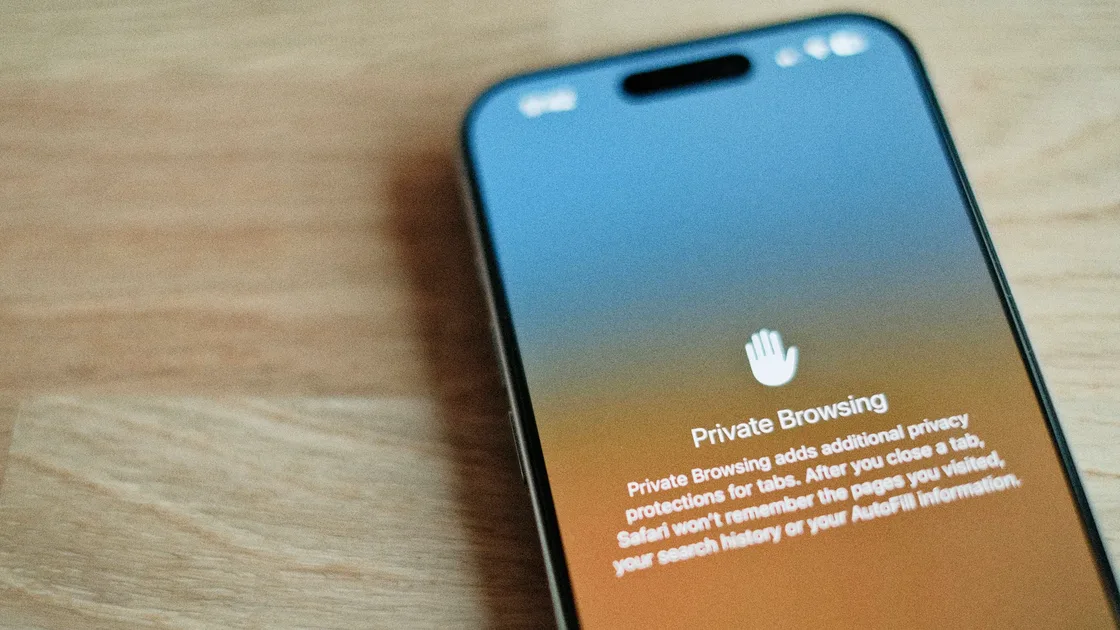
Incognito mode mainly reduces local traces, such as browsing history, cookies, and form data stored on your device. It does not mean websites, internet providers, or third-party trackers cannot see you.
If you are comparing private browsing with real privacy protection, read the limits of iPhone private browsing.
A private browser also leaves one thing untouched: the IP address and network path that every site and Wi-Fi operator sees. If that is the gap you want to close, AethoVPN covers the network layer alongside whichever browser you choose: install the app, connect with global mode on, and confirm on the What is my IP page that sites now see the server location you picked. The VPN does not change that browser's tracker blocking, cookie defaults, extension permissions or update cadence, so those settings stay your job. Start the 3-day free trial to test it with your browser of choice.
Start with Brave or DuckDuckGo Browser.
Firefox is a strong fit.
You can keep using Chrome, but review third-party cookies, site permissions, and Safe Browsing settings carefully.[5][6]
Safari remains attractive, especially if you already live inside Apple's default privacy protections.[8]
If a browser is so strict that you turn protections off every few days, it is not really better for you. The more sustainable approach is usually to:
For a broader cleanup, see the personal online privacy checklist.
Not always. Both are strong, but the right choice depends on your tolerance for site compatibility, extensions, and default settings.[1][4]
Yes. DuckDuckGo offers desktop and mobile browsers with multiple built-in tracking protections.[3]
No. Incognito mode mainly reduces local traces. It does not automatically solve cross-site tracking, fingerprinting, or the browser's own data policy.[7]
Complete blocking is hard to promise. EFF warns that tracking techniques keep evolving, so the realistic goal is to reduce identifiability, not become absolutely invisible.[7]
It depends on the threat. Browsers mainly handle web tracking and local browser exposure. VPNs address network transport and IP exposure. They work at different layers.
Not necessarily. Extensions can add attack surface and make your browser more identifiable. Fewer, trusted extensions are usually better than a long list.
Disclaimer
This article summarizes public browser documentation and privacy-tool explanations for general information. It is not a security audit, legal opinion, or absolute ranking. Browser features and defaults may change with updates.
Sources
Sources checked 8 May 2026.
Related Articles:
Sign up to experience all premium features at no cost.
*Available only to new users. Each user is limited to one trial.