Start your 3-day free trial
Sign up to experience all premium features at no cost.
*Available only to new users. Each user is limited to one trial.
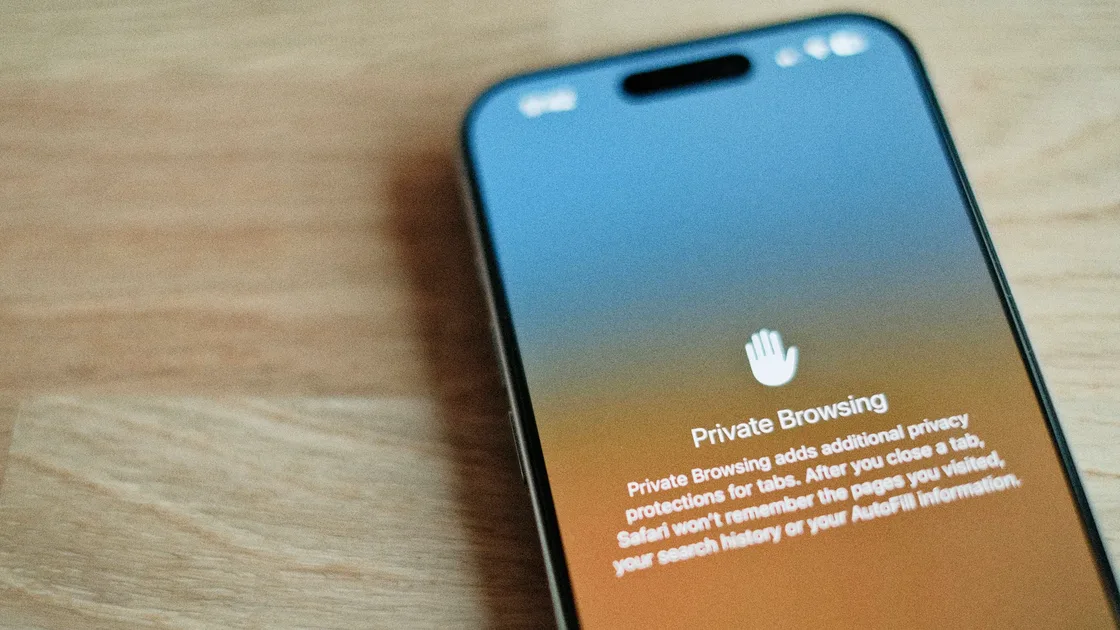

Quick answer: to turn on iPhone private browsing (often searched as iPhone privacy mode), open Safari, tap the More button, then tap New Private Tab; the address bar turns dark while you are in a private tab. Apple says that in Private Browsing, Safari won’t remember the pages you visit, your search history, or your AutoFill information, and it also blocks known trackers.[1]
But that is not full anonymity. Private browsing is mainly about keeping traces off this device, not making you invisible to websites, networks, or services you are logged in to. If you confuse “private browsing” with “Private Relay” or VPN, this article helps you separate the boundaries; the digital privacy guide covers the account, device, and permission layers around it.[1][2][3]
Key Takeaways
- On current iOS, private browsing starts from Safari’s More button > New Private Tab.[1]
- Private mode mainly avoids local history and search traces, but it does not fully hide you from websites.[1][2]
- Apple’s iCloud Private Relay is not a full VPN; it is a Safari-focused privacy layer.[3]
- If you want stronger defaults, browsers such as Firefox Focus or Brave are good options.[4][5]
- If you want serious reduction in visibility, combine private mode, browser settings, permission controls, and network-layer tooling.
Apple’s current steps are straightforward:
The address bar then appears black or dark instead of white or gray, which confirms that private context is active. On iOS 17 and earlier, tap the Tabs button, swipe to the Private tab group, then open a tab; to leave Private Browsing on current iOS, tap the More button and choose New Tab.[1]
This is useful for temporary sessions on a borrowed device or when you do not want others on a shared device to see what you looked up.
Apple’s description centers on local traces, with some tracking protection added.[1]
It commonly:
This is especially useful if you:
If you are tightening browser-level privacy, you can also review How many browser types are there? Guide by engine and privacy use case.
This is the part people misunderstand most.
If you log in, submit email or phone details, or pass any identifying signal, websites can still recognize you. Private mode does not remove login identity.
Private browsing does not change the public exit IP the way a VPN can. Apple’s iCloud Private Relay docs also emphasize that it is a privacy enhancement for Safari browsing and not a replacement for full-device traffic protection.[3]
Safari’s private mode blocks known trackers and adds protections against advanced fingerprinting, but sites you sign in to and permissions you have granted can still expose you.[1] Private modes in general are not anonymity tools: Google’s Chrome Help, for example, says websites and organizations that manage your network may still observe Incognito activity.[6]
If you are hardening your threat model, read What is a tracker and how to turn it off and Will you still be tracked when using a VPN? together.
No. Many users mix them up.
Apple describes iCloud Private Relay as an iCloud+ feature that masks IP addresses and encrypts insecure traffic when using Safari, making it harder for network intermediaries and websites to see both identity and destination.[3]
Its goal differs from that of Private Browsing:
| Feature | Primary job |
|---|---|
| Safari Private Browsing | avoids storing page and search history on the device |
| iCloud Private Relay | reduces IP exposure and network visibility in Safari |
| VPN | provides broad encrypted network protection with route exit control |
So if you expect all network traces to vanish with private tabs, you are likely applying the wrong layer. For a deeper comparison of the two approaches, see iCloud Private Relay vs VPN: Why VPN is usually more practical (2026).
Mozilla positions Firefox Focus as a privacy-first mobile browser with default tracker blocking and fast session clearing.[4] If you prefer minimal setup, this is often the simplest option.
Brave emphasizes default blocking of trackers and intrusive ads out of the box.[5] For many iPhone users this is a good balance: less interruption than extreme privacy tools, but stricter default policies than standard browsers.
If you already use Safari heavily, the ecosystem value is real: sync, keychain, and system-level integration. With Private Browsing and Private Relay, many baseline privacy needs are already covered.[1][3]
Use this by scenario:
Quick lookup, no local history → use Safari Private Browsing.Reduce trackers and ads by default → try Firefox Focus or Brave.Lower IP visibility in Safari → evaluate iCloud Private Relay usage.[3]Reduce exposure across broader traffic → add a VPN beyond private browsing.If you are also reviewing mobile permissions, read What permissions are you giving your apps, and what they expose and How data sharing works and what you agree to by default.
The most common mistake is assuming private mode is active when you are still using regular tabs. If the address bar is white or gray rather than dark, you are not in Private Browsing.[1]
If your goal is hiding your IP from network observers, DNS path visibility, or ISP-level tracing, Private Browsing alone does not solve it.
If your account session is still active, websites still know who you are. Private mode does not anonymize authenticated sessions.
Apple provides steps to delete Safari history, cache, and cookies in standard tabs.[2] Any previous local traces there are not automatically cleaned by private mode.
Once the browser controls are set, and if your remaining concern is the network path, AethoVPN's iPhone configuration comes with Pro or Premium. It concerns the network connection, not an iPhone browser's tracker controls, history, extensions, or cookie settings, so compare those browser features directly. After connecting, check Safari and any other relevant app separately; a private tab is not evidence that a VPN is active. To set up that configuration, start the 3-day free Pro trial.
Yes. Safari provides private tabs: on current iOS, tap the More button, then New Private Tab.[1]
No. It mainly prevents local history, search, and autofill traces, but does not erase account identity, network context, or device identifiers from a broader perspective.[1][3]
No. Private Relay is Safari-focused for traffic handling and IP obfuscation; it does not replace VPN protection for all apps. It is not a full-device privacy tunnel.[3]
That depends on your target: Firefox Focus emphasizes blocking defaults; Brave is more balanced for everyday use; Safari has strong system integration.[1][4][5]
Neither hides you from the network. Chrome says it doesn’t retain site data or a record of the sites you visited after an Incognito session ends, but keeps bookmarks and downloads, and websites, schools, employers, or internet providers may still observe your activity.[6] Both browsers can lock private tabs behind Face ID, Touch ID, or your passcode, so the choice mostly comes down to which browser you already use.[1][6]
Usually yes. If you submit forms, stay logged in, or expose other identity signals, websites can still track you.
No single browser mode can do this alone. Private mode mainly affects local storage, not network path encryption.
Disclaimer: This article is for general privacy configuration and browser selection guidance only and does not constitute legal, compliance, or Apple product support advice. Interface and options can vary by iOS version, so rely on what your device shows.
Sources:
Sources checked 4 October 2026.
Related Articles:
Sign up to experience all premium features at no cost.
*Available only to new users. Each user is limited to one trial.